








 Contact Platform Support
 Help Center
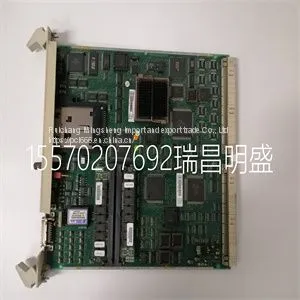
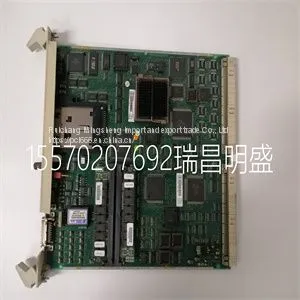
Module Spare Parts ABB PM511V16 3BSE011181R1



Related Products
-
 Module Spare Parts ABB PM864A?3BSE018162R1US$ 1 - 10000000MOQ: 1 Piece
 -
Module Spare Parts ABB PM8913BSE053240R1US$ 1 - 10000000MOQ: 1 Piece
-
Module Spare Parts ABB PU519 3BSE018681R1US$ 1 - 10000000MOQ: 1 Piece
-
Module Spare Parts ABB REF542PLUSUS$ 1 - 10000000MOQ: 1 Piece
-
Module Spare Parts ABB REM615 HCMJAEADABC2BNN11EUS$ 1 - 10000000MOQ: 1 Piece
Focus on DCS, PLC, robot control system and large servo system.
Main products: various modules / cards, controllers, touch screens, servo drivers.
Advantages: supply of imported original products, professional production parts,
Fast delivery, accurate delivery time,
The main brands include ABB Bailey, Ge / fuanc, Foxboro, Invensys Triconex, Bently, A-B Rockwell, Emerson, ovation, Motorola, xyvom, Honeywell, Rexroth, KUKA, Ni, Deif, Yokogawa, Woodward, Ryan, Schneider, Yaskawa, Moog, prosoft and other brands
ABB PM511V16 3BSE011181R1
You start the DriveAP program by using the Start button in the Taskbar (Start -> Programs -> DriveWare -> DriveAP if you have used the default settings in the software installation). An empty screen is displayed. Now you have two possibilities to continue: • If you want to make a new program, open a template file (e.g. MbpaTemplate.ap for a new MultiBlock program or StdTemplate.ap for a new Adaptive program) Note: Do not use the name of the template file when you later save your new program! • If you want to work with an existing program, open a program file (*.ap) or connect to a drive and upload program from the connected drive. The user interface of DriveAP contains two parts: • Menu commands • The program page on the screen (if any) By menu commands you can e.g.: • Open and save program files • Print program pages • Connect to a drive • Upload and download programs • Start the On-Line Mode • Start or stop the time level in the drive By the program page on the screen, the left button of the mouse and three keys (Ctrl, Alt and Shift) you can e.g.: • Add, move, remove and change function blocks • Make connections between block pins • Monitor pin values in real time

Send Inquiry to This Supplier


You May Also Like
-
Module Spare Parts ABB RET670 1MRK004816-ACUS$ 1 - 10000000MOQ: 1 Piece
-
Module Spare Parts ABB SB510 3BSE000860R1US$ 1 - 10000000MOQ: 1 Piece
-
Module Spare Parts SC510 3BSE003832R1US$ 1 - 10000000MOQ: 1 Piece
-
Module Spare Parts ABB SC520 3BSE003816R1US$ 1 - 10000000MOQ: 1 Piece
-
Module Spare Parts ABB SC520M 3BSE016237R1US$ 1 - 10000000MOQ: 1 Piece
-
Module Spare Parts ABB SPIET800US$ 1 - 10000000MOQ: 1 Piece
-
Module Spare Parts ABB SR511 3BSE000863R1US$ 1 - 10000000MOQ: 1 Piece
-
Module Spare Parts ABB SR511 3BSE000863R1US$ 1 - 10000000MOQ: 1 Piece
-
Module Spare Parts ABB TC520 3BSE001449R1US$ 1 - 10000000MOQ: 1 Piece
-
Module Spare Parts ABB TP852 3BSC950263R1US$ 1 - 10000000MOQ: 1 Piece


