








 Contact Platform Support
 Help Center
Jdsu 2213-75TSLKTB
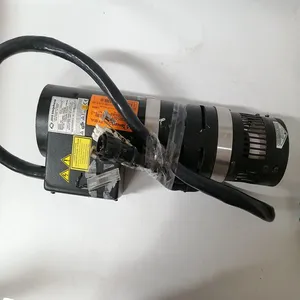
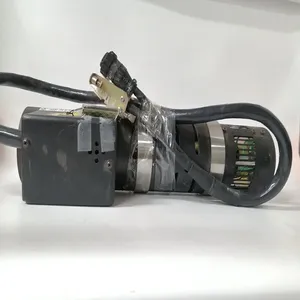


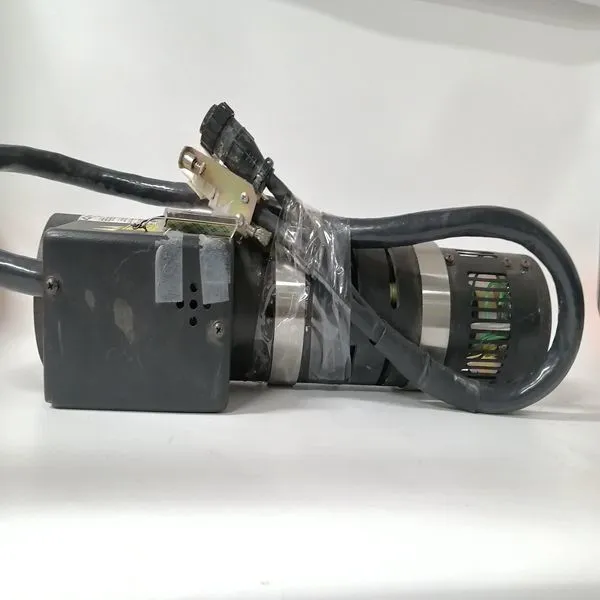
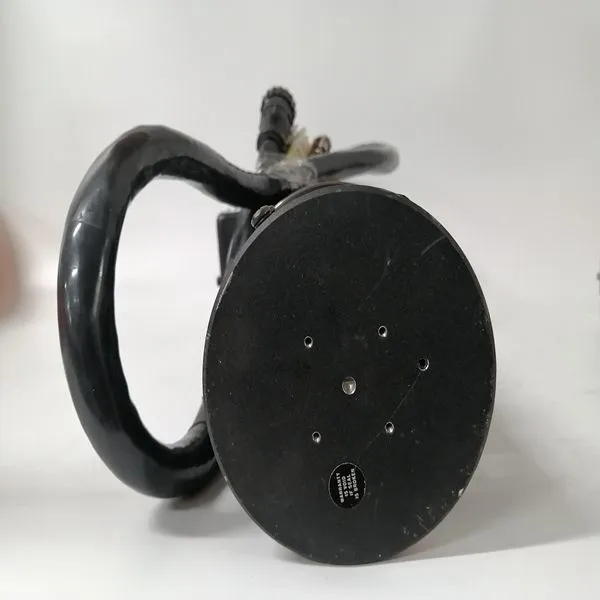


Related Products
Brand: jdsu
Type:2213-75TSLKTB
Origin: the Swiss
Warranty: 365 days
Colour: new/used
To determine whether the driver for the USB 2.0 controller is running, right-click on ‘My Computer’, and select ‘Manage’. In the left pane of the ‘Computer Management’ window, click on ‘Device Manager’. In the right pane, click on the ‘+’ next to ‘Universal Serial Bus controllers’ to expand the group. If there is a ‘Standard Enhanced PCI to USB Host Controller’ listed in the group, the USB 2.0 EHCI Host Controller driver is already running, and no further configuration is necessary for the device. If there is a device labeled ‘Universal Serial Bus (USB) controller’ under the ‘Other devices’ section in the right pane of the ‘Computer Management’ window, the driver has not been installed.
 To install the driver, right-click on the ‘Universal Serial Bus (USB) controller’ and select ‘Properties’ from the drop-down menu. ‘Next’ select the ‘Driver’ tab and select ‘Update Driver’. When the wizard starts, choose ‘Next’ and ‘Search for a suitable driver’ and ‘Next again’. The Hardware Update Wizard will find the appropriate driver and begin installation automatically. Click ‘Next’ as necessary then click ‘Finish’ and ‘Close’ to close the drivers properties dialog box. Device Manager will relocate the device to the ‘Universal Serial Bus controllers’ section in the right pane. Ethernet Adapter Drivers Installation 1. If not already present, insert the Windows Drivers CD-ROM. 2. Right-click on ‘My Computer’, and select ‘Manage’. In the left pane of the ‘Computer Management’ window, click on ‘Device Manager’. 3. Intel(R) PRO/1000 MT Dual Port Server Adapter. Perform this step for each of the Ethernet controllers under the ‘Other devices’ section in the right pane of the ‘Computer Management’ window. Right-click on the ‘Ethernet Controller’ and select ‘Properties’ from the drop-down menu. Select the ‘Driver’ tab and select ‘Update Driver’. When the wizard starts ensure ‘Install the software automatically’ is selected and click ‘Next’. The Hardware Update Wizard will find the appropriate driver and begin installation automatically. Click ‘Finish’. Device Manager will relocate the devices to the ‘Network adapters’ section in the right pane. 4. Click ‘X’ to close the ‘Computer Management’ window. 5. Changes may be made to the network configuration as desired.Video Driver Installation 1. If not already present, insert the Windows Drivers CD-ROM. 2. Click ‘Start’, ‘Run’, ‘Browse’. In the ‘Look in’ pull-down selection menu, select the CD-ROM drive. Double-click on the ‘Video’ folder. Double-click on ‘win2k_xp141’. Click ‘OK’. 3. At the ‘Intel(R) Extreme Chipset Graphics Driver Software’ window, click ‘Next’. 4. At the ‘Intel(R) Extreme Graphics 2’ window, click ‘Next’. 5. Click ‘Yes’ to agree to the software license agreement. 6. Ensure ‘Yes, I want to restart my computer now’ is selected and click ‘Finish’. The computer will restart. The video resolution settings may be changed as desired. NOTE: If only analog video is being used, ensure that ‘Monitor’ is selected as the default video device in the driver.

Send Inquiry to This Supplier


You May Also Like
-
PFTL101B 5.0KN 3BSE004191R1US$ 5016 - 5027MOQ: 1 Piece
-
MPL-B540K-SJ24AA/AUS$ 1016 - 2027MOQ: 1 Piece
-
PFTL101A 1.0KN 3BSE004166R1US$ 1100 - 2010MOQ: 1 Piece
-
BENTLY 125760-01US$ 1100 - 2010MOQ: 1 Piece
-
BENTLY 125768-01US$ 1100 - 2010MOQ: 1 Piece
-
BENTLY 136719-01US$ 1100 - 2010MOQ: 1 Piece
-
BENTLY 3500/20 125744-02US$ 1100 - 2010MOQ: 1 Piece
-
BENTLY 3500/32 125712-01US$ 1101 - 2011MOQ: 1 Piece
-
BENTLY 125720-01US$ 1101 - 2011MOQ: 1 Piece
-
BENTLY 125840-01US$ 1101 - 2011MOQ: 1 Piece


