








 Contact Platform Support
 Help Center
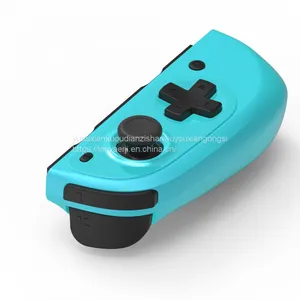
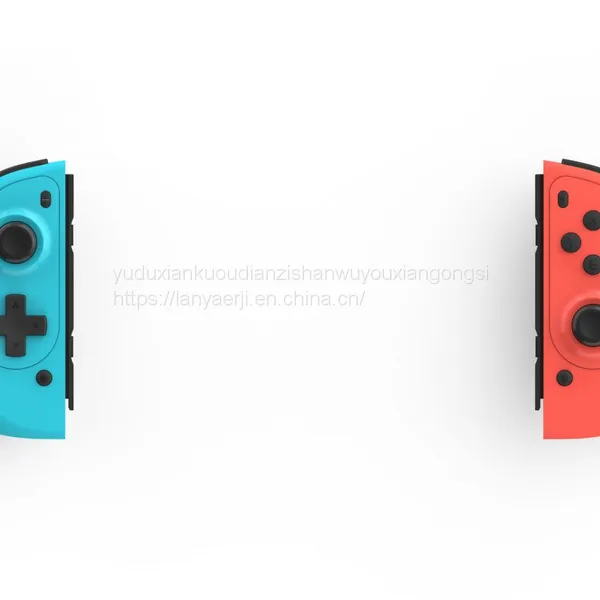
Switch Gamepad Joy-Con Controller NS Switch Pro Bluetooth Wireless Gamepad


Related Products
-
 Switch Gamepad Joy-Con Controller NS Switch Pro Bluetooth Wireless GamepadUS$ 17 - 20MOQ: 20 Pairs
 -
Sports Bracelet Wristband Sports WatchUS$ 13.99 - 19.99MOQ: 200 Pieces
-
T55PRO MAX Smart Watch 1.71 Large Screen Health Monitoring Bluetooth Call Bluetooth Headset Two-in-one BraceletNegotiableMOQ: 100 Boxes
-
New M16 TWS Wireless Headset Noise Reduction Touch Headset Sports Game Headset for Secure Table IOSNegotiableMOQ: 100 Boxes
-
Mobile Gamepad Screen Rocker Android Apple Button SuckerUS$ 0.5 - 0.8MOQ: 100 Pairs
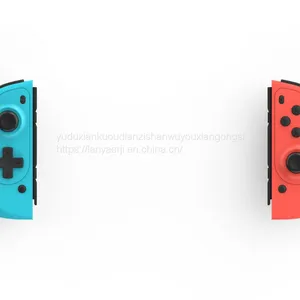
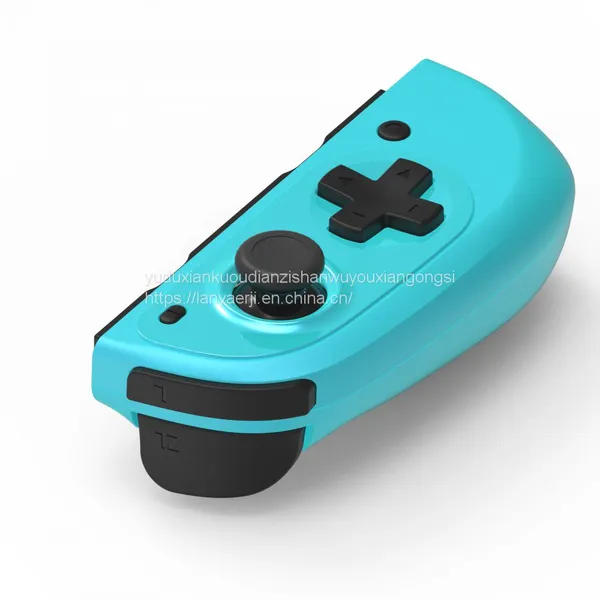
Switch gamepad
60 pcs in a box Single set size 12.3*11.9*4.2cm Weight around 175g Outer box size 72*27*27cm Gross weight 12.5kg Net weight 10.5cm
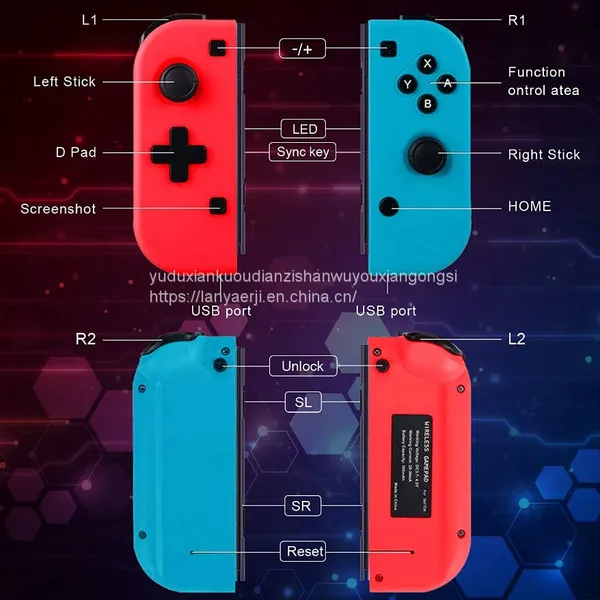
1. Introduction to the handle
1) This handle is compatible with the Switch host and supports plug-in or wireless connection.
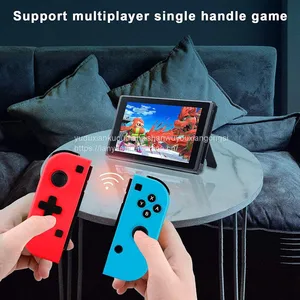
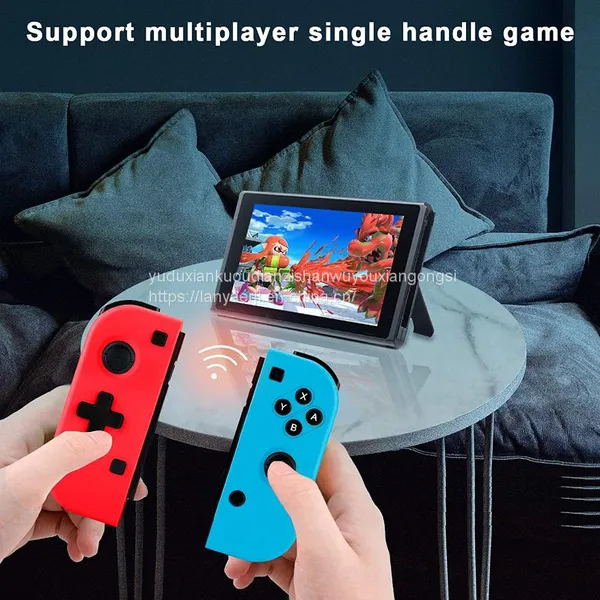
2) This handle can be used as a whole handle or as two independent handles.
3) One-key connection mode, easy to operate.
4) Wireless connection, strong anti-interference ability, stable connection signal.
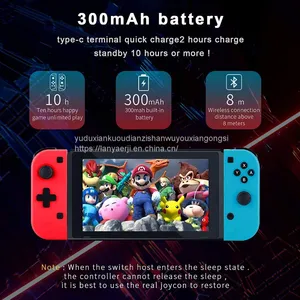
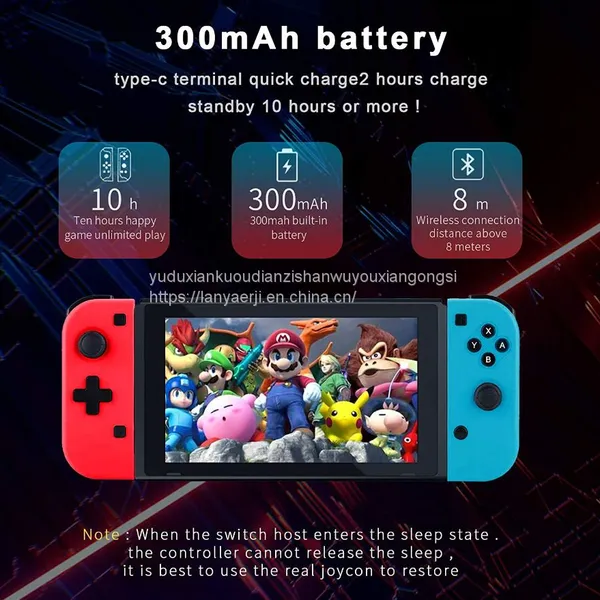
5) Built-in 300 mAh polymer lithium battery, which can last about 4 hours after being fully charged.
6) The built-in gyroscope of this handle supports motion sensing function.
7) Each of the left and right handles has a built-in motor to support the vibration function.
8) Multiple wireless controllers can be connected to the host to play multiplayer games at the same time.
9) Ergonomic design and lightweight handle structure, even if the player plays for several hours without fatigue.
10) This handle can be connected to a computer via a USB cable and upgraded with updated software.
2. Introduction to buttons
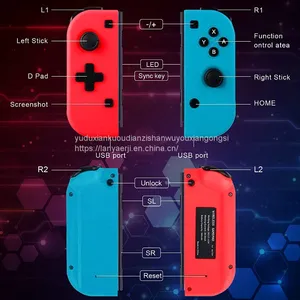
1) HOME key*1: Turn on the handle or execute the command of the host.
2) Direction keys*1 group: up, down, left, right. Eight-direction operation; when the left handle is used as an independent handle, the arrow keys are used as function control keys.
3) Function control keys *4: A, B, Y, X. Perfect button design, finger touch operation is more sensitive and quick.
4) Left and right joysticks*2: the ultra-thin 3D joystick with novel design, 360-degree precise operation.
5) 4 function keys: L1, R1, L2, R2. The new key switch design, quick response.
6) Screenshot key *1: When the left and right handles are used as a whole handle, press this key in the game to take a screenshot and save the current screen; when the left handle is used as an independent handle, the screenshot key is used as the HOME button.
7) Reset button *2: Press the switch button in the reset hole, close the handle, and disconnect the handle from the host.
8) Unlock keys *2: simultaneously press and hold the unlock keys on the back of the left and right handles to take out the host.
3. Online guidance
1) Connect the handle to the host for the first time
Turn on the Switch host, in the host main menu interface, touch and click "Controllers" → "Change Grip/order" with your finger to enter the host pairing mode interface "Press L + R on the controller", ignore "L + R", and then follow Follow the steps below:
Remarks: Please connect each handle of the device with the code on the interface of this host pairing mode.

Send Inquiry to This Supplier


You May Also Like
-
New Arrival Game Console 2.4G Wireless Classic NES620 Video Game Console With 2 Wireless Gamepads Consola Retro 620NegotiableMOQ: 1
-
2.4G Wireless Game Controller Gamepad Joystick for Android TV Box Tablets PCUS$ 7.74 - 7.74MOQ: 500 Pieces
-
Gamepad Controller Gamepad for Android and Ios Mini Bluetooth GamepadUS$ 1.39 - 4.89MOQ: 100 Pieces
-
Wireless Bluetooth Gamepad for Android Bluetooth GamepadUS$ 13 - 15MOQ: 10 Pieces
-
Plastic Gamepad Casing Gamepad Housing ManufacturerNegotiableMOQ: 1000 Pieces
-
Bluetooth GamepadNegotiableMOQ: 500 Pieces
-
Gamepad ControllerUS$ 1.70 - 1.80MOQ: 100 Pieces
-
Gamepad Bluetooth for Android/IOS Controller Gamepad BluetoothUS$ 14.8 - 23.6MOQ: 50 Pieces
-
2016 vr Gaming Controller Mini Gamepad Original Mocute Bluetooth Gamepad Android GamepadUS$ 4 - 7MOQ: 50 Pieces
-
PC Twin Usb Vibration Gamepad Driver/topway GamepadUS$ 10 - 23MOQ: 5 Pieces


