








 Contact Platform Support
 Help Center
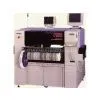
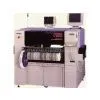
YAMAHA YG300 SMTpart
Negotiable
MOQ: 1 Piece (Price negotiable depending on order volume and customization)
Key Specifications
Get Latest Price
Business Type:
Trading Company
Total Employees:
101 - 200 People
Main Markets:
North America, South America, Eastern Europe
Payment & Shipping
Payment Methods:


Port of Shipment:
China
Delivery Detail:
7 days
Related Products
| Clean the recognition hole using the supplied jig. | ||||||
| 1D3C-407E | ||||||
| Name | ||||||
| cRecognition-hole cleaning jig | ||||||
| 7 | ||||||
| Close the front safety cover. | ||||||
| 8 | ||||||
| Turn ON the servo switch. | ||||||
| To the next page | ||||||
| Page 1-30 1E3C-E-MMB01-A02-00 1.3 Every-24-Hour Check (Daily) | ||||||
| . After the completion, pressing returns the screen to the <Machine adjustment | ||||||
| menu> screen. | ||||||
| 1E3C-E-MMB01-A02-00 Page 1-31 1.3 Every-24-Hour Check (Daily) | ||||||
| 1.3.5 Cleaning the Board-Flattening Unit (After Operation) | ||||||
| After operation, clean the board-flattening plate of the board-flattening unit. | ||||||
| Tools Cloths Time required 1 to 2 minutes | ||||||
| NOTICE This maintenance is carried out with the power supply switch ON. In performing a work inside the moving part, be sure to open the safety cover. (Opening the cover interrupts the power supply to the moving-part motor.) | ||||||
| SERVO | ||||||
| 1. Turn OFF the servo switch. | ||||||
| )OFF ( ) ON ( | ||||||
| 2 | ||||||
| Open the rear safety cover. | ||||||
| 3 | ||||||
| Clean the board-flattening plate. | ||||||
| . Wipe off adherents using cloths dampened with IPA or ethanol. | ||||||
| Name | ||||||
| cBoard-flattening plate | ||||||
| 1 | ||||||
| 1D3C-X039MA | ||||||
| 4. Close the rear safety cover. | ||||||
| SERVO | ||||||
| OFF ( ) ON ( | ||||||
| ) 5. Turn ON the servo switch. | ||||||
| Page 1-32 1E3C-E-MMB01-A02-00 1.3 Every-24-Hour Check (Daily) | ||||||
| 1.3.6 Checking the Blades and Side Rubbersfor Wear andDamage(Before Operation) | ||||||
| Before starting production, check the blades and side rubbers of the cartridge head (option) for wear and damage. | ||||||
| 1 | ||||||
| Set the printing unit to the maintenance jig. | ||||||
| 2 | ||||||
| Slide and detach the cover for storage. Name | ||||||
| cCover for storage | ||||||
| 3. Visually check the blades and side rubbers for wear and damage. | ||||||
| . If wear or damage is found, replace the blades and side rubbers. ( | ||||||
| 3.2.2 Replacing the Blades) ( | ||||||
| 3.2.3 Replacing the Side Rubbers) | ||||||
| Name | ||||||
| c | ||||||
| Side rubber | ||||||
| d | ||||||
| Blade | ||||||
| 1E4C-438P | ||||||
| Page 1-33 | ||||||
| 1E3C-E-MMB01-A02-00 | ||||||
| 1.3 Every-24-Hour Check (Daily) | ||||||
| 1.3.7 Cleaning the Blades (After Operation) | ||||||
| After operation, if solder is left outside of the blades of the cartridge head (option), clean them. Leaving solder on this part can harden it, and may potentially result in improper printing at the next production. | ||||||
| 1. Detach the printing unit. | ||||||
| ( | ||||||
| Cartridge Head Manual) | ||||||
| 2 | ||||||
| Set the printing unit to the maintenance jig. | ||||||
| 3 | ||||||
| Check that solder is not left outside of the blades. If it is, scrape away the adhering solder using a plastic spatula. | ||||||
| . Avoid using a metallic spatula. Otherwise, it may damage the blades. | ||||||
| 1E4C-414P | ||||||
| Page 1-34 1E3C-E-MMB01-A02-00 1.4 Every-140-Hour Check (Once a Week) | ||||||
| Clean the suction section. | ||||||
| 1D3C-040E | ||||||
| 1D3C-418P | ||||||
| 1D3C-419P | ||||||
| To the next page | ||||||
| 1.4 Every-140-Hour Check (Once a Week) | ||||||
| 1.4.1 Cleaning the Mask-cleaning Suction Section | ||||||
| 1. Turn OFF the power and stop the air supply. | ||||||
| . Lock the power supply switch and the main air valve. | ||||||
| 2 | ||||||
| Open the front safety cover. | ||||||
| 3 | ||||||
| Open the center safety cover, and pull out the cleaning unit. | ||||||
| Name | ||||||
| cCleaning unit | ||||||
| 4. Remove the take-up paper tube (upper). | ||||||
| . | ||||||
| Move the tube to the removing lever. After ensuring that it separates from the hinge projection, pull it out. | ||||||
| . | ||||||
| Place the removed tube on the location where will not hinder work. | ||||||
| . Move it to the right until it separates from the hinge projection c. | ||||||
| Name | ||||||
| cHinge projection | ||||||
| 1D3C-420P | ||||||
| 1E3C-E-MMB01-A02-00 Page 1-35 1.4 Every-140-Hour Check (Once a Week) | ||||||
| 1D3C-434E | ||||||
| 1D3C-419P | ||||||
| 5. Detach the nozzle. | ||||||
| . Unbolt the ten hexagon head bolts from the nozzle section, and detach the nozzle from 1 the suction section. (See the left figure.) | ||||||
| Name | ||||||
| cNozzle | ||||||
| 6. Clean the nozzle. | ||||||
| . | ||||||
| Wipe off adherents using cloths dampened with IPA or ethanol. Or, wash it. |

Send Inquiry to This Supplier

* Email
Want the best price?
Post an RFQ now!
Business Type
Trading Company
Total Employees
101 - 200 People
Main Markets
North America, South America, Eastern Europe
Location
Baoji, Shaanxi, China
You May Also Like
-
 Professional Portable Teeth Whitening Led LightUS$ 1 - 280MOQ: 1 Set
 -
Multifunctional Dental Equipment Dental Care Teeth Whitening MachineNegotiableMOQ: 1 Unit
-
OraTek Power Tooth Stain Remover and Tooth WhitenerUS$ 1.8 - 3.99MOQ: 1 Unit
-
Tooth Whitening KitNegotiableMOQ: 1 Piece
-
Toothpick With HolderUS$ 0.06 - 0.1MOQ: 10 Cartons
-
Finger Teeth Whitening WipeUS$ 0.04 - 0.05MOQ: 1000 Pieces
-
Huge Dental Sonning Full Set Acrylic Denture TeethNegotiableMOQ: 1 Box
-
Luma Smile Tooth Polisher Electric Tooth PolisherUS$ 1.3 - 1.5MOQ: 1
-
Pink Oral Care Sponge Swab for Bed-Bound, Elderly, Disabled, Post-Operative, And Icu PatientsNegotiableMOQ: 1000 Packs
-
Portable Dental Oral Water Irrigators Dental Floss Water Flosser Pick for Teeth IrrigationUS$ 1 - 100000MOQ: 1 Piece

