








 Contact Platform Support
 Help Center
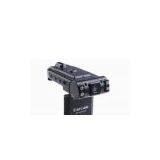
Dual Camera Car Black Box 120 Degree Lens 270 Degree Night Virotational 2.5 LCD Sion Car DVR X1000


Related Products
-
 Car Camera,2.0''TFT HD 720P 140 Degree Vehicle DVR 8 LED Night Vision S6000NegotiableMOQ: 1 Piece
 -
F800,2.0"LCD,Real 1080P,HDMI,Night Vision,Waterproof, 4X Zoom,auto Focus,macro Film,60 Fps,car BlackNegotiableMOQ: 1 Piece
-
Vehicle Car Dashboard DVR Camera W/ TFT Screen Monitor Motion Detection 2.0 Inch LCD Display S5000NegotiableMOQ: 1 Set
-
Car Camera, Car DVR, Car Driving Recorder, HD720P/1280X720, Car Video Recorder, Car Camcorder IR NigNegotiableMOQ: 1 Piece
-
S1000 Vehicle DVR,motion Detection,car Video Recording,1.4" LCD Screen,1280x960 Video Resolution,8MPNegotiableMOQ: 1 Set
Certification:CE,FCC,ROHS
270 degree rotational 2.0 LCD, 8pcs LED, night vision car black box
Features
1 Dual Lens, Survailiance the outside and the inside together
2 With the nighvision function
3 Front Lens with rotation function, it is 180 degree
4 Screen with rotation function, it can roll 270 degree
5 120 degree lens
6 Auto-ecording, Cycling Recording
7 Support Six language:English, Russian , Korean, Japanese
Specifications:
|
LCD |
2.0 inch TFT LCD |
|
Lens |
120 Wide Angle |
|
Video Resolution |
1280*480 |
|
Image Resolution |
2560*1920 |
|
Video Format |
AVI |
|
Video Format |
JPG |
|
Memory |
TF ( 512M-32G) |
|
Lanugage |
English etc |
|
Current |
50HZ/60HZ |
|
Data Transfer Interface |
USB2.0 |
Operation
1 On:
Handle:
Press ON/OFF Button and release it, the green light is blinking, camera is recording the videowith audio automaticaly.
Auto-Maticaly
Connect the camera to cigar jack(the Engine should be on work), the green light is blinking, camera is recording the videowith audio automaticaly.
Notice:
If there is no card inside, the screen will show “error”.
2 Off:
Press the button, on/off button and release it.
3 Record Video:
l Press the button, on/off
l Green indicator is blinking
l Press REC/SNAP button and release it to save a file.
l The green indicator will be burning.
l Press and release the button again to record an other video.
4 Shoot Image
l In the standby status, press mode
l Press and release the button REC/SNAP
5 Replay and Delete
Replay
l In the standby status, press and release MODE Button two times.
l Press UP or DOWN Button to choose
l Press REC/SNAP again to repaly
Delete
l In the standby status, press and release MODE Button two times.
l Press and release UP or DOWN Button to choose
l Press and release MENU BUTTON
l Press and release to choose CANCEL OR GIVE UP
l Press and release REC/SNAP to confirm
6.Night Vision Function
The lens can inspect the light automaticaly, if it is too dark, the light will be on automaticaly.Of course, it also be off automaticaly after it inspects itself.
7.Switch of Lens
l In the status of standy or video mode, press UP Button to switch the working lens.The Default is for the two lens together.
l Press and release the Up button, it will be for front lens single
l Press and release again to be for rear lens single.
l Press and release three times for two lens.
8. Rotation Lens
In the status of standby, press the button, DOWN to change the video or image showing on the screen.
Manu Reset
l In the status of standby, press the button, MENU to enter into the rest page.
l Press UP or DOWN to choose the iterm
l Press REC/SNAP to confirm
l Press UP or DOWN to choose the specification you need to use
l Press REC/SNAP to confirm
l Press MENU to get out.
|
No. |
Menu Reset |
Contenct |
|
1 |
Video Resolution |
1280*480 |
|
2 |
FPS |
10/20/30fps |
|
3 |
Recyle Time |
2min/5min |
|
4 |
Audio |

Send Inquiry to This Supplier

You May Also Like
-
6,8" and 12"wafer FramesNegotiableMOQ: 500 Pieces
-
Turing F1280 High-Resolution IR Module: Precise Thermal Perception for Continuous OperationNegotiableMOQ: 50 Pieces
-
CH85 Microwave Oven 0.76ufNegotiableMOQ: 1
-
20kA Surge Protective Device SPD (SP-D10)US$ 0.01 - 0.02MOQ: 1 Piece
-
3SE6020,100% New and Original,Hot Sales!!!NegotiableMOQ: 100 Pieces
-
Resonant Capacitors 1UF 3000VDC 2000VAC 70A 80AUS$ 18.6 - 27.8MOQ: 1 Piece
-
2.7v3000f the Capacitor Charge Circuit is Simple 2.7v3000f CapacitorUS$ 1 - 999,999MOQ: 6 Pieces
-
50V 220UF 50V220UF CapacitorUS$ 0.5 - 1MOQ: 200 Pieces
-
BNCHG Terminal Block Pin Connector for Over 12 Year ExperienceUS$ 0.35 - 0.4MOQ: 10000 Sets
-
Bimetal Thermal Switch 250V 5A-25ANegotiableMOQ: 1000 Pieces


