








 Contact Platform Support
 Help Center
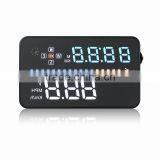
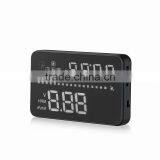
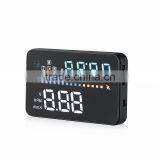
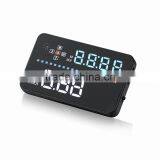
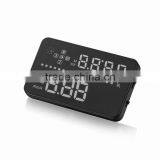
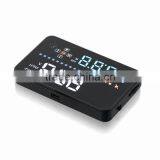
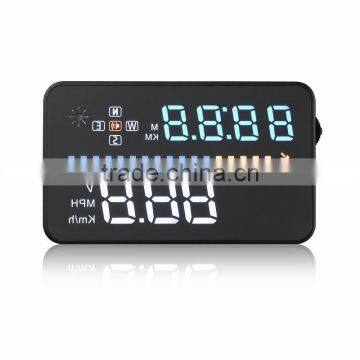
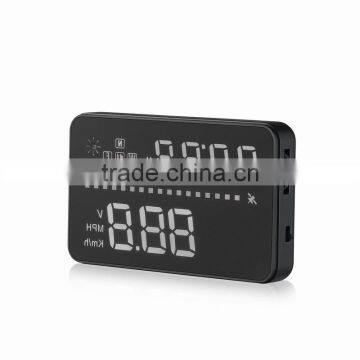
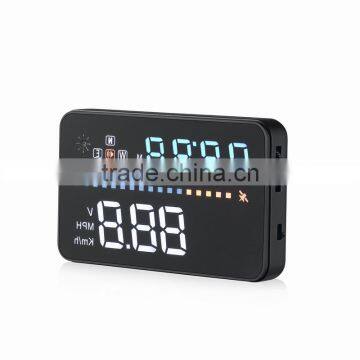
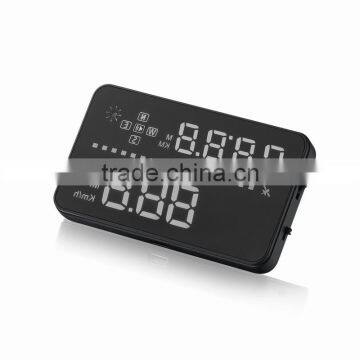
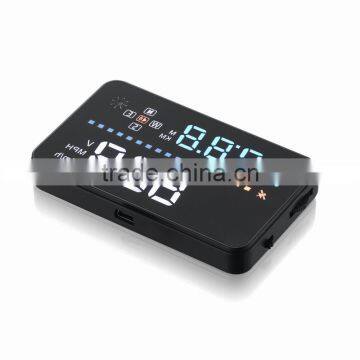
A3 3.5 Inch GPS Car HUD Head up Display Windshield Projection GPS


Related Products
-
 X5 3 Inch Car OBD2 HUD Display Vehicle Mounted AlarmUS$ 16 - 20MOQ: 500 Pieces
 -
Q7 Windshield Navigation Auto Car HUD OBD2 DisplayUS$ 28 - 34MOQ: 500 Pieces
-
A8 Car Speed HUD Display With Car Hud Vehicle-mounted HudUS$ 28 - 34MOQ: 500 Pieces
-
E300 OBD2 HUD Car Speed HUD Display With 3.5 Inch ScreenUS$ 28 - 34MOQ: 500 Pieces
-
Car 6 Inch Wireless HUD H6 Mobile Phone GPS HUD DisplayUS$ 8 - 10MOQ: 500 Pieces
A3 3.5 inch GPS car HUD head up display windshield projection GPS
Specifacation:
| Item | A3 3.5 inch GPS car HUD head up display windshield projection GPS |
| Material | ABS |
| Color | Black |
| Operating temperature |
-10~40°C |
| Net Weight | 40g |
| Gross Weight | 205g |
| Standard | ITS testing report/ASTA//TUV-MARK/CE |
| Packing | color box |
Product Display
User manual for Head Up Display
HUD short for Head Up Display.It displays driving datas on the front windshield such as speed on the car front window glass;avoiding drivers unsafety because of watching the instrument while driving.Drivers can read the driving information instantly , and can always keep the best state on the way with HUD.
HUD Main Functions&Features:
1. Available for any car, easy to install, plug and play
2. Screen 3.5 inch HD display
3. Multi-color design makes the screen more abundant and easier to read
4. Nano-technology to eliminate double reflections,more clear.
5. Rich Contents: speed,compass,single driving time and distance, local time,satellite number, altitude, speed alarm,free switch between km and miles
6. Auto power on/off: HUD start and off with vehicle started and shutdown, effective protection of the car battery;retaining the manual switch mode,more easy to control HUD.
7. Automatic and manual brightness adjustment mode,driving without glare.
Button Function
1: Icon for satellite signal: the light flashes when HUD searching for the satellite signal
2:Speed,voltage
3:Clock, driving distance,driving time
4: driving distance unit (KM and Mile)
5: light-sensor
6: Driving directions:west,north,east,south
7: Buzzer icon
8: Number for satellite
9: Voltage ,speed
Host keys function:
1. USB cable port
2. Power switch
3.Setting button:Three way wave button, short or long press
a.Up button = up motion
b.Ok button = inward button press
c.Down button = down motion
Wave Button Function:
When the dial on the left
1. Vertical long Press 5 seconds: enter into setting menu(menu 1-8),after finish adjustment vertical long press 5 seconds to save.
2. Short pull up:Increasing parameter values after enter into menu setting.
3. Short pull down: Decreasing parameter values after enter into menu setting.
4. Vertical Short press:Switch between clock,driving distance,driving time(enter into menu option,vertical short press to adjust menu option)
5. Long pull down: turn on or off the alarm sound.
Reset setting:
When HUD is power on, vertically long press 5 seconds to enter into menu setting, short press for several times to menu 8, short pull down to parameter 1, after adjustment,long press in 5 seconds to save, then the reset will be finish.
Switching display contents:
Vertical short press:Switch between clock,driving distance,driving time
Turn on and off the buzzer:
Pull down the wave button 5 seconds to turn off the buzzer,another 5 seconds to turn on the buzzer.
Clock Adjustment:
Make sure your GMT(the default is GMT+8).According to your time zone to adjust HUD.Vertical press 5 seconds to enter into menu setting,short press 6 times to menu 6,parameter show(means GMT +8)up or down the wave button adjust to the time zone of your own country,and then vertical press in 5 seconds to return to the previous Since HUD receiving data from satelli,GPS data will be a little different with car dashboard data.At that time,you can enter into menu setting to have a fine adjustment of HUD in order to get the same data as dashboard.If you find there is something different with the the dashboard values,please make an adjustment as below:
Vertically press in the wave button 5 secondEnter into the menu setting (there are 3 directions for wave button: up,vertical,down),vertical long press, enter the menu setting,vertical short press 1 time , menu options will increase 1 unit,up and down the wave button to increase or decrease the parameter value. After adjustment,vertical long press 5 seconds to return the previous interface.
Quality First
Service Foremost
Custmers Supreme!
1. 100% T/ T , Western Union ,Paypal, credit card
2. T/T 30% in advance, the balance before shipment when total over USD10,000
| Contact person | Ms Joan Deng |
| Website | www.greenbee.en.china.cn |
| Address | Room 5H013,Trade plaza One, South China City ,Pinghu Street, Longgang District,Shenzhen ,China 518112 |
| Contact methods | Mobile: +86 13537608242 TEL: +86 0755 2831 7951 |
| Skype: greenbee.joan |

Send Inquiry to This Supplier

You May Also Like
-
Car Decorative LightNegotiableMOQ: 1
-
Wireless Charging Car HUD (or Vehicular HUD Heads up Display + Mobile Wireless Charging Base)US$ 35.84 - 50MOQ: 1 Piece
-
New 7" TFT Car LEC Monitor Digital Color Screen Car Headrest Monitor Car Monitor for Backup Rear View CameraUS$ 1 - 100MOQ: 100 Pieces
-
SPC Microphone CableUS$ 0.1 - 2.99MOQ: 1000 Pieces
-
Electronic Musical Car HornsNegotiableMOQ: 500 Sets
-
19" Touch Screen LCD Monitor (Plastic Case)NegotiableMOQ: 1 Set
-
Subwoofer 2.1NegotiableMOQ: 10 Pieces
-
HYUNDAI CAR ELECTRICAL PARTSNegotiableMOQ: 1
-
Multi Cigarette Socket 1+2NegotiableMOQ: 3000 Pieces
-
New Bus Digital Led Clock CZ-10US$ 15 - 20MOQ: 10 Pieces


