








 Contact Platform Support
 Help Center
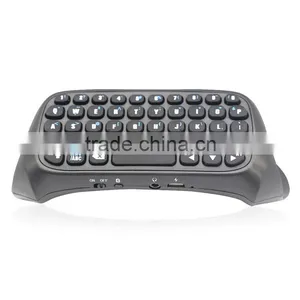
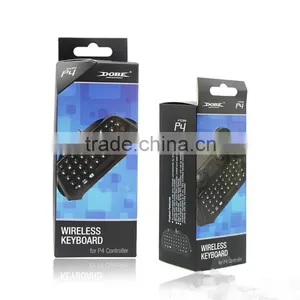
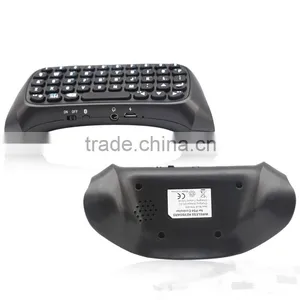
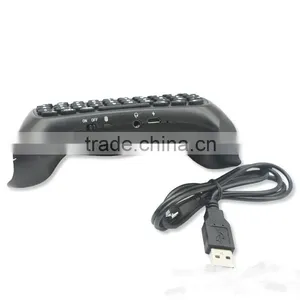
Bluetooth Mini Keyboard For PS4 Controller Wireless Connection


Related Products
-
 New Super Cooling Fan For PS4 Console Host CoolerUS$ 8.2 - 11MOQ: 10 Pieces
 -
Professional Travel Bag For PS4 Hand Or Shoulder CarryUS$ 5.8 - 7.5MOQ: 10 Units
-
2014 New Arrival TV Mounting for PS4 Camera TV Clip for PS4NegotiableMOQ: 10 Pieces
-
2015 NEW Cool Design Double Charging Dual Charge Station Dock Charger for PS4NegotiableMOQ: 10 Pieces
-
2015 New HOST Super Cooler Cooling Fan For PS4NegotiableMOQ: 10 Pieces
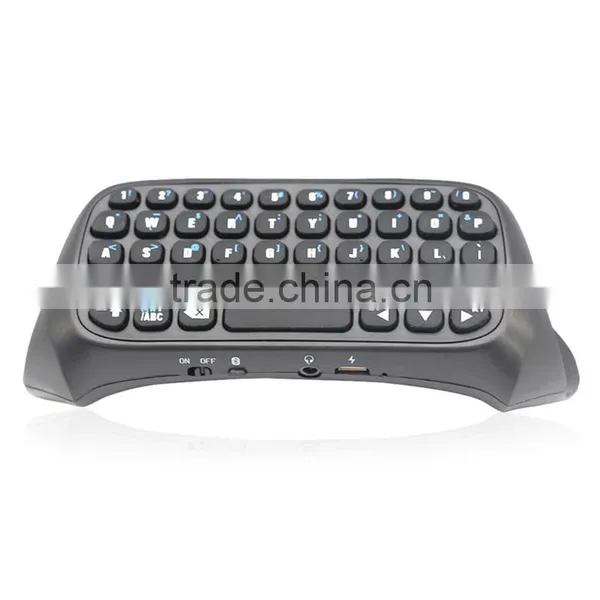
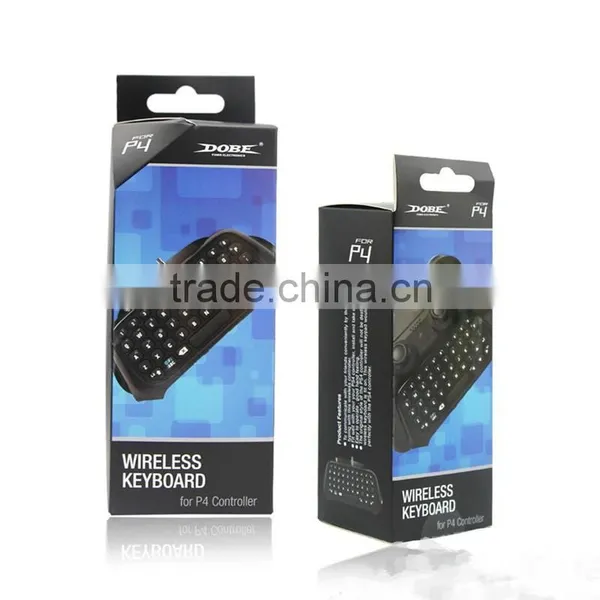
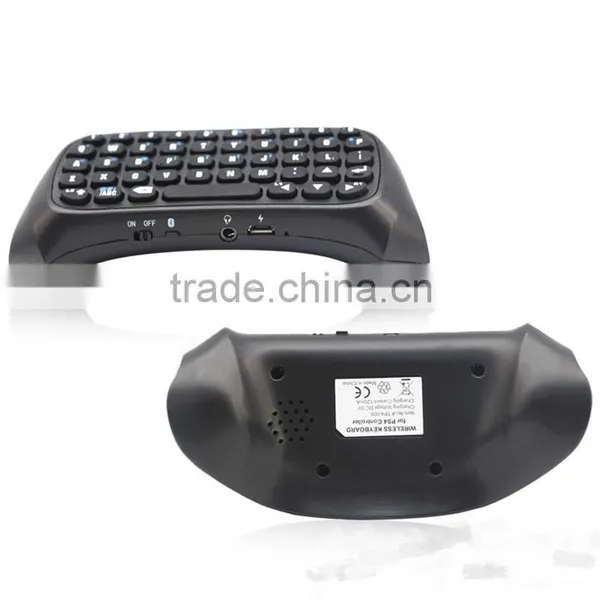
This P-S-4 controller wireless keyboard makes it easier for the players to chat with friends and relatives in P-S-4 & PS Vita platform. This device is easy to install ,take out and connect with any version of P-S-4 original controller as well, and provides convenient and useful functions like text type, Internet chat, and game playing.
1) using the keyboard to easily handle voice chat with friends and SMS communication.
2) easy to use, the keyboard is very easy to handle embedded use, but does not affect the operation and appearance of the handle.
3) using a dedicated key input various letters and characters very easily through P-S-4 text chat, Internet and so on.
4) P-S-4 installed after the original handle on the keyboard will not destroy handle kit original style - P-S-4 chat keypad will be perfect with the PS4 controller handle perfect combination.
Specification:
1) working voltage:DC:3.7V
2) working current:≤20MA
3) quiescent current:≤30uA
4) Bluetooth distance: The maximum receiving distance--10 m
5) Bluetooth version:V3.0
Instructions for use:
1) First connect the P-S-4 host power. AV cable and then connect the display device OK, open the P-S-4 host power, the corresponding power indicator light.
2) Open P-S-4 handle the keyboard's power switch, the blue indicator light look.
3) Press the code key 2S, blue lights flashing, said it is searching for the code,after successful pairing lights out. 3min No connection, lights off, the keyboard automatically enters sleep mode.
4) Click the setting P-S-4 interface - peripherals -Bluetooth device, you can see Bluetooth Keyboard, click on the press interface prompts for a password pair.After 5 successful pairing, select and handle controller can use the same user name.
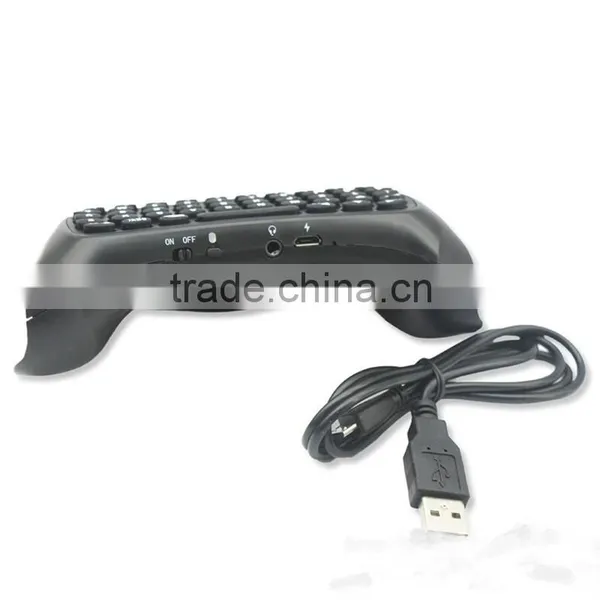
5) The P-S-4 Bluetooth keyboard 3.5 audio plug alignment insert P-S-4 original handle audio jack, you can handle the speaker's voice through the speakers put out handle keyboard.
6) P-S-4 handle keyboard audio jack, microphone can be used in conjunction with the original ear, ear microphone inserted into the P-S-4 handle keyboard audio jack handle and insert the original audio jack same effect.
7) Bluetooth connection is broken, handle the keyboard will automatically go into sleep mode, enter connection P-S-4 host range and turned on, press any key to automatically connect back; back even if they can not automatically reopen the Power on the keyboard can be connected back .
8) hold the key "#:/ABC", then press the desired yellow symbol key, you can play the corresponding symbol.
9) Caps Lock key "L2", press this button to lock uppercase input, and then click to return to lowercase input.
10) When the blue light is fast continuous flash twice, indicating that the built-in lithium polymer battery is too low, please give P-S-4 handle keyboard charge; charging, the red indicator light for a long time, when full red indicator light goes out.
11) If the product is not be used for a long time, please charge it one time within two months, which can protect the battery and extend battery life.
Product maintenance and precautions:
1) The keyboard can be used only when the P-S-4 host is pairing successfully to the controller keyboard.
2) Do not knock on or beat the product strongly.
3) Liquid or small metal are not allowed to come into the product.
4) Do not use and store the product in a hot or humid environment.
We accept T/T, WesternUnion and Escrow payment.
Full payment should be done before delivery.

Send Inquiry to This Supplier

You May Also Like
-
P4 PlugNegotiableMOQ: 1
-
Travel Charger Adapter AC Power Plug EU for Nintendo 3DS DSi NDSi XL DSi LLUS$ 1 - 100MOQ: 100 Pieces
-
Temperature Control Sticker for 8 Level/Irreversible/Waterproof/Made in JapanUS$ 250 - 500MOQ: 40 Pieces
-
X-BOX 360 Game Cable Kinect Male to Kinect FemaleUS$ 1 - 2MOQ: 500 Pieces
-
Game Accessory for WiiUS$ 0.3 - 3MOQ: 200 Pieces
-
Replacement Lcd Screen Display For PSPNegotiableMOQ: 1 Piece
-
Funny Game Bar Game Bar EntertainmentUS$ 2.2 - 2.5MOQ: 2000 Pieces
-
Power Amplifier CK Series(3U)NegotiableMOQ: 1
-
2 Channel HDMI/SDI HD 1920*1080P 60FPS PCIe Video Capture CardNegotiableMOQ: 5 Pieces
-
Factory Supply!Portable GGBS-8100 VGA to CGA / CVBS / S-VIDEO High Definition Converter BoardNegotiableMOQ: 10 Pieces


