








 Contact Platform Support
 Help Center
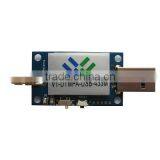
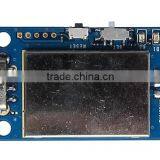
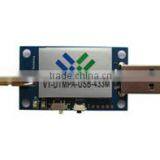
USB Port 5.0DC Power Programmed High Quality Power Amplifier RF Module

Related Products
-
 1000M Long Transmit Distance 485 Interface RF ModuleUS$ 8 - 10MOQ: 10 Pieces
 -
800M Transparent Long Transmit Distance Programmed UART Interface RF Module High SensitivityUS$ 5.8 - 6.9MOQ: 10 Pieces
-
1200M Transparent Long Transmit Distance USB Interface RF Module High SensitivityUS$ 8 - 10MOQ: 10 Pieces
-
Low Cost CC2500 High Receiver Sensitivity RF ModuleUS$ 4.5 - 5.4MOQ: 10 Pieces
-
433.92mhz Wireless rf Receiver Transmit Module Low CostUS$ 2.5 - 3MOQ: 10 Pieces
Description
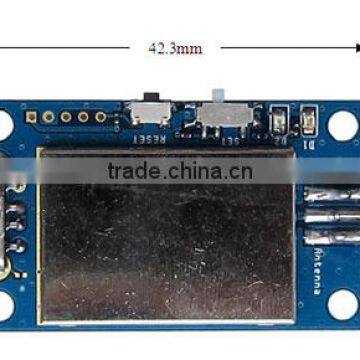
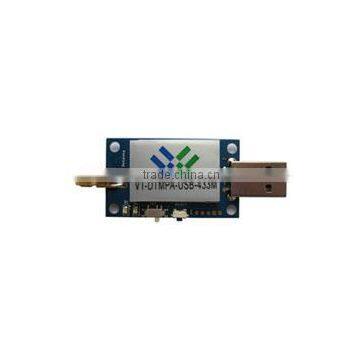
The VT-DTMPA-USB-433M module is designed as a wireless sub module for wireless communication between devices like controls, POS systems, data collectors etc. It offers several addressing modes and relieves the host systems of wireless-specific task such as checksum calculation, address resolution.
It can be deployed whenever the wireless exchange of data packetbetween two or more parties is required.
A USB interface (Virtual COM Port Device) whose data rate is adjusted flexibly is available for communicating with the host systems. The data rate can be adjusted from 2.4kbps to 115.2kbps.
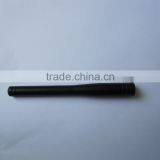
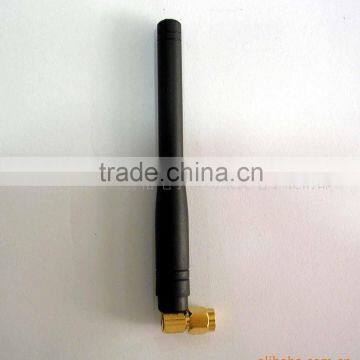
Thanks to its small size and the external SMA antenna connector, the module can easily be installed in existing systems without any external circuits.
Key Features
l GFSK modulation
l Communication distance up to 1200 meter
l Supports addressing transparent communication
l Auto add preamble, checksum, address information
l Supports setting mode to configure parameters Channel, Interface
Band Rate, Radio Data Rate, Output Power, Source Address,
Destination Address
l USB interface (Virtual COM Port Device)
l Half Duplex communication, 8N1 format
l 5.0V DC Power Supply, Input voltage from a USB device
l Consumption: Transmit <250mA; Receive <55mA
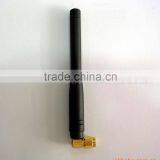
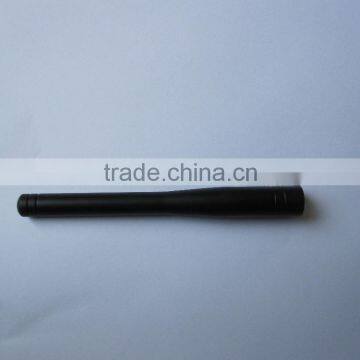
l Optional Antenna
Application
l Automatic Meter Reading
l Wireless Sensor Network
l Data Collector
l Controls, Remote Controls
l POS Systems
l Building Automation
l Android Controls
Specification
Testing condition:Ta=25°C, VCC=5.0V
Parameter |
Value |
Condition/Note |
Center Frequency |
433MHz |
Programmable, up to 6 channels |
Modulation |
GFSK |
Customize for ASK/FSK/OOK/MSK |
Output Power |
Max: 27dBm |
Programmable, 0-27dBm |
Sensitivity |
-110dBm |
2.4kbps |
Radio Data Rate |
Max 500kbps |
Programmable, 2.4-500kbps |
USB Interface Rate |
Max 115.2kbps |
Programmable, 2.4-115.2kbps |
Protocol Format |
8N1 |
Customizable |
Data Buffer |
Two 100 bytes |
|
Transmit Current |
<250mA |
Depend on output power |
Receive Current |
<55mA |
|
Distance |
1200 meter |
Open area; Max output power; 2.4kbps Radio Date Rate |
Operate Humidity |
10%~90% |
|
Operate Temperature |
-40℃~85℃ |
|
Input Voltage |
5.0VDC±10% |
±100mV |
Antenna |
50ohm |
|
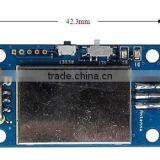
Size |
|
|
Note:
1. Noted that higher radio data rate causes of shorter communication disdance.
2. Noted that higher radio data rate causes of lower sensitivity.
3. Noted that lower input voltage causes of lower output power.
4. Noted that the operate temperature out of range -40℃~85℃ will influence the center frequency.
5. Be sure to use a match antenna and mount it in the right way.
6. The environment will influence the communication disdance much.
Module Description
Device |
Type |
Description |
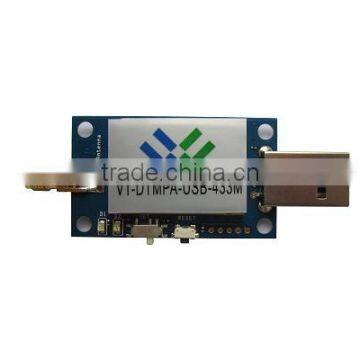
USB Interface |
Input voltage; D+/D- |
Input voltage from a USB device; USB D+/D- |
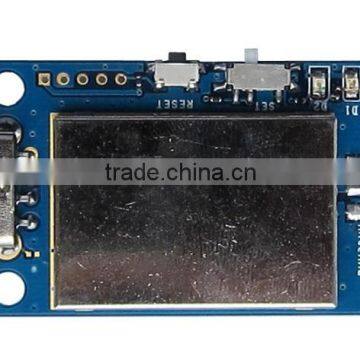
Reset Key |
RESET Signal Input |
Reset the module |
Setting Switch |
Input |
Switch the module to work on setting mode |
D1 |
LED1 |
Indicating the communicate state |
D2 |
LED2 |
Indicating the communicate state |
SMA Connector |
Antenna |
Connect external antenna of 50ohm |
Driver
The USB interface is a virtual COM Port Device base on USB to UART bridge solution. Install the drivers we offer to you before connecting the module to a computer.
The virtual COM Port Device can be found as the Fig 1 shows.
Fig 1 Virtual COM Port Device
Input Voltage
The input voltage of the module ranges from 4.5V to 5.5V. A clean supply voltage is needed for the module to function correctly.
Operating Modes
The device can be used in the following operating modes:
- 1. Transparent, Buffered data transceiver
- 2. Setting Mode
The operating mode can be selected by the setting switch state. If the setting switch keeps on the “SET” state, the module will run on the setting operating mode after power up. Otherwise, if the setting switch keeps on the “TRANSPARENT” state, the module will run on the transparent operating mode after power up. The setting switch state shows as Fig 2.
Fig 2 Switch States
Transparent Mode
In this operating mode, data of the transmitter module is received via the USB interface and initially buffered. As soon as specific conditions are met (timeout or data buffer be filled full), the radio telegram is generated with preamble, Sync word, and Checksum and address information (modules address are the same). As soon as the transmission of a packet has begun, the USB interface cannot receive any further data.
The receiver module receives the wireless telegram and transmits the payload characters via USB interface. As long as receiver module is busy in sending characters via the USB interface, wireless telegram reception is not possible. For example, this effect is noticeable when sending a long data packet and subsequently a short data packet. In this case, the receiver module may still be busy in sending the first packet via USB interface and the second packet may be lost.
Setting Mode
This operation mode primary serves module configuration parameters.
In this operating mode, there are menus to guide the setting commands and configuration parameters. In order to setting the module, be sure to install a com assistant like Commassistant, Terminal etc. We will offer the Terminal com assistant.
The configuration parameters are saving to the on-chip flash after access the exit command. The configuration parameters take affect after reset the module when exit the setting mode. The setting commands and configuration parameters show on the Tab 1.
Tab 1 Setting Commands and Configuration Parameters
Commands |
Command Function |
Configuration Parameters |
U |
Setting the USB interface band rate |
1 - 2400 bps 2 - 9600 bps (Default) 3 - 19200 bps 4 - 38400 bps 5 - 57600 bps 6 - 115200 bps |
D |
Setting the radio data rate |
1 - 2400 bps 2 - 9600 bps 3 - 19200 bps 4 - 38400 bps 5 - 250000 bps (Default) 6 - 500000 bps |
C |
Setting the channel |
1 - Ch=1 - 430 MHz 2 - Ch=2 - 431 MHz 3 - Ch=3 - 432 MHz 4 - Ch=4 - 433 MHz (Default) 5 - Ch=5 - 434 MHz 6 - Ch=6 - 435 MHz |
P |
Setting the output power |
1 - -10 dBm 2 - -5 dBm 3 - 0 dBm 4 - +5 dBm 5 - +7 dBm 6 - +10 dBm (Default) |
S |
Setting source address |
Address ranges from 0x00 to 0xFF (Default 0xFF) |
E |
Setting destination address |
Address ranges from 0x00 to 0xFF (Default 0xFF) |
X |
Exit setting mode |
The configuration parameters be save to the on-chip flash after access this exit command |

Send Inquiry to This Supplier

You May Also Like
-
Honeywell 2MLF-DC8A MasterLogic-200 8 Channel Current Output Module, New HoneywelNegotiableMOQ: 1 Piece
-
New Original Imported Genuine Products UPD780226GF-018-3B9 D780226GF Automotive Computer Board ChipUS$ 48 - 68MOQ: 100 Units
-
General Purpose ICNegotiableMOQ: 2500 Pieces
-
Latest Electronic Components GEC034US$ 0.5 - 0.8MOQ: 1000 Pieces
-
A76L-0300-0035/TNegotiableMOQ: 10 Pieces
-
Mobile Phone IC Components SpreadtrumNegotiableMOQ: 50000 Units
-
Taiwan All Kinds Of Device For The Bathroom Home SupplyUS$ 0.7 - 1MOQ: 1000 Pieces
-
Best Price Wireless Bluetooth ModuleUS$ 4 - 6MOQ: 2000 Pieces
-
OP277-6 OP227 6AV6643-0BA01-1AX KeypadNegotiableMOQ: 1 Piece
-
AKE390B Industrial 3 Axes Analog Vibration Sensor With Over Current Protection From Reliable Shenzhen SupplierNegotiableMOQ: 1 Set


