








 Contact Platform Support
 Help Center
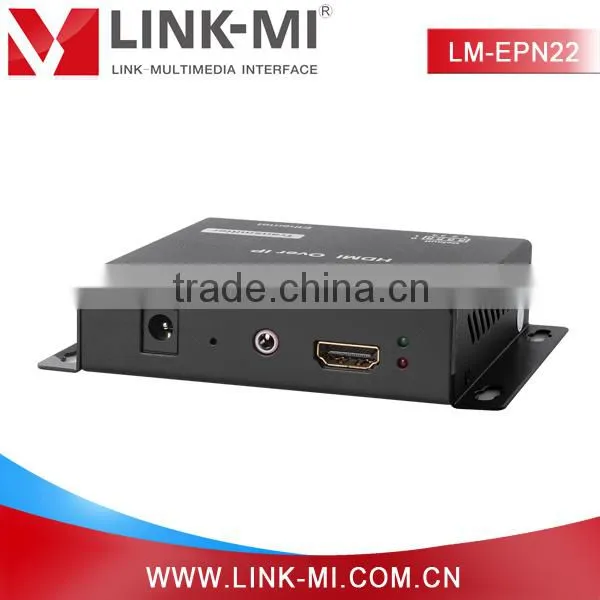
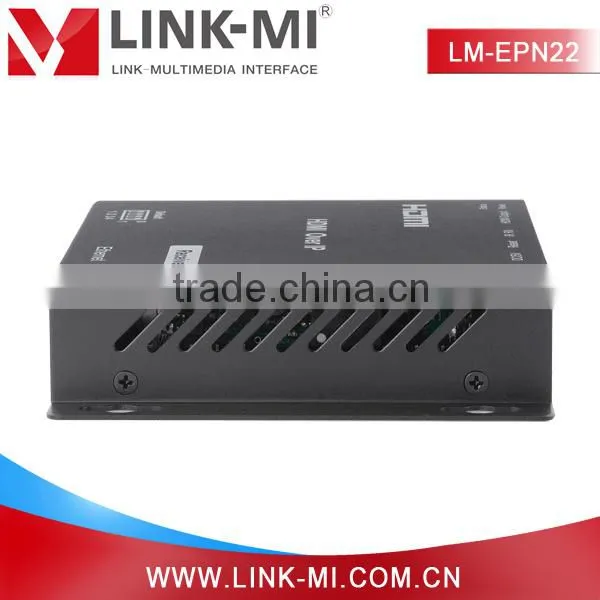
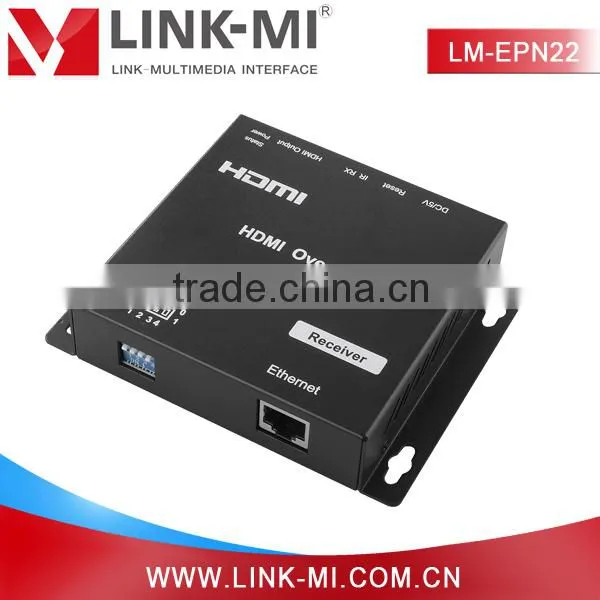
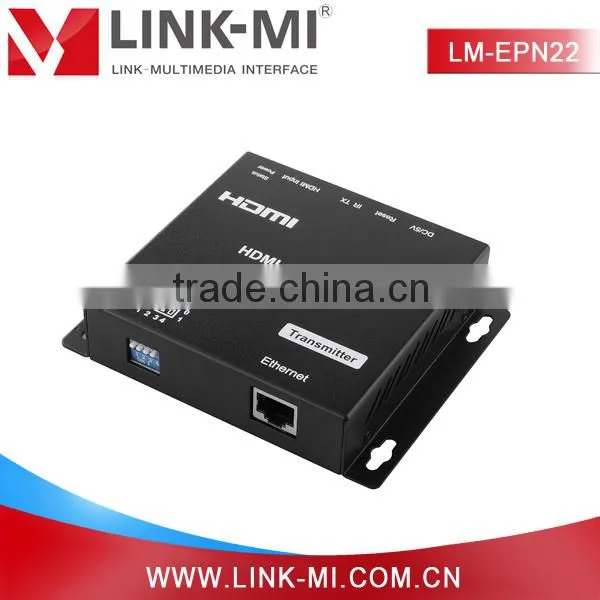
LM-EPN22 Cascade 1080p HDMI Transmitter Over IP,120m HDMI Over Gigabit Ethernet Extender






Related Products
-
 China 120m POE HDMI Over IP TCP Transmitter and Receiver With H.264 EncoderNegotiableMOQ: 5 Sets
 -
LM-EX11 50m HDMI Extender Over Cat5e x1 With EDID Copy FunctionNegotiableMOQ: 5 Pairs
-
2015 LINK-MI/OEM LM-EX120 via RJ45 Cable 120m Point to Many Hdmi Extender Over ip Support Ethernet & IRNegotiableMOQ: 5 Sets
-
LM-EP22 Hdmi Video Broadcast Repeater With TCP ip 120m Over Single UTP Cat5e Cable Ethernet ExtenderNegotiableMOQ: 5 Sets
-
LM-CX100 100m Powerline HDMI Over Single Coaxial Extender, HDMI Extender Transmitter Receiver With IR BlasterNegotiableMOQ: 5 Sets
Introduction: hdmi over gigabit ethernet extender
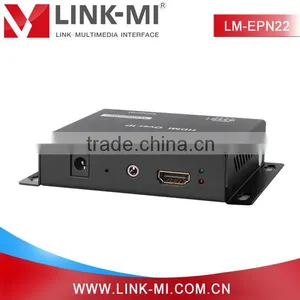
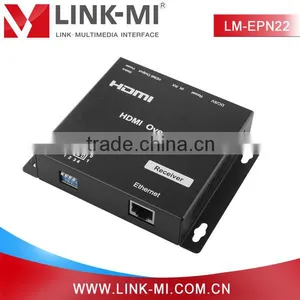
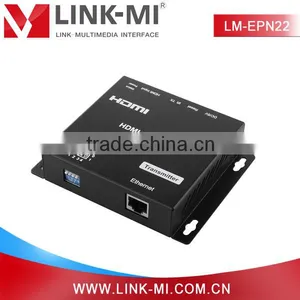
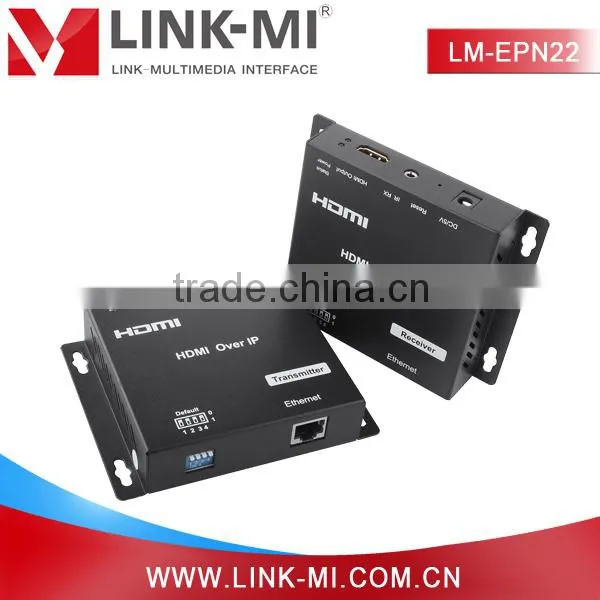
LM-EPN22 120m HDMI Over IP, which includes one transmitter and one receiver, flexible and scalable HDMI 1080p high quality video broadcasting with Gigabit Ethernet LAN, extends 1080p HDMI signals up to 120m over a single UTP cat5e/6 cable. This 120m HDMI Over IP supports point to point, point to many and many to many network configuration, can supports up to 16 transmitters and more than 200 receivers in a single system.
LM-EPN22 Cascade 1080p HDMI Transmitter over IP,120m HDMI over Gigabit Ethernet Extender
Main Features
1.Compatible HDCP.
2. 120m over a single UTP Cat5e/6 cable.
3. Up to 16 transmitters and more than 200 receivers in a single system .
4. With IR Control function
Model Number: LM-EPN22
Keywords: hdmi over gigabit ethernet extender
FEATURES
1. Compliant HDCP.
2. Flexible and scalable HDMI 1080p High Quality Video Broadcasting with Gigabit Ethernet LAN.
3. Extends 1080p HDMI signals up to 120m over a single UTP Cat5e/6 cable.
4. Multicasting and broadcasting architecture, adding more displays without adding LAN bandwidth loading.
5. Support Point-to-Point, Point-to-Many and Many-to-Many network configuration.
6. Up to 16 transmitters and more than 200 receivers in a single system.
7. With IR Control function ,it allows you control back the source at the end of destination
8. Built-in DIP switch to change Group ID and with multiple remote control ways.
9. Support IGMP v.1 &v.2 address
10. Support cascading Ethernet Switches up to 3 layers.
SPECIFICATIONS
Operating Temperature Range |
-5 to +35℃(+23 to +95 Degree Fahrenheit ) |
Operating Humidity Range |
5 to 90%RH (No Condensation) |
Support Video Format |
DTV/HDTV:480i/576i/480P/576P/720P/1080i/1080P |
Output Video |
HDMI,HDCP |
Audio Sampling rate |
32kHz, 44.1kHz and 48kHz |
Transmission Distance |
1080P @60Hz120m(Maximum) over single CAT5E/6 /24AWG/Solid |
Power consumption |
DC5V/1A Power consumption: Max. 4W |
Dimension (L×W×H) |
L94xW93.5x24.6mm |
IR frequency range |
38kHz |
Net Weight |
Receiver:245g,Transmitter:245g |
TX&RX |
Default IP address:192.168.168.55; MAC address:00:0b:78:00:60:01 Group IP address: 239.168.168.xx,(xx is the value of bits[2:0]) Default IP address:192.168.168.56; MAC address:00:0b:78:00:60:02 |
Product Description
Connection Diagram
Connection and Operating
A. HDMI Over IP One source to one display function
1. Connect one HDMI Cable between the HDMI output port of source device and the HDMI input port of Transmitter unit
2. Connect one HDMI Cable between the HDMI input port of display and the HDMI output port of Receiver unit.
3. Connect one UTP Cat5e or better cables between the RJ45 port of Transmitter unit and RJ45 port of Receiver unit.
4. Connect 5V DC power supplies to both Transmitter unit and Receiver unit.
5. Power on the output device first and the source second.
B. HDMI Over IP One source to more displays function
1. Connect one HDMI Cable between the HDMI output port of source device and the HDMI input port of Transmitter unit
2. Connect one CAT5e or better cable between the RJ45 port of transmitter and input port of Gigabit Ethernet switch hub.
3. Connect one CAT5e or better cable between the output port of each Gigabit Ethernet switch hub and RJ45 port of Receiver unit.
5. Power on the output device first and then the source device.
6. Use DIP switch has set up on the transmitter side (Group ID:0001) for each receiver. (Group ID:0001)
C. HDMI Over IP more sources to more displays function
1. Connect one HDMI Cable between the HDMI output port of source device and the HDMI input port of Transmitter unit.
2. Connect one HDMI Cable between the HDMI input port of display and the HDMI output port of Receiver unit.
3. Connect one CAT5e or better cable between the RJ45 of each Transmitter unit and RJ45 port of Gigabit Ethernet switch hub.
4. Connect one CAT5e or better cable between each RJ45 port of Gigabit Ethernet switch hub to RJ45 port of Receiver unit. User can select source channel by setting up dip switch on each transmitter unit. And select display source for Receiver units via one remote control.
5. Use DIP switch to select sources .
Product Display
PACKING CONTENTS: LM-EPN22 Cascade 1080p HDMI Transmitter over IP,120m HDMI over Gigabit Ethernet Extender
1. Main Unit. Transmitter & Receiver 120m HDMI Over IP
2. Power adapter DC 5V 1Ax2PCS
3. IR-TX cable & IR-RX cable
4. Operating Instructions

Send Inquiry to This Supplier

You May Also Like
-
3.5 Jack Earphone For Lightning to 3.5mm AUX Headphones Adapter Audio Cable For IPhone SE 2020 12 Mini 11 Pro XS Max XS XR X 7 8US$ 1 - 1.5MOQ: 1000 Pieces
-
Audio Video CableNegotiableMOQ: 2400 Pieces
-
AV Cable for WiiNegotiableMOQ: 10 Pieces
-
2015 New Arrival Wireless Usb Transmitter Receiver Bluetooth TransmitterUS$ 11.5 - 15MOQ: 1000 Pieces
-
Wifi Music Receiver Wireless Usb Stereo Audio Transmitter Receiver Bluetooth Music Receiver For Smart Phone MP3 MP4 PCUS$ 5.3 - 5.3MOQ: 100 Units
-
HDMI Cable VK2-0022US$ 2.5 - 5.5MOQ: 1000 Pieces
-
Trolley Speaker With USB/SDUS$ 49 - 51MOQ: 20 Sets
-
Video Wall ControllerUS$ 100 - 250MOQ: 2 Sets
-
DIN Cable Assembly 8-pin Mini DIN Plug to 4 x RCA Jack and 3.5 Stereo PlugUS$ 1.5 - 2MOQ: 500 Pieces
-
EL Flashing Audio LineUS$ 7.5 - 10MOQ: 500 Pieces


