Home > Lights & Lighting > Outdoor Lighting > Street Light > Rgbww Strip WiFi Controller,1 Port Control 200 Lights,communicate With Android Phone via WLAN to Dim,output 5 Routes RGBWW Data
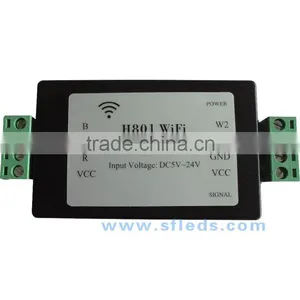
Rgbww Strip WiFi Controller,1 Port Control 200 Lights,communicate With Android Phone via WLAN to Dim,output 5 Routes RGBWW Data
Rgbww Strip WiFi Controller,1 Port Control 200 Lights,communicate With Android Phone via WLAN to Dim,output 5 Routes RGBWW Data photo-1
Rgbww Strip WiFi Controller,1 Port Control 200 Lights,communicate With Android Phone via WLAN to Dim,output 5 Routes RGBWW Data photo-2
Rgbww Strip WiFi Controller,1 Port Control 200 Lights,communicate With Android Phone via WLAN to Dim,output 5 Routes RGBWW Data photo-3
Rgbww Strip WiFi Controller,1 Port Control 200 Lights,communicate With Android Phone via WLAN to Dim,output 5 Routes RGBWW Data photo-4
Rgbww Strip WiFi Controller,1 Port Control 200 Lights,communicate With Android Phone via WLAN to Dim,output 5 Routes RGBWW Data photo-5
Rgbww Strip WiFi Controller,1 Port Control 200 Lights,communicate With Android Phone via WLAN to Dim,output 5 Routes RGBWW Data photo-6
US$ 0.1 - 11 MOQ: 1 Piece
Key Specifications
Get Latest Price
Place of Origin:
Guangdong, China
Brand Name:
sfleds
Model Number:
H801WiFi rgb WiFi control
Payment & Shipping
Payment Methods:
Port of Shipment:
Shenzhen
Delivery Detail:
Delivery time depends on order quantity.
Place of Origin Guangdong, China
Brand Name sfleds
Model Number H801WiFi rgb WiFi control

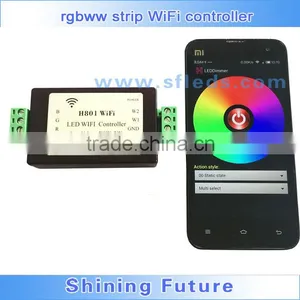
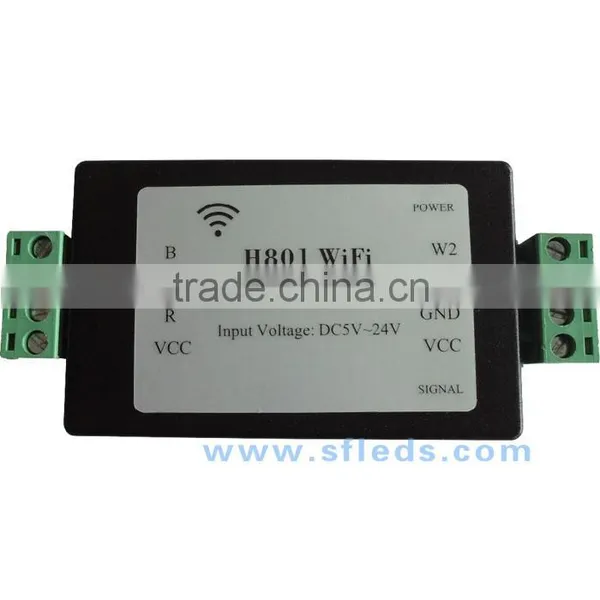
rgbww strip WiFi controller,1 port control 200 lights,communicate with Android phone via WiFi to dim,output 5 routes RGBWW data.

1. Introduction
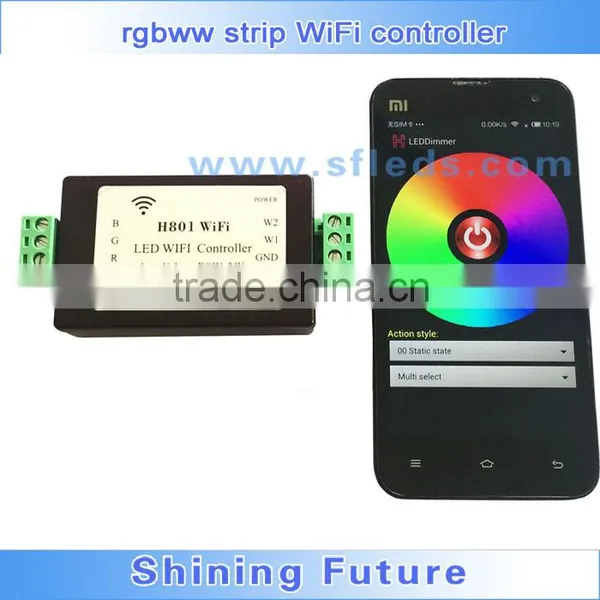
  H801WiFi communicates with Android mobile phone through WiFi to realize dimming function. Router can be set as an access point, you can connect phone and H801WiFi to the same router. Once phone and H801WiFi are connected to router, you can also set H801WiFi as an wireless access point so that another H801WiFi can connect to it, by this way, multiple H801WiFi can be connected wirelessly to prolong control distance and increase controller number.

2. Performance

(1). Connect and control lamps easily by “LED Dimmer”.
(2). Output RGBWW, 5 routes PWM data.
(3). Refresh frequency is 500HZ.
(4). Support 802.11 b/g/n.
(5). Fast transmission, response sensitive.
(6). H801WiFi can be controlled separately. 
(7). Multiple phones can control H801WiFi simultaneously.
(8). Built-in dozens of effects.

3. Operation Manual
         
Connect phone to H801WiFi    
  

rgbww strip WiFi controller,1 port control 200 lights,communicate with Android phone via WLAN to dim,output 5 routes RGBWW data


Step 1: Power on H801WiFi, install “LED Dimmer” and create shortcut.


Duplicate LEDDimmer.apk to phone and click to install, long press the icon and drag it to home screen.

rgbww strip WiFi controller,1 port control 200 lights,communicate with Android phone via WLAN to dim,output 5 routes RGBWW data


Step 2: Turn on WiFi


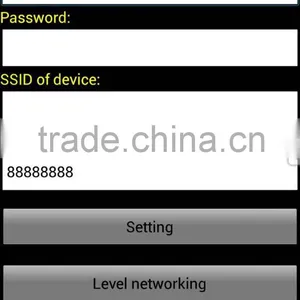
  Power on H801WiFi, click phone pull-down menu, click settings, turn on WLAN, then choose and click “HCX_******”, password is “88888888”, enter password and click connect.
rgbww strip WiFi controller,1 port control 200 lights,communicate with Android phone via WLAN to dim,output 5 routes RGBWW datargbww strip WiFi controller,1 port control 200 lights,communicate with Android phone via WLAN to dim,output 5 routes RGBWW data
The pop-up icon indicates WiFi is connected.
rgbww strip WiFi controller,1 port control 200 lights,communicate with Android phone via WLAN to dim,output 5 routes RGBWW data
Step 3: Run LED Dimmer
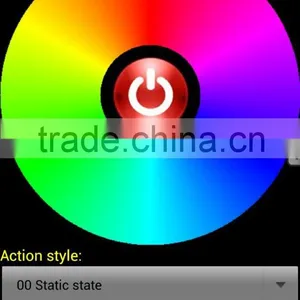
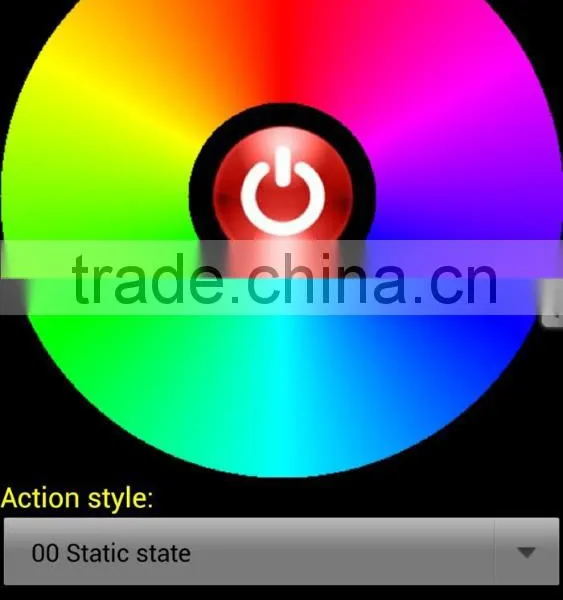
  Click LED Dimmer, pops up the following operation interface,slide on color wheel,the light will change with the color accordingly. Click the button in the middle, the lights will be off. 
rgbww strip WiFi controller,1 port control 200 lights,communicate with Android phone via WLAN to dim,output 5 routes RGBWW data
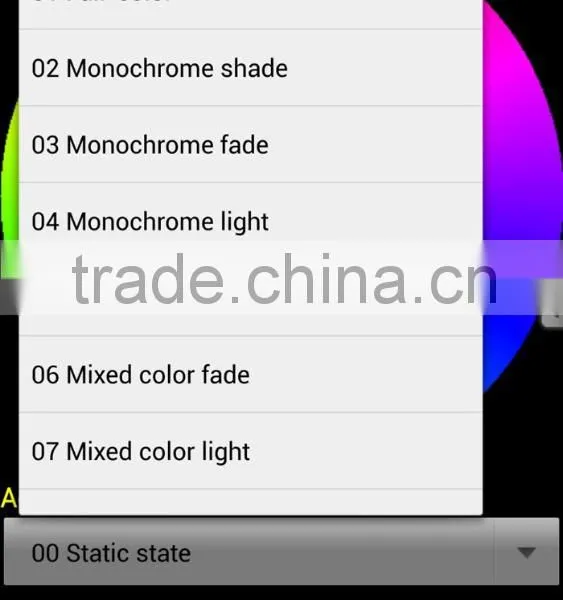
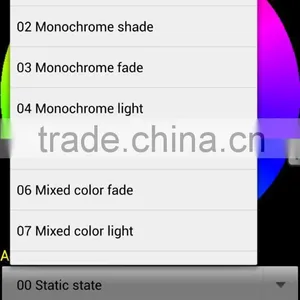
Click the effect selection dialog, there are many effects to choose.
rgbww strip WiFi controller,1 port control 200 lights,communicate with Android phone via WLAN to dim,output 5 routes RGBWW data
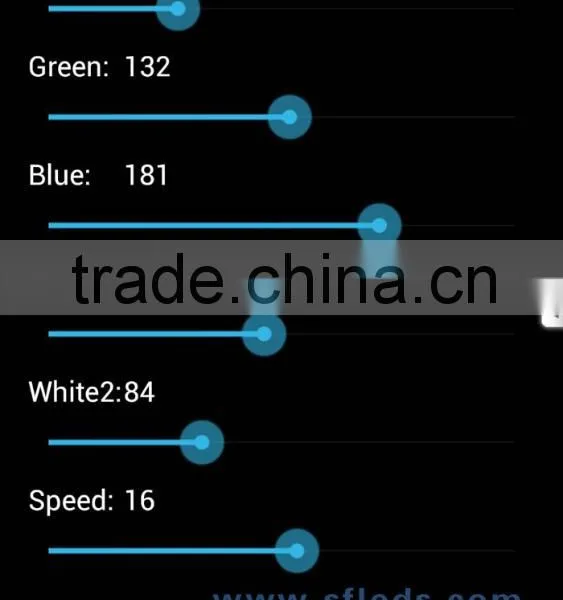
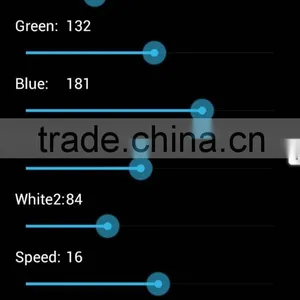
Click menu--Color Rod to set the brightness of each color and playing speed.
rgbww strip WiFi controller,1 port control 200 lights,communicate with Android phone via WLAN to dim,output 5 routes RGBWW data
4. Connect to router
rgbww strip WiFi controller,1 port control 200 lights,communicate with Android phone via WLAN to dim,output 5 routes RGBWW data
  If you want your phone can both surf the internet and control lights, you must connect H801WIFI to router,  the following is the procedure.
(1). Install LEDDimmer.apk, and turn on WIFI.
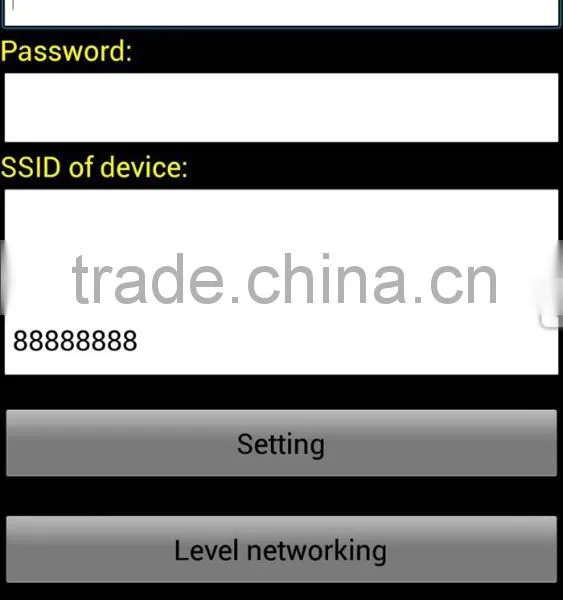
(2). Click menu-- “Router”, click “WLAN AP”, choose the right router, and enter password, then click “link”. All H801WIWI that can communicate with phone has been connected to router. Connect your phone to router too, after connected, your phone can both surf the internet and control H801WIFI.
rgbww strip WiFi controller,1 port control 200 lights,communicate with Android phone via WLAN to dim,output 5 routes RGBWW data
5. Product Display
rgbww strip WiFi controller,1 port control 200 lights,communicate with Android phone via WLAN to dim,output 5 routes RGBWW datargbww strip WiFi controller,1 port control 200 lights,communicate with Android phone via WLAN to dim,output 5 routes RGBWW datargbww strip WiFi controller,1 port control 200 lights,communicate with Android phone via WLAN to dim,output 5 routes RGBWW datargbww strip WiFi controller,1 port control 200 lights,communicate with Android phone via WLAN to dim,output 5 routes RGBWW data
7. LEDDimmer program download link
please contact us to get it.


led 7020 strip with 5630 board

Send Inquiry to This Supplier

* Message
0/5000

Want the best price? Post an RFQ now!
Business Type
Manufacturer, Trading Company, Distributor/Wholesaler
Year Established
2015
Factory Size
1,000-3,000 square meters
Total Employees
11 - 50 People

Recommended Categories

Explore top categories and find suppliers for your specific needs