








 Contact Platform Support
 Help Center
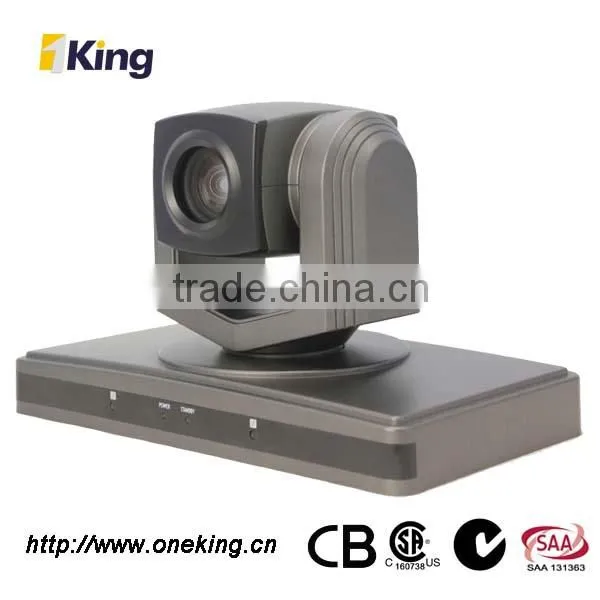
Digital Color Ccd SD 18x Conference Room Camera


Related Products
-
 Conference Room Ccd 18x Video CameraUS$ 599.00 - 599.00MOQ: 1 Set
 -
18x Ccd Camera 12v Color Video Camera 650tvlUS$ 599.00 - 599.00MOQ: 1 Set
-
Color Video 650tvl SD Conference Room CameraUS$ 599.00 - 599.00MOQ: 1 Set
-
Digital Conference Room SD Color Video CameraUS$ 599.00 - 599.00MOQ: 1 Set
-
Color Video SD CCD Conference CameraUS$ 599.00 - 599.00MOQ: 1 Set
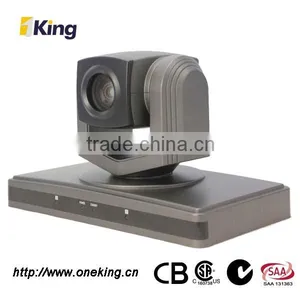
Digital color ccd SD 18x conference room camera
Features of 18x conference room camera :
-
{ USB 2.0 Interface
{ Smart design Standard Definition PTZ camera
{ Fast and smooth video handling
{ Low cost design for video conferencing
{ Speed Match
{ Auto/Manual focus/brightness/WB
{ RS-232C/VISCA Protocol
{ Boundary scanning
Performance of 18x conference room camera :
-
{ 650TVL
{ 1/3 Sony Effio-E CCD
{ F=5-90 mm,F1.6-3.0
{ Pan ± 180 degree continuously
{ Tilt +120 degree, -120degree
{ 64 preset positions
{ 4 cruise lines
{ DC 12V, 2A
Dimension of 18x conference room camera :
-
{ L 250mm x W 140mm x H145mm
{ N. Weight: 1.47kgs
{ G. Weight: 2.78kgs
Installation of 18x conference room camera :
-
{ Desktop
{ Ceiling mount
{ Standard Tripod accessory
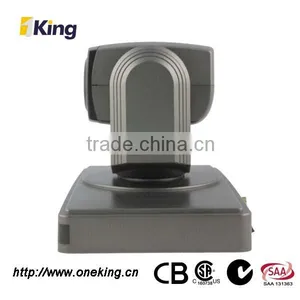
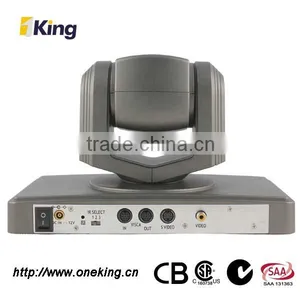
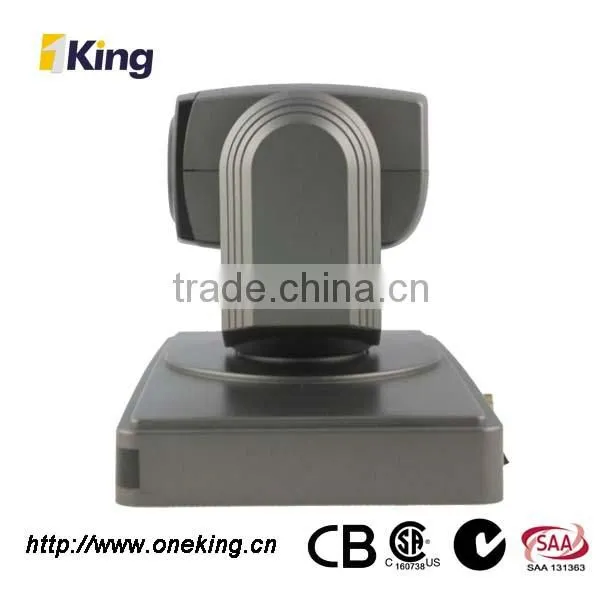
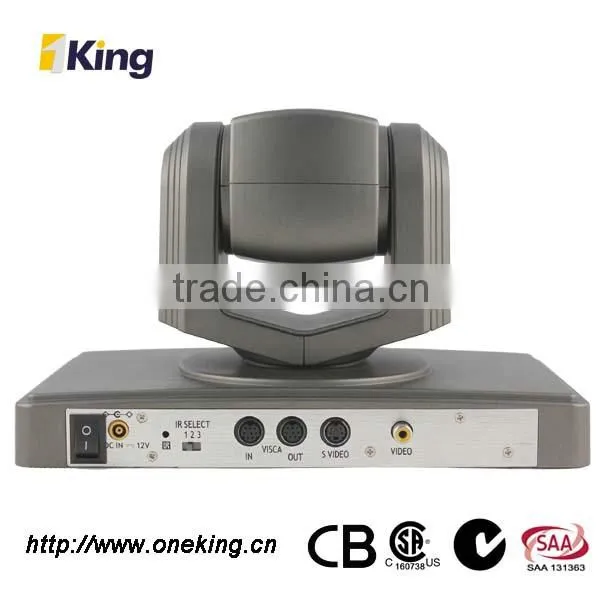
Image of 18x conference room camera :
Specification of 18x conference room camera :
Model Number |
C-368 18x PTZ (USB option) |
|
Image Sensor |
Sensor |
1/3" SONY Effio-E CCD |
Signal System |
PAL/NTSC |
|
Illumination |
0.05Lux |
|
White Balance |
Auto/Manual |
|
Gain Control |
Auto |
|
Back-light |
On /Off |
|
E-Shutter |
1 - 1/100,000s |
|
Horizontal |
650TVL |
|
S/N Ratio |
>50db |
|
Lens |
Focus |
f=5-90 mm F1.6 -3.0 |
Iris |
Auto/Manual |
|
Zoom |
18x Optical Zoom |
|
Video Output |
AV, S-VIDEO Output |
|
Control Decoder |
Built-in decoder |
|
Communication |
EIA/RS422, EIA/RS232 (Bidirectional) |
|
PTZ Control Protocol |
VISCA, PELCO-P, PELCO-D (optional) |
|
Baud Rate |
4800/9600bps |
|
Patrol Lines |
4 Patrol Lines |
|
Preset Position |
64 Preset Position |
|
Power-off Protection |
Saved scanning or patrol line settings Automatically Before power off |
|
Speed Matching |
Slow down camera Pan/Tilt movement speed while camera zooming in |
|
OSD Menu |
To change parameters of camera or camera module from OSD Menu |
|
Image Auto Flip |
Image Auto Flip |
|
Pan Speed |
1-280 degree per second |
|
Tilt Speed |
1-100 degree per second |
|
Pan Rotation Angle |
360 degree continuously |
|
Tilt Rotation Angle |
240 degree |
|
Auto Pan Scan |
Support auto pan scanning |
|
Boundary Scan |
0-359 degree (programmable) |
|
Remoter Control |
IR wireless remote controller P/T/Z |
|
Power Supply |
DC12V±10%, 1.2A |
|
Working Temperature |
0-50℃ |
|
Environment Humidity |
0-95%RH |
|
Size(LxWxH) |
124X120X145mm |
|
Weight |
1380g |
|
Accessories kits in package :
-
1x Color Video Camera
1x DC 12V/2A Power Adaptor
1x RS-232C/VISCA Cable
1x Installation brackets & screws
1x User’s manual
1x IR Remote Controller
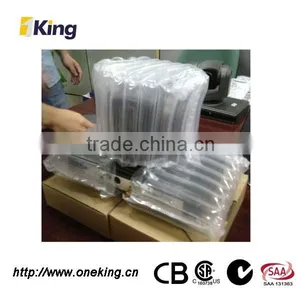
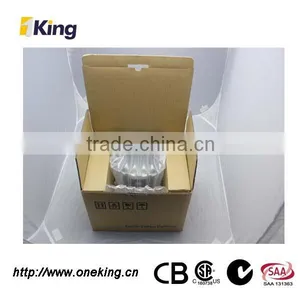
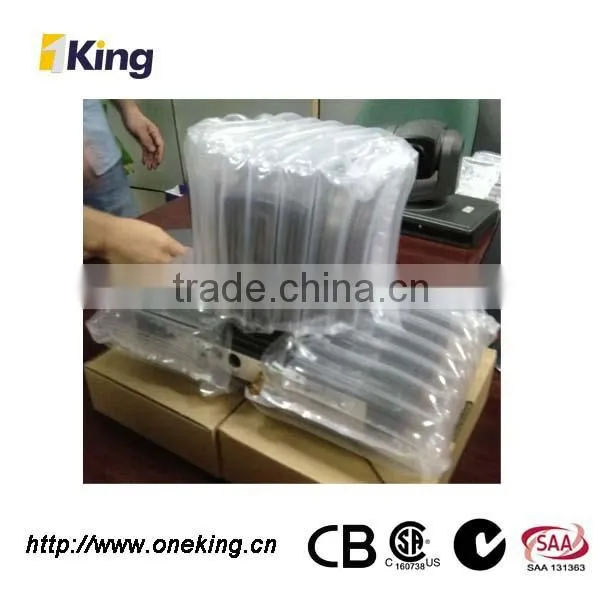
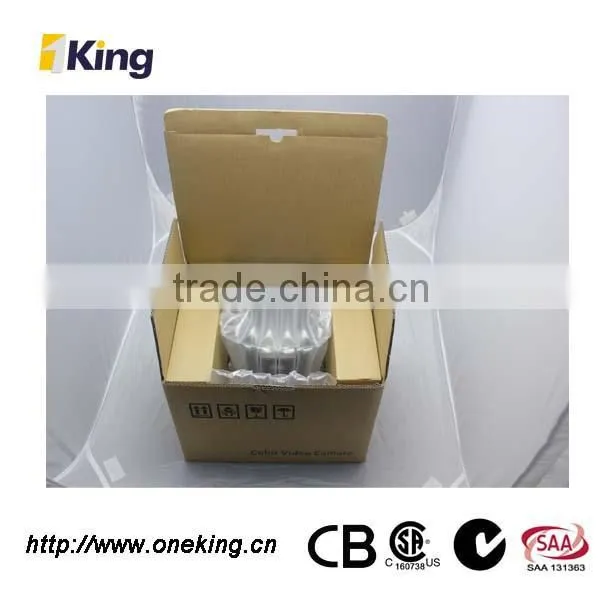
Packaging of 18x conference room camera :
Shipping of 18x conference room camera :
We are the professional manufacturer of Color Video Full HD PTZ Camera----
- Business Type: Manufacturer, Trading Company
- Main Products: Network Camera, Mini PTZ Camera, Vandal Proof PTZ Camera, HD PTZ Speed Dome Camera, HD Video Conference Camera
- Location: Guangdong, China (Mainland)
- Year Established:2005
- Year start exporting: 2005
- Number of Employees: 101 - 200 People
- Total Revenue: US$2.5 Million - US$5 Million
- Main Markets: Southeast Asia, Northern Europe, Western Europe, South Asia, Mid East
- Certifications: ISO9001
- Product Certifications: CE
Oneking Introduction of 18x conference room camera :
Symptom |
Cause |
Remedy |
The power of the camera is not turned on. |
The supplied AC power adaptor is not connected to the DC IN 12V jack firmly, or the AC power cord is not inserted firmly into the AC power adaptor or the AC outlet. |
Insert the power cord firmly as far as it will go. |
Not Turn On the Power switch as “ON”. |
Turn On the Power switch as “ON”. |
|
Insufficient frame rate detected |
Cannot recognize USB 3.0 connection, but the USB 2.0 speed. |
Make sure you connected USB 3.0 Cable, USB 3.0 connect, and firmly connect to USB 3.0 interface. |
Pan,tilt or zoom cannot be operated. |
Any menu is displayed on the monitor screen. |
Press the “Dome OSD” OR “Lens OSD” on the Camera remote control Unit to turn off the menu from the monitor screen. |
The panning or tilting range is limited |
Pan/Tilt movement range is ± 45 degree. |
|
The Remote Commander does not work. |
The Camera Select button you pressed on the Remote Commander does not match the number set with the IR SELECT switch on the camera. |
Press the Camera Select button corresponding to the IR SELECT SWITCH setting on the Camera. |
Used out of battery |
Change new battery (AA x 2) |
|
The VISCA control is not available with a computer connected to the camera. |
The computer is not correctly connected to the camera. |
Make sure the connection between the computer and camera is made correctly. Check that the VISCA control setting (RS-232C or RS-422) and the baud rate setting (9600 bps or 38,400 bps) are properly made with the BOTTOM switch on the bottom of camera and the COM Port which configured in your computer. |
The camera cannot be operated at all. |
|
Pull out the plug of the power cord from the AC outlet, then reinsert it into the AC outlet after a while. |
Contact of 18x conference room camera :

Send Inquiry to This Supplier

You May Also Like
-
Audio Conference SystemNegotiableMOQ: 2000 Sets
-
Best Selling Superior Quality Professional Audience Sound Equipment Conference System Deskable Wireless MicrophoneNegotiableMOQ: 1
-
BL-2000 Multimedia Central Control SystemUS$ 80 - 1,500MOQ: 2 Sets
-
BSCF-CUW-4000M Wireless IoT Conference SystemNegotiableMOQ: 1 Piece
-
Huawei TE30 All-in-One HD Videoconferencing Endpoint TE30-1080 TE30-1080P-00B TE30-1080P-10BUS$ 1800 - 2200MOQ: 1 Piece
-
Floor-mounted Electrical Plug Socket GX-8 & 13NegotiableMOQ: 1 Piece
-
Lifting Screen With Name PlateNegotiableMOQ: 10 Pieces
-
USB HDMI SDI LAN Sony Sensor UHD 4k 20x PTZ Video Conference CameraUS$ 3175 - 3968MOQ: 1 Piece
-
High Quality Video Capture Card,Convert Analog Signal To Digital Video Capture CardUS$ 350 - 400MOQ: 1 Piece
-
VP9650-8-AC Universal TranscodingUS$ 68,000 - 74,000MOQ: 1 Unit