








 Contact Platform Support
 Help Center
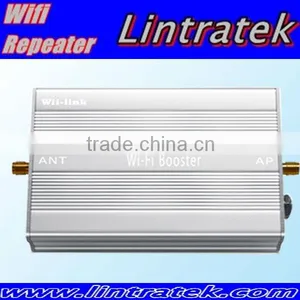
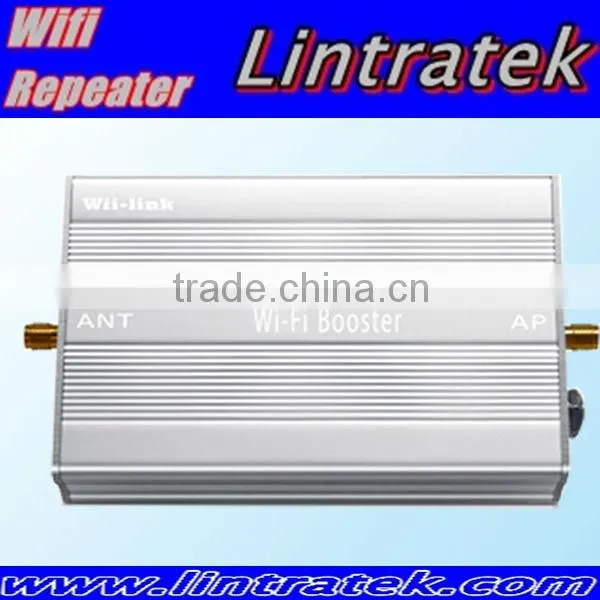
Best Seller Wireless Signal Repeater Power 33dbm Gain 16db



Related Products
-
 Outdoor Wifi Signal Booster Office Signal Amplifier RepeaterUS$ 100 - 105MOQ: 5 Pieces
 -
2.4G 4W Booster Signal Wifi RF600NegotiableMOQ: 2 Pieces
-
2.4G 4W Outdoor Wifi Signal Repeater Wifi Booster RF600NegotiableMOQ: 5 Pieces
-
High Coverage Demands Led 4g Wifi RepeaterNegotiableMOQ: 2 Pieces
-
Indoor Coverage External Wifi RepeaterNegotiableMOQ: 2 Pieces
Specifications
1. wireless signal repeater is durable with low price2. good after sales service
3. easily installation
best seller wireless signal repeater power 33dbm gain 16db
Parameter data:
| Operating frequency | 2400-2483.5MHz |
| Operating mode | TDD |
| Signal standard | IEEE 802.11b/g/n |
| Minimum input power | 3dBm |
| Maximum input power | 20dBm |
| Maximum output power | 33dBm (2w) |
| Uplink gain | 16dB |
| Downlink gain | 12dB |
| Noise figure | 2.5dB |
| Delay | <1uS |
| Operating temperature | -20°C to + 55°C |
| Weight | 129g |
| AP/Router Interface | SMA Female |
| Antenna Interface | RP-SMA Male |
Product Features:
Ø IEEE 802.11b/g/n compatible
Ø High receiving sensitivity and high transmitting power(2W)
Ø Increase your wireless coverage and throughput
Ø Works with Most Wireless Access Point/Routers or Wireless Network Card
Ø Easy to install and use
Ø Ideal for use detachable 2.4GHz antenna equipments
INSTALLATION STEP :
Step 1:Connect Antenna to the Wi-Fi Booster.
CAUTION: The Booster antenna interface can only connect antenna, Don’t connect to any other wireless products in any case, otherwise it will result in equipment malfunction or damage.
Step 2:Connect Wireless AP/Router or Wireless Network Card to the Wi-Fi Booster.
Tips: Users can also use other shielded cables to
connect, but the cable length should be as short as possible, preferably not exceeding 3m.
Step 3:Power up the Wi-Fi Booster.
At first, the color of the LED is green. When the
data is being transmitted, the light will turn red. The more dense data transmission, the faster color change of the LED.
Step 4:Adjust the Antenna position and angle,make the Wi-Fi Booster receive the best signal
Tips: You can use third-party software such as Network Stumbler or WirelessMon to detect the signal of Wireless AP/Router / Wireless Network Card, and adjust the antenna angle to achieve the strongest signal.

Send Inquiry to This Supplier

You May Also Like
-
Good Signal Outdoor Wifi Hotspot for Many UsersUS$ 100 - 105MOQ: 5 Pieces
-
2.4ghz Wireless Signal Amplifier for Access Point RouterNegotiableMOQ: 5 Pieces
-
Wifi Signal Amplifier Works With Access Point /routers or Network CardNegotiableMOQ: 5 Pieces
-
High Power Amplifier Wifi Signal for Outdoor SpotNegotiableMOQ: 5 Pieces
-
High Gain Best Wifi Booster 802.11n Wifi Repeater for OutdoorNegotiableMOQ: 5 Pieces
-
High Quality 4000mw 2.4g Wifi Signal Booster for Long DistanceNegotiableMOQ: 5 Pieces
-
2.4ghz Wifi Repeater for Wireless Signal Indoor Wifi SignalNegotiableMOQ: 5 Pieces
-
Indoor 2.4ghz Signal Repeater Wifi Wireless 2000 Sqm DistanceNegotiableMOQ: 5 Pieces
-
Wifi Signal Amplifier Repeater IndoorNegotiableMOQ: 5 Pieces
-
Top Quality Long Range WIFI Signal RepeaterUS$ 1 - 50MOQ: 5 Pieces


