








 Contact Platform Support
 Help Center
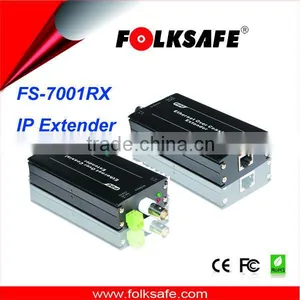
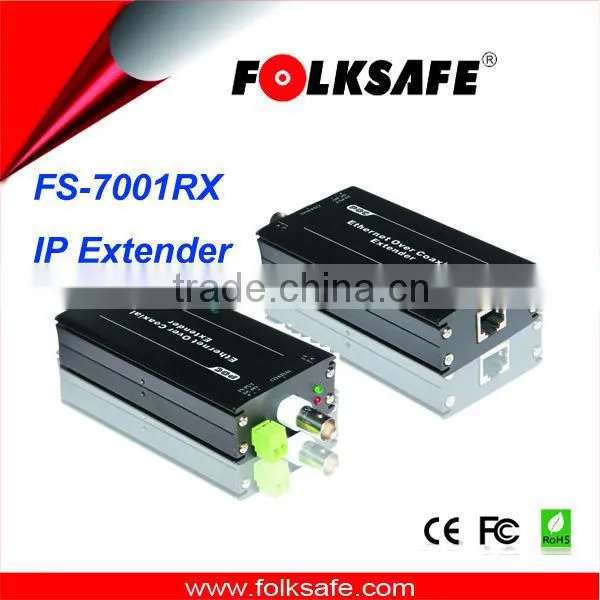
Single Channel IP Extender FS-7001RX Over Coax Receiver


Related Products
-
 New Arrival FS-7004TX, 4-CH Ethernet and Power Over Coax Transmitter, EPOC, POCUS$ 1 - 40MOQ: 50 Pieces
 -
1-CH Passive IP Extender Over Coax, Passive Device for IP Camera, Folksafe FS-7001PUS$ 1 - 10MOQ: 50 Pieces
-
1-CH Ethernet and Power Over Coax Transmitter, Folksafe FS-7001TX, IP ExtenderUS$ 1 - 40MOQ: 50 Pieces
-
Folksafe Flexible Ethernet Extender Over Coax Cable no to Usb and AviUS$ 1 - 15MOQ: 200 Pairs
-
Folksafe IP Satellite tv Wireless Cameras Receiver av CameraUS$ 1 - 40MOQ: 100 Pieces
Single Channel IP Extender FS-7001RX over coax Receiver
Features:
• Single Channel Ethernet signal and power Receiver
• Using coaxial cable transmits Ethernet signal and power. Maximum transmission distance of Ethernet signal can be 2000 meters and 500 meters of power with max 12V2A power supply.
• Accord with standards of EEE802.3 10BASE-T,IEEE802.3u 100BASE-TX.
• With high speed modem technology, the physical broadband can up to 200Mbps.
• Built-in multi-stage surge and lightning protection design.
• Low power consumption, automatic error-correction coding technology.
• Easy installation, good presentation, fast network connection.
Overview:
Ethernet signal and power transmitter FS-E7001RX can transmit high speed Ethernet signal and power via coaxial cable. Its maximum transmission distance for Ethernet signal is 2000 meters and 500 meters for power. By adopting advanced OFDM technology to process the data, FS-E7001RX has high capacity of anti-jamming in real operating environment and its physical broadband can up to 200Mbps. With built-in multi-stage surge and lightning protection design, FS-E7001RX avoids devices from lightning damage. This product can be widely used in fields such as network expanding system, network security system, network information distribution system, network upgrading & expanding system, railway and urban transportation, metallurgy and mining, field operations etc.
Applications:
• Security Monitoring System
• Multimedia Network Teaching System
• Medical Monitoring Display System
• Industrial Automation Control System
• Banking, securities, financial information display system
• Remote Network Server Monitoring
• Department Store Security
• Casino Security
• Hospitals, Airports and banks
• School Campuses
Installation:
1.Connect FS-E7001TX remote LAN port to network device RJ45 output; Connect 12VDC power output port with network device power interface; Fix BNC connector on both end of coaxial cable and connect one end with FS-E7001TX BNC interface.
2. Connect FS-E7001RX LAN port to network device RJ45 input; connect the other end of coaxial cable to FS-E7001RX BNC interface; Plug 48VDC power into the power interface of the transmitter. Check and ensure all connections are right, then connect power supply.
3. With internet connected, device tries connection automatically. Link indicator (yellow light) turns on and indicates coaxial cable is well connected; green light quick shining means internet signal transmission is in normal.
Application Diagram:
Skype: grace_2620

Send Inquiry to This Supplier

You May Also Like
-
Electronic Alarm Safety ComponentNegotiableMOQ: 2500 Pieces
-
3ft Premium Shielded HD15 VGA/SXGA Male to Female Cable With 45 Degree Angled Female ConnectorUS$ 1 - 2MOQ: 500 Pieces
-
BNC SOCKET SQUAREUS$ 0.1 - 10MOQ: 1 Piece
-
600M Transmition Vedio BalunNegotiableMOQ: 1 Pair
-
IR LED Board for Hunting Camera/trail Camera OEM ODM XYC-H05NegotiableMOQ: 1000 Pieces
-
X-ray Safety Inspection EquipmentUS$ 16500MOQ: 2 Combos
-
12V 100W 7-Tone Alarm & Megaphone Square Horn, Motorcycle & Car Modified Multi-Tone SpeakerUS$ 6.05MOQ: 1 Piece
-
WV-S2572L I-PRO Extreme H.265 Dome Network CameraNegotiableMOQ: 1 Piece
-
High Quality 4 ch Video Balun for Cctv Camera Transmission by Coaxial UTP Cable Hd-cvi/tvi/ahd Passive Video BalunNegotiableMOQ: 1 Pair
-
Golf High Fidelity Ultraclear Original Sound Low Noise Processing PickupUS$ 2.48 - 3.1MOQ: 20 Pieces


