








 Contact Platform Support
 Help Center
Bidirectional PLC( Power Line Control)System Products

Related Products
-
 Bidirectional PLC( Power Line Control)System ProductsUS$ 20 - 25MOQ: 1 Piece
 -
TDX6618 Long-distance Web Camera/real Estate/security/smart HomeUS$ 190 - 220MOQ: 1 Piece
-
TDXE4404S Touch Screen 2-way Fluorescent Lamp/Appliance SwitchUS$ 20 - 25MOQ: 1 Piece
-
TDX6617 LONG DISTANCE WEB CONTROLLER SYSTEM/system/smart System/home/smartUS$ 170 - 200MOQ: 1 Piece
-
TDXE6671 Multi-function Colorful Touching Remote Controller/remote Controller/home Automation/zigbee/PLCUS$ 100 - 130MOQ: 1 Piece
Specifications
Rated voltage 220VAC , 50Hzequipment load < 300W
static power <0.5W
Two-way communication up time < 2s
Features
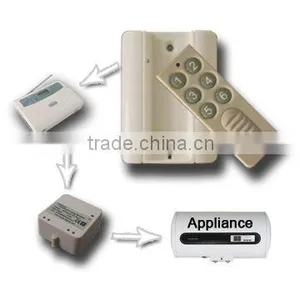
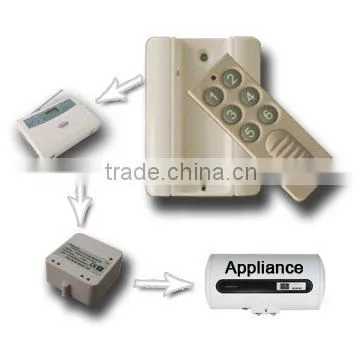
l 6 keys for 3 rooms and electrical appliances, easy to memory and use
l Transmitting distance: 10meter -30meter indoor
l Have best functions such as setup encryption, anti-jamming between the systems etc.
l Need 12V battery
Details
Name: 6 key Mini Remote | |
Model: |
TDXE6606 |
Series: |
Control |
Specification: |
12VDC |
Dimension |
Remote 85*31*11mm;Base:87*63*11mm |
Transmitting Distance |
10meter to 30 meter indoor |
Control the light or electrical appliance:
Mini Remote has six key buttons, including: 3 way lamps/appliances on/off
l First Way: Key 1 ON, Key 2 OFF
l Second Way: Key 3 ON, Key 4 OFF
l Third Way: Key 5 ON, Key 6 OFF
Settings for House Code and Unit Code
The codes include house code (from A to P) and unit code (from1 to 16).
1. Press Key ON (Key 1,3 or 5) of one way to set up the house code
l Press and hold the ON button for 5 seconds until the indicator blights, and then release it. It enters the learning status.
l Press it to setup the house code. The time of pressing is the same as the original house code. (For example, press it one time if the original house code is A. Press it 16 times, if the original house code is P (max).)
l Press it again for 5 seconds to confirm it until the indicator flickers, and then release it. The time of flickers is the same as the original house code.
2. Press Key OFF (Key 2,4 or 6) of one way to set up the unit code
l Press and hold the OFF button for 5 seconds until the indicator blights, and then release it. It enters the learning status.
l Press it to setup the unit code. The time of pressing is the same as the original unit code. (For example, press it one time if the original unit code is 1. Press it 16 times, if the original house code is 16 (max).)
l Press it again for 5 seconds to confirm it until the indicator flickers, and then release it. The time of flickers is the same as the original unit code.
3. The Mini Remote will exit Settings if no action is taken after 5 seconds.
4. Factory setting is First way A01, Second way B01, and third way C01.

Send Inquiry to This Supplier

You May Also Like
-
RF Remote ControlNegotiableMOQ: 2700 Pieces
-
Wireless Remote Controller With LCD Screen for Cable Laying EquipmentUS$ 40 - 80MOQ: 1 Combo
-
TAIYITO Video Intercom Smarthome Intelligent Home Digital Indoor Gateway(7")US$ 59 - 99MOQ: 1 Set
-
GSM SMS RTU Controller With 4DIN 4DO RTU5010US$ 1 - 10MOQ: 1 Set
-
Switch Remote Control Switch(LW30-100)US$ 10.5 - 60MOQ: 50 Pieces
-
KeyfinderNegotiableMOQ: 5000 Pieces
-
Innovative Product Voice Remote ControlNegotiableMOQ: 10 Pieces
-
2014 Hot Sale Mobile Phone Monopod.wireless Mobile Phone Monopod..camera MonopodUS$ 1 - 10MOQ: 100 Pieces
-
Bluetooth Universal Steering Wheel Remote Control Car Learning for Car Audio Video DVD GPSUS$ 1 - 100MOQ: 100 Pieces
-
Hot Sale Black TV ControllerUS$ 0.5 - 0.6MOQ: 1000 Pieces