








 Contact Platform Support
 Help Center
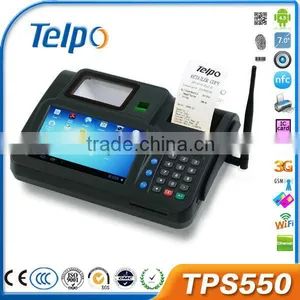
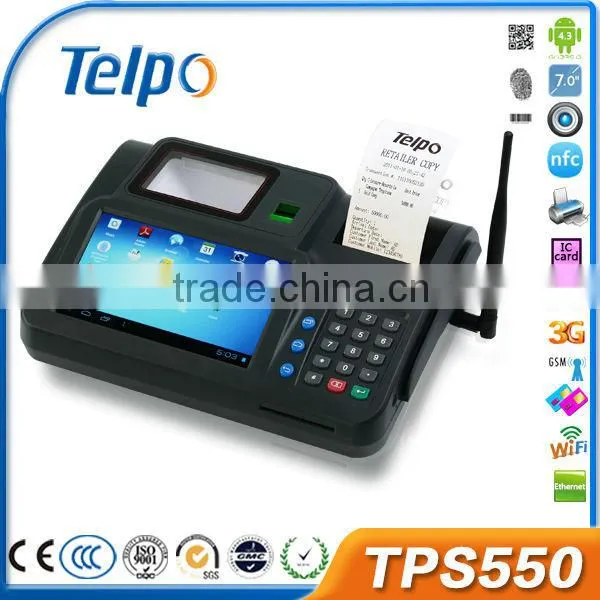
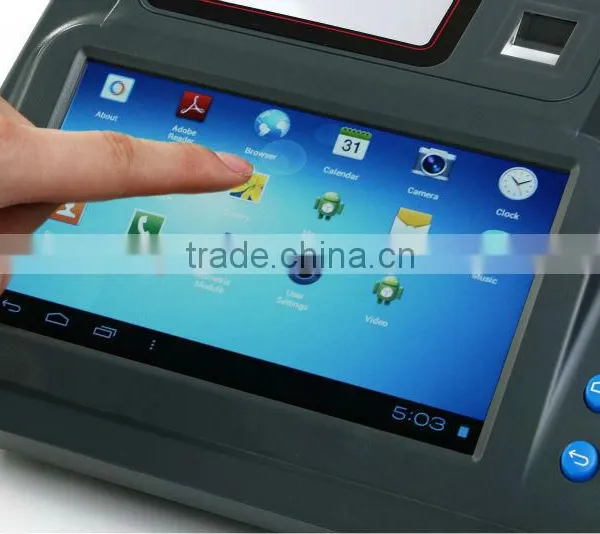
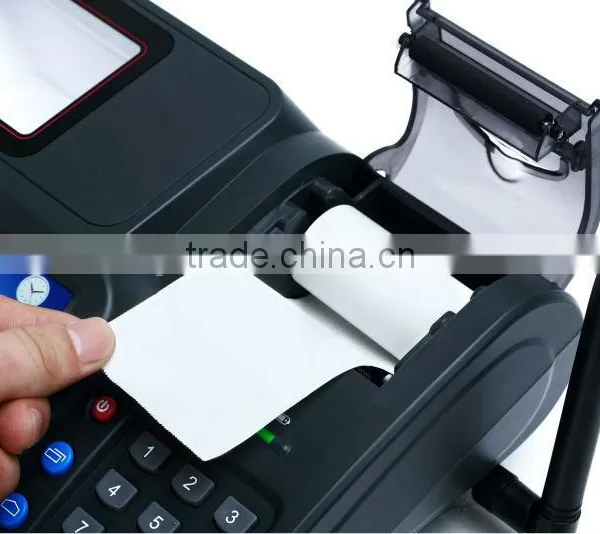
Telpo TPS550 Android Wcdma WIFI Barcode Reader and Finger Reader Pos Terminal 3G Quality Choice


Related Products
-
 2014 Telpo TPS550 Counter Top Android POS TerminalUS$ 1 - 400MOQ: 1 Unit
 -
Telpo TPS550 2D Barcode Scanner POSUS$ 1 - 300MOQ: 200 Units
-
TPS550 Mobile Payment Android POS Terminal With Thermal PrinterUS$ 1 - 300MOQ: 200 Units
-
Telpo GSM TPS550 Android POS Terminal With Receipt Printer, Finger PrinterUS$ 1 - 300MOQ: 200 Units
-
Telpo GSM TPS550 Android POS Terminal With 1D/2D Bar Coder ReaderUS$ 1 - 300MOQ: 200 Units
Specifications
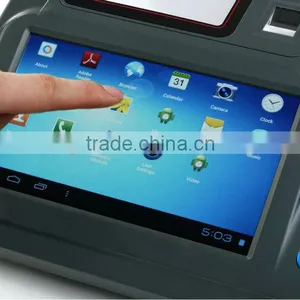
1.Android POS System 4.22.7'' Touch Screen
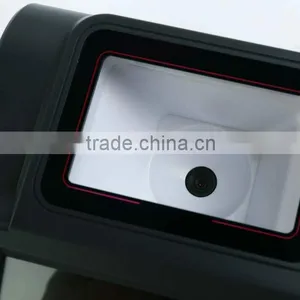
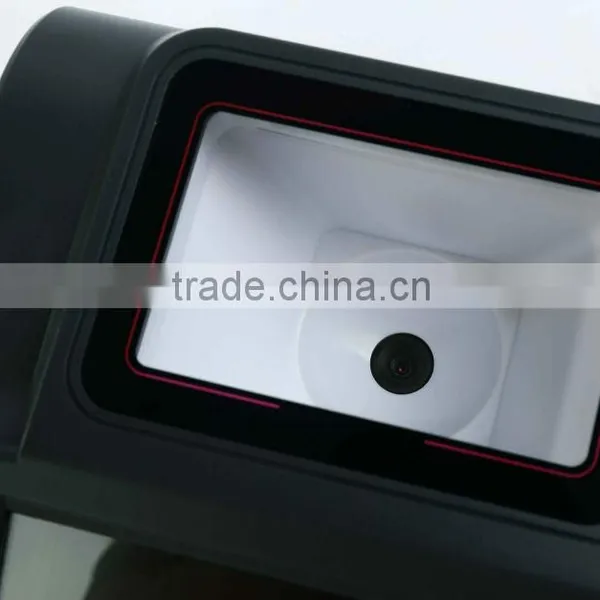
3.2D Barcode Scanner
4.Smart Card Reader, nfc
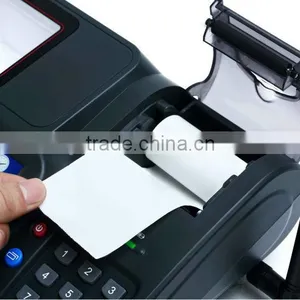
5.Thermal Printer, Free SDK
Telpo TPS550 Android POS Terminal with camera, 1D/2D Barcode Scanner, Finger Print Scanner, gprs, Ethernet, NFC, magnetic and smart card reader
1) Customized Application development
2) Android 4.2 OS + GPRS + Ethernet
3) Optional for Finger Printer Scanner, Thermal Printer, NFC (Contactless), Camera ( 1D/2D Barcode Scanner ) , Magnetic Card Reader, Smart Card Reader
4) Interface: USB, RS232, SIM card slot, PSAM Card slot
5) Prepaid airtime, top up, pin voucher, Electronic Voucher Distribution
4. Specifications:
| Processor | A9, 1.2GHz |
| Memory | 1GB RAM, 8GB FLASH |
| Ext. Memory | TF card, up to 32GB |
| OS | Andriod 4.3 |
| Display | 7", TFT LCD display, with backlight resolution(800*480) |
| Keypad | 12 alphanumeric keys,7 function keys |
| State lamp | 2 |
| Printer | Optional thermal graphic printer;Speed:18 lines/sec;Paper width:58mm;Paper roll outer diameter:50mm |
| Magnetic Card Reader | Optional magnetic card reader,Track 1/2/3,bi-directional swipe, ISO7810, ISO7811 |
| IC Card Reader | Optional IC card reader, ISO 7816 |
| Contactless Card Reader | Optional contactless card reader, ISO14443 Type A/B, Mifare®,ISO18092 compliant |
| SAM Slots | 2 SAM Slots, ISO7816 |
| SIM Slots | 2 SIM Slots |
| Communications | GPRS; optional WCDMA/WiFi/CDMA1x/Ethernet |
| Camera | 5 megapixels, fixed focus |
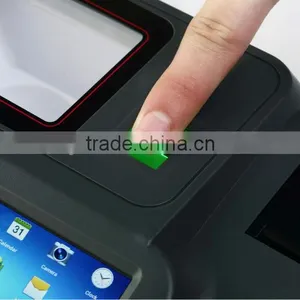
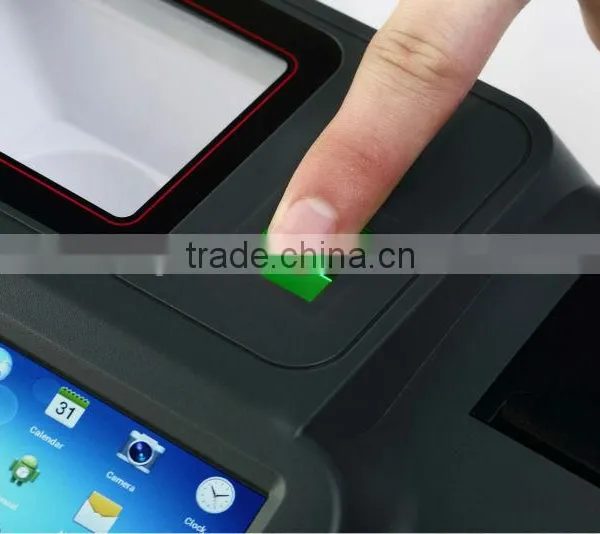
| Fingerprint Module | Optional Built-in Fingerprint Module |
| Peripheral Ports | 1 DC, 1 RJ11, 1 PS2, 1 DB9, 1 RJ45, 2 USB Host, 1 USB Device |
| Buzzer | A single tone beeper |
| Digital Audio | Audio synthesizer with built-in speaker |
| Power Supply | Input:100-240VAC, 50Hz/60Hz,1.0A;output:12VDC, 2A |
| Battery | 7.4V, 2200mAh Lithium Polymer rechargeable battery with over-voltage and over-current protection |
| Working Environment | Temperature:0°C~50°C; R.H.:10%~90% (non-condensing) |
| Storage Environment | Temperature:-20°C~70°C; R.H.:5%~95% (non-condensing) |
| Dimensions | 290mm(L)×219mm(W)×85mm(H) |
We provide 1 year warranty for main device as well as 24 hours online service to help you out.
Q1. How to turn on |
A: Press the power on key for 3 seconds to turn on the POS. |
Q2. How to turn off |
A: If the POS is on, press the power on key for about 3 seconds to turn off the POS. |
Q3. How to check the hardware version |
A: Open the back cover of the device. Remove the battery, it printed the hardware version on the PCD board beside the SIM card slot such as V2.1, V2.2,V2.3, V2.4. |
Q4. How to check the software version |
A: Turn on the device, it will show the software version on the screen when startup. |
Q5. How to enter into factory test mode |
A: (1) For some old version, when the device is in standby state, press keys *#55#, it will enter into factory test mode |
(2) For new version, after press power on key, when the device is in startup, press the key “Cancel”. It |
will show “Factory Mode”, then input keys *#55#, and press key “Menu”, then it will enter into factory test mode. |
In factory test mode, you can test many base hardware function such as test print, test keypad, test LCD, test GPRS connection, test SMS and so on. |
Q6. Can not Turn On |
A: Check the power adapter, or try to change another normal power adapter. |
Check the battery, or try to change another normal battery. |
Try to remove the battery, and only connect the power adapter. Or only use battery, and do not connect power adapter to test it. Then check the Power supply Circuit and switch on/Off |
circuit according the test result. |
If the circuit has not any problem, and it still can not turn on, please try to discharge. |
Q7. Can not detect the SIM CARD |
A: Please check whether the SIM card is installed well. |
Install the SIM CARD again. |
Change another SIM card |
Scrape the surface of the metal spring in the SIM CARD slot with knife. |
Check whether all the weld point of the SIM CARD slot is welded well or not. If not, please weld it again. |
Replace the part of the SIM CARD slot. |
Q8. Can not detect wireless signal |
A: Please check whether it has GSM wireless signal in this place. If it has not GSM wireless signal or the signal is very lower, please try to test the terminal in another place with good GSM |
wireless signal.Otherwise, please open the shell of the device, and check if the antenna is connected well or not. |
For more information, please visit our company website at
Keywords:android pos, android tablet pos,android pos terminal, android pos device, android pos machine, android pos , android printer pos android.

Send Inquiry to This Supplier

You May Also Like
-
Customized 12.1" Chassis Case LCD MonitorNegotiableMOQ: 1 Unit
-
15'' LCD POS Terminal CheapUS$ 230 - 500MOQ: 1 Set
-
Customizable Touch Screen Ticket Vending Machine With Fingerprint ScannerUS$ 800 - 3,000MOQ: 1 Piece
-
Cash Register POS Touch Terminal Machine ManufacturersUS$ 485 - 1,500MOQ: 5 Sets
-
Android System Programmable All in One pc POS / All in One Pos System / Android Pos TerminalUS$ 400 - 600MOQ: 1 Piece
-
Z92P Contactless Palm Vein Payment POS Receipt Printer Handheld 4G 1D 2D QR NFC Thermal Printer With 5.0MP Camera,for Supermarket Small BusinessUS$ 219 - 260MOQ: 1 Unit
-
Aonpos AP860 Smart Pos Machine Windows Pos Terminal Hospitality Focused Pos TerminalUS$ 148 - 168MOQ: 1 Carton
-
Cash Register Spare Parts Cash DrawerUS$ 48MOQ: 10 Pieces
-
Factory Direct Metal Case POS Automatic Supermarket Cash Drawer for RetailUS$ 18.99 - 29.99MOQ: 10 Pieces
-
5.5 Inch POS Terminal Touch With 58mm Printer OEM Logo Android 12/13 Handheld POS TerminalUS$ 99.9 - 109.9MOQ: 5 Pieces


