








 Contact Platform Support
 Help Center
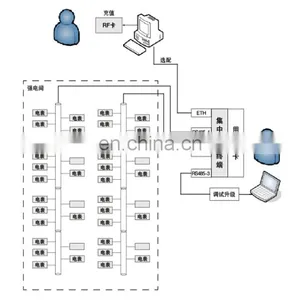
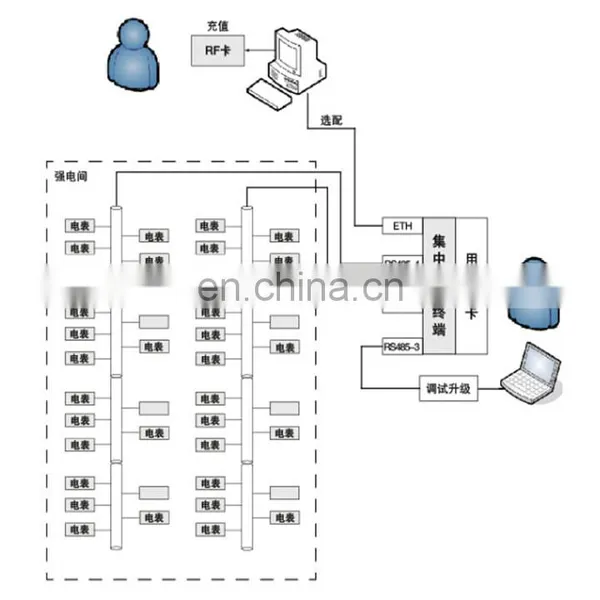
Acrel/3200 Prepaid Power Energy Management System


Related Products
-
 ACREL (Stock Code:300286.SZ) Three-phase Intelligent Digital Power Meter Rs485 75*75 Panel MountedUS$ 60 - 60MOQ: 1 Piece
 -
AC Digital Display Single-phase LCD Ammeter Current MeterUS$ 96 - 97MOQ: 3 Pieces
-
ACREL (Stock Code:300286.SZ) AC Ampere Meter LCD Displayed-Single Phase PZ48L-AIUS$ 36 - 42MOQ: 3 Pieces
-
ACREL (Stock Code:300286.SZ) AC Intelligent Three-phase Embedded Power Meter PZ96-E3(E4)US$ 74 - 74MOQ: 1 Piece
-
ACREL (Stock Code:300286.SZ) Intelligent Three-phase 75*75 Panel Mounted Lcd Power MeterUS$ 60 - 60MOQ: 1 Piece
Prepaid Power Energy Management System
Abstract
Acrel Remote Prepaid Power Energy Management System ’is the electricity selling management system newly developed by Acrel Co.,Ltd.
The system can connect single phase electronic prepaid energy meter DDSY-1352 and three phase prepaid electronic energy meter DTSY-1352.
The software is mainly for electricity management and automatic meter reading,including computer,DPU,printer and other integrated system.
The system is mainly used for electricity meters parameter settings,commercial electricity selling management and electricity use management.It has good human-computer interface,with simple and convenient operation. It can achieve the remote constant operating and monitoring of property management company. It can effectively count and manage data and take effective security measures for the data safety.It is easy to install. It is the ideal product for power management department,commercial plaza,residential area and other management department.It can improve the management level and solve the problem of difficult charging.
Besides the function of charge problem solution,the software can connect ‘Acrel’ energy measuring meters and provide the function of remote automatic meter reading and targeted energy consumption query report. It provides power basis for whole environment energy consumption analysis,energy use comparison and safety electricity use.
1. System configuration
1.1. Equipment management
1.1.1. Buildings settings
This function is for the maintenance of one or several electricity unit collections,like the unit taking buildings as collections . It provides ‘add’,‘delete’,‘query’,‘export print’ and other operations.
Buildings settings page is shown as picture 1-1-1,the filling form of new building information shown as picture 1-1-2 will pop up when user clicks ‘add’ button,after filling in the building name and remark,the new buildings adding operation will be finished by clicking ‘save’ button.
It should be noticed that building name is only the code,and only digital data can be filled in,the building description can be written in the remark.
Picture1-1-1
Picture1-1-2
If the existing buildings record needs to be modified,the user should double click the appointed record shown as picture 1-1-1 ,and then enter details page shown as picture 1-1-2,after modifying building name or remark,the modification operation will be finished by clicking ‘save’ button.
Before executing ‘delete’ and ‘export print’,please choose the record that needs to be deleted or export printed,the user only needs to click box when choosing the record and the system will automatically tick the box. (picture shown as below)
Picture1-1-3
1.1.1. DPU settings
It can maintain all DPU information,including DPU ‘add’,’revise’,’delete’,’query’ and ‘export print’,the operating process can refer 1.1.1.
The user interface is as below picture:
Information maintenance page is shown as below,the properties include building name,floor,number in the floor ,IP,TCP port and remark,the user can click magnifying icon on the right of the building name,and choose buildings that need to be appointed in the pop-up building select list.It should be noticed that floor,number in the floor and TCP port can only be filled with integers.
1.1.1. Electricity meter settings
This function is used for maintaining information of all electricity meters,equally also providing the function of ‘add’,’delete’,’query’ and ‘export print’,besides,considering there will be more electricity meters, it also supports ‘batch import’ operation and it will be more convenient for the operator to add electricity meters.
About ‘Add’,’delete’,’query’ and ‘export print’ operations, please refer operating process in 1.1.1.
About batch import operation,please see electricity meters settings page shown as below picture 1-1-4,the user only needs to click ‘batch import’ button above the list and then choose local excel about electricity meters that needs to be imported.It should be noticed that please fill in the excel in accordance with the template(picture 1-1-5 shown as below) and then import the excel.
Picture1-1-4
Picture1-1-5
1.1. Default parameter settings
For the convenience of follow-up action,this function provides some default settings for general parameters,mainly including ‘default power threshold’,‘ time interval of automatic meter reading’,‘default alarm amount’,‘hoarding amount upper limit’,‘default electricity price’ and so on. Page of the function is as below,click ‘save’ button after filling in all the information.
Default power threshold: this vale will be taken in for overload threshold alarm settings when user opens the account.
Time interval of collecting meter reading:it is used for setting time interval of automatic meter reading in meter reading system and it is measured by minutes.
Default alarm amount:this value will be taken in for meter remaining amount alarm settings;
Hoarding amount upper limit:this value will be taken in for setting upper limit of recharge amount.
Default electricity price:this value will be taken in for electricity price settings when user opens the account.
SMS sending settings:Financial No. 1 will receive SMS of alarm amount,arrearages of every user after financial SMS number is filled in.
1.1. Permission settings
1.1.1. Role settings
This function consists of two parts: ‘login role settings’ and ‘operator settings’.
Login role settings is mainly for maintaining different properties or responsibilities of different operators,like ‘electricity seller’ ,’system administrator’ and other roles.And different operators have different permissions,this function page is as below picture 1-3-1.
Click ‘add’ button entering page shown as below picture 1-3-2,scene number and name in the picture represent responsibility and authority of the role,all the information can be added by means of custom and manual . Click ‘save’ or ‘modify’ button after filling in all information.
For ‘add’,‘delete’,‘query’ and ‘export print’ operation please refer to process in 1.1.1.
Picture1-3-1
Picture1-3-2
Picture1-3-3
Operator settings is used for maintaining information of the operators,the function includes operators’ add,delete,query and export print operations.
New add page is shown as below picture 1-3-5,login name,operator,name, password,operator role,selection,remark and other information can be filled in
the table. Please maintain the login role before choosing the operator role. Click the magnifying icon and the role list appears. Role selection operation can be finished by clicking appointed record in the list.
For ‘add’,‘delete’,‘query’ and ‘export print’ operation please refer to process in 1.1.1.
Picture1-3-4
Picture1-3-5
1.1.1. Personal settings
It mainly provides the operation of password change and user switch for current user.The password change is for the change of current login account. The personal operations interface is shown as below:

Send Inquiry to This Supplier


You May Also Like
-
AC Intelligent Digital LCD Display Single-phase Programmable Ammeter 48*48/72*72/96*96/80*80 Current MeterUS$ 43 - 43MOQ: 1 Piece
-
AC Intelligent Digital LCD Display Single-phase Programmable Ammeter 48*48/72*72/96*96/80*80US$ 28 - 28MOQ: 1 Piece
-
AC Smart Multifunction Power Meter, Power Quality AnalyzerUS$ 242.9 - 260MOQ: 1 Piece
-
Smart Energy Meter LCD Display Three-phase KWH MeterUS$ 80.5 - 83MOQ: 3 Pieces
-
AC Intelligent Three-phase Embedded Power Meter Digital Display Voltage Current Energy MeterUS$ 94 - 95MOQ: 3 Pieces
-
AC Digital Display Single-phase LCD Ammeter Current MeterUS$ 53.9 - 58.75MOQ: 3 Pieces
-
LCD Digital Display Panel Meter, Voltage Multifunction Energy Power Meter With RS485 Modbus ACREL PZ96L-AVUS$ 59 - 59.1MOQ: 3 Pieces
-
AC Digital Display Three-phase LCD Current MeterUS$ 66.5 - 70.8MOQ: 5 Pieces
-
Intelligent AC Digital Display Three-phase LCD Ammeter Current Meter-ACREL PZ48L-AI3US$ 73 - 74MOQ: 5 Pieces
-
AC Digital Display Ammeter Three PhaseUS$ 50.4 - 55.4MOQ: 3 Pieces


