








 Contact Platform Support
 Help Center
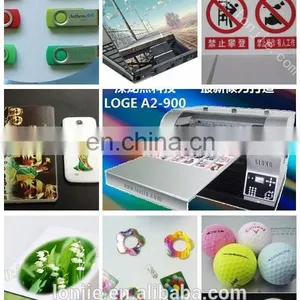
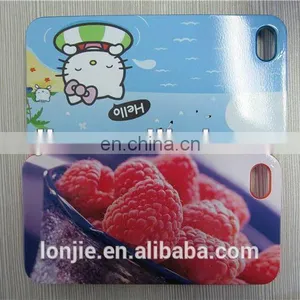
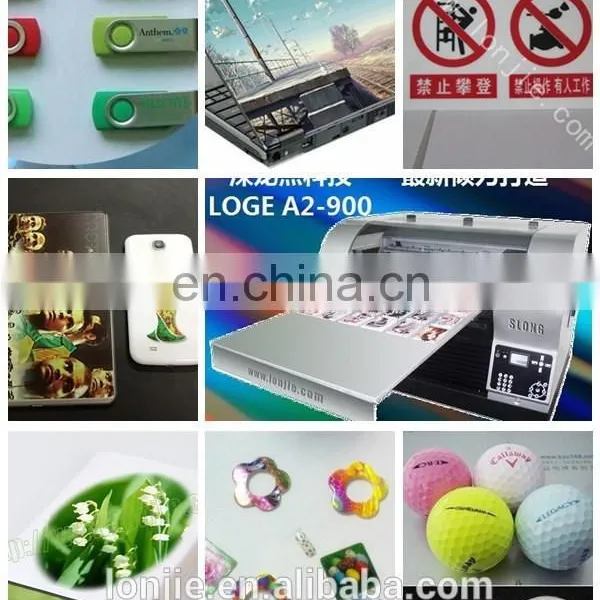
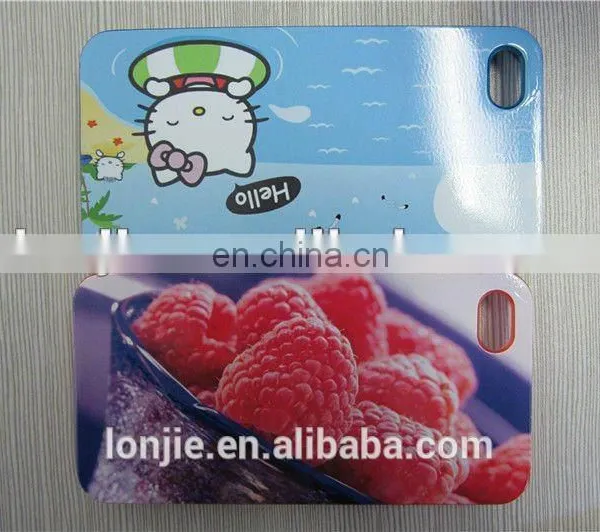
Low Cost Phone Shell Printer With 9 Color


Related Products
-
 2014 NEW Ipad Printer/A3 Ipad Cover Printer / UV Digital Ipad PrinterUS$ 3,000 - 8,000MOQ: 1 Set
 -
Use Any Material Printer Fax MachineUS$ 2,666 - 2,888MOQ: 1 Set
-
Colorful Graphics High Definition Good Fastness Volume Production PrinterUS$ 2,666 - 2,888MOQ: 1 Set
-
Phone Case Printer,pvc id Card Printer,printer PartsUS$ 1,000 - 1,800MOQ: 1 Set
-
Best Flatbed Printers for ModemsUS$ 4,000 - 5,500MOQ: 1 Set
low cost phone shell printer information:
Printing dimension |
420mm*900mm |
Print head |
Piezo inkjet 1440 nozzles |
Print color |
Nine Color(C,M,Y,MK,PK,LC,LM,LK,LLK) |
Direction of printing |
Ai bi-direction printing |
Printing speed |
1.74minutes(1440dpi) for A4 size |
Thinckness of material |
170mm |
Printing weight |
No destructive for10kg,5%resolution for 11 to25kg |
Max.printing resolution |
2880DPI*1440DPI |
Ink system |
150ml*9 |
Specail ink |
Environment ,waterproof,uv ray resistance,dye ink |
Height adjust |
Electronic/manual automatic adjust |
Print object height examine |
Intelligent sense/touch ,dual-detection system |
Print head protection |
Intelligent self-protect system |
Power |
110-220V 50-60HZ 75W |
Pore mode |
USB2.0/IEEE1394/network line interface |
Operation system |
Windows/MAC/Linux |
Working environment |
10-35C,20-80RH |
Device G/N weight |
125kg/120kg |
Device size |
840mm x670 mm x600mm |
Printer routine maintenance tips:
1.Flatbed printer maintenance knowledge before using this device, please read the body
attached to all cautions carefully. Please note that in the course of
Maintenance of the equipment and maintenance, to ensure the normal operation of equipment.
First, the printer's environment
Please ensure that when i use this device to work in ambient air humidity not less than 70%,
with temperatures between 25-30 degrees,
Not too much air flow; Do not place the device into the sun, prolonged sun exposure and dust environment.
(2) Keep this device into a height of about 60 cm of a stable work surface, to ensure that this equipment is
not at work
Shock, do not shake; reserve enough space, do not impede the normal up and down and in and out
of the device.
(3) Do not place objects on top of the device, so as not to affect the normal operation of the equipment
inside the fall equipment;
Nor in its operation, will head into his hands or other objects within the device, running interference device,
made
Into unnecessary personnel or equipment damage.
(4) Do not open the hood when the equipment is operated to prevent dust falling on the word of the axle
or the workpiece.
5 Do not force beat, beat printing platform or how long to extend the print platform; print objects do not exceed
The normal operating range of the device (weighing no more than 10KG, height does not exceed 20CM).
Second, the care and maintenance
(I) Periodically clean the printer case, keep the equipment clean.
(Ii) regularly with alcohol to clean the raster band (generally two days once) or encoder disk (3-5 days once).
(Iii) Check the nozzle movement is smooth, add the oil, in order to ensure its
Work smoothly.
(Iv) Check the cleaning unit, remove the residual ink on the perimeter seals; sponge cleaning unit in the
right amount at the drop
Alcohol or cleaning solution with a syringe twitch back and forth, until smooth, finally taking the time to
waste ink pipeline.
(V) a short time without this equipment, please leave it on once a day, in order to avoid the ink dry on
the nozzle surface; if long
No time, where I set the ink sac fight back ink bottle ink, the ink will play the remainder of the shower
head, and then with a cleaning solution
Rinse (remember not too much pressure, so as not to blow nozzle), into the liquid insulation, reboot, Carriage
Reset. Finally, the ink sac and putting it back, you can shut down.
Printer head cleaning method:
1. Software cleaning: the printer driver in the maintenance functions for automatic cleaning.
2, pumping ink wash: Mexican trucks in the initial position, using a syringe with a hose connected to
the ink tube, forced extraction of approximately 5 ml of ink, do not make the inner cylinder barrel rebound,
will cause the occurrence of each nozzle mixing phenomenon, if in the process of pumping ink nozzle
protection because when Mifengbuyan, you can hand nudge Mexican trucks to ensure the nozzle and
nozzle protector good seal. Software after pumping ink wash,
3, priming cleaning: removing ink car, unplug the ink sac, hose to clean syringes fitted with a nozzle ink
column connected to the proper pressure injection, Withdrawing, to complete the discharge nozzle vertical
thin line.
4, print cleaning; use "head cleaning fluid" instead of clogging the nozzle ink phenomenon, using vector
graphics software to print color change color, to clear the nozzle clogging, again in exchange for the original
ink

Send Inquiry to This Supplier

You May Also Like
-
Caiyi 1.8m High Speed Canvas Fabric UV Hybrid PrinterUS$ 25500 - 26000MOQ: 1 Piece
-
Printing Booksand Periodicals MagazineNegotiableMOQ: 1 Set
-
DTG Printer for T ShirtNegotiableMOQ: 2 Sets
-
Digital Printing MachineNegotiableMOQ: 2600 Sets
-
Pouch Laminator One Minute Warm-Up High Speed Thermal Laminating Machine Portable Wireless Thermal Printer for TravelNegotiableMOQ: 1000 Pieces
-
FAST Shipping Creality Newest Affordable CP-01 Three-in-one Modular 3D Printer+CNC Engraving Machine+Laser Engraving MachineNegotiableMOQ: 1
-
Air Operate Heat Press Machine With CE CertificateNegotiableMOQ: 1 Set
-
Economic&high Quality Bottle Date PrinterUS$ 1 - 4,000MOQ: 1 Set
-
Ongle PrintUS$ 700 - 1,200MOQ: 1 Set
-
Small Inkjet Printer for ProductUS$ 800 - 80,000MOQ: 1 Set


