








 Contact Platform Support
 Help Center
Home > Health & Medicine > Dental Equipment & Supplies > Dental Consumables > JUKI KE-2060R SMT Part
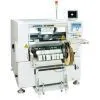
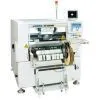
JUKI KE-2060R SMT Part
Negotiable
MOQ: 1 Piece (Price negotiable depending on order volume and customization)
Key Specifications
Get Latest Price
Business Type:
Trading Company
Total Employees:
101 - 200 People
Main Markets:
North America, South America, Eastern Europe
Payment & Shipping
Payment Methods:


Port of Shipment:
China
Delivery Detail:
7 days
Related Products
| Support upper-limit | ||||
| Support lower-limit | ||||
| Support upper-limit : After the support blocks have risen up to the upper limit and then the set delay time has passed, the board begins to be clamped. This is effective for the boards whose material is such as ceramic or iron. | ||||
| Support lower-limit : After the support blocks start to rise and then the set delay time has passed, the board begins to be clamped. This is effective for the boards whose material is such as glass-epoxy or paper phenol. | ||||
| 1E3C-E-PMB01-A02-01 Page 1-17 | ||||
| 1.5 | ||||
| Creating the Production Data | ||||
| 2 | ||||
| Board stopper positioning | ||||
| The sensor located at the reference (front or inner) side carries out the board-loading detection on each conveyor. Especially for the loading onto the center conveyor, the board is loaded stably through the entrance sensor located at the left (or the right for the reverse flow) of the center conveyor. If the timing of detection is delayed because of cutout, the stopper blocks the board and its stop position varies. In such a case, input the measurement of cutout, and the board will be loaded stably. | ||||
| E.g.) Case of left-to-right flow and front reference | ||||
| 1D3C-667E | ||||
| 3. Board-vacuum operation timing To prevent the board from being moved during board positioning and printing, the vacuum block Z (option) fixes the board. And setting the vacuum start time and end time decides the timing with the clamp operation. | ||||
| Vacuum start time : When the board supports begin to rise up, the timer = 0. | ||||
| For the vacuum start time, input on the order of +0.3 s as the delay time of the board-clamp | ||||
| operation. | ||||
| Vacuum end time : When the board supports begin to lower in order to eject the printed board, | ||||
| the timer = 0. When inputting the vacuum end time, take the lowering speed and the lowering stroke into consideration. Depending on the board, solder might spread because of through holes when the board is vacuumed. In such a case, set “OFF” the vacuum in printing. | ||||
| Vacuum in printing : Set whether to use the board-vacuum function in printing. | ||||
| When the vacuum in printing is set to “OFF,” a board is revacuumed after snap-off. | ||||
| Board clamp : Set whether to use the board-clamp function in board vacuuming. Board is clamped in a usual board-positioning operation; only when the board-vacuum function is “ON” and the board-clamp function is “OFF,” however, board is not clamped. | ||||
| 4 | ||||
| Board flattening (Option) Use this when using a thin or warped board or when board is not positioned properly. Normally, set it “OFF.” | ||||
| 5 | ||||
| Stop position (This can be set only on the SP main body.) This displays where on the XY table a board will be clamped. It is automatically calculated on the basis of the board size X, the mask plate-making reference, and the mask plate-making reference origin (X). | ||||
| Page 1-18 1E3C-E-PMB01-A02-00 1.5 Creating the Production Data | ||||
| 2. Editing the board positioning data | ||||
| 1. Click [BoardPositionData] in the main menu. | ||||
| . The <BoardPositionData> window opens. | ||||
| 2. Enter the measurement of cutout. |

Send Inquiry to This Supplier

* Email
Want the best price?
Post an RFQ now!
Business Type
Trading Company
Total Employees
101 - 200 People
Main Markets
North America, South America, Eastern Europe
Location
Baoji, Shaanxi, China
You May Also Like
-
 Professional Portable Teeth Whitening Led LightUS$ 1 - 280MOQ: 1 Set
 -
Multifunctional Dental Equipment Dental Care Teeth Whitening MachineNegotiableMOQ: 1 Unit
-
OraTek Power Tooth Stain Remover and Tooth WhitenerUS$ 1.8 - 3.99MOQ: 1 Unit
-
Tooth Whitening KitNegotiableMOQ: 1 Piece
-
Toothpick With HolderUS$ 0.06 - 0.1MOQ: 10 Cartons
-
Finger Teeth Whitening WipeUS$ 0.04 - 0.05MOQ: 1000 Pieces
-
Huge Dental Sonning Full Set Acrylic Denture TeethNegotiableMOQ: 1 Box
-
Luma Smile Tooth Polisher Electric Tooth PolisherUS$ 1.3 - 1.5MOQ: 1
-
Pink Oral Care Sponge Swab for Bed-Bound, Elderly, Disabled, Post-Operative, And Icu PatientsNegotiableMOQ: 1000 Packs
-
Portable Dental Oral Water Irrigators Dental Floss Water Flosser Pick for Teeth IrrigationUS$ 1 - 100000MOQ: 1 Piece

