








 Contact Platform Support
 Help Center
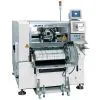
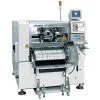
JUKI KE-760L SMT Part
Negotiable
MOQ: 1 Piece (Price negotiable depending on order volume and customization)
Key Specifications
Get Latest Price
Business Type:
Trading Company
Total Employees:
101 - 200 People
Main Markets:
North America, South America, Eastern Europe
Payment & Shipping
Payment Methods:


Port of Shipment:
China
Delivery Detail:
7 days
Related Products
| Name | ||||||
| 1E4C-448P | ||||||
| 1E4C-441P | ||||||
| c | ||||||
| Rubber | ||||||
| d | ||||||
| Air-purging hole | ||||||
| 6. Set the blades again. | ||||||
| . The blade should be set being pressed its end | ||||||
| face against the contact face of the frame. | ||||||
| Name | ||||||
| c | ||||||
| Blade | ||||||
| d | ||||||
| Pressing against | ||||||
| e | ||||||
| Contact face | ||||||
| f | ||||||
| Fixing plate | ||||||
| g | ||||||
| Frame | ||||||
| 7 | ||||||
| Attach the plate that will fix the blades. (Six M4 bolts × 2) | ||||||
| 8 | ||||||
| Remove the printing unit from the maintenance jig, and install it onto the main body of SP. | ||||||
| ( | ||||||
| Operations Manual) | ||||||
| 9. As necessary, fill it with the initial solder. | ||||||
| . | ||||||
| How to fill | ||||||
| ( | ||||||
| Operations Manual) | ||||||
| . | ||||||
| If the quantity of solder in the printing unit is extremely small, it needs to be filled in the unit before printing is started. (For preventing the blades from breakage) | ||||||
| . | ||||||
| If the quantity of solder in the printing unit is not extremely small, this step is not particularly required because it will be filled in there through the warm-up operation. | ||||||
| Page 3-20 1E3C-E-MMB03-A02-00 | ||||||
| 3.2 Replacing the Consumable Parts | ||||||
| 3.2.4 Replacing a Battery | ||||||
| This machine uses a lithium battery for various backups . Type and purpose of the battery in use | ||||||
| ST name: SP80/SP60 | ||||||
| Intended purpose | ||||||
| SCMYEX Lithium battery MATSUSHITA VL2330/1HF 3.0V/50 mAh Backups of print data and machine parameters | ||||||
| . Battery replacing procedure | ||||||
| 1) Save the machine data and machine parameters. | ||||||
| 2) Turn OFF the power supply. | ||||||
| 3) Open the front door of the CPU BOX. | ||||||
| 4) Unscrew the two screws at the upper and lower parts of the throttle, and pull out the | ||||||
| board from there. | ||||||
| 5) Remove the solder joint of the battery on the board, and pull out the battery. | ||||||
| 6) Being careful not to confuse between anode and cathode, solder a new battery. | ||||||
| 7) Securely insert the board all the way to the throttle, and fix it using the two screws. | ||||||
| 8) Turn ON the power supply, and load all the saved data. For the purpose of charging the | ||||||
| battery, keep the power supply ON for a while. | ||||||
| WARNING | ||||||
| CUT OFF THE POWER SUPPLY BEFORE CARRYING OUT ANY MAINTENANCE WORK FOR THE MACHINE. You will have a serious electric shock. | ||||||
| M59EC | ||||||
| NOTICE Before replacing the battery, be sure to save the machine data and machine parameters to a floppy disk. | ||||||
| 1E3C-E-MMB03-A02-00 Page 3-21 3.2 Replacing the Consumable Parts | ||||||
| . Battery setting position | ||||||
| Page 3-22 1E3C-E-MMB03-A02-00 3.2 Replacing the Consumable Parts | ||||||
| 3.2.5 Replacing the Backlight of the Color Touch Panel | ||||||
| . Location of color touch panel with built-in backlight | ||||||
| The color touch panel of this machine has a built-in backlight. | ||||||
| c | ||||||
| Color touch panel | ||||||
| d | ||||||
| Backlight | ||||||
| e | ||||||
| Screw | ||||||
| f | ||||||
| Cover | ||||||
| Name | ||||||
| WARNING | ||||||
| CUT OFF THE POWER SUPPLY BEFORE CARRYING OUT ANY MAINTENANCE WORK FOR THE MACHINE. You will have a serious electric shock. | ||||||
| M59EC | ||||||
| 1E3C-E-MMB03-A02-00 Page 3-23 3.2 Replacing the Consumable Parts | ||||||
| . Backlight replacing procedure | ||||||
| . Since the backlight is apt to be broken by a shock and a torsion, be careful in handling it. | ||||||
| 1. Turn OFF the power and stop the air supply. |

Send Inquiry to This Supplier

* Email
Want the best price?
Post an RFQ now!
Business Type
Trading Company
Total Employees
101 - 200 People
Main Markets
North America, South America, Eastern Europe
Location
Baoji, Shaanxi, China
You May Also Like
-
 Professional Portable Teeth Whitening Led LightUS$ 1 - 280MOQ: 1 Set
 -
Multifunctional Dental Equipment Dental Care Teeth Whitening MachineNegotiableMOQ: 1 Unit
-
OraTek Power Tooth Stain Remover and Tooth WhitenerUS$ 1.8 - 3.99MOQ: 1 Unit
-
Tooth Whitening KitNegotiableMOQ: 1 Piece
-
Toothpick With HolderUS$ 0.06 - 0.1MOQ: 10 Cartons
-
Finger Teeth Whitening WipeUS$ 0.04 - 0.05MOQ: 1000 Pieces
-
Huge Dental Sonning Full Set Acrylic Denture TeethNegotiableMOQ: 1 Box
-
Luma Smile Tooth Polisher Electric Tooth PolisherUS$ 1.3 - 1.5MOQ: 1
-
Pink Oral Care Sponge Swab for Bed-Bound, Elderly, Disabled, Post-Operative, And Icu PatientsNegotiableMOQ: 1000 Packs
-
Portable Dental Oral Water Irrigators Dental Floss Water Flosser Pick for Teeth IrrigationUS$ 1 - 100000MOQ: 1 Piece

