








 Contact Platform Support
 Help Center
Component to VGA


Related Products
-
 SCART and HDMI to HDMI ConvertersNegotiableMOQ: 500 Sets
 -
HDMI Over Single Coax Extender (RG-6U Cables 120M)NegotiableMOQ: 100 Pieces
-
MINI SDI to HDMI ConvertersNegotiableMOQ: 100 Sets
-
Mini VGA to HDMI Converter Scaler 720P/1080PNegotiableMOQ: 100 Sets
-
HDMI to DVI+Audio ConverterNegotiableMOQ: 100 Sets
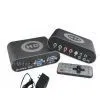
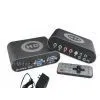
Component(YPbPr) to VGA Converter is applied with the latest development of a new generation of digital technology. Connect the Game Player box via component cable and adapter, will display on monitor or TV after the conversion.The product is used the latest ultra large scale integrated circuits, with variety of digital image quality enhancing features, a powerful anti-aliasing display optimization and smoothing techniques to create high-definition video effect.With motion-adaptive progressive processing, digital zoom function and line field frequency change functions.It can be compatible with all the CRT monitors and LCD displays on the market. Especially for 1440×900, 1680×1050, or 1920×1200 resolutions 19 “, 22″, 24 “and other widescreen LCD monitors.
Features:
1, YPbPr to VGA plug and play, no software to install, easy to use;
2, Support PS2, PS3, XBOX, XBOX360, WII, NGC, DC and other game consoles;
3, YPbPr input support: 480i / p, 576i / p, 720p (60Hz/50Hz), 1080i (60Hz/50Hz), 1080p (60Hz/50Hz);
4, output: 640X480, 800×600, 1024×768, 1280×1024, 1440×900, 1400X1050, 1680×1050, 1600×1200
5, With VGA input, can be directly connected to PC VGA output, and can be freely control through the switch key ;
6, Support brightness, color, contrast adjustment function can be easy to switch between resolutions;
7, Support the 4:3 format signal without distortion display on 16:10 widescreen display ;
8, Support the 16:9 format signal without distortion display on 16:10 monitors ;
9, Support 4:3 format signal without distortion display on 5:4 widescreen display;
10, Support 16:9 format signal without distortion display on 4:3 or 5:4 monitors.
Specifications
1. Input Signal Format
YPbPr Input:
480i, 576i, 480p, 576p, 720p/60Hz, 720p/50Hz, 1080i/60Hz, 1080i/50Hz, 1080p/50Hz, 1080p/60Hz
2. Output Resolution
VGA output resolution: 640X480, 800X600, 1024X768, 1280X768, 1280X1024, 1440X900, 1440X1050, 1600X1200, 1680X1050, 1920X1200, 1920X1080/60Hz
3. View and Set the best resolution
Press MENU button, select the DISPLAY option, into alignment after the cursor is the current resolution.Or directly press OSD key on remote control .Will display in the upper right corner of the screen.
4. Instructions for use
1). Connect 5V DC power.
2). button function:
| Name | Function 1 | Function 2 |
| Menu | Click this button,will show the menu; Under the menu the key played the role of confirm (enter sub-menu, pressing this button will turn yellow) | Standby button: click this button for 5 seconds long , HD BOX PRO will enter standby mode,.That is PC output, indicator light will change to red |
| UP | Enter HD BOX PRO system menu, click this button to select the menu option up; When enter the size of adjustment parameters menu,press this button to increase the parameter value | Non-menu mode,press this button will switch to achieve geometric features, HD BOX PRO will switch between 4:3,16:9 and full screen display mode |
| Down | HD BOX PRO enter the system menu,click this button to select the menu option down; When enter the size of adjustment parameters menu , press this button to reduce the parameter values | Non-menu mode, press this button will enable the user mode switch: Standard-vivid-soft-sharp-userNon-specific users, please choose: standard |

Send Inquiry to This Supplier

You May Also Like
-
Cheap Price and High Performance Speaker PoweredUS$ 465 - 965MOQ: 1 Piece
-
Professional Active Stage SpeakerNegotiableMOQ: 100 Sets
-
Multimedia Audio Controller DriverUS$ 500 - 2,000MOQ: 2 Sets
-
Deluxe In Line PuckNegotiableMOQ: 1
-
New Design Home Theater Mini Projectors SMP7020 LCD PanelNegotiableMOQ: 100 Sets
-
Zigbee Smart Home System / Home Background Music Control SystemUS$ 8 - 989MOQ: 1 Set
-
4d 5d 6d Cinema SystemUS$ 500 - 6,000MOQ: 100
-
YANTOK YT-PS500 3D Passive Polarization Modulator for Cinema ProjectorUS$ 3600 - 5880MOQ: 1 Set
-
Share to New Design Mini LCD Projector 150" ScreenHY320 Smart 180 Rotation Stand Android11 WiFi 4k Projector Bluetooth for Home OfficeUS$ 55 - 60MOQ: 12 Pieces
-
Soundbars - Built-in 2.1 CH Product_ID 1044US$ 1 - 1MOQ: 1000 Pieces


