








 Contact Platform Support
 Help Center


Related Products
Certification:CE,Rohs
automotive digital
1 Introduction
SCA8X0-21X0-31X0 Demo demonstrates digital SCA8x0, SCA21x0 and SCA31x0 accelerometer
family functionality and the component key properti
es. This document describes how to install the
required software and how to use the SCA8X0-21X0-31X0 demo board and Graphical User
Interface (GUI) software version 1.3.
SCA8X0-21X0-31X0 Demo consists of:
·SCA8x0, SCA21x0 or SCA31x0 sensor
soldered on chip carrier PWB
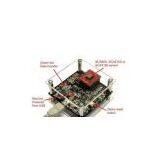
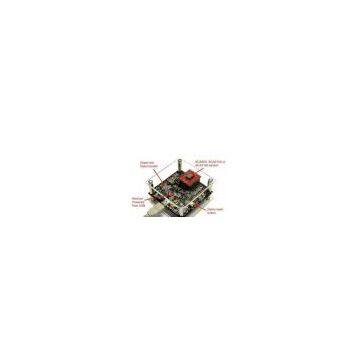
(see figure 1 on the next page)
·USB interface card (see figure 1 on the next page)
·USB cable
·GUI software and USB drivers on a CD for a Personal Computer
·User manual for SCA8X0-21X0-31X0 demo kit
SCA8X0-21X0-31X0 Demo runs on Windows XP and 2000, it requires USB connection for data
transfer. Demo is po
wered from USB port.
2 Quick start for using the
SCA8X0-21X0-31X0 DEMO KIT
Please follow the steps below:
1. Insert CD-ROM
2. Setup the hardware
- Connect the hardware to PC's USB port
3. Install the USB driver, after the PC has found the device
- When the PC detects the new USB device, do not let Windows to detect the driver,
address the USB driver from folder:
"CD-ROMSCA8X0-21X0-31X0 demo - Virtual Com Port Drivers¡±
4. Install the GUI software
- Install the GUI software by running the ¡°
setup.exe
" from folder:
"CD-ROMSCA8X0-21X0-31X0 demo - ver 1.0 ¨C Installer"
- Do not change the installation destination
5. Start the GUI software
- From Start
·Programs
·SCA8X0-21X0-31X0-DEMO
When using the SCA8X0-21X0-31X0 DEMO KIT with GUI software:
·The DEMO KIT should be connected to
PC before the GUI software is started
·Exit the GUI software before unplugging the DEMO KIT from PC
·After GUI software is stopped, the DEMO KI
T can be unplugged from PC (DEMO KIT uses
virtual serial port driver, so it can not be found as a USB device).
3 Hardware
The SCA8X0-21X0-31X0 DEMO KIT USB interfac
e board (black PCB) and SCA8X0-21X0-31X0
PWB (red PWB) are shown in figure 1. The USB inte
rface card converts the USB interface to SPI
interface of the accelerometer. SCA8x0, SCA21x
0 or SCA31x0 sensor is soldered on the PWB
which is connected to interface board.
Figure 1. SCA8X0-21X0-31X0 demo USB in
terface board and SCA8X0-21X0-31X0 PWB.

Send Inquiry to This Supplier

You May Also Like
-
 Mining Industry All Equipments and Products Exporting ServiceNegotiableMOQ: 1 Forty-Foot Container
 -
Black Henna for Body Art Suppliers & ManufacturersNegotiableMOQ: 1
-
Bimini ClipsNegotiableMOQ: 1
-
Anti Icing Fluid For Engine Of AutomobileNegotiableMOQ: 1
-
CNC Machine Tool Spindle PowerNegotiableMOQ: 1 Piece
-
Human Hair,wig,hair Extension ToolNegotiableMOQ: 1
-
SMZY Best Electric Motorcycle DOTNegotiableMOQ: 1 Ton
-
Ladies\'\' Jacquard JacketNegotiableMOQ: 1
-
Veins MarbleNegotiableMOQ: 1 Piece
-
Precision MicromachiningNegotiableMOQ: 1


