








 Contact Platform Support
 Help Center
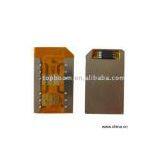
Sell Dual SIM Card
Negotiable
MOQ: 100 Meters (Price negotiable depending on order volume and customization)
Key Specifications
Get Latest Price
Business Type:
Trading Company
Year Established:
2005
Total Employees:
101 - 200 People
Payment & Shipping
Payment Methods:


Port of Shipment:
China
Delivery Detail:
7 days
Related Products
Model No.:TB-DUALSIM-008
Product Origin:China
Brand Name:
Price Terms:
Payment Terms:T/T or Western Union in advance
Certification:
Description:What is dual SIM card? It can be used in one mobile phone with dual SIM card holders. It is economical and convenient, enjoys the freedom of two mobile numbers in one handset! It can save money by easily alternating between local numbers of 2 different cities/networks, allow you to call out economically by one numbers, and answer freely by another number. Separate business call from private call; offer you more space, freedom and privacy. Introduction: 1) Self-set auto-switching time: 0-99 minutes 2) Edit and display the telephone number SIM1 or SIM2 phone numbers on screen 3) Compatible with all GSM mobile Installation: 1) To take out attached transparent stickers and tear off one piece of it, put transparent stickers on the back of SIM card 2) Cut the SIM card following the dot line with scissor 3) To cut the other SIM card by the same way 4) Take out the stainless steel plate from general dual SIM card and then install the two well-cut SIM card into the general dual SIM card holder 5) Insert the general dual SIM card into the mobile phone& ready to enjoy a free life with two SIM cards in one mobile phone Specifications: 1) After installation, you can find the menu of STK in your mobile, and select it, the screen will display: SIM-1, SIM-2, set 2) Select "set", it will display: auto switch (00min), English, Chinese, edit number, you can complete the following function: a) 2 number switching on-line, and the switching time is between 01 to 99 minutes b) 2 kinds of menu language: English, Chinese c) Can edit the number of 2 SIM cards for display 3) How to set the time for auto switch: select "auto switch" (00min), and input the two digits you want (notice: 00min presents switch off, 01-99min presents switch on) 4) How to edit number: select "edit number" and it will display: SIM-1, SIM-2, you can select "SIM-1" or "SIM-2" to edit the number of relative card 5) Notice: a) If you only want to assemble one card, please assemble it in SIM1 position (there is symbol on the PCB) b) If you want to recover the SIM card, just insert the card into the labeled recovering card and stick it tightly
Product Origin:China
Brand Name:
Price Terms:
Payment Terms:T/T or Western Union in advance
Certification:
Description:What is dual SIM card? It can be used in one mobile phone with dual SIM card holders. It is economical and convenient, enjoys the freedom of two mobile numbers in one handset! It can save money by easily alternating between local numbers of 2 different cities/networks, allow you to call out economically by one numbers, and answer freely by another number. Separate business call from private call; offer you more space, freedom and privacy. Introduction: 1) Self-set auto-switching time: 0-99 minutes 2) Edit and display the telephone number SIM1 or SIM2 phone numbers on screen 3) Compatible with all GSM mobile Installation: 1) To take out attached transparent stickers and tear off one piece of it, put transparent stickers on the back of SIM card 2) Cut the SIM card following the dot line with scissor 3) To cut the other SIM card by the same way 4) Take out the stainless steel plate from general dual SIM card and then install the two well-cut SIM card into the general dual SIM card holder 5) Insert the general dual SIM card into the mobile phone& ready to enjoy a free life with two SIM cards in one mobile phone Specifications: 1) After installation, you can find the menu of STK in your mobile, and select it, the screen will display: SIM-1, SIM-2, set 2) Select "set", it will display: auto switch (00min), English, Chinese, edit number, you can complete the following function: a) 2 number switching on-line, and the switching time is between 01 to 99 minutes b) 2 kinds of menu language: English, Chinese c) Can edit the number of 2 SIM cards for display 3) How to set the time for auto switch: select "auto switch" (00min), and input the two digits you want (notice: 00min presents switch off, 01-99min presents switch on) 4) How to edit number: select "edit number" and it will display: SIM-1, SIM-2, you can select "SIM-1" or "SIM-2" to edit the number of relative card 5) Notice: a) If you only want to assemble one card, please assemble it in SIM1 position (there is symbol on the PCB) b) If you want to recover the SIM card, just insert the card into the labeled recovering card and stick it tightly

Send Inquiry to This Supplier

* Email
Want the best price?
Post an RFQ now!
Business Type
Trading Company
Year Established
2005
Total Employees
101 - 200 People
Main Markets
North America, South America, Eastern Europe
You May Also Like
-
 High Quality Plastic Box Assembly GEC026US$ 0.8 - 1MOQ: 1000 Pieces
 -
Replacement Chassis For IphoneNegotiableMOQ: 1 Piece
-
Original Galaxy S II I9100 LCD+Touch Screen for Samsung (Black/White)NegotiableMOQ: 5 Pieces
-
1.77'' Small Size Tft Lcd Screen for Consumer Electronics Quality Choice Most PopularUS$ 0.10 - 0.50MOQ: 1 Piece
-
4.7" Lcd Touch Screen Panel for Mobile PhoneUS$ 0.1 - 10MOQ: 3000 Pieces
-
Arduino LCD 2.8 Inch TFT With Touch With SD UNO Card R3US$ 1 - 100MOQ: 1 Piece
-
Touch Siemens for TP270-10US$ 15 - 23MOQ: 1 Piece
-
Various Kinds of Spare PartsUS$ 0.25 - 0.65MOQ: 200 Pieces
-
Best Quality Metal Cell Phone PartsUS$ 0.15 - 10MOQ: 100 Pieces
-
Phone Accessory Lcd DisplayerNegotiableMOQ: 500 Pieces


