








 Contact Platform Support
 Help Center
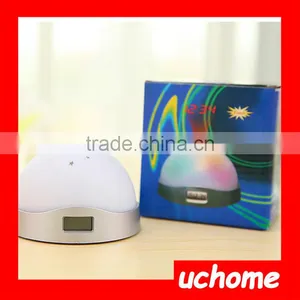
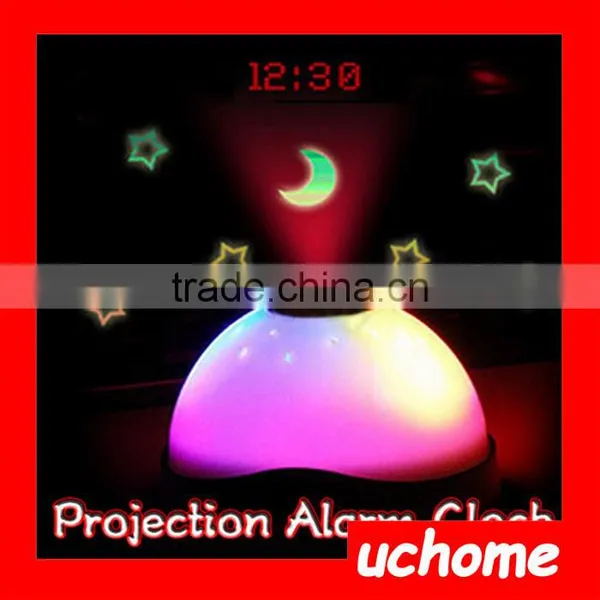
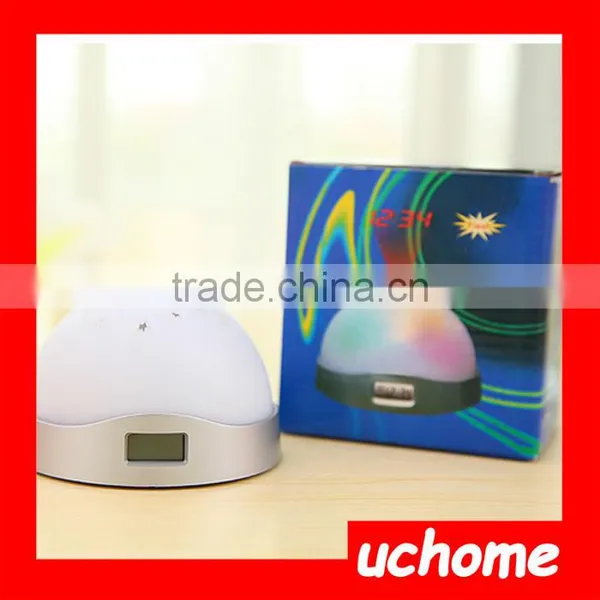
UCHOME LED Color Change Magic Projection Projector Alarm Clock


Related Products
-
 UCHOME Rainbow Color Led Night Light Projection Projector Digital Alarm ClockUS$ 1.5 - 2.5MOQ: 100 Pieces
 -
UCHOME 2017 Hot Sale Popular Color Change Projection Alarm ClockUS$ 0.1 - 2.5MOQ: 100 Pieces
-
UCHOME 3 in 1 Light Calendar Thermometer Grandfather Clock With Birthday RemindingUS$ 0.85 - 2.15MOQ: 120 Pieces
-
UCHOME Table Clock Student Clcok Alarm Thermometer Calendar ClockUS$ 0.85 - 2.15MOQ: 120 Pieces
-
UCHOME New Desk Digital LCD Thermometer Calendar Alarm ClockUS$ 0.85 - 2.15MOQ: 120 Pieces
Features:
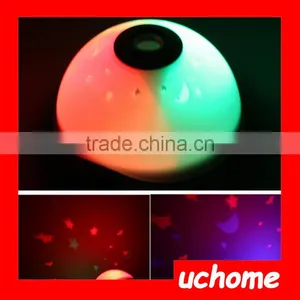
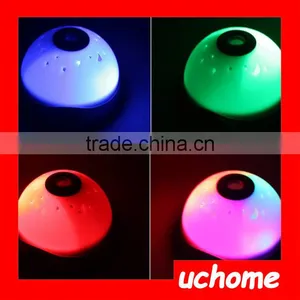
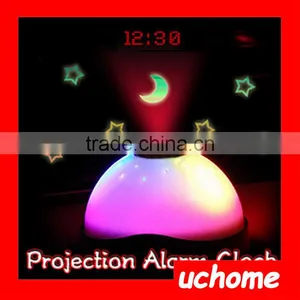
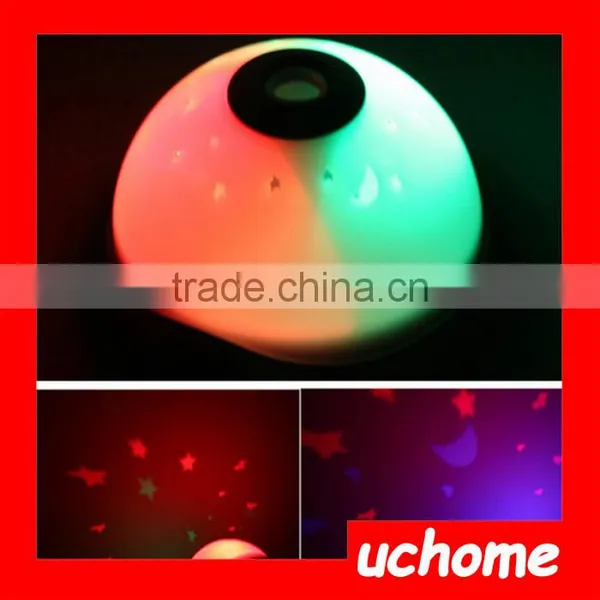
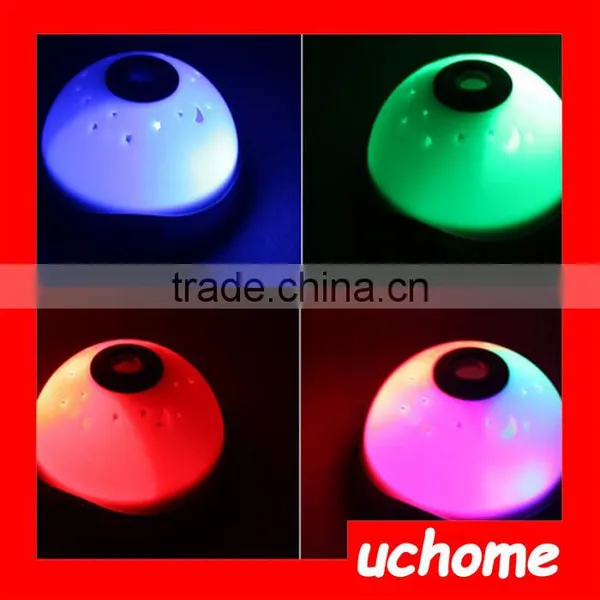
Built-in 7 color LEDs to change the light color automatically.
Projects a starry night sky of stars & meniscus and the accurate time over the clock.
LCD screen displays the digital time.
12-hour and 24-hour time formats.
It's also an alarm clock with snooze function.
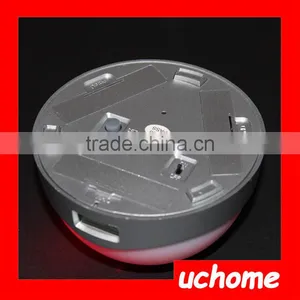
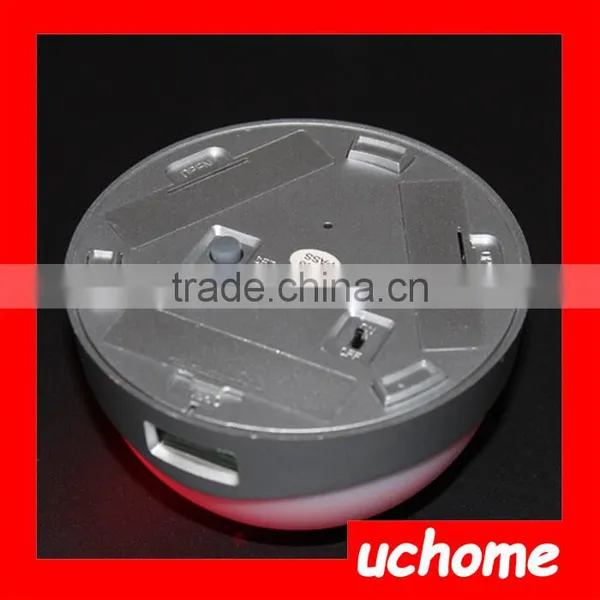
Powered by 3 AA batteries (not included in the package).
Rough guide to time and date setting:
A. Time setting
1. Press SET key for 6 times and you'll see the flashing (1 : H) on the LCD screen.
2. Press ADJ key until you get the right hour number (eg. 7).
3. Press SET again once, then press ADJ key to adjust the minute number (eg. 24).
4. After adjusted the hour number and the minute number, press SET key one more time, you'll see the static time that you just adjusted (eg. 7:24)
5. Press ADJ key again, the static time flashes, that means you have finished the time setting.
B. Date setting
1. Press SET key for 4 times until you see the static (1) at the left side of the LCD screen.
2. Press ADJ key to until you get the right month number (eg. 6).
3. Press SET again for one time, then press ADJ key to adjust the day number (eg. 18).
4. After finished setting the month and day number, just press SET key will lead you to the time setting mode.
C. Alarm setting
1. Press SET key twice to start alarm setting.
2. Press ADJ key to adjust alarm hour and minute number just like setting time.
3. After setting the alarm time, please press SET key once, then press ADJ key twice to activate the alarm.
4. At last, press SET key 3 times to go back to the normal time display condition.
Specifications:
Color: White
Material: ABS Plastic
Battery type: 3 * AAA Battery (Not included)
Item size: 6.5 * 9.6cm / 2.6" * 3.8" (H * D)
Item weight: 105g/3.7oz
Package size: 10 * 10 * 7cm / 3.9" * 3.9" * 2.6"
Package weight: 137g/4.8oz
Package including:
1 * LED Projector Alarm clock
1 * User Manual

Send Inquiry to This Supplier

You May Also Like
-
Dollar Store Household Product Chea Alarm ClockUS$ 0.05 - 0.3MOQ: 200 Pieces
-
Religious Theme The Last Supper Jesus Statue Table ClockUS$ 8 - 15MOQ: 1000 Pieces
-
Beautiful Artistic Polyresin Statue Table ClockUS$ 8 - 10MOQ: 1 Piece
-
Wood ClockNegotiableMOQ: 500 Pieces
-
Retro Modern Metal Scale Digital Auto Flip Single Stand Desk Table ClockUS$ 1 - 100MOQ: 100 Pieces
-
Promotion Clock With Oxhorn Design Cute MiniUS$ 0.8 - 1.2MOQ: 2000 Pieces
-
Momoda Luxury Royal Braroque Style Gold Home Decorations Crystal Antique Classic Home Marble Basic Metal Copper Desk ClockUS$ 800 - 1,000MOQ: 1 Set
-
Decorative Metal Table ClockUS$ 1 - 50MOQ: 100 Pieces
-
CLOCK (TYRE SHAPE)NegotiableMOQ: 1
-
Metal Table Clock Desk Fashion Wall Clocks With CandlesticksUS$ 8 - 26MOQ: 120 Pieces


