








 Contact Platform Support
 Help Center
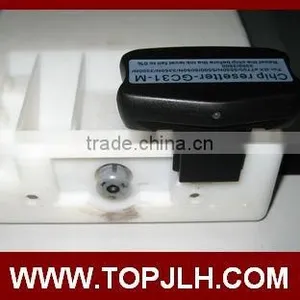
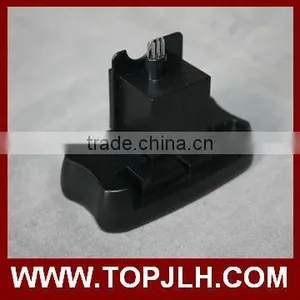
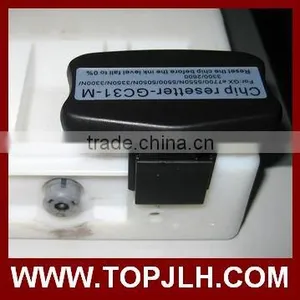
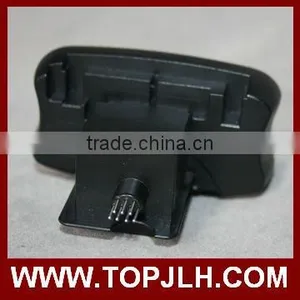
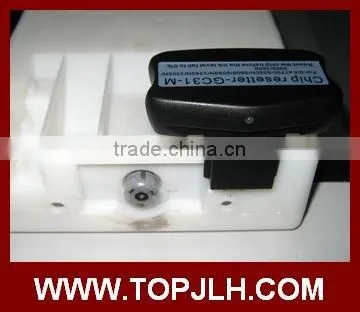
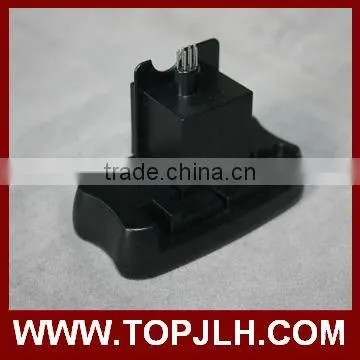
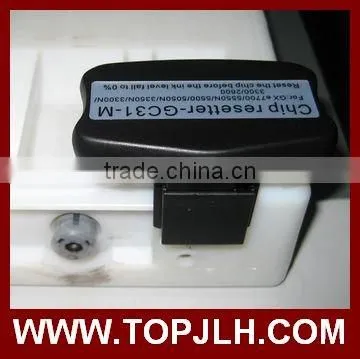
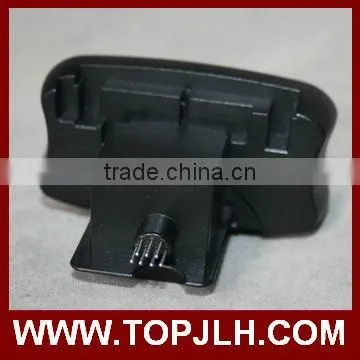
Chip Resetter for Epson GS6000 Compatible Ink Cartridges

Related Products
-
 Chip Resetter for Epson PP100 Compatible Ink CartridgesUS$ 90 - 120MOQ: 1 Piece
 -
Cartridge Chip Restter For Epson Surecolor SC-T3270 T5270 T7270US$ 35 - 55MOQ: 1 Piece
-
Auto Reset Chip for T3200 T7200 T5200 Epson Surecolor Inkjet PrinterUS$ 2.5 - 80MOQ: 10 Sets
-
Printer Decryption Card For Epson T7200 T5200 T3200 Chip DecoderUS$ 100 - 300MOQ: 1 Set
-
Wide Format Printer Decryption Card For Epson T7200 T5200 T3200 Chip DecoderUS$ 100 - 300MOQ: 1 Set
Chip resetter for Epson GS6000 compatible ink Cartridges
Specification :
1, Use for EPSON GS6000.
2, Can reset OEM or compatible chip,user could use refill ink manufactured by third party,save printing cost a lot.
3, For cartridge No T6241 PHK/T6242 C/T6243 M/T6244 Y/T6245 LC/T6246 LM/T6247 GR/ T6248 OR
Product Advantage :
(1) Low cost use our chip resetter,the original cartridge could be used repeatedly,,save production cost ,and improve the company’s competitiveness.
(2) Ocbestjet chip resetter fundamentally decod circuit of the ink system,use chip to simulate the cartridge data,after decod,every color ink shows 100% ink volume.
Method of Application :
1. Fit the chip to the groove of chip resetter,enable the probe of chip resetter contacts the contactor of the chips.
2. Press the 2 components together, if the red light gleams ,it means the connection is fine.
3. 5 seconds later, the red light turns to green light,it means the chip data has been refreshed.
4. Refill inks or other brand compatible ink ,the cartridge could be used again.
Note :
1,The ink shows 100%, do not reset the ink volume repeatedly, or the data will be locked.
2,When the ink volume is less than 15%, you must reset the chips by resetter, or the cartridge will have error
message
3,Red indicator light gleams, then it always shines ,does not turn to green light.
Reason 1 The probe and the chip contactor do not connect well, or the chip contactor is contaminated.
Reason 2 If the cartridge is not OEM cartridge ,the chip contactor could not connected with the probe well .
4 .After reset the chip,and refill the inks,there are broken lines while printing.
Reason 1 Refill ink quality is bad.It is recommend to use ink that could match OEM products in color and related features.
Reason 2 There are air bubbles while refill inks,you should refill inks slowly.Or before you use the ink cartridges,keep the cartridges with the nozzle downward for 24 hours.

Send Inquiry to This Supplier

You May Also Like
-
Printer ChipNegotiableMOQ: 2300 Pieces
-
2UUL FD40 Find 210 Chip Heating Glue Removal StationUS$ 4.09MOQ: 5 Units
-
Extra Black Film Plate Burning EPSON T Series Ink CartridgeUS$ 55 - 70MOQ: 10 Pieces
-
Unit Toner Chips T-FC616UK T-FC616UC T-FC616UM T-FC616UY for Toshiba E-STUDIO 5516ACT 6516AC ACT 7516AC ACT Toner Cartridge ChipUS$ 15.3 - 17.2MOQ: 4 Pieces
-
ORIGINAL TONER CARTRIDGE CHIPS FOR XEROX DOCUPRINT M255 P255US$ 4.8 - 4.8MOQ: 1 Piece
-
T5852 Chip for Epson Ink Cartridge Made in ChinaUS$ 1 - 10MOQ: 300 Pieces
-
Drum Chips EP-87 for Canon LBP-2410 Laser Jet Reset ChipUS$ 0.1 - 5MOQ: 20 Pieces
-
Auto Reset Chip for hp 364US$ 0.1 - 0.2MOQ: 10 Pieces
-
High Quality Ciss Chip for Epson XP-401 XP-211 XP-214 With Updated 197RUS$ 2.4 - 3.1MOQ: 100 Sets
-
Chinamate High Quality Compatible Toner Cartridge for Samsung D111SNegotiableMOQ: 1 Piece


