








 Contact Platform Support
 Help Center
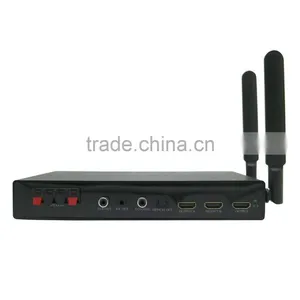
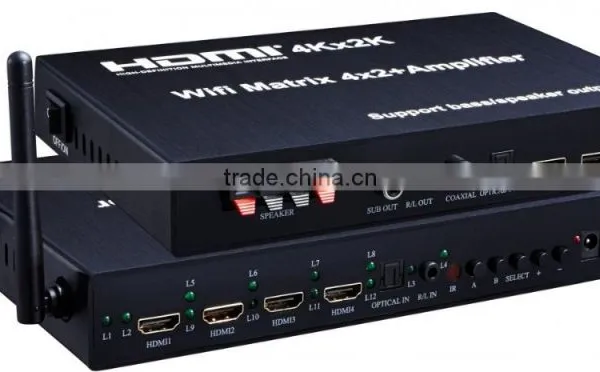
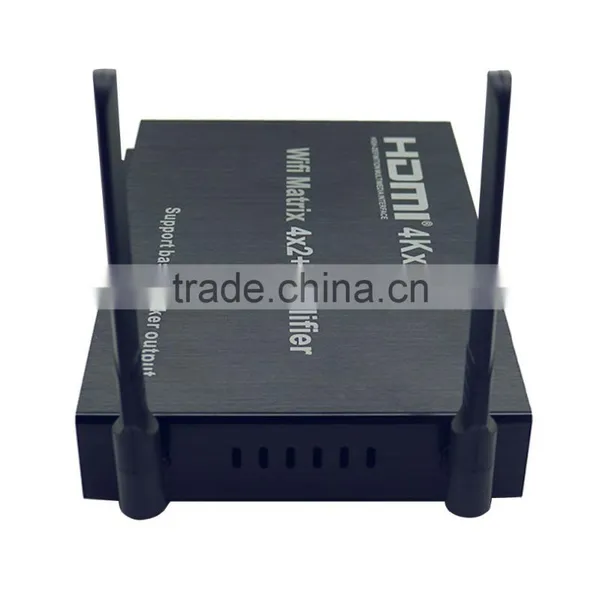
WIFI HDMI Matrix 4x2 + Amplifier (Support IOS/Android WIFI Display, 4Kx2K,Bass/speaker Output)




Related Products
-
 HDMI Splitter 1x4 by 2CAT Extend 60M Full HD With Four Receiver (Support 3D),EUUS$ 110 - 114MOQ: 1 Piece
 -
4K HDMI Matrix 8x8US$ 539.53 - 550.11MOQ: 1 Piece
-
New Product MINI 3G HDMI to SDI Converter HDMI ConverterUS$ 20.37 - 22.98MOQ: 1 Piece
-
New Product High Quality HDMI 1.4 Matrix 6*2 HDMI Switch BlackUS$ 73 - 81MOQ: 20 Pieces
-
MINI HDMI Splitter 1x2 1.4V 4K*2KUS$ 7.3 - 10MOQ: 1 Piece
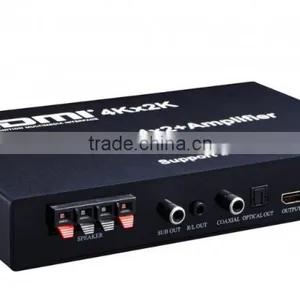
WIFI HDMI Matrix 4x2 + Amplifier (Support IOS/Android WIFI display, 4Kx2K,Bass/speaker output)
This WIFI 4x2 matrix can connect 4 HD signal sources to 2 HD signal sinks with optical fiber or 3.5mm headphone output. The matrix allows four HDMI devices to be switched or split easily to two HDMI compatible monitors or projectors. The high resolution is up to 3840x2160/30Hz
This matrix can strip audio signal from HDMI signal, output via optical fiber, coaxial, and 3.5 mm audio out . Users can enjoy the shock audio effects without connecting extra amplifier.
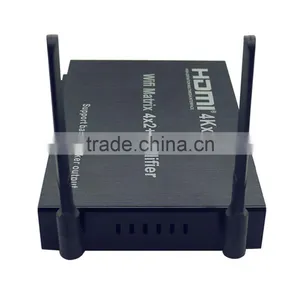
This matrix also supports WIFI display function. Via Airplay, Miracast, DLNA technology, it can transfer the video or audio from the IOS and Android device to the displayer.
WIFI display features
Support IOS and Android system WIFI display
Support HDMI 1.3
Support resolution 480P/480I/576P/720P/1080I/1080P
Support WIFI 2.4G/3G/4G/5G, support 2.4G and 5G dual band antenna
Support one source to one sink WIFI display
Working connecting:
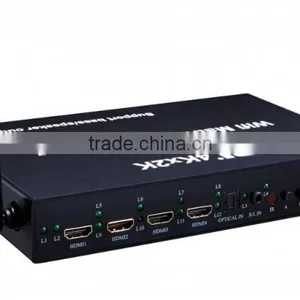
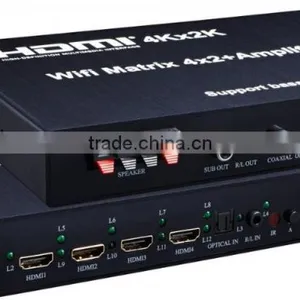
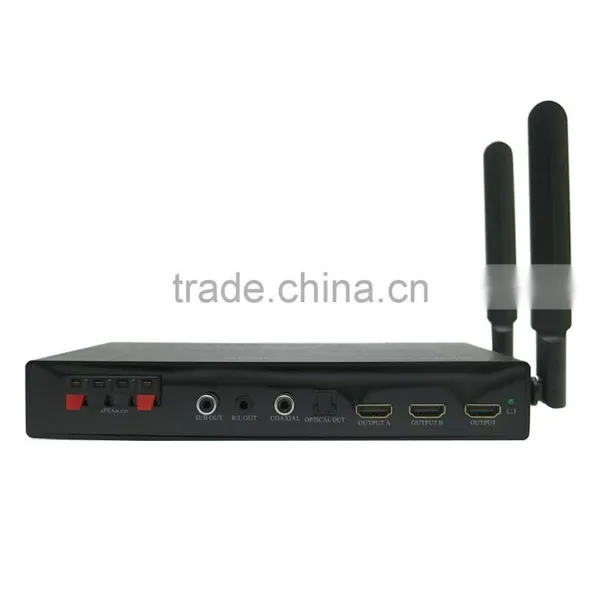
Product interface pictures
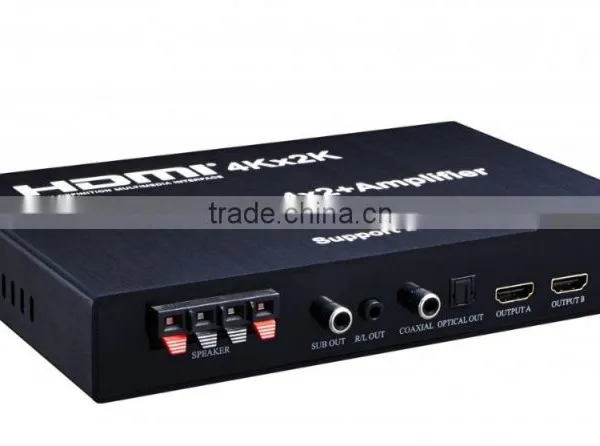
1: SPEAKER: The loudspeaker output
2: SUB OUT: Heavy bass output
3:R/L OUT The stereo output
4: COAXIAL: Coaxial output
5: OPTICAL OUT: Optical output
6-7: OUTPUTA- OUTPUTB: 2 HDMI signal outputs
8:OUTPUT WIFI HDMI output
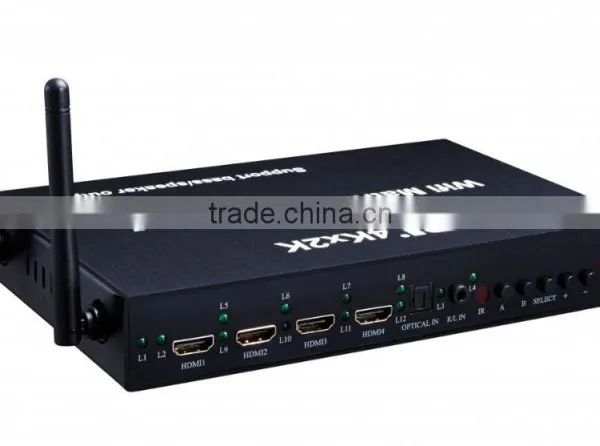
9-12: 4 HDMI signal inputs
13:OPTICAL IN:Optical fiber input
14:R/L IN: The stereo input
15:IR: The infrared receiver
16-20:Operation buttons
21:Power indicator light
22:Input port of the power adapter
23:The indicator light of the input HDMI sources
Note Pls:
1. The OUTPUT is the HDMI WIFI output port, it can only output the video signal from the WIFI.
2. The amplifier (Speaker and SUB ) and 3.5mm audio has 4 audio sources: the stripped audio signal from HDMI signal, audio signal from WIFI, optical fiber input and stereo input. The optical/coaxial output only comes from stripped audio signal from HDMI signal
Indicator light and operation button instructions
A/B key: switch corresponding inputs of OUTA/B
“+” key: Volume + . “-” key: Volume -
SELECT key: short pressing is to select different audio inputs, long pressing around 4 seconds is to switch between 2.1 and 5.1 audio channel.
L1-L4: indicator light of audio signal selection
L5-L8: indicator light of OUTPUT A corresponding inputs selection
L9-L12: indicator light of OUTPUT B corresponding inputs selection
The remote control instructions
WIFI display operation instructions
1,WIFI display setting for IOS and Android system
1),Iphone airplay mode
Setting for IOS system mobile phone, tablet, notebook and other portable devices
1>Connect mobile phone wifi to HDMI Miracast
2>Click the airplay on the phone, choose HDMI Miracast, then open the mirroring switch;
3>Users can see the full mirroring on the display
PS:
1. If you don’t open the mirroring switch, you can only see the WIFI display of video, music and picture.
2. Only Ipad2/Iphone4S and above can support mirroring WIFI display.
2)Android Miracast mode
1>Click mobile phone system setting->choose display->choose WIFI display
2>Find HDMI Miracast, click connection
3>Open mobile phone WIFI setting, connect to the router, then the mobile can transfer the video and surf the internet at the same time.
PS: Different mobile phones have different names and opening settings of miracast.
3) DLNA wireless multimedia share
1>Install “Joylink” on the mobile phone and computer
2>Open WIFI, and connect “Joylink” to HDMI Miracast
3>Open “Joylink” PC share: Drag the file to “Joylink” window, then you can see the WIFI display on the TV or projector.
4) Online video screen share
1>Connect HDMI Miracast to TV, power on and switch on
2>Make sure HDMI Miracast have been connected to the network properly
3>After selecting HDMI Miracast as their player, the DLNA supported third-party application, such as PPTV, Tencent video can WIFI display the online video from the mobile to TV or projector.
2,Connection setting for HDMI Miracast to network
HDMI Miracast can broadcast the online video and upgrade itself after connecting with the Internet. And it needs instruction when it is connected to the internet for the first time.
Pls follow this :
1.Connect HDMI Miracast to TV, power on and switch on
2.Open WIFI, connect with HDMI Wifi-xxx (The last three number depends on numbers shown on your display.)
3.Open a browser, and enter URL address which is shown at the bottom of your TV, such as: http:// 192.168.59.254/remote
4.Click “WIFI Setup” and connect, then choose ”WIFI Connection”
5.Choose the connectable WIFI, enter your password
6.After the connected WIFI showing on TV, the connection is well finished. And the HDMI Miracast will save connection setting automatically.
Connection and operations
1. Connect HDMI signal sources to the inputs of the matrix by HDMI cables.
2. Connect HDMI displayers to the outputs of the matrix by HDMI cables.
3. Connect audio output port with stereo amplifier by 3.5mm headphone or optical fiber.
4. Switch the signals freely by the remote control.
5. Connect the matrix with 12V power adapter.
WIFI display output specifications
HDMI resolution………………………….... 24/50/60fs/1080p/1080i/720p/576p/576i/480p/480i
Support video format …………………………..…………...…................................................8bit
Support audio format………………………………….………………………………………..LPCM
Max baud rate…….…………….…….……………………………………. ……………. 1.5Gbps Input and output TMDS signal………….……….…………………..…………… 0.5~1.5Volts p-p
Input and output DDC signal …………………………………………..……….. 5Volts p-p (TTL)
Output cable distance……………………………..............≤15m AWG26 HDMI standard cable
The Package includes
HDMI Matrix 4x2 + IR remote control + 12V Power adaper + User manual
Notes:
Please use correctly and maintenance properly, to ensure product performance and work properly
1. Should Stay away from damp, high temperature, dusty, corrosion and oxidation gas environment in order to avoid damage
2. All parts should avoid strong vibration, no collision tapping and drop fall, to avoid damage.
3. Do not touch the unit power adapter plugs with wet hand
4. Unplug the adapter plug from the power socket, please hold the plug, don't pull the power cord
5. Please turn off the power supply when not use the machine.(unplug the power adapter plug when not use for a long time)
6. Please do not open the machine cover, do not touch any device in the machine.
7. Please use the power adapter provided or approved by the manufacturer.
Before power on, pls check the connection line carefully. And make sure that all interfaces are normally connected. The common trouble shooting way shows below:
Serial NO |
Trouble Description |
Cause and Ways to deal with |
1 |
Non-Power-Connencted |
1,Check if the power adaptor head is truly and correctly inserted the power socket. 2,Check the power switch if it is in on status. |
2 |
No Picture |
1,Pls make sure that the TV is on and has been connected with the machine. 2,Check if the signal source is on and well connected. 3,Check the system connection quality. 4,Check if the line is all good quality. 5,Check the cable quality |
3 |
Obscure Picture |
1,To try again to connect the cable to be free from the unsuccessful connection. 2,HDMI Cable Quality |
4 |
Remote |
1,Pls check if the film that stops the current has been taken out. 2,Check if the remote battery is working full. |
Packaging
Package :standard package or customized
Shipping
Delivery :3-7 work days for <500 pcs
we offer various options including DHL,TNT ,UPS,EMS,FEDEX etc,and it would be beneficial for large orders by sea.If you have a shipping account or shipping forward,it could be better,but if you don't have,then we can help you to choose the best way to ship your WIFI HDMI Matrix 4x2 + Amplifier (Support IOS/Android WIFI display, 4Kx2K,Bass/speaker output) .

Send Inquiry to This Supplier

You May Also Like
-
Audio Video CableNegotiableMOQ: 2400 Pieces
-
AV Cable for WiiNegotiableMOQ: 10 Pieces
-
2015 New Arrival Wireless Usb Transmitter Receiver Bluetooth TransmitterUS$ 11.5 - 15MOQ: 1000 Pieces
-
Wifi Music Receiver Wireless Usb Stereo Audio Transmitter Receiver Bluetooth Music Receiver For Smart Phone MP3 MP4 PCUS$ 5.3 - 5.3MOQ: 100 Units
-
HDMI Cable VK2-0022US$ 2.5 - 5.5MOQ: 1000 Pieces
-
Trolley Speaker With USB/SDUS$ 49 - 51MOQ: 20 Sets
-
Video Wall ControllerUS$ 100 - 250MOQ: 2 Sets
-
DIN Cable Assembly 8-pin Mini DIN Plug to 4 x RCA Jack and 3.5 Stereo PlugUS$ 1.5 - 2MOQ: 500 Pieces
-
EL Flashing Audio LineUS$ 7.5 - 10MOQ: 500 Pieces
-
5 PINs JACK/RCA JACK PlugUS$ 0.01 - 0.05MOQ: 1000 Pieces


