








 Contact Platform Support
 Help Center
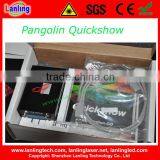
Laser Software for ILDA Animation Laser-Pangolin Quickshow


Related Products
-
 ILDA Laser Software for Quick ShowUS$ 450 - 460MOQ: 1 Piece
 -
New Pangolin Quick Show Controller Software for ILDA Animation DJ LasersUS$ 450 - 460MOQ: 1 Piece
-
ILDA Laser Light Software for Quick ShowUS$ 399 - 430MOQ: 1 Piece
-
Christmas Laser Light Show Software Controller QuickshowUS$ 88 - 488MOQ: 1 Piece
-
Lanling Laser Dj Lighting Software QuickshowUS$ 88 - 488MOQ: 1 Piece
laser software for ILDA Animation Laser-Pangolin Quickshow
Model Names |
Quickshow |
Description |
Original Pangolin Quickshow Laser software for ILDA animation lasers |
Quickshow features: | |
No dongles! |
Never worry about forgetting or losing a dongle. You can work on, and display, shows without needing a dongle. |
Cues |
Nearly 2000 graphics, animations, beam effects and abstracts are included. |
Abstract frames |
Make planetarium-style abstract shapes, such as flowers or spirograph geometric figures. |
Live controls |
For a cue or the entire display, adjust size, position, rotation angle, rotation speed, color, color cycling, scan speed and animation rate. |
QuickTools for creation and editing |
QuickText, QuickShape, QuickTrace, QuickTargets, QuickTimeline, QuickDMX |
Display methods |
Single cue, multi-track cue, sequence cues, timeline show programming |
Display timing |
Manual (mouse/keyboard), automatic to beat (BPM), autorun for sequences and timeline. |
Preview |
On-screen preview of all graphics and beams using Windows OpenGL. |
BPM methods |
Timed, audio beat detect, manual. |
Background work mode |
Create/edit cues on-screen without affecting laser output. Only show your cues when you are done. The audience never sees your background work. |
Autotrace bitmaps |
Import GIF, JPG, BMP files and convert instantly to laser. Outline and centerline tracing modes. |
Control DMX devices |
Set up to 512 DMX channels per cue. Unlimited number of cues or “looks”. |
Custom effects |
Apply one or more effects to a cue, a sequence or a timeline event. Effects include colors (preset and changing), pulse/flash/strobe, trace, chop, ripple, mirror, double, scroll, rock, throb, zoom and bounce. |
Projector correction and zones |
Full geometric correction for off-axis scanning. HIt multiple screens from one projector, using projection zones (cues are positioned and scaled to appear in part of the scan area). |
Hardware requirements: | |
Computer requirements |
(1)PC notebook or desktop with dual-core processor such as Intel Centrino Duo, Core 2 Duo, or AMD equivalent |
Projector requirements |
(1)A lasershow projector with ILDA-standard input connector |
What you get |
QuickShow software on CD-ROM |
Net Weight |
0.7kg |
Volume weight |
1.5kg (/5000) |
Package size |
244*144*59(0.002m³) |

Send Inquiry to This Supplier

You May Also Like
-
Laser LightNegotiableMOQ: 500 Pieces
-
330w Studio Lighting KitNegotiableMOQ: 10 Pieces
-
Red Laser LightNegotiableMOQ: 10 Sets
-
DJ Light, Stage Light, Double-heads RGB Laser LightNegotiableMOQ: 2 Pieces
-
Direct Supply 2W Waterproof RGB Star Laser Light IP65 Full Color DMX512 Control Mode AutoNegotiableMOQ: 1 Unit
-
Laser Lighting Disco Effect Light Laser LedNegotiableMOQ: 1 Piece
-
Factory Price 6 Eye Moving Laser Dj Stage 6 Eyes RGB Red Green Blue-laser Moving HeadNegotiableMOQ: 10 Pieces
-
LED Magic Pixel Blade 7X15WNegotiableMOQ: 1 Piece
-
Indoor Outdoor Christmas Laser Lights 3W ~5W RGB Full Color Laser LightNegotiableMOQ: 1 Piece
-
3W RGB LEDs and 150mW RGY Multi-Effect Laser LightNegotiableMOQ: 1 Piece


