








 Contact Platform Support
 Help Center
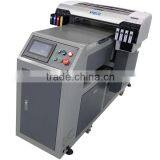
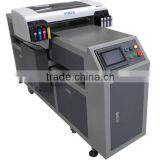
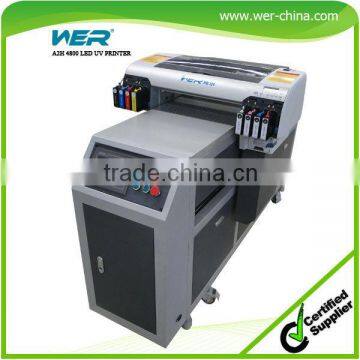
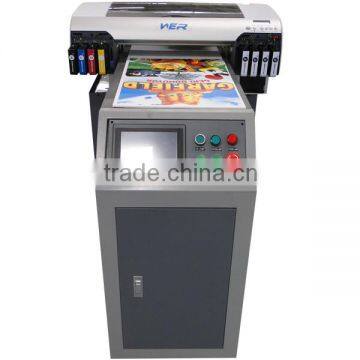
Top Selling A2 WER-EH4880UV Printer With Free Rip Software ,a2 Plastic Card Printing Machine


Related Products
-
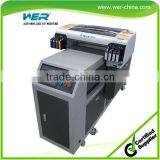
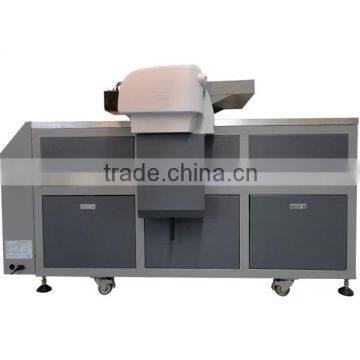
 High Quality A2 Size 8 Color 5760 * 2880 Dpi WER-D4880UV uv Flatbed PrinterUS$ 5,500 - 6,000MOQ: 1 Set
 -
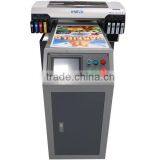
2016 Hot Sale A2 Dual Heads WER-ED4212UV Ceramic Tile Printing MachineUS$ 8,600 - 9,000MOQ: 1 Set
-
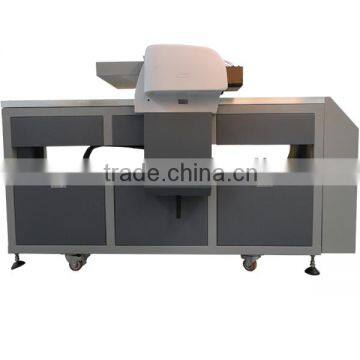
2016 Hot Sale uv Inkjet Printer for Phone Cover Machine for Smartphone Case CD and Key Lines Printing MachineUS$ 8,500 - 9,000MOQ: 1 Set
-
High Quality A2 Size 8 Color 5760 * 2880 Dpi WER-D4880UV Ceramic Tile PrinterUS$ 5,500 - 6,000MOQ: 1 Set
-
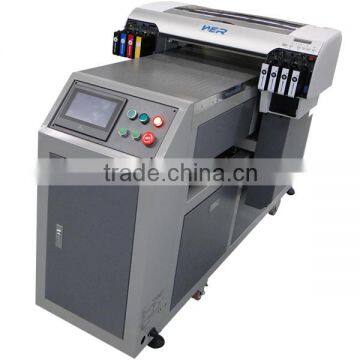
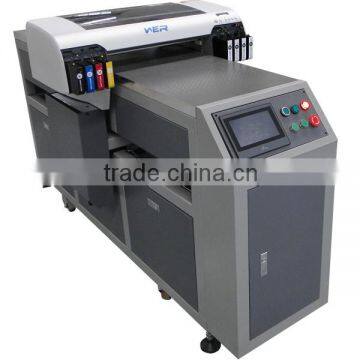
Perfect Design A2 420mm*1200mm WER-EH4880UV ,a2 Small uv Flatbed Printer MachineUS$ 6,800 - 7,500MOQ: 1 Set
Top selling A2 WER-EH4880UV printer with free rip software ,a2 plastic card printing machine
| Printer Model | WER-EH4880UV |
| Max Printing size | 420*1200mm |
| Material's Height | 15CM max. |
| Print resolution | 5760*2880dpi |
| Ink type | UV LED curing ink |
| Ink channel | 8 color (4-CMYK, 4 White) 180 nozzles/ color. Optional dual CMYK. |
| Moving method | Printhead moving |
| Printing interface | USB 2.0 high speed interface & 100 Base-T Ethernet interface |
| Printing direction | Smart Bi-directional Printing Mode |
| Printing speed | 720 dpi 25 seconds/A4 size |
| 1440 dpi 50 seconds/A4 size. | |
| 2880 dpi 110 seconds/A4 size. | |
| Lamp type | LED Lamp (saving energy and environmental friendly) |
| Languages | English, Chinese. |
| Applicable industry | Rigid PVC board, glass, plastic, organic board, leather, rubber, special paper, metal, wood, porcelain, PVC, ABS, acrylic, aluminum, iron sheet, |
| Printing method | Drop on Demand (non-contact micro piezoelectric ink-jet printing technology; micro piezoelectric printing technology; VSDT; intelligent nozz |
| Power consumption | 136 W/ Hour. |
| Ink consumption | 10 ML/SQM. |
| Auto adjustment function | Nozzle automatic detection; print head automatic aligning |
| Height adjustment | Auto Sensor |
| Normal working environment | Temperature 10-35Celsius Humidity 20-80RH |
| Power/ Voltage | About 75W / 110V/220V 50-60HZ |
|
DX5 Printhead |
| Instruction: DX5, Resolution: 1440DPI | |
| Color::5 colors | |
| Print mode: 4, 6, 8, 12 Pass | |
| Notes: | |
| A: The Operator need to make electrostatic eliminating treatment and wear the Anti-static devices if possible to prevent the high static load from burning the circuit board inside of the print head. | |
| B: During installation, try not to touch the surface of print head directly. |
| Ink Cartridge | |
| Introduction: EH4880UV mainboard | |
| Notes: | |
| A: Please do not place it next to the high temperature objects, prevents from damaging; | |
| B: Please inject ink according to the corresponding color. |
|
Ink Cartridge |
| Instruction: 440ML ink cartridge, small cartridge is easy to replace. | |
| Notes: | |
| A: Please do not place it next to the high temperature objects, prevents from damaging; | |
| B: Please inject ink according to the corresponding color. |
| Vacuum suction platform | |
| Instruction: With anti-wear treatment for the surface and big/small holes design, the platform has super adsorption. | |
| Notes: | |
| A: Please do not use sharp objects hit on the surface of platform; | |
| B: Try to keep machine running in balanced state, prevent the platform out of shape because of the uneven force by machine. |
|
Screen Panel |
| Instruction: Control the motor move in X-axis, Y-axis, Z-axis; Online KEY; Offline KEY. | |
| Notes: | |
| A: No hit on the panel screen with sharp object; | |
| B: During operation, please make protection treatment; | |
| C: During printing, please do not make work on it. |
Excellent After-sale Services:
1.One year warranty
You can discuss operation and maintenance with our technician online support service by Skype, MSN etc. Remote control will be provided upon request.
2. Free exchange of new components
Our quality is guaranteed 100%, the spare parts can be replaced within one year free of charge includes the airfreight by express, except for the print head and some consumable parts.
3. Free online consultation
The technician will keep online. No matter what kind of technical questions that you may have, you would get a satisfactory answer from our professional technician easily.
4. Free onsite installation and training
If you are able to help us with getting the visa and also would like to bear the costs involved like flight tickets, food, etc, we can send our technician to your office, and to give you a free installation and training for as long as you know how to operate it
1. What materials can print on ?
POP board, KT board, Acrylic, organic glass etc. The UV printing reduce much work and trouble like lamination, fading, blistering, and save much working hours. Rigid signs board, hard carton or corrugated paper box, special market(like customize and decoration market): glasses, ceramic tiles, wood, even furniture.
2. production capacity / printing speed
Single head uv printer is 60 sec. For A4 size, dual heads uv printer is 30 sec. For A4 size
3. How to move the machines
UV printers belong to precise instrument, when you move them, please turn off all power, remove the cartridges and waste cartridge, keep other parts on the printer, and handle with care, keep shaking and heavy goods away from the printer.
4. How to make 3D embossed texture.
Can through two ways to reach 3D feeling: One is change media, by engrave to reach embossed feeling, then print by WER printers, second is through WER 3D printing technology, to accumulate UV ink to reach 3D effect. The 3D range will be bigger when use first ways; the second way have the height limit, and this way can re-print to reach more 3D effect, e.g. Mountain, use the second way can reach more Layering.
5. How to do when the status of the printhead is not good ?
5.1. Trun off power, move the printhead to the initial position, check if the printhead and cap top is in the same line
5.2. Do one time cleaning action, and print the test status.
5.3. If above operation still can’t solve this problem, then disassembly the printhead, cleaning the printhead manually or use cleaning machine to clean the printhead
5.4 If the status keep the same after above all operations, then check other parts or change a new printhead to test.
6. How to maintain the printer if couple of days no using the printer
If the printer won’t use more than 3 days, you must cleaning out all ink in the printhead, otherwise, the ink will be dry because the solvent volatilization, even cause irreversible damage for the nozzles of the printhead. Below is the solving methods:
6.1. Turn off the power of the printer
6.2. Move the printhead to the cleaning position, put a corrosion resistant container below the printhead for filling the waste cleaning solution
6.3. Unplug the printhead from the ink damper, then using the special cleaning solution to cleaning the printhead by glass syringe, and do this some times, at last do not suction out all cleaning solution from the printhead, put enough cleaning solution in the inner of the pritnhead, because the printhead can keep the nozzles moisture.
6.4. Please put the printhead into the clean container and seal it.

Send Inquiry to This Supplier

You May Also Like
-
Large Format Digital Caiyi UV Flatbed Printer for PVC Door / WPC Door / MDF Door(CY-UV2513)US$ 24500 - 25000MOQ: 1 Piece
-
Printing Booksand Periodicals MagazineNegotiableMOQ: 1 Set
-
Different 3D Printers for Shoes, Dental Model Machine Digital PrinterNegotiableMOQ: 1 Set
-
Pouch Laminator One Minute Warm-Up High Speed Thermal Laminating Machine Portable Wireless Thermal Printer for TravelNegotiableMOQ: 1000 Pieces
-
Digital Printing MachineNegotiableMOQ: 2600 Sets
-
FAST Shipping Creality Newest Affordable CP-01 Three-in-one Modular 3D Printer+CNC Engraving Machine+Laser Engraving MachineNegotiableMOQ: 1
-
Air Operate Heat Press Machine With CE CertificateNegotiableMOQ: 1 Set
-
Economic&high Quality Bottle Date PrinterUS$ 1 - 4,000MOQ: 1 Set
-
Ongle PrintUS$ 700 - 1,200MOQ: 1 Set
-
Small Inkjet Printer for ProductUS$ 800 - 80,000MOQ: 1 Set


