








 Contact Platform Support
 Help Center
Push Button LCD Media Player 7" Lcd Advertising Player

Related Products
-
 4.3 Inch(B043A) Push Button LCD Advertising Media PlayerNegotiableMOQ: 100 Pieces
 -
Rohs Approval 4.3 Inch Capacitive Android Industrial Tablet PC Advertising Player Touch Screen Tablet PCNegotiableMOQ: 100 Pieces
-
FCC Approval Touch Screen Android 4.2 All-in-one Tablet Panel PC ManualNegotiableMOQ: 100 Pieces
-
Battery Powered Digital Signage Player LCD Advertising Player 4.3inch(B043A) BackpackNegotiableMOQ: 100 Pieces
-
Interactive Multi Touch Table With Touch Screen Coffee Table TB550M Game Table With Touch ScreenNegotiableMOQ: 1 Piece
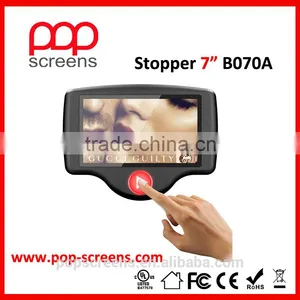
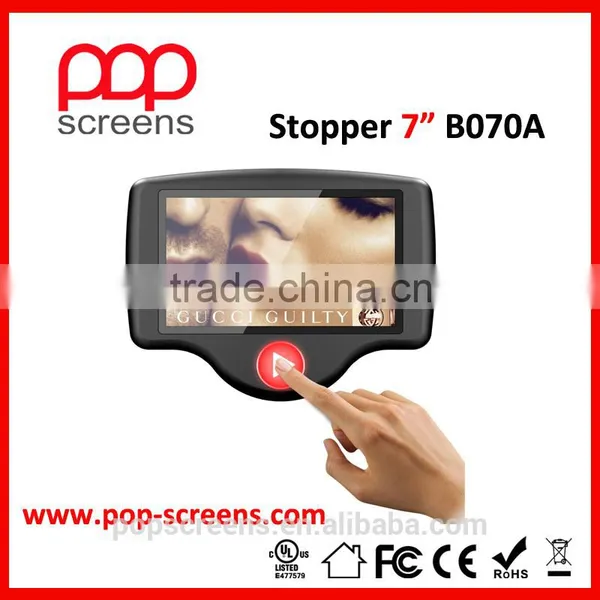
The New Stopper 7" B070A
A true liberating battery-powered device that enhances brand image and increase product sales
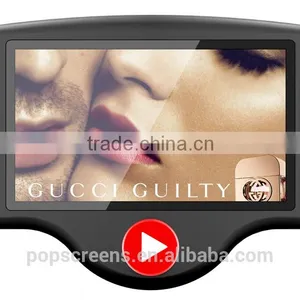
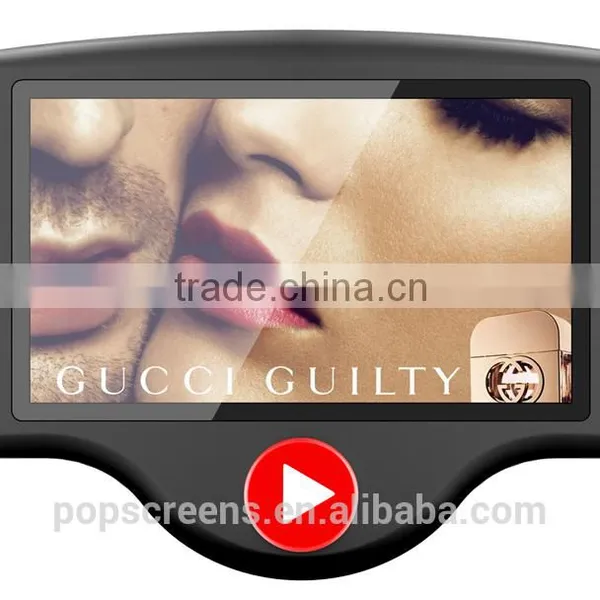
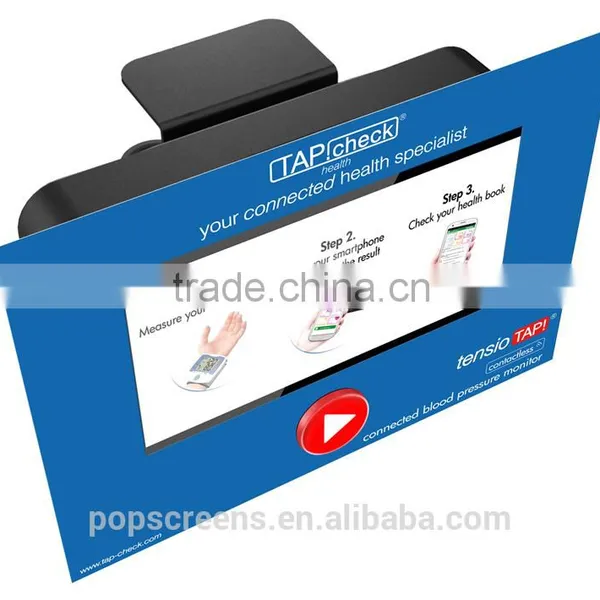
Push Button Activation
With a blinking button, customers are intrigued to press the button and the advertising message are 100% surely delivered.
Brand Your Display Stick A Simple Rigid Board
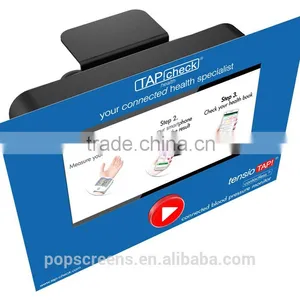
Just stick a simple 4C Euroscale printed carton rigid board, you can turn our B070A into an eye-catching display with vivid graphic and brand image. We help our clients to design all shapes of rigid board.
Cable Free 6 C-cell Battery Powered
Powered by 6 C-cell battery and with up to 2,160 times activations of a 15 second movie, no electrical cable is required for this battery-powered display. The retailers can place it anywhere in the retail shops without concern for electricity supply.
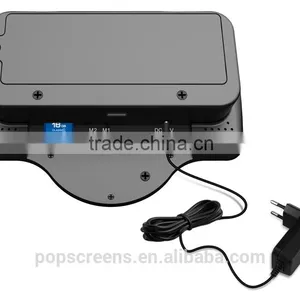
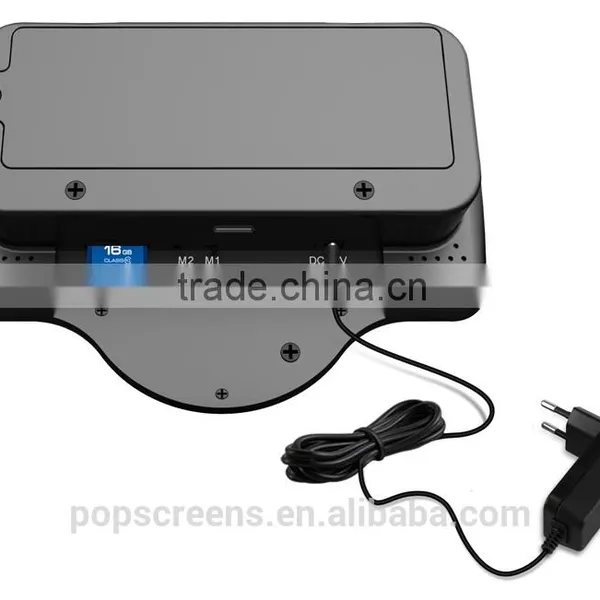
DC 9-12V Power Input Optional Power Adapter
For retailers in need of continuous power supply, we have the solution. Take out the battery box from the device, and the retailers can connect the device with a normal DC power adapter for continuous power supply.
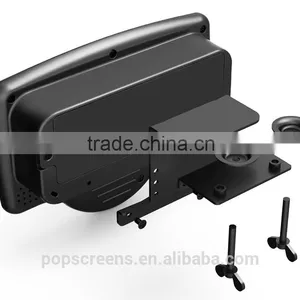
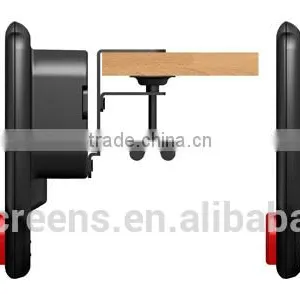
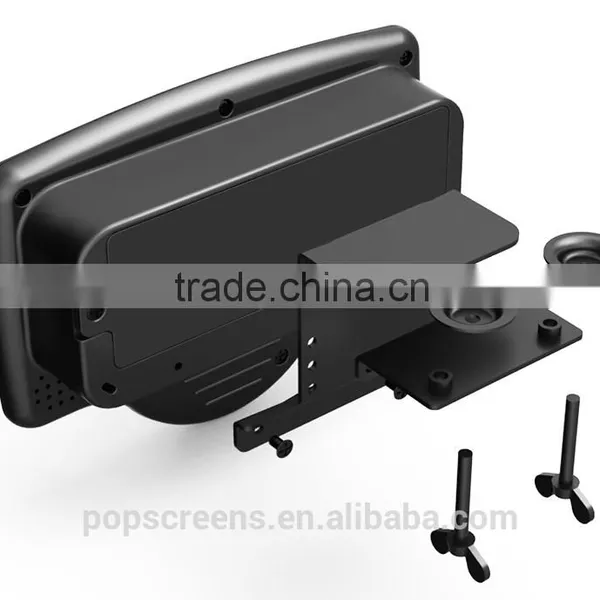
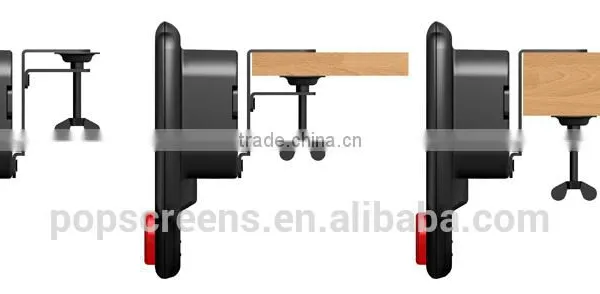
Adjustable And Secure Shelf Mounting Solution
Each retail shop has its own types of shelves. We’ve taken those differences into consideration and developed a unique adjustable and secure mounting system with a lifting range of 48MM. Adding our anti-thef cable system, the retailers can be rest assured that the device would be safely and strongly mounted on the shelf.
Selectable Playback Mode
There are 2 playback mode (M1,M2) selectable. Under M1 mode, the device will maintain in stand-by mode with button blinking until the button is pushed and advertising video clips or image slideshows will be displayed for one-time from SD card; Under M2 mode, while the advertising video clips or image slideshow plays in a continuous loop, when customers push the button, a second group of videos or slideshow will be activated.
SD Card Storage And Playback
We do not use built-in flash memory, because flash memory has a failure rate. We use changeable SD card (with a cover for protection), so that not only the retailers can choose different memory size, but also the retailers can change the SD card if the card fails after certain time of use.
Direct USB Acess For Auto Content Update
By simply inserting a USB key into the device, the media files in the device can be updated automatically. The retailers do not have to open the SD card cover.With a secure file required in the USB key, we are sure that only authorized person is able to change the contents in the device.
Tech Spec
| Analogic Panel | Screen Size | 7" Analogic | ||
| Active Area | 154.08(H) x 86.58(V) | |||
| Resolution | 480 x 234 | |||
| Pixel pitch | 0.321(H) x 0.321(V) | |||
| Brightness | 200cd/m2 | |||
| Contrast Ratio | (500:1) | |||
| Aspect Ratio | (16:9) | |||
| Viewing Angle | 70/70/65/65(L/R/U/D) | |||
| Digital Panel | Screen Size | 7" Digital | ||
| Active Area | 154.08(H) x 85.92(V) | |||
| Resolution | 800 x 480 | |||
| Pixel pitch | 0.0642(W) x 0.1790(V) | |||
| Brightness | 250cd/m2 | |||
| Contrast Ratio | (500:1) | |||
| Aspect Ratio | (16:9) | |||
| Viewing Angle | 70/70/50/70(L/R/U/D) | |||
| Power | By battery | Powered by regular 6 C-cell battery(up to 7.5-hour playing time and up to 1,800 times activations of a 15 second movie) | ||
| By power adaptor | DC 12V, 1.5A | |||
| Important notice | C-cell battery and power adaptor cannot be used at the same time; Otherwise there is a risk of burning the battery | |||
| Content Storage and update | Content Storage | SD card | ||
| Content update | USB key (auto conten update by USB key / setting up a "pop" folder in the USB key , copy the media files into the USB key and plug the USB key into B070A) | |||
| Audio | Built-in stero speakers | 1.5W *2 | ||
| Volume control | by remote control | |||
| Media support | Video | MPG, AVI, DVIX, XVID | ||
| Image | JPG, BMP | |||
| Audio | MP3 | |||
| Software function | Playback Mode 1 | Put the switch at "M1": Once connected to power, the button would be blinking while the device is in stand-by mode; Once the button is pressed, the button stops flashing and all the media files in the SD card would be played for one time; After playback, the LCD player would enter into the standby mode automatically while the button is still flashing | ||
| Playback Mode 2 | Put the switch at "M2": There is 2 folder in the SD card, folder 0(=default folder) and folder 1: Once connected to power, the button would be blinking and the device will play in loop the media files in folder 0. When press the button(button stops blinking), playback the media files from folder 1 for one time, and then go back to loop playback the media files in folder 0 with button blinking | |||
| General information | Case Material | High-quality ABS case | ||
| Case Color | Standard color: Black (Customized color upon request) | |||
| Front Acrylic sheet | Front acrylic sheet for protectoion | |||
| Flashing button | Activation flashing button in standard red color / customized flashing button color upon request | |||
| Storage Temp | (-30 -- 80 degree) | |||
| Working Temp | (-20 -- 70 degree) | |||
| Storage/Working Humidity | (10 -- 90) | |||
| Dimension | 209 x 157 x 51mm | |||
| Weight | 0.46 kgs | |||
| Shelf Clip A001 weight | 0.27kgs | |||
| Accessories | Remote control, user manual, Shelf clip A001(optional), anti-theft cable(optional), power adapter(optional) | |||
| Certificates | CE&Rohs | |||

Send Inquiry to This Supplier

You May Also Like
-
Colorful Advertising Small Plastic POP Sign Holder ClipsUS$ 0.3 - 0.58MOQ: 200 Pieces
-
Mpled IP68 Waterproof Outdoor Led Rental DisplayUS$ 1,140 - 1,960MOQ: 5 Square Meters
-
BHNBTXC1 Advertising Banner StandNegotiableMOQ: 10 Pieces
-
Safety Triangle Advertising Waming Flashing Emergency TriangleUS$ 1 - 1MOQ: 10 Pieces
-
Indoor 1920*1080 High Bright LCD Video Wall With Low PriceUS$ 583 - 2,833MOQ: 2 Pieces
-
Solid and Reliable Floor for Animal HouseUS$ 1 - 6MOQ: 100 Units
-
Customized Stickers, Car Body Sticker, Phone Sticker, Window StickerUS$ 1 - 3MOQ: 1 Square Meter
-
China Manufacturer Wholesale Display Video Screens Shopping Mall Information Kiosk PricesUS$ 530 - 1,500MOQ: 1 Set
-
PVC Inflatable Promotional Polar BearUS$ 3 - 8MOQ: 500 Pieces
-
Best Seller Big Size Free Standing Cheap Lobby Information Inquiry Touch Screen Kiosk With Windows or Android O/SUS$ 900 - 1,500MOQ: 1 Piece


