








 Contact Platform Support
 Help Center
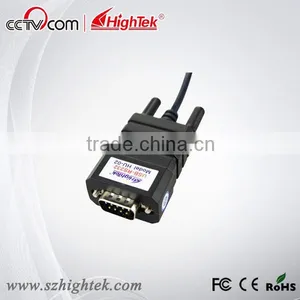
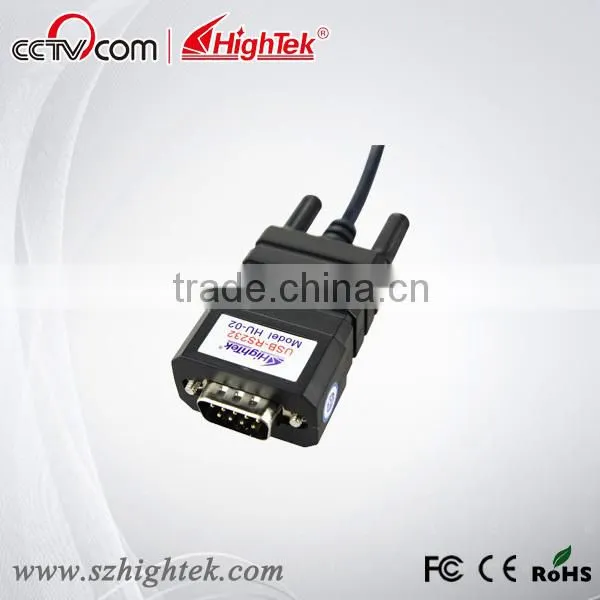
Usb2.0 to Db9 Serial Rs232 Cable PL2303 Chip


Related Products
-
 PL23203 Chip Usb 232 Converter CableUS$ 8 - 15MOQ: 1 Piece
 -
Taiwan Chip Pl2303 Usb to Rs232 Barcode Scanner ConverterUS$ 8 - 15MOQ: 1 Piece
-
Portable Usb to One Port Rs232 Cable DriverUS$ 8 - 15MOQ: 1 Piece
-
Industrial Usb to Rs232 Serial Db9 Male Cable DriverUS$ 8 - 15MOQ: 1 Piece
-
Hi-speed Usb-serial Rs232 Db9 BridgeUS$ 8 - 15MOQ: 1 Piece
Specifications
usb2.0 to db9 serial rs232 cable PL2303 chiptaiwan chip pl2303
with +/-15KV ESD protection
with CE/RoHS/FCC approval
usb2.0 to db9 serial rs232 cable PL2303 chip details:
Performance parameters
- Standards: conforming to USBV1.0, 1.1 and 2.0 and EIARS-232.
- USB signals: VCC, DATA+, DATA-, GND and FG.
- RS-232 signals: DCD RXDTXD DTR GND DSR RTS CTS RI
- Working mode: asynchronous point-to- point.
- Direction control: adoption of automatic data stream control for automatic recognition and control of data transmission direction.
- Baud rate: 300-921.6Kbps, automatic detection of the transmission rate of the serial interface signal.
- Transmission distance: 5 meters for RS -232 and less than 5 meters for USB.
- Interface protection: +- 15KV electrostatic protection.
- Interface forms: B interface female connector and DB9 male connector for USB.
- Signal indication: 9 indicator lights for Power (PWR), Send (TXD) and Receive (RXD).
- Transmission media: twisted-pair cable or shielded cable.
- Dimensions: 1555mmX55mmX36mm.
- Working environment: -25°C to 70°C , relative humidity 5%to 95%
- Windows 7/95/98/2000/XP/Vista and IMAG are supported.
- Both BUS and external power supply are supported.
Connectors and signal
1,RS-232C pin assignment
| DB9 M(PIN) | RS-232C |
| 1 | |
| 2 | SIN(RXD) |
| 3 | SOUT(TXD) |
| 4 | DTR |
| 5 | GND |
| 6 | DSR |
| 7 | RTS |
| 8 | CTS |
| 9 | RI |
2. USB-B female: USB output signals and PIN assignment
Communication Connection Chart
1- Standard USBA type male connector
2- Filter magnetic pole
3- Transparent and shielded standard 2.0 communication line
4- Fine shell(blue)
5- Standard DB9 male connector
6- MCU adopts the product of the TaiWan chip
USB to RS-232 Communication
DCD 2,RXD 3,TXD 4,DTR 5,GND 6,DSR 7,RTS 8,CTS 9,RI
Problems and troubleshooting
1. Data communication failure
A. Check to make sure USB cable is OK.
B. Make sure RS-232 output interface connection is correct.
C. Make sure power supply is OK.
D. Make sure the wire terminal connection is OK.
E. Make sure the indicator lights flash when receiving.
F. Make sure the indicator lights flash when sending.
2. Data missing or incorrect
A. Check to see whether the data rate and format at both ends of thecommunication equipment are consistent.

Send Inquiry to This Supplier

You May Also Like
-
Clean Room TelephoneUS$ 140 - 160MOQ: 1 Piece
-
Hot Sale Hdpe 40/33 Pipe for Fiber Optic CableUS$ 0.63 - 0.98MOQ: 30000 Meters
-
S42024-L5101-A120-02 Control Rectifier Switch Service BoardUS$ 100 - 3,000MOQ: 1 Piece
-
FC-FC Fiber Optic Patch CordUS$ 1.12 - 2.6MOQ: 10 Pieces
-
Anritsu Site Master S331L PROMOTION PriceNegotiableMOQ: 1 Set
-
Strong Controllability 1310 Nm/1550 nm Wavelength FTTH Optical Receiver With Double WavelengthUS$ 10 - 50MOQ: 1 Set
-
Just for You Fiber Optics Light Up Paper Bag Vase, Paper Flower VaseNegotiableMOQ: 5000 Pieces
-
CYLINDRICAL MUTINATION PLUGSNegotiableMOQ: 1
-
USB AF-MINI USB 5P-B M Adapter VK2-0055NegotiableMOQ: 5000 Pieces
-
25.6V20Ah LiFePO4 for Communication DevicesNegotiableMOQ: 50 Packs


