








 Contact Platform Support
 Help Center
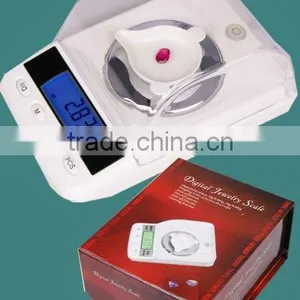
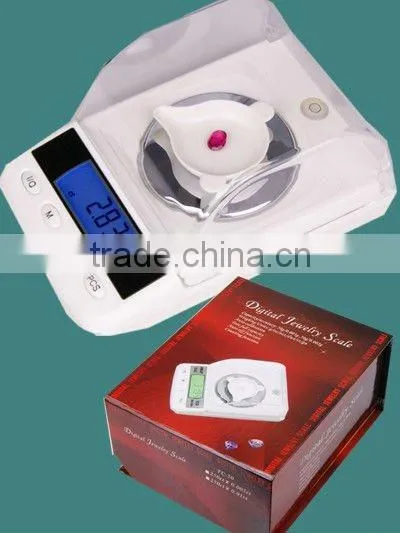
Digital Carat Scale

Related Products
-
 Jewelry Scale Digital Weighing Scale High Precision Pocket 250ct/0.005ct ReloadingNegotiableMOQ: 1 Unit
 -
Digital Pocket Scale For Gem (100 Ct/0.005ct)NegotiableMOQ: 10 Sets
-
Compact Jewelry ScaleNegotiableMOQ: 200 Sets
-
500g JewellersscaleNegotiableMOQ: 200 Pieces
-
Digital Carat ScaleNegotiableMOQ: 200 Pieces
250ct/0.005ct Jewelry Digital Weighing Scale
Carat scale
1.Mini jewellery Scales, Gem scales
2.Digital Jewelry Scales
3.Range:250cts
4.Accurracy:0.005cts
Attentions:
1.Had better to calibrate before using, calibrating will help the scale to adapt different working environment.
2.Never load on scale with more than the maximum capacity, over-loading will permanently damage the scale.
3.Avoiding any exposure to extreme heat or cold,scale works better in a normal room temperature.
4.Keep scale in a clean environment,dust,dirt,moisture,vibration,air currents will make an influence on the reliability and accuracy.
5.Handle carefully,avoid shaking ,droping .
6.Use the scale on a hard flat surface.
Operations: put it on a horizontal flat surface
1.Press"ON/OFF" key
2.Wait until present 0.000 there
3.Put sample on the weighing platform
Mode
1Use the"MODE"key, switch between the weighing units
2.The weighing units present the last unit you used
Tare weighing
1.Turn on scale as described above
2.Press the "tare item"on the platform
3.Press"TARE"key and wait unit shows 0.000
4.Add the "net-weight-item"
Calibration:Need two 20g calibration weights to calibrate the scale
1.Turn on the scale
2.Press "MODE"key and hold on 4 seconds until showing "cal"
3.Press"MODE" again,"cal"will twinkling three times and display"20.000"
4.Place a 20g calibration weight on the platform until present"40.000g"
5.Place another 20g calibraion weight on the platform until shows"PASS"
6.Take away the calibration weights,it can work normally, repeat this if the scale works wrong.
Counting function
Turn on the scale and waiting until the LCD shows"0.000"
2.Put a certain amount of the item that ready to weight onto the platform.
3.Press and hold "PCS"key,the LCD will shows"25"
4.Press"MODE"key it can change numbers"25-50-75-100"
5.Select one number and press"PCS"key to confirm,the LCD present"PCS"on the corner
6.Now it's time for you to count the weighing items.
Specifications
Maximum: 250ct;
Accuracy: ≤40g, 0.005ct >40g, 0.01ct
Units: g/oz/ozt/dwt/ct/gn
Auto calibration
Tare full capacity
Auto off function
Operation temperature: 10°c-30°c
Power: 6V(4X"AAA"Alkaline Batteries)
Adapter: AC 110V-220V DC6V 200mA
Product dimensions: 135*90*65mm
Product net weight: 195g

Send Inquiry to This Supplier
You May Also Like
-
Packaging, Machine Tool, Rubber, Textile Equipment Using SP45 Heavy-duty Weighing Bull EyeballNegotiableMOQ: 10 Pieces
-
Genyond Electronic Analytical Micro Weighing BalanceNegotiableMOQ: 1
-
Electronic Refrigerant Scales Wireless Style LMC-210/LMC-210ANegotiableMOQ: 1
-
Saimo's Auger Type Sampling Systems AUGER SAMPLING SYSTEM FOR TRAINNegotiableMOQ: 1 Set
-
High Accurate Micro Belt Check WeigherUS$ 4,500 - 4,900MOQ: 1 Set
-
Mechanical Scales Electronics Weighing ScalesUS$ 145 - 300MOQ: 1 Piece
-
LPG Cylinder Filling Weight Scale Machine 2-120KG Connect to PCUS$ 100 - 500MOQ: 1
-
Luggage ScaleNegotiableMOQ: 2000 Pieces
-
Mechanical Weighing ScaleNegotiableMOQ: 1 Piece
-
55LB/1g Digital Postal Shipping Scale Weigh Scales W/AC With 2 x AAUS$ 1 - 100MOQ: 100 Pieces


