








 Contact Platform Support
 Help Center
Z-wave Socket / Plug-in - Dimmer


Related Products
-
 Z-wave Insert Switch Module - ON/OFF (ZW76S)US$ 13 - 33MOQ: 1 Piece
 -
Z-wave Insert Switch Module - DimmerUS$ 13 - 33MOQ: 1 Piece
-
Z-wave Insert Switch Module - 2 WayUS$ 13 - 33MOQ: 1 Piece
-
Z-wave ON/OFF Contact Fixture Module - One WayUS$ 20 - 48MOQ: 1 Piece
-
Z-wave ON/OFF Contact Fixture Module - Two WayUS$ 20 - 48MOQ: 1 Piece
Introduction
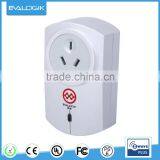
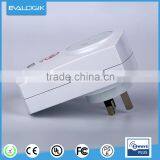
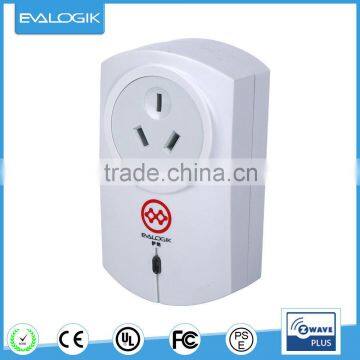
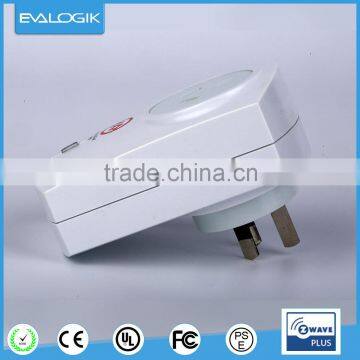
This device is a dimmer plug-in and is used between a standard wall outlet and lamps connected to a wall outlet by cable. The unit is rated IP 20 and can therefore be used in dry environments only. The unit is included into a Z-Wave network by a remote control, PC software or any other kind of Z-Wave controller. It switches all kind of loads. Local operation is possible by pressing the button on the device. The device is a conventional leading-edge phase control dimmer and is therefore only suited for resistive loads such as incandescent lamps of high voltage halogen lamps.
Technical data
- Operating Voltage:230V/50Hz
- Maximum Load:600W
- Range:Min 30m line of sight
- Dimensions: 102(L)*60(W)*49(H) MM
- Net weight: 120g
- Kinds of socket type: Germany/France/UK/HK/Australia/China
- Frequency:868.4MHz/865.4MHz/921.2 MHz/869.0MHz
Installation
- 1.Plug this Dimmer Module into a wall outlet near the load to be controlled.
- 2.Plug the load in to the Module. Make sure the load to be controlled cannot exceed 2990/3500 watts.
- 3.Turn the knob or switch on the load to the ON position.
- 4.To manually turn ON the ON/OFF Module, press and release the ON/OFF knob. The blue indicator LED will turn ON , and the load plugged into the module will also turn ON.
- 5.To manually turn OFF the Module, simply press and release the ON/OFF knob. The blue indicator LED will turn OFF and the load plugged into the Module will also turn OFF.
Safety and maintenance instruction
- Make sure that all electric connections and connection cables meet the pertaining regulations and are in conformity with the operating instruction.
- Do not overload electrical outlets or extension cords, fire or electric shocks can be the result.
- Please contact an expert in case you have any doubts about the mode of operation, the safety or connecting the appliances.
- Keep all parts away from young children’s reach.
- Do not store this item on wet, very cold or warm places, this can damage the electronic circuit boards.
- Avoid dropping or shocks, this can damage the electronic boards.
- Never replace damaged power cables yourself! In such case, remove them from the net and take the devices to a workshop.
- Wireless system are subject to interference from cordless phones, microwaves, and other wireless devices during installation and operation.
Maintenance
The devices are maintenance-free, so never open them. The guarantee becomes void when you open the appliance. Only clean the outside of the devices with a soft, dry cloth or a brush. Prior to cleaning, remove the devices from all voltage sources.
NOTE
Do not use any carboxylic cleaning agents or petrol, alcohol or similar. These will attack the surface of devices. Besides, the vapors are hazardous to your health and explosive. Do not use any sharp edged tools, screw drivers, metal brushes or similar for cleaning.
Warranty 1 year

Send Inquiry to This Supplier

You May Also Like
-
Wall Mounted SocketNegotiableMOQ: 2400 Pieces
-
Desktop Flip up Outlet Hidden Tableop Model Pop up SocketUS$ 4 - 6MOQ: 100 Pieces
-
Saipwell Mechanical Interlock Contactor Switch SocketUS$ 37.5 - 45MOQ: 1 Piece
-
Module d Amplification Professional Amplifier 8 OhmUS$ 170 - 300MOQ: 1 Piece
-
Aluminum Electric Wall Switch and SocketUS$ 5 - 10MOQ: 100 Pieces
-
Swiveling SocketNegotiableMOQ: 500 Pieces
-
AC 220V -240V Digital Timer EU PlugUS$ 5.24 - 5.24MOQ: 100 Units
-
Surge Protected AC Socket With Phone Line and USB PortNegotiableMOQ: 1
-
Extension Multiple Electrical Power SocketUS$ 1 - 1.5MOQ: 3000 Pieces
-
Micro Usb SocketUS$ 2.5 - 3MOQ: 5000 Pieces
