








 Contact Platform Support
 Help Center
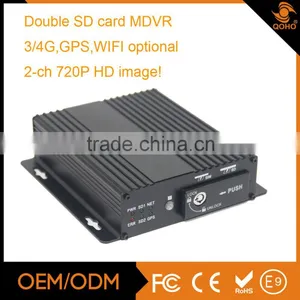
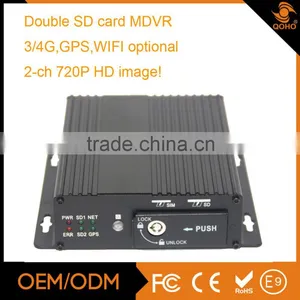
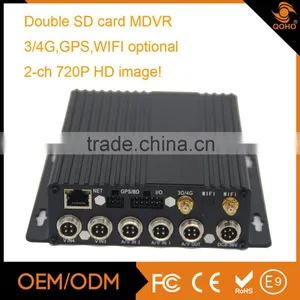
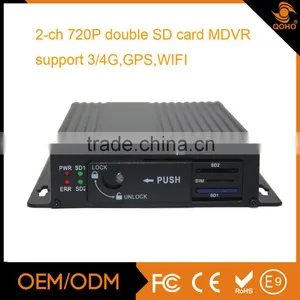
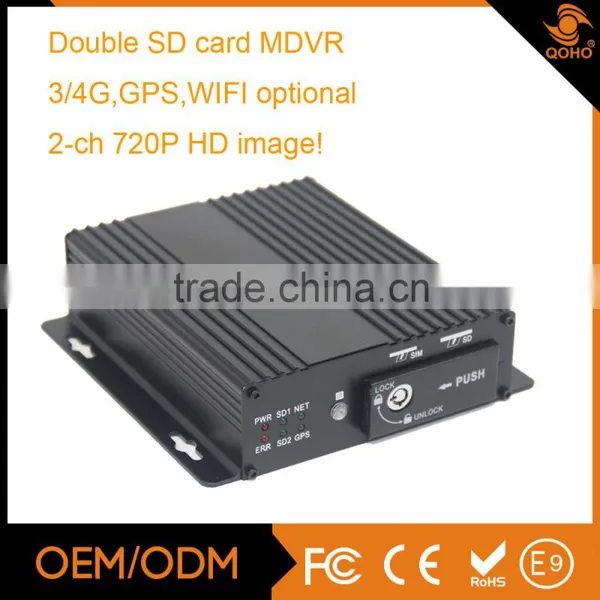
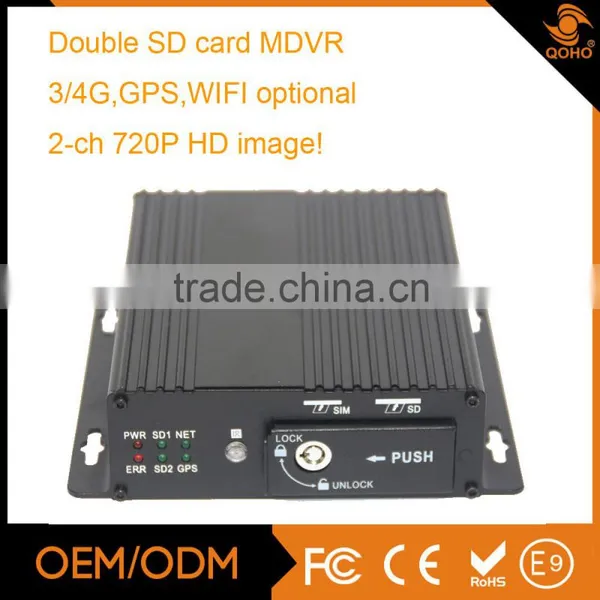
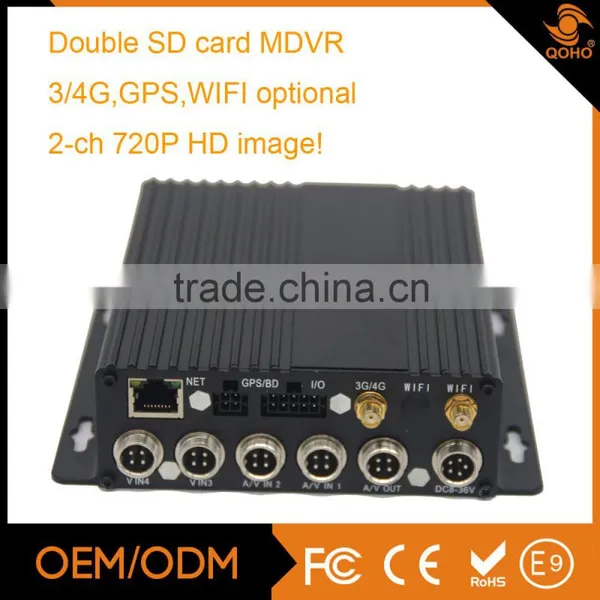
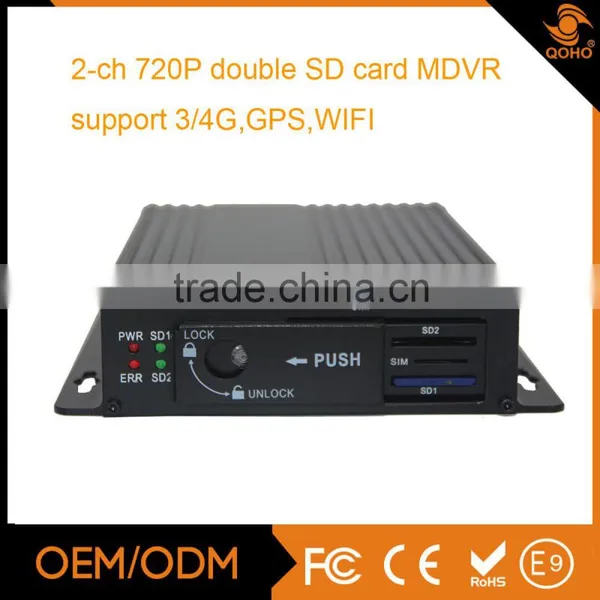
2-ch 720P Mobile Dvr H.264 Gps sd Card Mobile Dvr 3G GPS G-Sensor 128GB Storage


Related Products
-
 4-Ch Single MDVR,WIFI Car DVRNegotiableMOQ: 1 Piece
 -
3G DVR With Sim Card 4CH Mobile DVR With GPS Tracker for Bus/ Truck / Taxi Vehicle DVR RemoteNegotiableMOQ: 1 Piece
-
4G Vehcile Mobile DVR With IP Camera / GPS Tracking in Google Earth Map , 3G SIM CardNegotiableMOQ: 1 Piece
-
SSD 8-channel Vehicle Mobile Dvr ,3g Wifi Gprs Gps Mobile DvrNegotiableMOQ: 1 Piece
-
Security Vehicle 4G SD Mobile DVR Economical H.264 Mobile DVR For BusNegotiableMOQ: 1 Piece
2-ch 720P mobile dvr h.264 gps sd card mobile dvr 3G GPS G-Sensor 128GB Storage
Production specification:
2x720P/D1/HD1/CIF AHD camera support;
High-performance SD card mobile DVR;
Connect acceleration sensor, temperature sensor, oil amount, control panel and other peripherals
through the preset interface;
With aviation connector, stable and reliable, using time longer.
Support 4CH audio & video;
3G/4G, WIFI, GPS for optional ;
Support PTZ local and remote control;
Support dual SD cards, support USB interface.
| Model | QH-MDVR7104SP-N | |
| Industrial Design | ARM Linux | |
| GUI | Setup system parameters through the Panel controller | |
| Language | Chinese, English, other(optional) | |
| Security | User password management | |
| Video and preview | Video input | 4 channel input; 1 channel output; 1.0Vp-p, 75Ω |
| OSD | Overlays letters… like date & time information and vehicle ID into video streaming | |
| Video Compression Criteria | H.264.With Hisilicon technology | |
| Dual stream | Support.(High bit-rate stream used for local HD stroge,low bit-rate stream used for network transmission ) | |
| Resolution | Support CIF,HD1,D1,720P | |
| Video quality | 1-5 levels, 1 is the highest level and 5 is the lowest level | |
| Video Bit Rate | CIF: 256Kbps ~ 1.5Mbps, 5 quality level support | |
| D1: 800Kbps ~ 3Mbps, 5 quality level support | ||
| Preview | Support 1 channel and 4 channels preview. PAL: 25Frame/s NTSC:30Frame/s;720P PAL:200fps,NTSC:240fps | |
| Audio | Audio Input | 2 channel input; |
| Audio Output | 1 channel output | |
| Compression | G.726 | |
| Record | Storage | SD card, Support dual SD cards, max 128G, support SDHC standard, record one full change anotheragain, delete circularly(delete video is the earliest time) |
| File Type | H.264 ASF,FAT32 | |
| Recording Mode | Default auto recording after power on, support timed recording, alarm recording. | |
| Video Search | Search video by time, type (normal or alarm), target SD card | |
| Video playback | Support 1 to 4 channels playback simultaneously | |
| Support forward and backward at the speed of: x2, x4, x8, x16. | ||
| Alarm | Alarm input | Support up to 8 channels alarm input |
| Alarm record | Include the recording within 10 seconds ahead of the alarm starting, and the recording after | |
| alarm dynamically adjusted, the range:30s~30 minutes | ||
| Alarm of storage | Support storage alarm | |
| Alarm of video loss | Support | |
| Communication | Serial Interface | Support 2 RS232 and 2 RS485 |
| Interface | Network interface | RJ45,10M / 100 M adaptive network interface, support 3G routing |
| G-Sensor | Built-in G-Sensor | |
| Wireless transmission | 3G wireless transmission module, WCDMA, CDMA2000, TD-SCDMA system optional (optional), Compatible with GPRS, EDGE; | |
| Support up to 4G;(optional) | ||
| WIFI Optional | ||
| GPS | GPS or BeiDou ;(optional) | |
| Upgrade | Upgrade by SD card or USB | |
| External Interface | Support data export to USB, Interface charge | |
| Power&consumption | Power management | 1.ACC ON/OFF |
| 2. System power off according to the delay time | ||
| 3.Timing ON/OFF | ||
| With overload protection, under voltage protection, short protection, | ||
| Power input | DC:+8V ~ +36V | |
| Power output | +12V@5*0.5A; | |
| Power consumption | The normal state<10W;Standby 0W | |
| Working | Operating temperature | -25℃ ~ +80℃ |
| environment | Operating Humidity | 10% to 95% |
| Dimensions | Body size:160(W) x 50(H) x 140(D) mm | |
720P HD image
WE have got good reputation from all over the world.
INTERSEC dubai,MIPS Moscow,ISAF turkey,Securex Poland.etc.....
Installation picture
CMS server(Center Management Software)
CMS viewer( Remote Live view realtime recording) 720P HD image
PAS(Playback Analysis Software)
E-mark for E-9 certificate
CE FCC ROHS
Temperature&humidity&Shock test
A: Take note of the model and software version number, then submit a detailed description of the problem to the technical supporting engineers to analyze; the more detailed you have submitted, the more convenient for us to analysize.
A: 1.Check the host’s turn-on status, if only a blue light on, it means the host is in standby status and has not been started up yet, meanwhile check whether the host’s power cords red & yellow cords are in power supply status or not, if only one cord is supplying power, the device is unable to start up.
2.Check the power supply status of display screen, as well as check whether the display video has been switched to AV status.
3 Check the connecting status between the host’s video output cable and display screen.
4 check whether the lock status of the host’s LOCK, it must be locked before normal starting up.
A: The car uses 4PIN type while camera uses BNC or aviation head type, if not in correspondence, please use conversion head for connection or wiring based on standard corresponding according to the cable sequence defined by the car host.
A: 1.Check whether the SD card has been formatted or not after installation, because unformatted SD card cannot be used. Enter System Menu - System Tools - Device Format to format the newly installed SD card;
2. Check to see whether video channel is closed or not, whether set a timer recording or not, it will not take video when it is not within the video recording time period.
3.Check the SD card inserting status and whether the SD light on front panel is on or not.
A: 1. Determine the time period by analyzing the final video file before missing and the first video file after recovery.
2. Confirm whether the host is not on during that period of time, such as when the driver halfway parking, loading and unloading goods while the host is not set by video delay.
A: Check whether PTZ protocols and baud rate are set correct, address codes are corresponding or not, whether have selected to maximize the video of the channel when control the PTZ, for example, when control the second channel, it must maximize the screen of the second channel image to control it.GPS-related issues.
A: 1.Check whether GPS module exists, if it does not exist, check whether the hardware is installed or in a good contact.
2.Make sure that the GPS antenna contacts are good, whether the antenna is broken, it is recommended to be located in places with strong signal, note that some car glass shielding film will block GPS signals;
3 If the test is in the room, the signal of GPS antenna in the room will be obscured, it is recommended that the GPS antenna is placed outdoor.
A: 1. Choose the built-in wireless module WCDMA or EVDO, corresponding module settings are not the same, the modules supported by different machines models are not the same, so please make sure whether your module and SIM is in correspondence. Do not use telecom SIM card on WCDMA machine;
2.Check whether the settings of Server IP and port are correct, whether 3G signal is strong enough for dialing, and then check whether the 3G dial-up is successful or not.
3. When dialing is unsuccessful, please check 3G antenna is in good contact or not, the dial up may fail because of weak signal, moreover, please check whether the SIM card has enough traffic, if no traffic, dial-up will be unsuccessful.

Send Inquiry to This Supplier

You May Also Like
-
BNC PIN CONNECTOR Gold Plated for CCTV CameraUS$ 0.1 - 10MOQ: 1 Piece
-
JT-D10008E 8 CH DVRUS$ 55.08 - 55.08MOQ: 1 Set
-
H.264 Format Standalone DVR With 3G Phone ViewingNegotiableMOQ: 1 Piece
-
Pelco DSSRV2-240RD-US 128 Channels Network Video RecorderNegotiableMOQ: 10 Pieces
-
Supply of Sodimax Financial Escort Vehicle In-vehicle Wireless 4G Monitoring SolutionUS$ 4 - 5MOQ: 1 Piece
-
4 Channels 1080P HD Mobile Network Video RecorderUS$ 236 - 252MOQ: 1 Set
-
Sell CCTV LensNegotiableMOQ: 50 Pieces
-
BC1 Mini Portable Pen Type Clip Motion Detection Voice Video Digital Record Police Body Worn CameraUS$ 42 - 50MOQ: 5 Pieces
-
Wdm-H. 264 4chs 1080P CCTV Home Security NVRUS$ 38.24 - 38.24MOQ: 20 Pieces
-
16CH AHD DVR With H264 Cms Free Software( DVR-6316AHD)NegotiableMOQ: 1 Piece


