








 Contact Platform Support
 Help Center
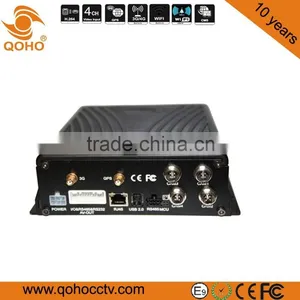
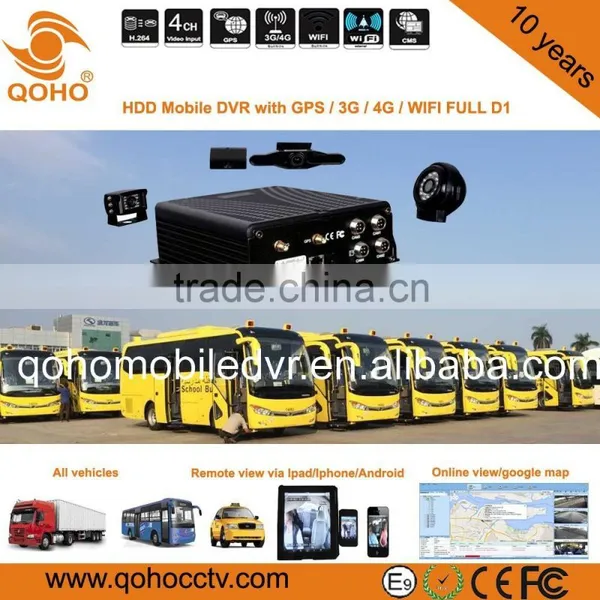
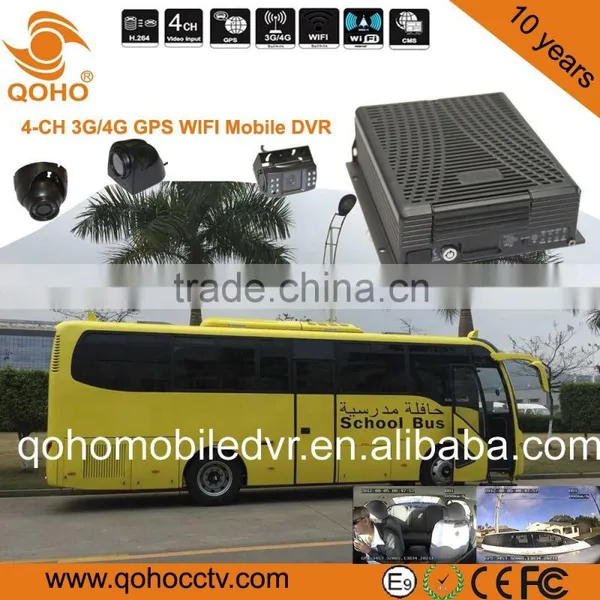
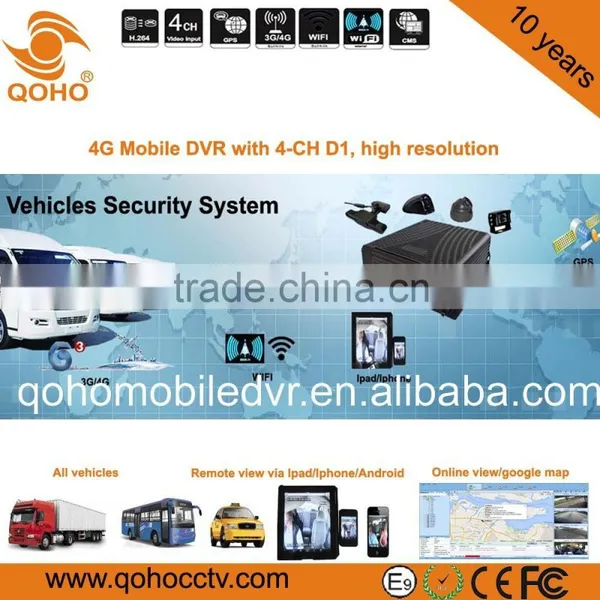
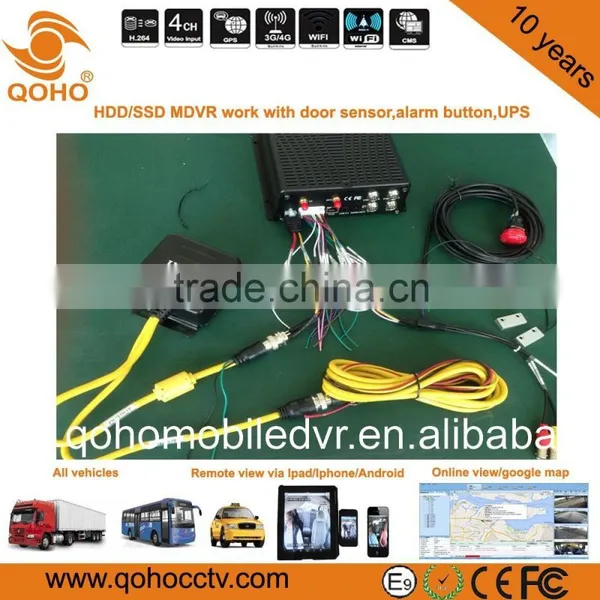
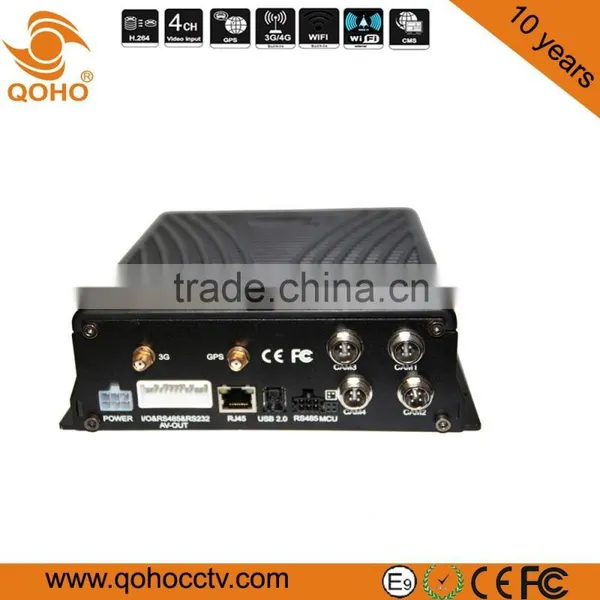
H.264 Car Mobile DVR 4-CH HDD/SSD Monitoring Compression MDVR


Related Products
-
 128G Dual SD Card 4 CH Linux Car Mobile DVR , City Bus 4CH SD Card Mobile Dvr Surveillance SystemNegotiableMOQ: 1 Piece
 -
8-CH 4G Car Mobile Dvr With Firebox Car Black Box,GPS And External Wifi Support Bus IC ReaderNegotiableMOQ: 1 Piece
-
4-CH Car Dual 256GB SD Card Mobile DVR With GPS , 3G External Outer WIFI DownloadNegotiableMOQ: 1 Piece
-
SD Mobile DVR Two SD 4-CH 4 Channel 3g Wireless DVR Security RecorderNegotiableMOQ: 1 Piece
-
H.264 TWO SD Car Mobile DVR Audio Video Sync , GPS,3G/4G,WIFI.Car Black Box FunctionNegotiableMOQ: 1 Piece
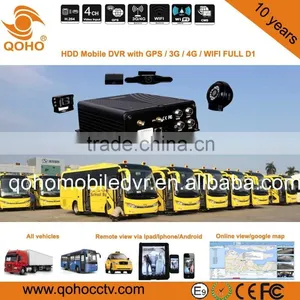
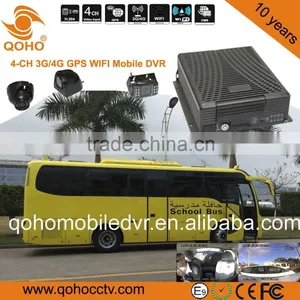
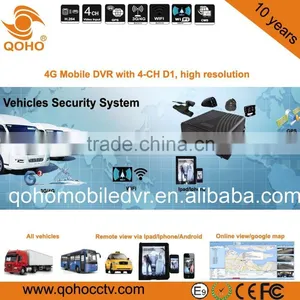
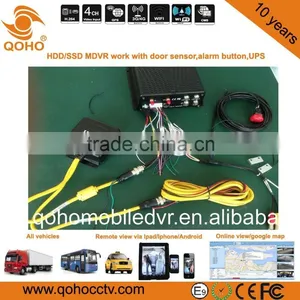
H.264 Car Mobile DVR 4-CH HDD/SSD Monitoring Compression MDVR
Description:
4/8 channel video & audio synchronous real-time recording and playback
4ch D1@25fps; 6ch D1@25fps, 8ch HD1@25fps , 8ch CIF@25fps options.(PAL)
Built-in 2.5 inch HDD/SSD, supports max 1TB, Professional hard disk damping technology.
3G/4G network , such as HSUPA/HSDPA/WCDMA/EVDO is selectable.
Built-in GPS module.
Built-in G-sensor
External WIFI special interface.
Built-in 1 SD card for backup recording when HDD/SSD errors.
2 high speed USB2.0 interfaces, the front is used to export record file. The back is use to mirror recording for waterproof and fireproof.
8 digital alarm inputs, 2 digital level output.
3 RS485 interfaces, 1 RS232 interface.
Built-in hard disk heating technology. It can be worked in -25℃~+70℃.
Power supply: 8V~36V
It can install all kinds of vehicles, such as, taxi, bus, school bus, truck, trailer, car, SUV, ambulance and so on.
Product Technical parameters:
System |
language |
Chinese/ English |
|
Operation system |
Linux |
||
Operation interface |
Graphical User interface(OSD menu) |
||
Password |
User /Admin password |
||
Control mode |
IR remote control |
||
Video |
Video input |
4-ch video composite input |
|
Video output |
1-ch composite output |
||
Display mode |
Single/ 4-ch video |
||
Video compression |
H.264 Main profile PAL:100f at D1/s, NTSC: 120f at D1/s |
||
Video Signal |
NTSC,PAL |
||
Audio |
Audio input |
4-ch audio input |
|
Audio output |
1-ch audio output |
||
Recording mode |
Audio & Video sync Recording |
||
Phone |
Support IP call and analog voice call |
||
|
Image processing & storage
|
Image format mode |
CIF/HD1/D1 optional |
|
Video stream Standard |
ISO14496-10 |
||
Video bitrate |
CIF: 1536Kbps ~ 128Kbps,4 levels optional. Highest:0 level; Lowest: 3 level HD1: 2048Kbps ~ 512Kbps,4 levels optional. Highest:0 level; Lowest: 3 level D1: 4Mbps ~ 1Mbps,4 levels optional. Highest:0 level; Lowest: 3 level |
||
Audio Bitrate |
8KB/s |
||
Storage |
Built-in a SATA HDD, support HDD Max 1TB; And built-in a SD card, Support SD card Max 128GB; |
||
Alarm |
Alarm input |
8 alarm input, below 4V is low level alarm, above 4V are high level alarm |
|
Alarm output |
2 alarm output, output high level:12V |
||
Communication Interface |
RS485 Interface |
Support 3-RS485 interface |
|
RS232 Interface |
Support 1-RS232 interface |
||
WIFI Interface |
Support 802.11b/g/n,2.4G internal or5.8G external WIFI |
||
USB interface |
Include 2 USB interfaces,1 USB interface connect with external Vehicle Black data box, another USB interface to upgrade software and copy data. |
||
Audio&Video interface |
Support Audio and Video output |
||
Acceleration Sensor |
Built in acceleration G-Sensor |
||
Module |
GPS |
GPS module. GPS Graph and GPS speed can be read in coding flow, and can beuploadedvia wireless |
|
3G/4G |
HSUPA/HSDPA/WCDMA/EVDO Optional or FDD-LTE/TDD-LTE Optional |
||
WIFI |
Support 802.11b/g/n,2.4G internal or5.8G external WIFI |
||
Software |
PAS(Playback Analysis Software) |
Playback Recording on PC, and analyze the vehicle recording information. |
|
CMS(Center Management Software) |
Center management software to meet Video preview, upload and central command and parameters configuration, etc. |
||
Software upgrade |
U-disk upgrade directly. |
||
MDVR Electric Specifications
Items |
Parameters |
Specifications |
Power input |
8—36V |
Input voltage:+8V~+36V, When long-term under 8V, or long-term over 36V, Auto power off, enter protected mode. |
Power output |
12V |
12V(+/-0.2V), Max:3A. |
Power-off working time |
8S |
If main power supply is off, MDVR can continue running 8 seconds. If connect built-in Patent UPS power-supply, MDVR can continue running 30 minutes. |
Vehicle key signal |
≤4V |
OFF |
≥5V |
ON |
|
Video input impedance |
75Ω |
75Ω for each video input impedance |
Video output Volt |
2Vp-p |
Input 2Vp-p CVBS analog signal, reveal device input need 75Ω impedance to fit |
I/O interface |
0—4V |
Low level alarm |
4V above |
High level alarm |
|
|
-4V below |
Negative voltage alarm |
Operating Temperature |
-25℃-85℃ |
Under well-ventilated environment condition. |
Body Dimension |
186(W)mm x 61(H) x 192(L)mm |
|
WE have got good reputation from all over the world.
INTERSEC dubai,MIPS Moscow,ISAF turkey,Securex Poland.etc.....
Installation picture
CMS server(Center Management Software)
CMS viewer( Remote Live view in realtime recording)
PAS(Playback Analysis Software)
E-mark for E-9 certificate
CE FCC ROHS
Temperature&humidity&Shock test
A: Take note of the model and software version number, then submit a detailed description of the problem to the technical supporting engineers to analyze; the more detailed you have submitted, the more convenient for us to analysize.
A: 1.Check the host’s turn-on status, if only a blue light on, it means the host is in standby status and has not been started up yet, meanwhile check whether the host’s power cords red & yellow cords are in power supply status or not, if only one cord is supplying power, the device is unable to start up.
2.Check the power supply status of display screen, as well as check whether the display video has been switched to AV status.
3 Check the connecting status between the host’s video output cable and display screen.
4 check whether the lock status of the host’s LOCK, it must be locked before normal starting up.
A: The car uses 4PIN type while camera uses BNC or aviation head type, if not in correspondence, please use conversion head for connection or wiring based on standard corresponding according to the cable sequence defined by the car host.
A: 1.Check whether the SD card has been formatted or not after installation, because unformatted SD card cannot be used. Enter System Menu - System Tools - Device Format to format the newly installed SD card;
2. Check to see whether video channel is closed or not, whether set a timer recording or not, it will not take video when it is not within the video recording time period.
3.Check the SD card inserting status and whether the SD light on front panel is on or not.
A: 1. Determine the time period by analyzing the final video file before missing and the first video file after recovery.
2. Confirm whether the host is not on during that period of time, such as when the driver halfway parking, loading and unloading goods while the host is not set by video delay.
A: Check whether PTZ protocols and baud rate are set correct, address codes are corresponding or not, whether have selected to maximize the video of the channel when control the PTZ, for example, when control the second channel, it must maximize the screen of the second channel image to control it.GPS-related issues.
A: 1.Check whether GPS module exists, if it does not exist, check whether the hardware is installed or in a good contact.
2.Make sure that the GPS antenna contacts are good, whether the antenna is broken, it is recommended to be located in places with strong signal, note that some car glass shielding film will block GPS signals;
3 If the test is in the room, the signal of GPS antenna in the room will be obscured, it is recommended that the GPS antenna is placed outdoor.
A: It means the signal is valid if the GPS module already positioned, there may many reasons for the deviation, such as government restrictions, permissible error, GPS signal interruption, etc; the actual satellite map may have deviation for security reasons, general map can solve the problem by using GPS correction.3G wireless module

Send Inquiry to This Supplier

You May Also Like
-
BNC PIN CONNECTOR Gold Plated for CCTV CameraUS$ 0.1 - 10MOQ: 1 Piece
-
JT-D10008E 8 CH DVRUS$ 55.08 - 55.08MOQ: 1 Set
-
H.264 Format Standalone DVR With 3G Phone ViewingNegotiableMOQ: 1 Piece
-
Pelco DSSRV2-240RD-US 128 Channels Network Video RecorderNegotiableMOQ: 10 Pieces
-
Supply of Sodimax Financial Escort Vehicle In-vehicle Wireless 4G Monitoring SolutionUS$ 4 - 5MOQ: 1 Piece
-
4 Channels 1080P HD Mobile Network Video RecorderUS$ 236 - 252MOQ: 1 Set
-
Sell CCTV LensNegotiableMOQ: 50 Pieces
-
BC1 Mini Portable Pen Type Clip Motion Detection Voice Video Digital Record Police Body Worn CameraUS$ 42 - 50MOQ: 5 Pieces
-
Wdm-H. 264 4chs 1080P CCTV Home Security NVRUS$ 38.24 - 38.24MOQ: 20 Pieces
-
16CH AHD DVR With H264 Cms Free Software( DVR-6316AHD)NegotiableMOQ: 1 Piece


