








 Contact Platform Support
 Help Center
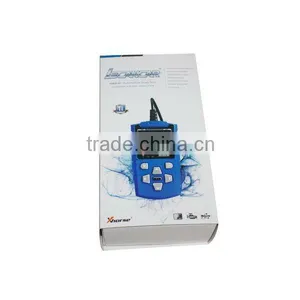
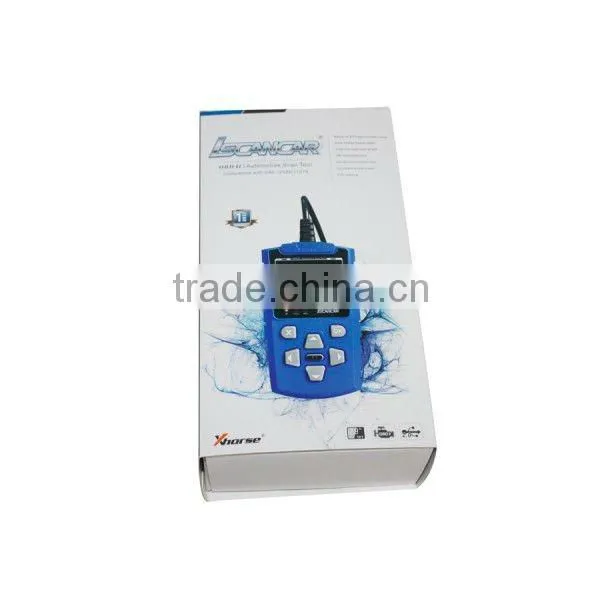
IScancar OBD2 EOBD Cars Trouble Codes Scanner OBDII


Related Products
-
 V-CHECKER V402 VAG Oil ResetUS$ 150 - 200MOQ: 1 Set
 -
VS600 VgateScan Advanced OBDII/EOBD ScannerUS$ 80.1 - 111.1MOQ: 1 Set
-
Advanced OBDII/EOBD VS600 VgateScan ScannerUS$ 80.1 - 111.1MOQ: 1 Set
-
OBD2/EOBD AUTO VgateScan VS600US$ 80.1 - 111.1MOQ: 1 Set
-
Newest Original MINI IOBD Bluetooth IOBD 2 Interface XTool IOBD2 MINI Better Than ELM327 Work On Android/IOS Diagnostic ToolUS$ 20 - 30MOQ: 1 Set
Specifications
IScancar OBDII EOBD Cars Trouble Codes ScannerLCD Display
button operation
wide operation temp
low consumption
IScancar OBDII EOBD Cars Trouble Codes Scanner
IScancar is a powerful portable OBDII/EOBD code scanner. It supports all services on OBDII compliant vehicles, helps technicians to diagnose vehicle problems fast and accurately.
IScancar is a powerful portable OBDII/EOBD code scanner. It supports all services on OBDII compliant vehicles, helps technicians to diagnose vehicle problems fast and accurately. IScancar uses a color LCD display, it is very easy to use, helps you troubleshooting efficiently. With built-in help menus and code definitions ,diagnosing and repairing that dreaded Check Engine Light is now easier than ever.
1, Outline of Iscancar
1) Cable with OBDII CONNECTOR - Connects the Iscancar to the vehicle's Data Link Connector(DLC)
2) LCD DISPLAY - Indicates test results.
3) EXIT BUTTON - Returns to previous menu.
4) RIGHT/LEFT BUTTONS - Move cursor right or left for selection, Or turn page up or down when more than one page is displayed.
5) HELP BUTTON - Show help information for users.
6) ENTER BUTTON - Confirms a selection (or action) from a menu list.
7) UP/DOWN BUTTONS - Move cursor up or down for selection.
10) USB PORT - Connects to computer to update the Iscancar online.
RED LED INDICATOR LAMP/ Power Connection Status Indicator.
GREEN LED INDICATOR LAMP/OBD Connection Status Indicator.
YELLOW LED INDICATOR LAMP/ USB Connection Status Indicator.
2. Specifications
Operating Temperature: -20 to 70 °C ( -4 to 158 °F )
Storage Temperature:-40 to 85 °C ( -40 to 185 °F )
Diagnostic Interface:16 PIN
USB Interface: USB 2.0
Power: USB:DC 5V OBDII:DC 12 V
Consumption: <1.2 W
Package including:
1. User’s Manual - Instructions on tool operations.
2. USB cable - Connect to a computer for upgrading online.
3. Power supply
The power of the Iscancar is provided via the vehicle Data Link Connector (DLC)
Follow the steps below to power it up:
1) Find DLC on vehicle
A plastic DLC cover may be found for some vehicles and you need to remove it before plugging the OBDII cable.
Plug the connector at the end of OBDII cable to the vehicle's DLC.
2) For updating online, you can connect USB cable to PC for power supply or connect us.

Send Inquiry to This Supplier

You May Also Like
-
BYD's Dedicated Inspection Unit, VDS2100, VDCI Version 3.0.US$ 9500MOQ: 1 Box
-
TU-443 Multiple-function Oil Combustion Pressure Meter & Fuel Injection Pressure TesterNegotiableMOQ: 1
-
Brand New Great Price INJECTOR TESTING For BEIBENNegotiableMOQ: 1
-
Common Rail ValveUS$ 1 - 800MOQ: 1 Piece
-
2017 New Arrival Code Reader Diagnostic Tool WiFi ELM327 WiFi Work With IPhone and Android OBD-IIUS$ 6.8 - 6.8MOQ: 50 Pieces
-
Delivery ValveNegotiableMOQ: 6 Pieces
-
DIG01013 2016 New Car ToolUS$ 5.8 - 6.8MOQ: 5 Pieces
-
Top A1 A2 Workshop Magnetic Drill Engraving Cutting ToolsUS$ 0.6 - 1MOQ: 2000 Pieces
-
Automobile Engine ScannerUS$ 700 - 1,000MOQ: 10 Pieces
-
Mechanics Stethoscope Diagnostic Tool Cosy SpecializedUS$ 4.79 - 5.43MOQ: 1 Piece


