








 Contact Platform Support
 Help Center
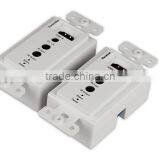
HOLLYLAND 1080p Modular Design HDMI Wallplate Extender Following NA Wall Plate With IR by Single UTP Cat5e/6 50m HDMI Wallplate


Related Products
-
 HOLLYLAND 50m HDMI Wallplate Extender With IR Over Signle UTP Cat5e/6US$ 55 - 58MOQ: 1 Set
 -
HOLLYLAND 50m HDMI Wallplate Extender Over Single UTP Cat5e/6 CableUS$ 55 - 58MOQ: 1 Set
-
HOLLYLAND Up to 50 Meters Under 1080P With Single Cat6 Cable HDMI Extender Wall Plate With IRUS$ 55 - 58MOQ: 1 Set
-
OEM Following North American Wall Plate Standard Use Single UTP Cable Cat5e/6 HDMI Wallplate ExtenderUS$ 55 - 58MOQ: 1 Set
-
HOLLYLAND 50m Use Single UTP Cat5e/6 Cable HDMI Wallplate Extender HDMI ExtenderUS$ 55 - 58MOQ: 1 Set
Specifications
It supports bi-direction remote IR(RX->TXand TX->RX),power over UTP, EDID call back, and both input and output HDCP 1.2 compatib
50M single Cat5e/6 HDMI wallplate extender with bi-direction IR
Introduction:
Single Cat5e/6 Wall Plate Extender includes transmitter and receiver.It supports bi-direction remote IR(RX->TXand TX->RX),power over UTP, EDID call back, and both input and output HDCP 1.2 compatible. This product can achieve all functions through single CAT5e cable. Extending distance is 50 meters for 1080p 60Hz HD signal.
Features:
1. Extending distance 170ft(50meters) at resolutions 1080P 3Dor 1920x1200 60fs, and 270ft(80 meters) at 1080i/720Pthrough single CAT5e cable.
2. 3D signals (all 7 formats), such as Frame Packing, Side-by-Side,Top-to-Bottom, etc.
3. EDID call back.
4. CEC pass through.
5. VESA DDC and hot swap technology (HPD).
6. Power over UTP cable, single 12V DC power supply from any side of TX or RX.
7. 38KHz bi-direction remote IR (RX->TX and TX->RX).
8. Both HDMI input and output are compatible with HDCP 1.2.
9. Be compatible with DVI 1.0.
10. Support cascade to enhance extending distance.
Product pictures:
Installation
Installation details and cautions
Before installation
a) Prepare place for installing system. The video sources should be close to the transmitter, and the display terminals should be close to receiver. It is better to keep the HDMI cables less than 6 meters.
b) Basing on real request, make CAT5e/6 cables for connecting the transmitter and the receiver. The length can NOT be more than distance of parameters.
c) CAT5e/6 cables should be far away from electromagnetic disturbance sources. Such as AC motors, electrosoldering, fluorescents, microwave ovens, etc. These disturbance sources might affect extending distance or video quality.
d) Ensure the length of cable is suitable, no external tensions.
e) Ensure reliable DC adapter or other DC source.
Typical installation instruction
Connect a player and a HDTV:
Transmitter side connection
a) Connect your Player and HDMI IN port of transmitter with HDMI cable (HDMI cables are not included in this product).
b) Insert IR blaster cable to extender TX IR OUT port. IR blaster should be close to your player or other controlled equipment. TX IR IN port can be connected an IR receiving cable.
c) Insert CAT5e/6 cable to CAT5e/6 port.
a) Connect power adapter or provide DC input from rear DC input port. If RX side has connected DC adapter, TX can get the DC power over UTP cable, so can leave DC input port empty.
Receiver side connection
b) Connect your HDTV and HDMI OUT port of receiver with HDMI cable (HDMI cables are not included in this product).
c) Insert IR receiving cable to extender RX IR IN port. IR receiver should be face outside for easy operation. RX IR OUT port can be connected another IR blaster cable.
d) Insert CAT5e/6 cable to CAT5e/6 port.
e) Connect power adapter or provide DC input from rear DC input port. If TX side has connected DC adapter, RX can get the DC power over UTP cable, so can leave DC input port empty.
2014 China Sourcing Fair ( HK )
HDMI License

Send Inquiry to This Supplier

You May Also Like
-
Audio Video CableNegotiableMOQ: 2400 Pieces
-
AV Cable for WiiNegotiableMOQ: 10 Pieces
-
2015 New Arrival Wireless Usb Transmitter Receiver Bluetooth TransmitterUS$ 11.5 - 15MOQ: 1000 Pieces
-
Wifi Music Receiver Wireless Usb Stereo Audio Transmitter Receiver Bluetooth Music Receiver For Smart Phone MP3 MP4 PCUS$ 5.3 - 5.3MOQ: 100 Units
-
HDMI Cable VK2-0022US$ 2.5 - 5.5MOQ: 1000 Pieces
-
Trolley Speaker With USB/SDUS$ 49 - 51MOQ: 20 Sets
-
Video Wall ControllerUS$ 100 - 250MOQ: 2 Sets
-
DIN Cable Assembly 8-pin Mini DIN Plug to 4 x RCA Jack and 3.5 Stereo PlugUS$ 1.5 - 2MOQ: 500 Pieces
-
EL Flashing Audio LineUS$ 7.5 - 10MOQ: 500 Pieces
-
5 PINs JACK/RCA JACK PlugUS$ 0.01 - 0.05MOQ: 1000 Pieces


