








 Contact Platform Support
 Help Center
Home > Office Supplies > Printer & Printer Supplies > Printer Chip > Reset Toner Chips for Xero DocuPrint SC2020/SC2020nw/DocuCentre SC2020 SC2020nw/ DocuCentre-SC2020CPS Toner Cartridge Chip
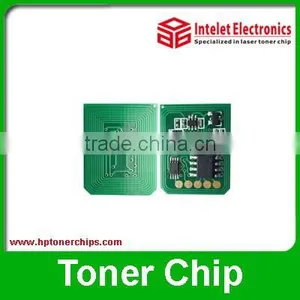
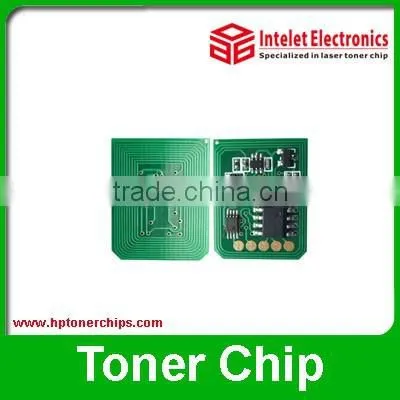
Reset Toner Chips for Xero DocuPrint SC2020/SC2020nw/DocuCentre SC2020 SC2020nw/ DocuCentre-SC2020CPS Toner Cartridge Chip
US$ 1 - 3
MOQ: 10 Pieces
Key Specifications
Get Latest Price
Brand Name:
INTELET
Model Number:
Xeor DocuPrint SC2020
Place of Origin:
China
Payment & Shipping
Payment Methods:


Port of Shipment:
SHENZHEN
Delivery Detail:
Delivery time depends on order quantity.
Related Products
-
 Reset Toner Chip for Xerox 3020, Xerox 3020 Toner ChipUS$ 0.1 - 5MOQ: 10 Pieces
 -
New Product! Factory Price Toner Chips for Xerox Workcentre 3025US$ 0.1 - 5MOQ: 10 Pieces
-
for Xerox Phaser 7100 Toner Reset ChipUS$ 0.1 - 5MOQ: 10 Pieces
-
New Product! Factory Price Toner Chip for Xerox DC 700/700i, XeroxDC 700/700i Toner ChipUS$ 0.1 - 5MOQ: 10 Pieces
-
New ! 2015 Reset Toner Chip for Xero 3610 WorkCentre (106R02721)US$ 1 - 1.3MOQ: 10 Pieces
Brand Name
INTELET
Model Number
Xeor DocuPrint SC2020
Place of Origin
China
Compatible Brand
Other, Xero
XERO DocuPrint SC2020/SC2020nw/DocuCentre SC2020 SC2020nw/ DocuCentre-SC2020CPS toner cartridge chip
| XEROX DocuPrint SC2020 | XEROX DocuPrint SC2020 | CT202396 | 12.5K |
| CT202397 | 14K | ||
| CT202398 | |||
| CT202399 |
The same series Xero chips :
| Use for printer | Cartridge No. | Yield Pages(K) | Color |
| Xerox Phaser 3020/WorkCentre 3025 |
106R02773 | 1.5 | BK |
| 106R03048 | 3.0 | BK | |
| Xerox workcenter 3655 COPY |
106R02736 | 6.1 | BK |
| 106R02738 | 14.4 | BK | |
| 106R02740 | 25.9 | BK | |
| Xerox workcenter 3615 COPY |
106R02720 | 5.9 | BK |
| 106R02722 | 14.1 | BK | |
| 106R02731 | 25.3 | BK | |
| Xerox Phaser 3610/WorkCentre 3615/3655 drum | 113R00773 | 85.0 | BK |
FAQ
Q1: What is region version for your printer?
A1: In order to send correct chips, Please kindly confirm your region version or toner cartridge model with us ,then we will send you corresponding chips. If don’t know the version, please print a test page (supplies report) to check it.
Q2: What is the best steps to install chip and refill powder?
A2.
1). Don't turn off the power supply of your machine. Take out your toner cartridge.
2). Clean the toner cartridge and refill full powder. (PS: the chip will be burned if no toner powder inside or toner powder is too low)
3). Change for a new chip, but please pay attention on the installation direction when you take out the old chip.
4). Don’t install toner cartridge, put down the machine cover and let it run.
5). After the red light flash and show “no cartridge”, install the cartridge.
2). Clean the toner cartridge and refill full powder. (PS: the chip will be burned if no toner powder inside or toner powder is too low)
3). Change for a new chip, but please pay attention on the installation direction when you take out the old chip.
4). Don’t install toner cartridge, put down the machine cover and let it run.
5). After the red light flash and show “no cartridge”, install the cartridge.
Our Services
Your factory & consult of toner chips,copier chips & drum chips.
Company Information

Send Inquiry to This Supplier

* Email
Want the best price?
Post an RFQ now!
Business Type
Manufacturer, Trading Company, Distributor/Wholesaler
Year Established
2011
Factory Size
1,000-3,000 square meters
Total Employees
101 - 200 People
You May Also Like
-
Printer ChipNegotiableMOQ: 2300 Pieces
-
2UUL FD40 Find 210 Chip Heating Glue Removal StationUS$ 4.09MOQ: 5 Units
-
Extra Black Film Plate Burning EPSON T Series Ink CartridgeUS$ 55 - 70MOQ: 10 Pieces
-
Unit Toner Chips T-FC616UK T-FC616UC T-FC616UM T-FC616UY for Toshiba E-STUDIO 5516ACT 6516AC ACT 7516AC ACT Toner Cartridge ChipUS$ 15.3 - 17.2MOQ: 4 Pieces
-
ORIGINAL TONER CARTRIDGE CHIPS FOR XEROX DOCUPRINT M255 P255US$ 4.8 - 4.8MOQ: 1 Piece
-
T5852 Chip for Epson Ink Cartridge Made in ChinaUS$ 1 - 10MOQ: 300 Pieces
-
Drum Chips EP-87 for Canon LBP-2410 Laser Jet Reset ChipUS$ 0.1 - 5MOQ: 20 Pieces
-
Auto Reset Chip for hp 364US$ 0.1 - 0.2MOQ: 10 Pieces
-
High Quality Ciss Chip for Epson XP-401 XP-211 XP-214 With Updated 197RUS$ 2.4 - 3.1MOQ: 100 Sets
-
Chinamate High Quality Compatible Toner Cartridge for Samsung D111SNegotiableMOQ: 1 Piece


