








 Contact Platform Support
 Help Center
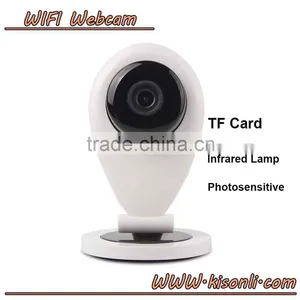
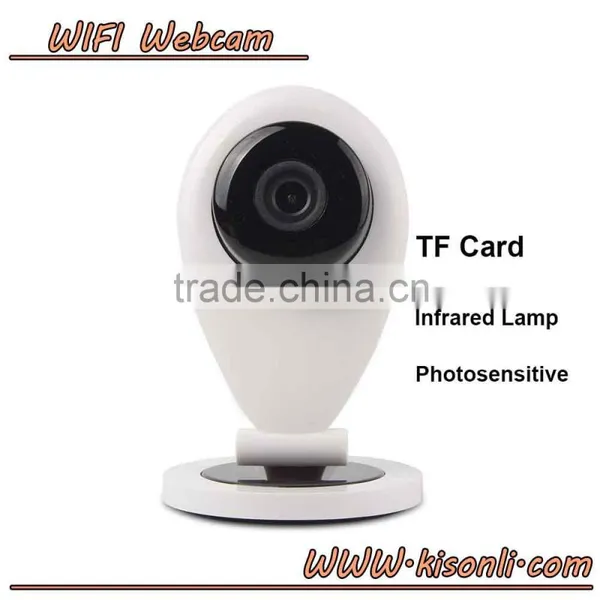
Wifi Video Camera, Free Driver Digital ip Camera With Cheap Price

Related Products
-
 Newest High Quality Mini Wifi Webcam hd Optical Zoom Home ip CameraUS$ 23.00 - 23.00MOQ: 100 Pieces
 -
720P HD Wifi IP Camera Wireless Webcam With Video Recording TF Card For Smart PhoneNegotiableMOQ: 10 Pieces
-
High Quality 720P HD Mini ip Wifi Camera With Best PriceNegotiableMOQ: 1 Piece
-
Web Cameras Wireless ip Network Network CameraNegotiableMOQ: 10 Pieces
-
Hot New Product for Smart Home Camera HD IP Wifi IP CameraUS$ 1 - 26MOQ: 1 Piece
Title goes here.
Packing
150 x 90 x 65mm (L x W x H)
Package Includes:
1 x IP Camera
1 x Manual
1 x 5V 2A Power Supply
1 x USB Cable
Title goes here.
Delivery
By International Express : DHL , UPS , TNT , FEDEX , TNT etc
By Air .
By Sea , this is the most cost-effective way for 50units or above
1. We are professional manufacturer for cameras.
2. Alibaba Assessed Gold Supplier.
3. 100% QC inspected before shipment.
4. Best after-sales & pre-sales services.
5. All questions response in 24 hours. Latest information will be updated to you.
(1)Q:when playing back videos,the video files cannot be searched.
A:Please check that if the SD card is damaged.Please check when the video files are searched and the system time of camera.
(2)Q:The camera cannot connect to WIFI
A:Please confim that if the password of the WIFI is right.The camera doesn't support 5G notwork,please connect the phone with 2.4G WIFI network.
(3)Q:when adding devices,there are no new device found.
A:Please check that if camera and the phone are in the same LAN.Please check that if the network light of the camera is on normally.If camera and phone aren't in the same LAN,user should use ID number to manually add the camera.
1,Downlaod and install YYP2P mobile phone APP
Search YYP2P from Apple Store or Android Google Play according to your cell-phone system,you may also download YYP2P on the website .Then register and log in YYP2P following the prompts
2,Adding camera
Way1 adding with wifi
connecting your cell-phone to a wifi(please make sure the wifi connected is 2.4G because the camera wifi does not support 5G)open the YYP2P APP in your phone,
click the adding bottom"+",on the top right corner of the device list,choose intelligent online,
the APP will automatically identify the WIF SSID connected ,input the password and click "next",
thencomplete the rest operations following the prompts.
After the camera is connected to WiFi,input the password of the device and save
(1)Adding camera:make sure your cellphone and the camera in the same LAN (local network area)after the camera is connected to the internet successfully;open YYP2P~device list,pull down to refresh,the app will inform you any new devices discovered,click here and add new device,naming for the device and setting up password of access,click save to finish adding
(2)To watch the real-time video:click the play buttom in the thumbnails of the camera to watch the real-time video.Control the turning of the camera on touch screen.
(3)To play back the video files:click the blank place of the list entry of the camera,then click the playback in the pop-up option menu to enter into the playback interface.It will search the intraday video file tacitly.
4,the wireless sensor learning the code
The camera(some models) can match with the wireless sensor learning of the same frequency
(door magnet, smoke detector, body Pir etc.) ,and set up wireless alarm system; for example,
put the door magnet learning to the 1st channel of the hall defence area:
click the blank entry in the device list, choose setting-up in the pop-up option
menu>defence area>hall>channel
1, click ok and trigger door sensor at the same time,
it will show “Study Successfully”. In the alarm settings, open “receiving alarm information”.
At this moment, organizing a defense for the camera, after the success of the protection,
once the door sensor is triggered, the camera will send alarm messages to the mobile terminal App.

Send Inquiry to This Supplier

You May Also Like
-
5 Million Pixels, 240x Zoom, Facial Recognition, License Plate Recognition, Wireless POE Integrated Zoom CameraUS$ 200 - 220MOQ: 100 Units
-
Security CameraNegotiableMOQ: 2700 Pieces
-
Dropshipping X6D Mini Camera HD 720P/1080P Wireless Mini Night Vision Camcorder Motion MicroNegotiableMOQ: 1
-
PC USB 12MP HD Webcam Web Cam Camera Definition With MIC for Computer Laptop DesktopUS$ 4.59 - 4.59MOQ: 100 Units
-
KING PIGEON Universal Alarm SoftwareUS$ 5 - 55MOQ: 1 Piece
-
Easy View HDNegotiableMOQ: 1000 Pieces
-
Line Scan Uvss Surveillance System for Anti-terrorismUS$ 1 - 15,000MOQ: 1 Set
-
Realistic Looking Security Camera,home Security CameraUS$ 0.9 - 1.03MOQ: 5000 Sets
-
12V1Ah Camcorder BatteryNegotiableMOQ: 300 Packs
-
2016 New Industrial Endoscope 4ways Articulating Video Borescope With Lens 3mmUS$ 4,000 - 6,000MOQ: 1 Unit


