








 Contact Platform Support
 Help Center
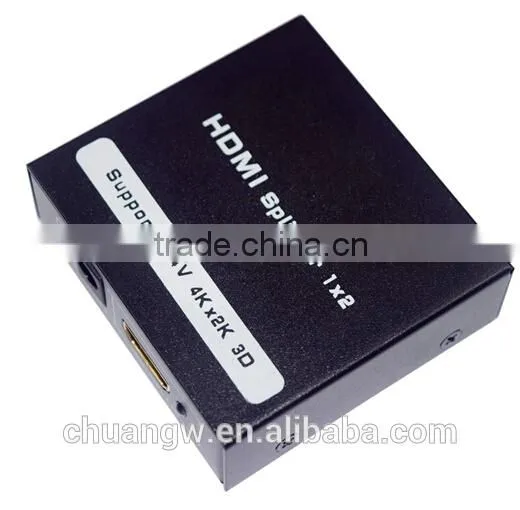
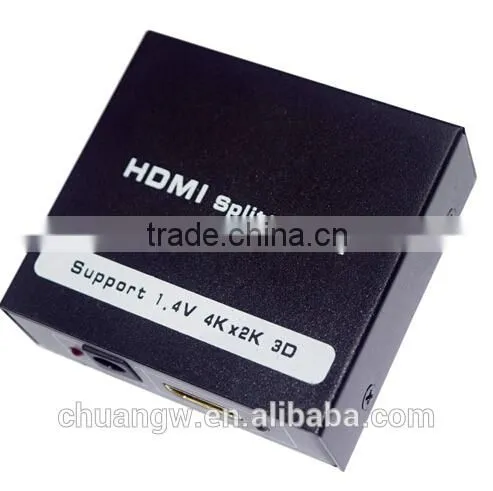
2015 Hot Sales !!!! HD SPLITTER 1x2 4K*2K for DVD,DVHS,HDTV,2 Port HD Splitter/hub/switch/multi/1 Input 2 Output

Related Products
-
 2015 Hot Sales !!!!cheap Price NQKJS009 3G HD TO SDI Converter With Good QualityUS$ 23 - 25MOQ: 100 Units
 -
Hot Sales !!!!Competitive Price SCART TO HD Converter, HD 1080P With Audio OutputUS$ 23 - 25MOQ: 100 Units
-
Vstarcam C95 Wireless IR Wifi Video Smart Doorbell Door Phone 720P HD Camera Support 64GB TF Storge Work With PC, IOS , AndroidUS$ 53.00 - 56.90MOQ: 1 Piece
-
Bluetooth Smartwatch U8 U for IPhone 4/4S/5/5S Samsung S4/S5/Note 2/Note 3 Smartwatch Latest Wrist Watch Mobile PhoneUS$ 15 - 24MOQ: 10 Pieces
-
CCTV Manufacturer Outdoor IR Night Vision HD 4MP Waterproof CCTV Onvif H.265 IP Camera FCC,CE,ROHS CertificationUS$ 95.00 - 109.90MOQ: 5 Pieces
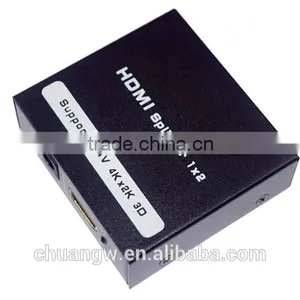
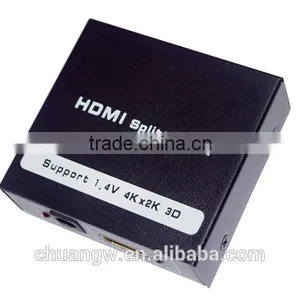
2015 Hot Sales !!!!cheap price HD SPLITTER 1x2 4K*2K,2 Port HD splitter/hub/switch/multi/1 input 2 output
Enjoy the vivid world!
INTRODUCTION:
Our series of HDMI converters, switchers, extenders, matrixes and splitters are designed to make your A/V device use more convenient, more comfortable, more productive and more cost-efficient.
The 1x2 HDMI Splitter that supports ultra HD 3D&4K*2K uses a single HDMI source, accessing to multiple HDMI sinks. The Splitter allows one HDMI devices to be split easilyto twoHDMI compatible monitors or projectors. The Splitter can also be placed at the end of a long HDMI cable to regenerate the HDMI signal.
Our devices offer solutions for noise, space and security concerns, data center control, information distribution, conference room presentation, school and corporate training environments.
FEATURES:
l One HDMI 1.4v input signal split to two HDMI 1.4v sink devices
l Support 3D
l Support 4K*2K
l Support CEC
l Support deep color 30bit, 36bit, 48bit
l Support Blue-Ray 24/50/60fs/HD-DVD/xvYCC
l Digital audio format, as DTS-HD/Dolby-trueHD/LPCM7.1/DTS/Dolby-AC3/DSD/HD(HBR)
l Support signal retiming
l Support input up to 15metres AWG26 HDMI standard cable length, output up to 20metres AWG26 cable length
l No loss of quality
l Installs in minutes
l Need adaptor
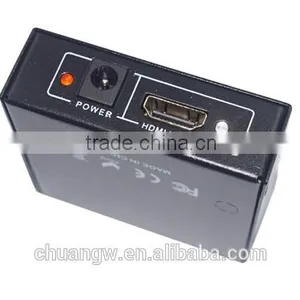
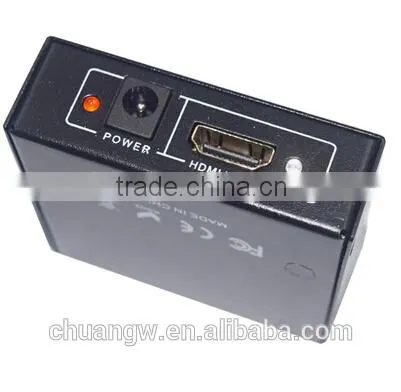
Physical Connection Showing Picture:
1. Power: DC5V Input
2. HDMI INPUT: HDMI A Type Female
3. RED Light: POWER Input Light
4.White Light:HDMI INPUT LED Light
- 1. HDMI OUTPUT1: HDMI 1 Output
- 2. HDMI OUTPUT2: HDMI 2 Output
- 3. White Light: HDMI Output LED Light
Operating and Connecting:
- 1. Connect one cable from HDMI source devices into HDMI Splitter input.
- 2. Connect one cable from each display (monitor or projector) into the HDMI Splitter outputs.
- 3. Connect 5V power supply to the HDMI 1x2 Splitter.
SPECIFICATIONS:
HDMI version…………………………………………….……………………………….. HDMI 1.4v
HDMI resolution……………24/30fs/2160P, 24/50/60fs/1080p/1080i/720p/576p/576i/480p/480i
Support video color format ……………………………..……. 24bit/deep color 30bit,36bit, 48bit
Support audio format………DTS-HD/Dolby-trueHD/LPCM7.1/DTS/Dolby-AC3/DSD HD(HBR)
Max bandwidth………………………………………………………………………………..340MHz
Max baud rate……………….…….………………….……………………………………..10.2Gbps
Input/Output TMDS signal ………….…………………………..……......… 0.5~1.5Volts p-p(TTL)
Input/Output DDC signal ………………………………………………..………… 5Volts p-p (TTL)
Input cable distance..…...…………….…………………….≤15m AWG26 HDMI standard cable
Output cable distance…………………………………..…...≤20m AWG26 HDMI standard cable
Max working current……………………………………………………………………….....500mA
Operating Temperature range……..…………….…………………………………… (-15 to +55℃)
Operating Humidity range………………………….….………….5 to 90%RH (No Condensation)
Dimension (L x W x H)…………………………………….…………………….…60x55x20(mm)
N. Weight…..………………………………………………………..…….……………..………….65g
Notes:
Pls use the machine as the instruction listed to keep the long use lifetime of the machine.
- 1. The machine should be placed at the spot far from the Damp, High-Temperature, Dusty, Erosive, and oxidative environment.
- 2. All parts will be free from the strong shake, hit, fall.
- 3. Touching the power adaptor with the wet hands is prohibited.
- 4. Pls hold the power adaptor head and do not pull the power cord when cut off from the socket.
- 5. Pls turn the power off when the machine is not used for long time.
- 6. Pls do not open the cover and do not touch the inside parts.
- 7. Pls use the original factory power adaptor.
Before power on, pls check the connection line carefully. And make sure that all interfaces are normally connected. The common trouble shooting way shows below:
Serial NO |
Trouble Description |
Cause and Ways to deal with |
1 |
Non-Power-Connected |
1,Check if the power adaptor head is truly and correctly inserted the power socket. 2,Check the power switch if it is in on status. |
2 |
No Picture |
1,Pls to make sure that the TV is on and has been connected with the machine. 2,To check if the signal source is on and well connected. 3,Check the system connection quality. 4,Check if the line is all good quality. 5,Check the cable quality |
3 |
Obscure Picture |
1,To try again to connect the cable to be free from the unsuccessful connection. 2,HDMI Cable Quality |
Pictures:

Send Inquiry to This Supplier

You May Also Like
-
3.5 Jack Earphone For Lightning to 3.5mm AUX Headphones Adapter Audio Cable For IPhone SE 2020 12 Mini 11 Pro XS Max XS XR X 7 8US$ 1 - 1.5MOQ: 1000 Pieces
-
Audio Video CableNegotiableMOQ: 2400 Pieces
-
AV Cable for WiiNegotiableMOQ: 10 Pieces
-
2015 New Arrival Wireless Usb Transmitter Receiver Bluetooth TransmitterUS$ 11.5 - 15MOQ: 1000 Pieces
-
Wifi Music Receiver Wireless Usb Stereo Audio Transmitter Receiver Bluetooth Music Receiver For Smart Phone MP3 MP4 PCUS$ 5.3 - 5.3MOQ: 100 Units
-
HDMI Cable VK2-0022US$ 2.5 - 5.5MOQ: 1000 Pieces
-
Trolley Speaker With USB/SDUS$ 49 - 51MOQ: 20 Sets
-
Video Wall ControllerUS$ 100 - 250MOQ: 2 Sets
-
DIN Cable Assembly 8-pin Mini DIN Plug to 4 x RCA Jack and 3.5 Stereo PlugUS$ 1.5 - 2MOQ: 500 Pieces
-
EL Flashing Audio LineUS$ 7.5 - 10MOQ: 500 Pieces


