








 Contact Platform Support
 Help Center
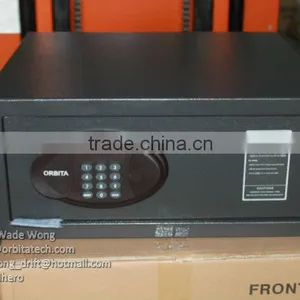
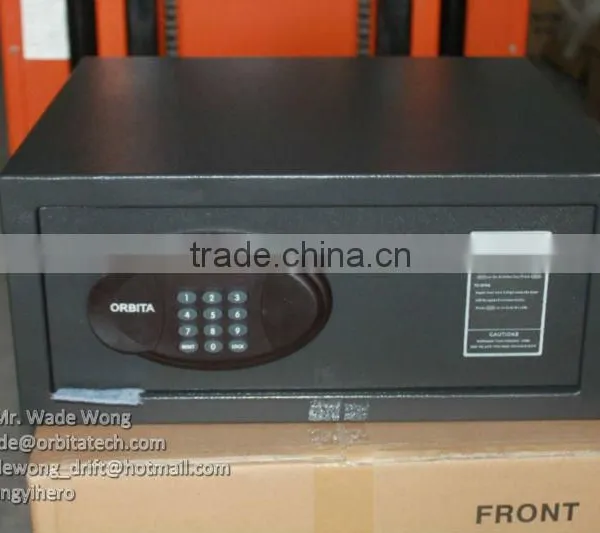
2045MB Laptop Size Hotel Safe, Digital Safe Box


Related Products
-
 2045MH Digital Laptop Size Hotel Room SafeUS$ 1 - 51MOQ: 1 Piece
 -
Digital Hotel Safe,digital Safe Boxes,safes,electronic Safe,safety Boxes,lock SafeUS$ 1 - 62MOQ: 1 Piece
-
OBT-2045MB Hotel Digital SafeUS$ 1 - 59MOQ: 1 Piece
-
Digital Hotel Safe,safety Box,safes,electronic Safe,safety BoxesUS$ 1 - 57MOQ: 1 Piece
-
Hotel Guestroom Safe Box With KeyUS$ 52 - 60MOQ: 1 Piece
Specifications
2045MB laptop size hotel safe, digital safe box1, Lock : Digital
2, open modes : digits + mechanical keys.
2045MB laptop size hotel safe, digital safe box
1, Lock : Digital
2, open modes : digits + mechanical keys.
Features:
1) Password: 1 - 10 digits
2) Open: password,overide mechanical key
3) Thickness:
a) Door: 5mm
b) Wall: 2mm
4) Product dimensions (H x L x D): 200 x 450 x 400mm
Packing:
Packing dimensions (H x L x D): 215 x 470 x 450mm1
N.W.: 16kg
Re: It is very practical and strong and easy to operate,we can supply the best service to you until you are satisfying.
1) Double codes system: personal code (4-digits), master code (6-digits).
Factory settings: personal code: “1234”; master code: “888888”.
2) Opening
Input factory setting personal code or master code, when press the button there will be a beep. The LED displayer will show “open” when the code is correct, otherwise, it will show “E-code”.
Close the door:
if you press “ LOCK” within 10 minutes after open the door, then “CLOSED”, if you press “ LOCK” after opened the door 10 minutes or more, or you opened the door by master code, the displayer will show “E-CODE”, you can not close the door, you should input personal code (4-digits) and press “lock” key, the displayer will show “CLOSE”; when the door closed it will show “CLOSED”, then show the codes.
3) Code setting
1. Change master code:
under opening position, input original manage code and press “lock” , when the displayer shows “NEU”, you can input a new master code; then press “lock”, if it succeed the LED will show “OK”, indicates the master code has been changed.
2. Change personal code:
under opening position ,then input 4 new digit personal code when close the door, press “lock” , the displayer will show “CLOSE”, then “CLOSED”, and then the new personal code, indicates the personal code has been changed.
4) Emergency opening:
If forget personal code or other reasons make the safe can’ t be opened, you can use emergency key or override master code to open the door.
5) Code hidden function:
press “Reset / Clear” two times, then press “lock”, it will come into hidden function, when you input the codes, it only show “0” on the displayer.
6) Cautions:
1. Hold: if input incorrect code 3 times, the safe will be held for 15 minutes, during this period, it will no response press any key, and show “Hold+digit”, the digit is the holding time. After 15 minutes, it will recover to normal situation.
- Low voltage: when it lowers than 5V, whether open or close, it will show “LO-BAT” on the displayer.
- “Reset” is also a deletion key, press one time will delete one digit.

Send Inquiry to This Supplier

You May Also Like
-
Keysafe Safe Key Storage Box Combination LockUS$ 8 - 8.2MOQ: 1000 Pieces
-
KEY CABINETUS$ 50 - 100MOQ: 50 Pieces
-
12 Inch Black A4 Security Cash Document Storage Safe Metal Box 462754US$ 3.4 - 5.2MOQ: 1000 Pieces
-
Like a Small Safe and Use for Office Desk or Wardrobe Password DrawerNegotiableMOQ: 10 Sets
-
Gas MasksUS$ 0.5 - 1MOQ: 1200 Pieces
-
RFID Intelligent Key Management SystemUS$ 1 - 1MOQ: 1 Set
-
Smart Money Safe Box for Hotel /hotel Safe Keeping BoxUS$ 34 - 42MOQ: 1 Set
-
Caja Fuerte a Prueba de Fuego,caja de SeguridadUS$ 1 - 100MOQ: 1 Unit
-
Factory Direct Electronic Keypad Lock Steel Security Safe Box Digital Safety LockerUS$ 14 - 16MOQ: 50 Pieces
-
U-SAFE Wire Apron Imported From the United StatesNegotiableMOQ: 10 Pieces


