








 Contact Platform Support
 Help Center
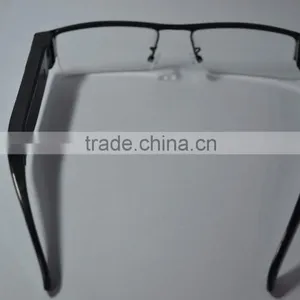
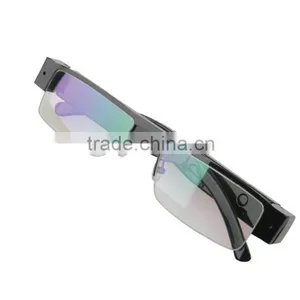
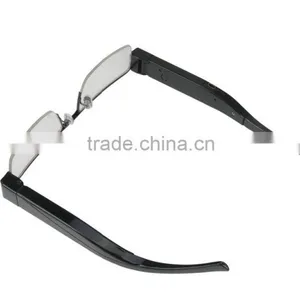
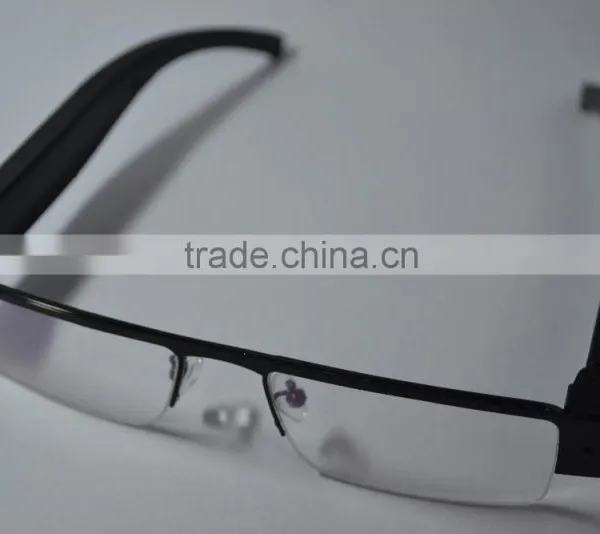
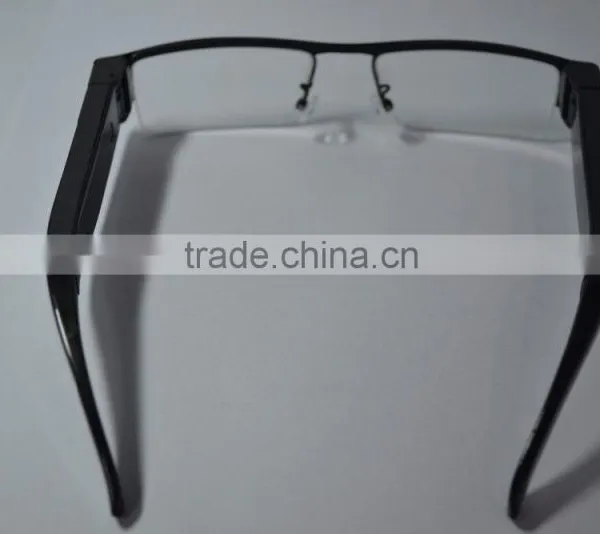
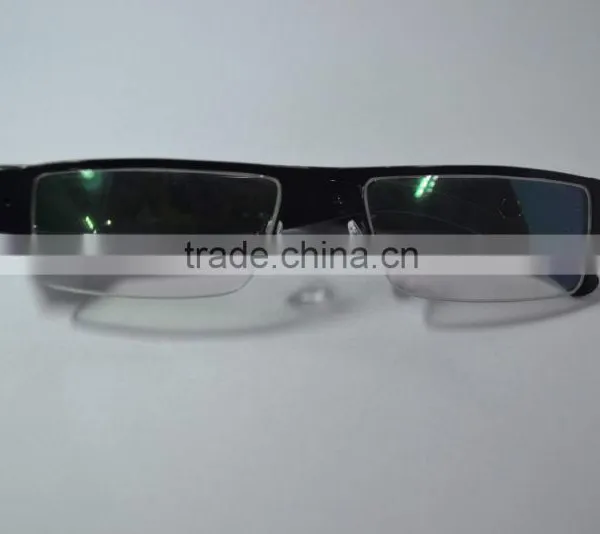
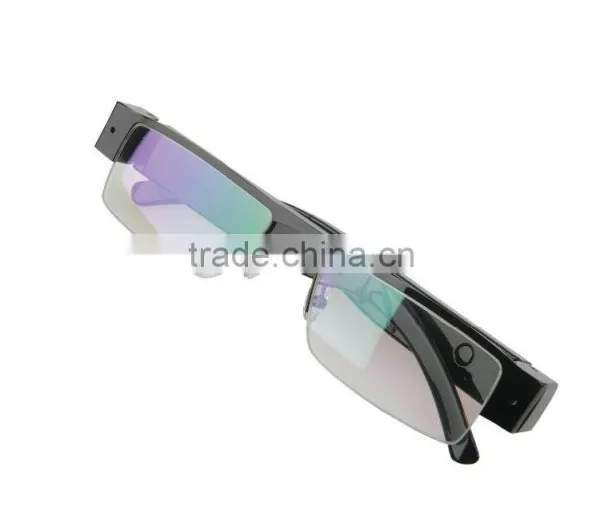
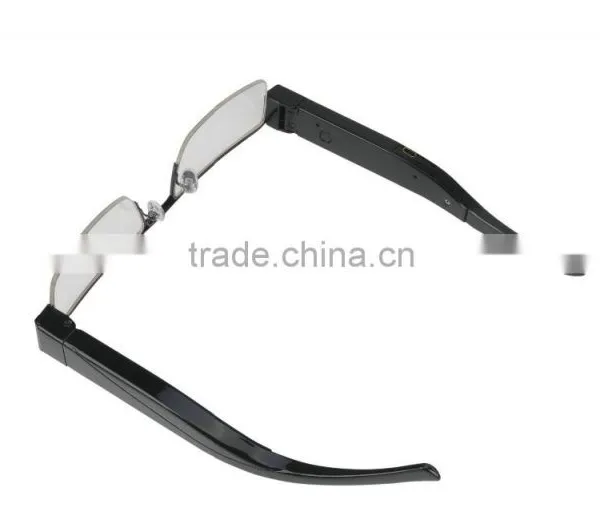
FHD 1080P Glasses Camera DVR






Related Products
-
 720P 1280*720 30fps Glasses DVR CameraUS$ 22.00 - 24.00MOQ: 10 Pieces
 -
No Pinhole Design 5MP FHD DVR DIgital Video Recorder 1080P Glasses CameraUS$ 31.00 - 33.00MOQ: 10 Pieces
-
5000mah Real Power Bank Night Vision HD Ultra-thin Power Bank DVRUS$ 27.50 - 29.00MOQ: 10 Pieces
-
1080P Full HD Car DVR 12MP Cam Camcorder Voice Video Recorder SQ8 Mini Sport DV CameraUS$ 14.50 - 16.50MOQ: 10 Pieces
-
With Remote Control Marvel Video Camera FHD 1080P Iron Man Mini DV CameraUS$ 29.00 - 30.50MOQ: 10 Pieces
HD-H.264-Galsses camera Specification
First of all thank you for your use of the company's products! Please read this manual before use and proper use of this product. In order to better service, the content of this user manual may be changed. Due to the product performance and function of change, will not do further notice.
A shape,key
Photos are for reference only, please in kind prevail
1: the camera hole, 2: TF card, 3: reset hole, 4: USB; 5: the power button, 6: light holes,
B,Product introduction
This product is the first high-definition digital camera with glasses, TF card memory, to shoot high-definition video, this product is simple, compact, beautiful and practical, easy to carry, is security, education, family life in the fields of essential utilities, favored by the users.
3,operating instructions
In shutdown state, long press the power button, the red and blue lights, place after the beginning of the red light, blue light long on, the machine into standby mode, (unless one minute into other automatic shutdown function, without memory card, the double exchange lights flash, flash 30 seconds automatic shutdown).
2. To turn it off
On 1 minute does not enter the picture, under the automatic shutdown; Do not use the automatic shutdown after pictures, 1 minutes; Recorded on the automatic shutdown.
3. The video
In standby mode, long press the power button 2 seconds, the blue lights after three flashes out, start video, the video, click the power button, the red light flashing out under 3, at the same time to save a *. AVI format video files, save the video after power off.
4. Take pictures
In standby mode, click the power button to start taking pictures, indicating the blue lights went out for a light, and save a 4032 * 3024 *. JPG format image files. 1 minute (if no longer take pictures, the machine automatic shutdown).
5. Low electric automatic shutdown
If detected when using battery power is low, the lights will shine exchange 3 times after shutdown, can save the current video file before shutdown.
6. The reset hole (chart 3) : the machine there is no response, please click this button.
7. Description: socket USB socket (chart 4), used to connect to the computer or charger, is for data transmission, charging. TF booth (chart 2), is used to save the file, the camera and take photos of storage file.
8. Camera: (chart 1), which is used to pick up the video signal.
9,The mobile disk:
In shutdown state, insert TF card (chart 2), directly to your computer USB interface, the computer will pop up mobile disk, you can also be found in the "my computer" drive "removable disk". When the machine is connected to the computer, the machine as a mobile disk has already started to work for the computer, you can be very convenient with computer view, transmit, copy, delete files. The native video file record for: * disc _DCIM 100 dscim. Need to uninstall this machine, please click on the lower right corner of the taskbar icon, portable equipment in unloading the removable storage devices, to confirm safe to pull out after the hardware system, and then disconnect the machine with a computer
Note: according to the different computer configuration or system, identify the removable disk will be slightly different, please be patient, had better not to the camera during the period of the operation, so as not to affect computer identification of hardware, if long time did not identify the removable disk, please try to insert, if still can't identify the hardware, please make sure your operating system, drivers, USB interface, connecting line is normal;
10,Computer network camera features:
First you must be installed on your computer included the camera in the cd-rom drive. The included disc into your computer drive, run disc STK03N. Camera driver installation exe, installed after the camera driver can use the computer camera. Boot after connecting the computer, the machine into the PC Camera (webcam) model, in this mode, you can easily video chat with friend, photo shooting, and so on. Open the webcam picture: double-click my computer→
Note: this confidential under the boot state (or no card) connecting USB can enter into web camera function.
11,Charging:
Use of the machine is equipped with the charger, or directly connect the computer USB interface, can be to charge of the machine, when the batteries are in a state of charging, the red light flashing, after a full charge, long red light. Note: the camera built-in high-capacity polymer lithium battery, no memory effect, can be in charge, but the original five times before use, please put the battery recharging after using it to saturation, to activate the battery capacity, for standard working hours. To maximize battery storage capacity per charge, please continue to charge after the indicator light indicating charged 30 to 60 minutes.
Camera provides shows the time in the video file video function, you can according to the actual needs, set up time, time format for years. Month. Day: points: seconds. Set as follows, connected to the computer, find the mobile disk, the disk space right click the mouse moved to the "new" on the popup menu - > "a text document" to the document named "time" (the letter must be lowercase), its extension ". TXT ". You can also on the desktop, in accordance with the method described above to build such a folder and then copy to disk folder. Open the folder time, setup time format, such as: 2000.01.01 00:00:00, year, month, day, and when, minutes and seconds between separated by Spaces. And then save. Save the file after the safety exit hardware, boot, complete set. Time set up after the video file of the time just with you to set the time between one. Note: after the time set, must to come into force after the phone is switched on. Native disc modified tools, there is a TIME of TIME in the machine to a computer, first appeared after the USB double-click the batch file (TIME. Bat).
13, exception handling:
Boot blue lights flashing. Insert the card is good, or the card is damaged.
Camera is accidentally improper operation or other special reasons to stop response, please press the reset button and restart again after use.
Can't boot, if there is a battery, please charge; Press reset (chart 3), turn the power off and restart.
Don't video: card whether good or damaged.
Don't al computer: please make sure your operating system, drivers, USB interface, connecting line is all.
Disk space capacity, TF card is good or damaged.
project |
Related parameters |
video format |
AVI |
Video coding |
|
The video resolution |
1920*1080 |
video frame rate |
30fps |
Player softwar |
The operating system or bring the mainstream video player software |
Image format |
JPG 4032*3024 |
Image |
5M pix |
Image scale |
16:9 |
Support system |
Windows me/2000 xp 2003/vista:M |
Battery capacity |
300mAh |
Charging voltage |
DC-5V |
USB interface type |
MINI 8pin USB |
Storage support |
micro SD card |
battery |
Type high capacity polymer lithium battery |
Specifications may change, upgrade, update, please in kind prevail
D,, the matters needing attention
set usage scenarios: please strictly abide by the relevant national laws, this product may not be used for any illegal purpose, otherwise the consequence is proud.
about battery: as the growth of the use of time, the battery working time is shortened, the unused for a long time, please charge before use.
player slightly less than the nominal capacity, the actual capacity is a normal phenomenon.
file security: non-professional storage devices, this product does not guarantee that the integrity and security of the internal storage file, real-time on the computer or other storage device, please backup your important files.
video quality: this product is non-professional video equipment, does not guarantee that the effect of the video file can meet your expectations.
working temperature: 0 to 40 ℃
work humidity: 20% to 80%, do not put product in damp working environment, the product does not have waterproof function.
shooting illumination: please use under the environment of the light is enough, please don't please camera directly to the strong light sources such as solar, lest damage optical device.
cleaning requirements: do not use under the environment of the dust density is too large, so as to avoid the lens and other components from dust, effect the camera, the lens can be used to wipe the mirror paper or glasses cloth to wipe gently, clean.
other matters: this product belongs to precision electronic products, please do not make its strong shock, vibration, do not in strong magnetic field, the high voltage field use.
waste processing: please pay attention to environmental protection, do not throw this product. Forbid throwing this product in a fire, so as to avoid explosion.
added: other unknown matters, please contact the local dealer.

Send Inquiry to This Supplier

You May Also Like
-
5 Million Pixels, 240x Zoom, Facial Recognition, License Plate Recognition, Wireless POE Integrated Zoom CameraUS$ 200 - 220MOQ: 100 Units
-
Security CameraNegotiableMOQ: 2700 Pieces
-
Dropshipping X6D Mini Camera HD 720P/1080P Wireless Mini Night Vision Camcorder Motion MicroNegotiableMOQ: 1
-
PC USB 12MP HD Webcam Web Cam Camera Definition With MIC for Computer Laptop DesktopUS$ 4.59 - 4.59MOQ: 100 Units
-
KING PIGEON Universal Alarm SoftwareUS$ 5 - 55MOQ: 1 Piece
-
Easy View HDNegotiableMOQ: 1000 Pieces
-
Line Scan Uvss Surveillance System for Anti-terrorismUS$ 1 - 15,000MOQ: 1 Set
-
Realistic Looking Security Camera,home Security CameraUS$ 0.9 - 1.03MOQ: 5000 Sets
-
12V1Ah Camcorder BatteryNegotiableMOQ: 300 Packs
-
2016 New Industrial Endoscope 4ways Articulating Video Borescope With Lens 3mmUS$ 4,000 - 6,000MOQ: 1 Unit


