








 Contact Platform Support
 Help Center
Home > Security & Protection > Surveillance, Control & Protection > CCTV Camera > 1080P Hidden Camcorder Infrared Night Vision 5000MAH Power Bank Spy Camera
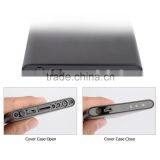
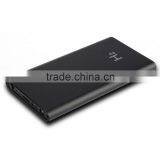
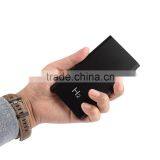
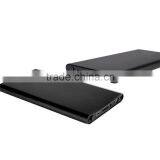
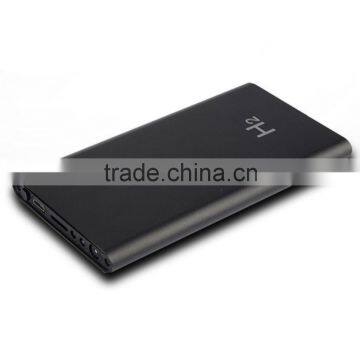
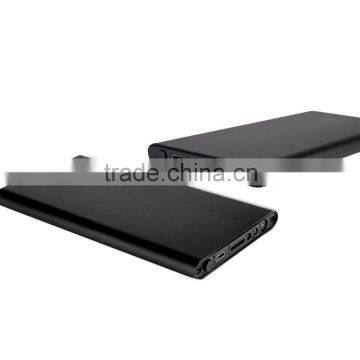
1080P Hidden Camcorder Infrared Night Vision 5000MAH Power Bank Spy Camera



US$ 34.00 - 36.00
MOQ: 10 Pieces
Key Specifications
Get Latest Price
Place of Origin:
Jiangxi, China
Brand Name:
OEM
Model Number:
AT-H2
Payment & Shipping
Payment Methods:


Port of Shipment:
FOB SHENZHEN
Delivery Detail:
Delivery time depends on order quantity.
Related Products
-
 E27 Bulb Style Mini IR Night Vision Voice Activated Motion Detection Hidden Lamp CameraUS$ 39.00 - 41.00MOQ: 10 Pieces
 -
Cycle Recording 8GB Charger Video Recorder With Motion Detection Spy Charger CameraUS$ 19.00 - 21.00MOQ: 10 Pieces
-
H.264 1080P Motion Detect Photo Video Voice Recording Pen DV RecorderUS$ 33.00 - 35.00MOQ: 10 Pieces
-
8GB Hidden Mini Video Recorder DVR Spy ID Card CameraUS$ 15.00 - 17.00MOQ: 10 Pieces
-
Full HD 1080P With Clip Mini Digital Video CameraUS$ 17.50 - 19.50MOQ: 10 Pieces
Place of Origin
Jiangxi, China
Brand Name
OEM
Model Number
AT-H2
Type
Digital Camera
Style
Hidden Camera
Sensor
CMOS
Technology
Infrared
Special Features
Waterproof / Weatherproof
Product feature
1. concealed
2. Large capacity battery
3. The simple one-button operation
4.can be used while charging
5. night vision function
6. slim. easy to carry
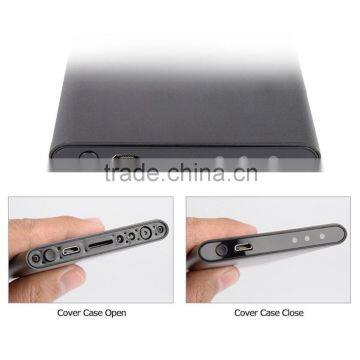
Structure Representation
power
1. Hold The operation button" for 3 seconds and release the key after the red light appears, red light flash once and then long bright, indicating TF card has been detected, and it will enter the standby state.If Red and blue lights flashes 10 times then off, indicating there is no card or a card is not detected.If Red and blue lights flashing five times and then turns off, it means there is not enough storage in the micro sd card.Red and blue lights flash alternately three times and then turns off, means the battery power is low, then it needs be recharge.
Taking photos
In standby mode. short press "1. The operation button". a red light flashes, indicating a successful photo shoot and saved to TF card.
Video
In standby mode, press " operation key" for 2 seconds until the red light starts flashing and then release. after three flashes. red lights the product to start recording ......
(Note: after the red light flashes three times you should release the key: If you continue to hold down the button and do not release ,the product will not start recording. but will immediately shut down)
During recording, press " the operation button" for 3 seconds, the product will stop recording and save the video file into standby mode.Video files are saved every 20 minutes. and then automatically record a new video. If the video file cant be opened, or it is of poor quality, you need to replace the micro sd card with a better one .Standby mode. standby automatic shutdown after 1 minute.
Night Vision
During recording. short press "1. The operation button", infrared night vision lights turned on.then a short press the "1. The operation button", infrared night vision lights off
Shut down
In standby "1 operation key" until after the red light flashes five times. and then release the button off the product. (Note: Flashing three times indicates that the product is recording)
Charging
Using the data cable connection. "6. Charging Interface" connect a computer or other 5V charger.It can take about 3 to 6 hours for it to be full(Note: 6 2.USB charging port and data port connection can not be universal)
Through charging record
While charging,the way to record is the same as whn you are not charging it
Fix time
This product has audio and video recording function and time synchronization, adjustment of time can be modified to suit your requirements.Specific operations are as follows: After the product is turned, in the root directory of TF card, automatically create a text file named time.txt of Contents of the documents: 2011-05-01 23:59:59, the user can modify the date and time in this format and save the file.
When turned on again, this time the product will read this and save it to the product. Whether after startup and shutdown, the product will be automatic timing.
Related parameters
pixel 5 million pixels
Video Resolution 1920*1080P
Video Format AVI
Frame Rate 30fps
view angle 90°
Night vision distance 5 mp
Picture format JPG 4032*3024
battery capacity 5000 mAp
Recording time + - 15 hours
Memory use 6GB/hour
Charging time 3~6 hours
Memory card Micro SD card
Support memory 32GB
Low Lux 1LUX
charging voltage DC—5V
Operating System XP/Visat32/Win7
USB interface USB1.1/2.0
Operating Temperature -10-60℃
humidity 15-85%RH
battery lithium battery

Send Inquiry to This Supplier

* Email
Want the best price?
Post an RFQ now!
Business Type
Manufacturer, Trading Company
Year Established
2012
Factory Size
3,000-5,000 square meters
Total Employees
101 - 200 People
You May Also Like
-
Security CameraNegotiableMOQ: 2700 Pieces
-
TN430 Fixed-mount Thermal Camera High Precision Temperature Measurement Thermal Imager for Industrial MonitoringNegotiableMOQ: 500 Pieces
-
Dropshipping X6D Mini Camera HD 720P/1080P Wireless Mini Night Vision Camcorder Motion MicroNegotiableMOQ: 1
-
PC USB 12MP HD Webcam Web Cam Camera Definition With MIC for Computer Laptop DesktopUS$ 4.59 - 4.59MOQ: 100 Units
-
KING PIGEON Universal Alarm SoftwareUS$ 5 - 55MOQ: 1 Piece
-
Easy View HDNegotiableMOQ: 1000 Pieces
-
Line Scan Uvss Surveillance System for Anti-terrorismUS$ 1 - 15,000MOQ: 1 Set
-
Realistic Looking Security Camera,home Security CameraUS$ 0.9 - 1.03MOQ: 5000 Sets
-
12V1Ah Camcorder BatteryNegotiableMOQ: 300 Packs
-
2016 New Industrial Endoscope 4ways Articulating Video Borescope With Lens 3mmUS$ 4,000 - 6,000MOQ: 1 Unit


