








 Contact Platform Support
 Help Center
Education Presentation Tool Usb and VGA Interface Auto Focus High Definition Document Camera


Related Products
-
 Trade Assurance Portable Scanner High Speed 5 Mega Pixels CMOS for Education and OfficeUS$ 140 - 150MOQ: 200 Sets
 -
Trade Assurance Supplier USB and VGA High Speed Portable Document Camera ScannerUS$ 135 - 150MOQ: 500 Units
-
Portable Type OEM ODM Support Auto Focus USB 5 Megapixel Document Camera From ManufacturerNegotiableMOQ: 1 Set
-
Trade Assurance Supplier 5Mega Document Camera, Usb and VGA Interface Teaching Aids EquipmentNegotiableMOQ: 500 Sets
-
Multi-functions Scanner Supplier 5Mega Document Camera, USB and VGA Interface Document Scanner CameraNegotiableMOQ: 1 Set
Education presentation tool usb and VGA interface auto focus High definition document camera
Introduction
The document camera visual presenter is the quick and easy way to real-time display document and object or scan your paper document,object to high-quality digital files, allowing you to manage, edit, send or upload them to the cloud, which apply for education industry, health care institutions, enterprises,etc.
Features at a Glance
Autofocus camera: stream live images directly to your projector or to PC .
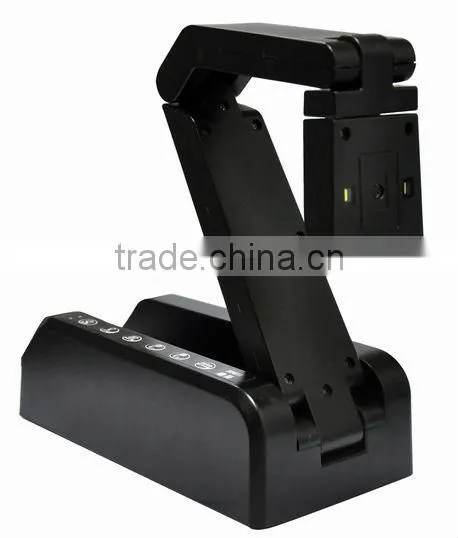
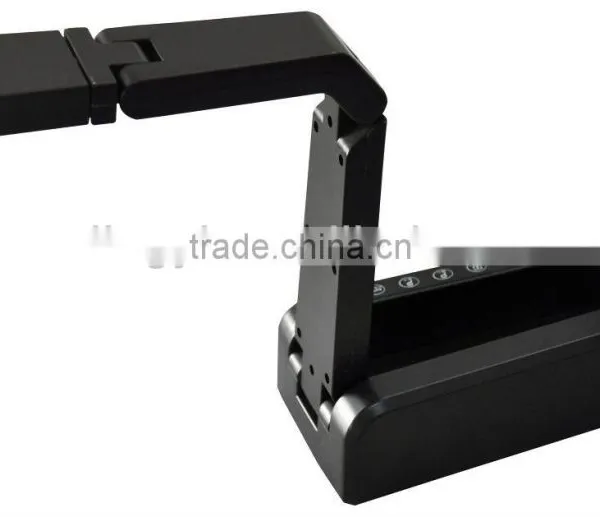
Swiveling head make your captures quick and effortless.
With VGA and USB dual-mode interface, keep it work with any VGA interface displayer to real-time physical presentation for education classroom and other application.
Built-in LED light, automatic resolution and exposure, and a suite of other smart features.
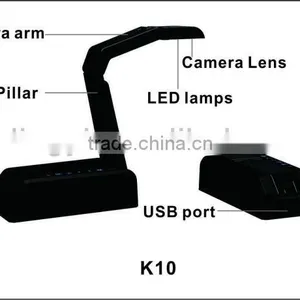
Capture or real-time display docs, textbooks, devices, 3D objects and more without taking up too much space
Bundled specific software enable for easy work.
IR Remote controller supported
Technical specification
| Product Name | Education presentation high definition document camera auto focus VGA+USB K10V |
| Model | K10V |
| Max capture size | A4 |
| Image Sensor | 5.0 Mega pixels CMOS |
| Resolution | 2592 x 1944 |
| Focus | Auto focus |
| Microphone | Built-in MIC |
| Video Format | AVI |
| Picture Format | JPG, TIFF, PNG, BMP |
| Doc Format | PDF, DOC, TXT, XLS |
| Color Depth | 24Bit |
| Light Compensation | Built-in LED light |
| Scan speed | 1s |
| Presentation speed | up to 30fps |
| Capture Target | test paper, teaching document, book, real 3D object,Pictures,magazine,ect. |
| Interface type | USB2.0, VGA OUT |
| Power | AC adaptor |
| Romote control | supported, 145 degree, Romote distance ≥8M |
| Folded size | 215x 113x63mm |
| Working Size | 215x113x300mm |
| Weight | 1.5KG |
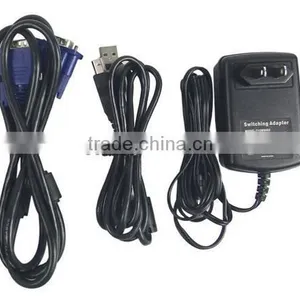
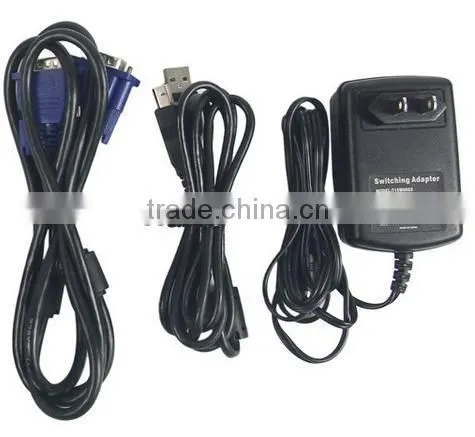
| Package contents | document camera,CD ROM,USB cable,position mat,power supply,VGA cable |
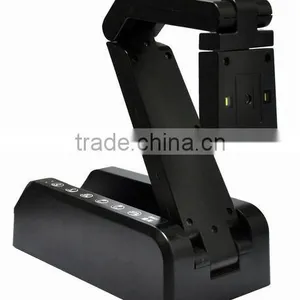
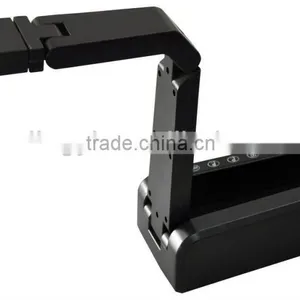
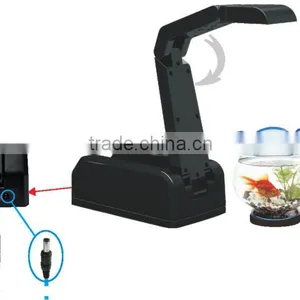
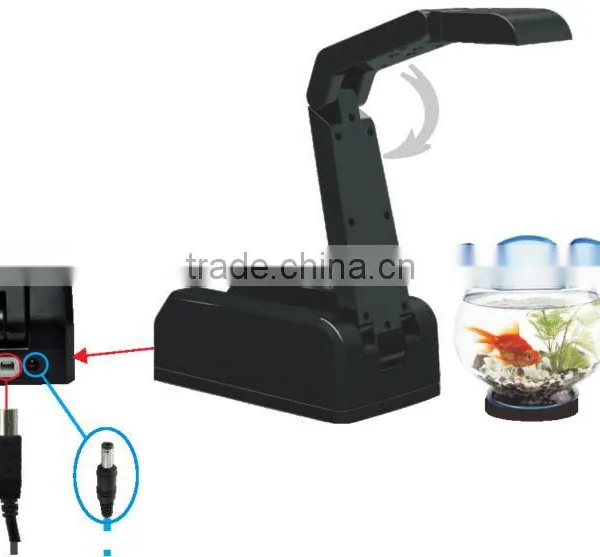
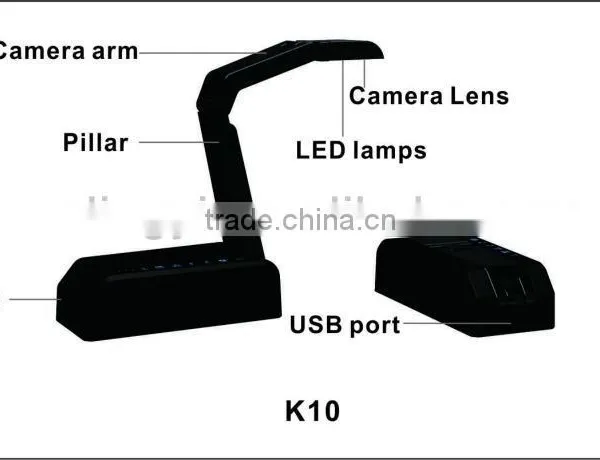
Product show
Button function on product
1,Power: Press it for 3 seconds to power on & off the device.
2,LED : Press it to turn on & off the light
3,Freeze: Freeze the image ( in VGA mode)
4,Zoom out: Zoom out the image ( in VGA mode)
5,Zoom in: Zoom in the image ( in VGA mode)
6, Auto: Auto focus, Auto balance, Auto exposure
Hardware Operation
Charge via AC adaptor, Red LED indicator will be light on for few seconds and off, then Green LED indicator will be light on. Connect with any VGA interface displayer via VGA cable or connect with PC via USB cable .
How to work with VGA displayer
Connect product with projector or LCD monitor via VGA cable, operate it through remote controller and function button.
Functions of the remote controller
Remote controller with distance of 8 meters and only be used in VGA mode, try to point the infrared receiver of the product when operate the remote controller.
1,Power: Press it for 3 seconds to power on &off the device.
2,Lighting: Press it to turn on & off the light
3, PC/Visualizer:Switch between PC mode and Visualizer mode
4,Capture: Take photo of the document or object
5,Zoom in/out:Zoom in and Zoom out the image
6,Freeze:Freeze the image
7,Previous/Next: View image
8,Auto/Confirmation:In browse mode,press it to choose the image,
in visualizer real time display mode,
press it to automatic balance, auto exposure.
9,Resolution:In visualizer mode,press it to change among SVGA,XGA,
SXGA,720P and 1080P.
10,Shift focus:Auto focus
11,Browse:Press it to browse the scanned image
12,Delete:Delete the scanned image
13,Esc:In browse mode, press it to exit and enter into visualizer mode
14,Rotation:In visualizer mode,press it to rotate image
15,Mirror:In visualizer mode,press it to mirror image
16,Image/Text: Press it to switch image and text.
17,Title freeze:In visualizer mode,press it to freeze the title of the text.
18,Screen split:In visualizer mode,press it to split one screen into two screen,each screen can be in different style
by press this button, and press it one more time to recover.
19,Color mode:Cycle key, in visualizer mode,pressing it to switch among color /monochrome / negative.
Operation when connect with PC
USB mode: Connect it with PC by USB cable, use the multifunctional application software, whatever documents, books, pictures, 3D objects and other teaching materials can be gained easily and quickly.
For software operation,please refer the software manual in software CD-ROM

Send Inquiry to This Supplier

You May Also Like
-
Other Teaching & Demonstration ToolsNegotiableMOQ: 2000 Sets
-
1 Dollar Store Stationary China Product Cheap Document BagUS$ 0.05 - 0.3MOQ: 200 Pieces
-
XK-GCR-B Vocational Training Equipment, Laboratory Equipment, Refrigeration System TrainerUS$ 1,000 - 10,000MOQ: 1 Set
-
10 Inch (25.4cm) Flat File Holder With Adjustable 3 Position for Woodworking ToolsUS$ 1 - 30MOQ: 3000 Pieces
-
China Stationery Markets A4 Certificate HolderUS$ 0.7 - 1MOQ: 1000 Pieces
-
Medical Fast Freezing Histology MicrotomeUS$ 1,800 - 3,600MOQ: 1 Set
-
Directly Manufacture USB Digital Current Sensor Used as School Science Laboratory EquipmentUS$ 20 - 40MOQ: 1 Piece
-
Soft PVC Office File Document Bag With Zipper Quality ChoiceUS$ 0.1 - 0.5MOQ: 10000 Pieces
-
Wonder File FolderNegotiableMOQ: 2000 Pieces
-
PP Lever Arch FileUS$ 0.75 - 1.15MOQ: 5 Pieces


