








 Contact Platform Support
 Help Center
Printhead Cleaner


Related Products
-
 Automatical Heated Air Pvc Welding Machine&welderUS$ 300 - 800MOQ: 1 Set
 -
ECO SOVLENT PRINTERUS$ 6,000 - 8,000MOQ: 1 Set
-
Outdoor Digital Large Format Solvent Prnter (ZY-SK2500)US$ 1,000 - 9,000MOQ: 1 Set
-
Waterbase Inkjet Printer for Wedding Photo and Advertising IndustryUS$ 2,000 - 4,500MOQ: 1 Set
-
3.2m~1.8m Sublimation Textile Inkjet PrinterUS$ 10,000 - 30,000MOQ: 1 Set
Specifications
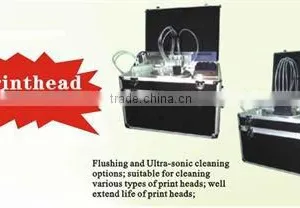
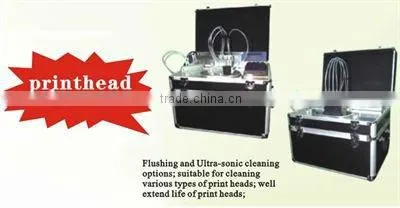
Automatic Printhead Cleaner1:Suitable to different type of solvent printhead
2:High efficiency,low consume
3:Working stab
1,Function of automatic high efficiency printhead cleaner
Specification
1. there has 4pcs pipe to connect the print head and inject the cleaning water for cleaning.
2. Use Ultrasonic wave assisted to clean.
3. Equiped print head lift controller.
Parameter
| Model | ||||||||
| frequency ultrasonic wave | 40KH | |||||||
| Power | AC220V±10% | |||||||
| Inout power | P<250W | |||||||
| Control mode | Semi-automatic, Qutomatic | |||||||
| Types of the head that can be cleaned | XAAR, SEIKO, SPECTRA, KONIKA, EPSON etc. | |||||||
2,Application
This product are make for piezo 128 print cleaning processing, usually it can be clean in a few minute and back towork again like usual before it was.To make period of cleaning process to print head is very important, becausethis can make the life of print head much longer, and decrease the waste clog time, and to accord the low cost.
Every kind of large or small format plotter.Now it is adapt for XAAR, SEIKO, SPECTRA, KONIKA, EPSON etc.
3,User Guide
1), In the power off situation connect the print head and print head cleaner with the connector(Notice the print
head connector and print head cleaner have to put in the correctly position)
2), Use glass syringe to inhale the cleaning fluid and use the provided oil tube to connect the inlet of print headand put into the container
3), The cleaning fluid id 4-5cm deep in container(the front part of print head have to be inside of the cleaning
fluid)
4),Turn on the power of print head cleaner(in the meantime you can hear a little noise) then push the syringe
slowly and carefully
5),In this time you have to check the clean situation of cleaning fluid,if you have found dirty or something, you
have to change the cleaning fluid and then clean the print head again till the print head are all unclog
6), Cut the power off, and disconnect the connector.

Send Inquiry to This Supplier

You May Also Like
-
Professional High-Pressure Washer 3.0KW, 80Bar, Portable Power WasherUS$ 20 - 80MOQ: 1 Combo
-
High Pressure CleanerNegotiableMOQ: 2600 Sets
-
New SUS304 Cleaning Machine Fruit Washing MachineUS$ 3700.00 - 4100.00MOQ: 1 Set
-
400mm Sewerage Pipe Cleaner High Pressure Water Jet Sewer Cleaning MachineUS$ 3000.00MOQ: 1 Set
-
CY4102 60KW Hot Selling Diesel Cleaning Machine High Pressure Cleaning MachineNegotiableMOQ: 1
-
MASTER DC1501 Drain Pipe CleanerNegotiableMOQ: 20 Pieces
-
High Pressure Washer Electric Water Cleaner Brush Motor 452205US$ 46 - 68.5MOQ: 200 Sets
-
Electric Pressure Washer / Water Blaster for Home UseNegotiableMOQ: 1
-
High Pressure Water PumpUS$ 200 - 500MOQ: 10 Sets
-
160bar Electric Car Washer Machine With PressureNegotiableMOQ: 1 Piece


