








 Contact Platform Support
 Help Center
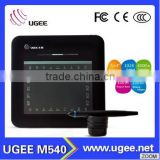
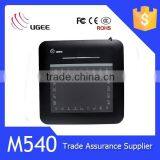
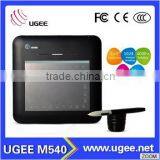
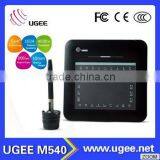
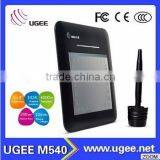
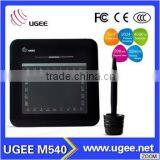
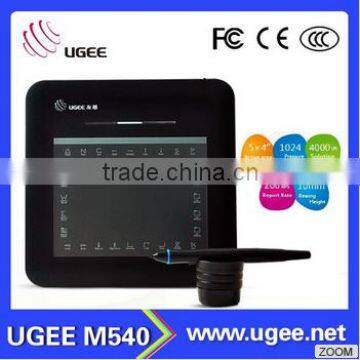
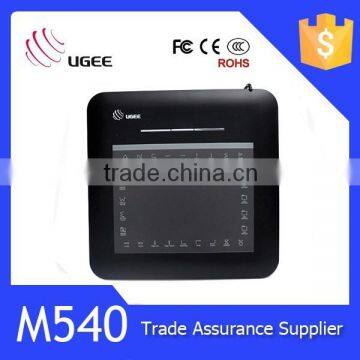
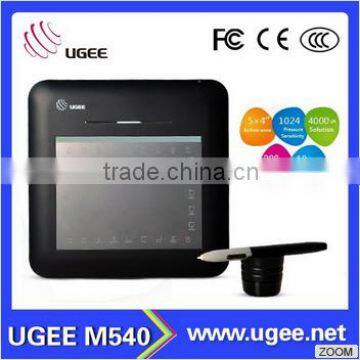
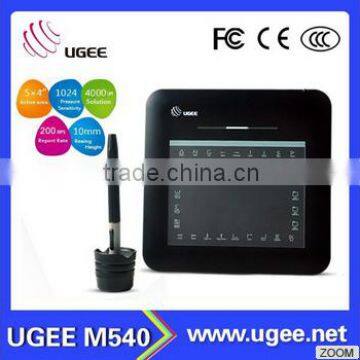
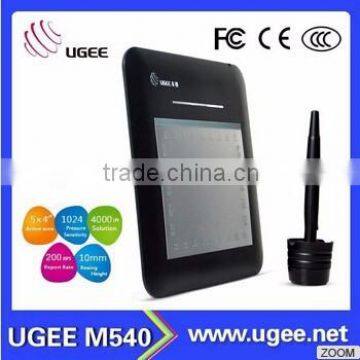
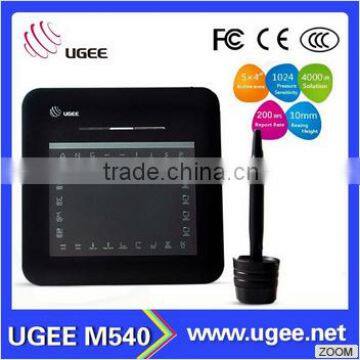
Ugee M540 4.5" Ultra-Slim Graphic Tablet


Related Products
-
 Ugee M540 Great Tool for Children Painting Slate PadUS$ 0.0000001 - 35MOQ: 1 Piece
 -
Ugee M540 Great Tool for Children Painting and DrawingUS$ 0.0000001 - 35MOQ: 1 Piece
-
Ugee M540 Great Tool for Children PaintingUS$ 0.0000001 - 35MOQ: 1 Piece
-
Ugee M540 Great Tool for Children DrawingsUS$ 0.0000001 - 35MOQ: 1 Piece
-
Ugee M540 5x4 Inches Digital Design TabletUS$ 0.0000001 - 35MOQ: 1 Piece
Specification | |
Brand |
UGEE |
Mode |
Rainbow Smart |
Pressure sensitivity |
1024level |
Active Area |
5x0"x4.0" |
Report Rate |
200 RPS |
Resolution |
4000 LPI |
Reading Height |
10mm |
Accuracy |
±0.01 inch |
Hot Keys |
Yes |
Interface Support |
USB |
Pen |
P22 |
Pen Holder |
Yes |
Color |
Black |
Dimension and Weight | |
Dimension Length |
210mm |
Dimension Width |
208mm |
Dimension Hight |
10 mm |
Total Weight |
326g |
Power and Operation Environment | |
power Consumption |
0.2 w |
|
|
Operation Temperature |
5°C ~+40°C |
Working Relative Humidity |
20%-80% |
Accessories Included | |
Pen |
P22 |
Pen Holder |
Yes |
Installation CD |
Yes |
Replacement Tips |
8pcs |
Tip Remove Tool |
Yes |
USB Cable |
Yes |
User English Manual |
Yes |
Shippment
When you place an order,please choose a shipping method and pay for the order including the shipping fee. We will send the item within 3 days once your payment is completed. We don't guarantee the delivery time on all international shippments due to different in customs clearing times in individual countries which may affect how quickly your product is inspected. Please note that buyers are responsible for all additional custom fees,brokerage fees, duties, and tax for importation into your country. These additional fees may be collected at the time of delivery. We will not refund shipping charges for refused shipments.
The shipping cost doesn't include any import taxes, and buyers are responsible for customs duties.
Certifications and Warranty
We will check the tablet carfully and guarantee it’s in good condition when shippment. Buyers may request for a replacement within 7 days from your receipt of the product.The buyer should return the product in the original conditions to us and should bear the shipping costs for the return.
FAQ
Q. How can I get the update software?
A. You can download the new driver from our website---
1. uninstall your old driver:Click[Start][All Programs][TABLET][Uninstall]
2. Download the latest version of driver in the download section and save it into your hard disk
3. Unzip the file in a folder on your hard disk(with Windows built-in unzip utility or a program like Winzip for instance).
4. Double-click the Setup.exe in the foler where you unzippped the file.
Q. The tablet cannot work.What should I do?
A. Please follow the steps below:
1. Please pull off the tablet’s USB plug from the computer.
2. Remove the Tablet driver form the system.
3. Re-connect the Tablet’sUSB to the computer.
3.1 Check whether the tablet’s LED is blinking or not? If the LED unlighted, that means the hardware is faulty.
3.2 Test your wireless digital Pen on tablet working area, if it can work as a mouse, which means the hardware is OK.If it doesn’t work, please change the battery with a new one.
3.3 After changed a new battery for the pen, if it still not working, that means the hardware is faulty.
4. You can download the latest version of driver directly from our website
5. After installing the new version of driver, the system will require you to restart your computer.
6. After restart your computer, on bottom right of the screen, you can find the tablet icon within there.
6.1 If you can’t find the tablet icon on the bottom right of the screen, it means the driver fail in startup.It might caused by an incompatible issue.
6.2 Check form [My computer]→[Properties]→[Hardware]→[Device Manager], if there is an exdamation mark occurs,it means the installed driver of tablet is incompatible with the windows stystem.If you have this problem, pls contact us for more service.
7. By clicking the tablet icon on the bottom right of the screen, you can test the pressure sensitivity to see whether the pen pressure function works or not.
Feedback
Your satisfaction and positive feedback is very important to us. Please leave positive feedback and 5 stars if you are satisfied with our items and services.If you have any problems with our items or services, pls feel free to contact us first before you leave negenetic feedback. We will do our best to solve any problems and provide you with the best customer services.

Send Inquiry to This Supplier

You May Also Like
-
PCI Express to USB 3.0 Converter Mini PCI-E USB 3.0 2Port PC Expansion Adapter Card For Vista Win 7US$ 1 - 100MOQ: 100 Pieces
-
HDMI Male To HDMI Mini Female Adaptor VK2-0046NegotiableMOQ: 1
-
Item No.: HWC1030-3 Lap Top Tray With LampUS$ 7 - 8MOQ: 1000 Sets
-
Laptop Production LineUS$ 1,000 - 100,000MOQ: 1 Set
-
Network Cable Tester Cable DetectorUS$ 28 - 35MOQ: 50 Pieces
-
Print Head CoilsNegotiableMOQ: 1
-
BITCOIN MINERNegotiableMOQ: 1 Piece
-
USB VOIP PHONE(USB2.0Easy Cap TV STICK)NegotiableMOQ: 1 Piece
-
Hotel Retractable Network Cable Holder B02C With WIFIUS$ 21 - 35MOQ: 500 Pieces
-
High Quanlity Delicate Adjustable Laptop Stand Aluminum MaterialUS$ 9 - 11.32MOQ: 1 Piece


