








 Contact Platform Support
 Help Center
Home > Computer Products > Tablet PC > All-in-One Tablet PC > FreeShip Boda Dual Core 7 Inch Capacitive Screen 8G Android 4.2.2 HD OTG WIFI GPU Mali 400MP Tablet PC Two Camera Cheap
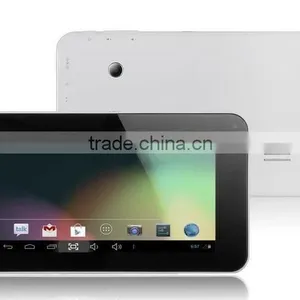
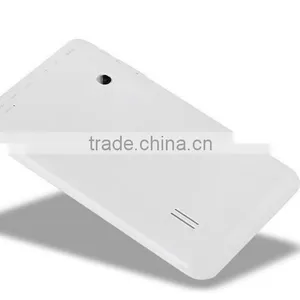
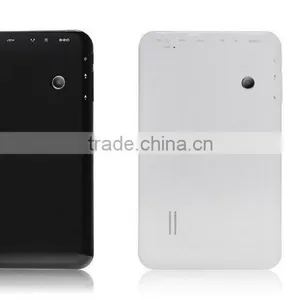
FreeShip Boda Dual Core 7 Inch Capacitive Screen 8G Android 4.2.2 HD OTG WIFI GPU Mali 400MP Tablet PC Two Camera Cheap
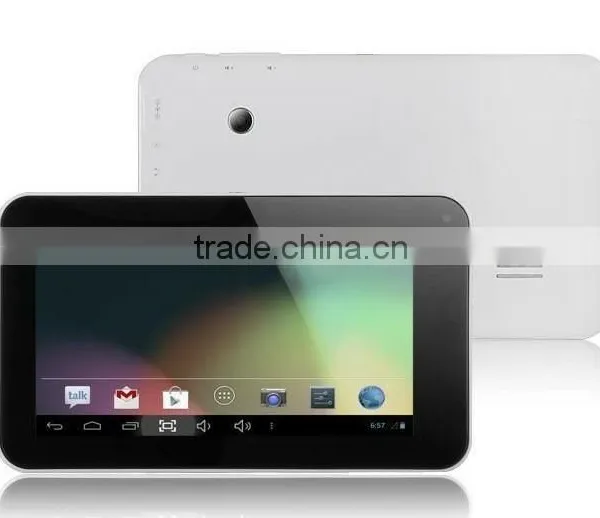
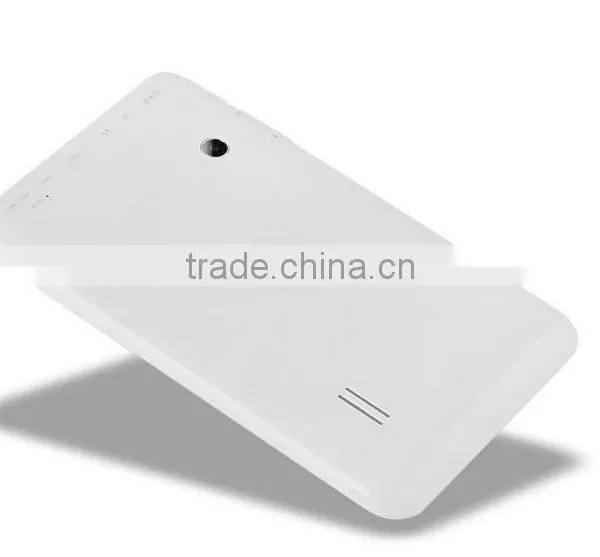
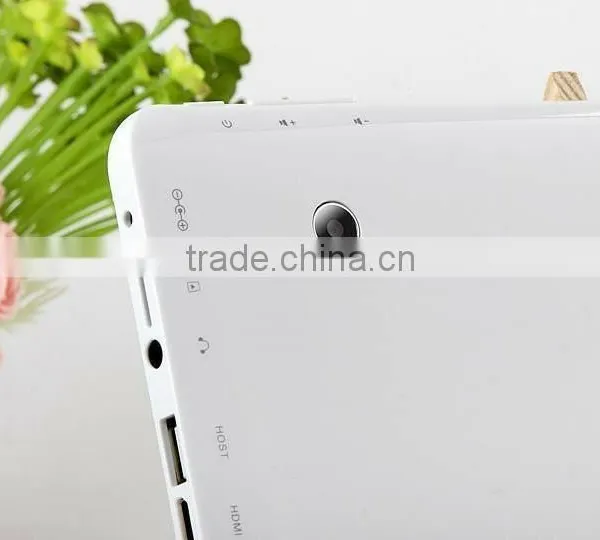
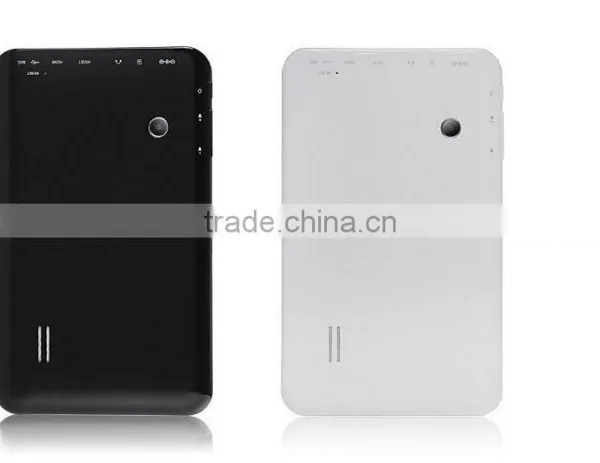
US$ 22 - 26
MOQ: 20 Sets
Key Specifications
Get Latest Price
Products Status:
Stock
Screen Size:
Other, 7"
Processor Manufacture:
AllWinner
Payment & Shipping
Payment Methods:


Port of Shipment:
Shekou Port or Hongkong Port
Delivery Detail:
Delivery time depends on order quantity.
Related Products
-
 Tablet PC MTK8127 Quad Core Android 4.4 7 Inch IPS 1GB RAM 8GB ROM GPS Bluetooth WIFI OTGUS$ 33 - 42MOQ: 20 Sets
 -
High Quality Wifi GPS Bluetooth Smart 7 Inch Wifi Tablet pcUS$ 22 - 29MOQ: 20 Sets
-
10 Inch Android Tablets PC 1GB 8G 16G WIFI Bluetooth Two Camera 1GB 8GB 16GB 1024*600 Lcd 10 Tab pc Quad Core A33 7 8 9 TabletUS$ 55 - 65MOQ: 20 Sets
-
9 Inch Tablet PC 1GB RAM 8GB ROM Android 5.1 Tablet Computer Quad Core Two Camera Eternal 3G WIFI 2015 New HottestUS$ 43 - 54MOQ: 20 Sets
-
7 Inch Google Android 5.1 Tablet PC A33 Quad Core & Camera 1.5GHz 8G ROM Support WiFiUS$ 22 - 29MOQ: 20 Sets
Products Status
Stock
Screen Size
Other, 7"
Processor Manufacture
AllWinner
Processor Type
Other, A33
Processor Main Frequency
Quad Core
Hard Drive Capacity
8GB
Memory Capacity
1GB
Touch Screen Type
Capacitive Screen
Display resolution
1024x600
Weight
350g
Brand Name
OEM
Model Number
TAB-701B
Battery Life
4-5H
Operating System
Android 2.2
Package Size:20cm 15cm 19cm (7.87in 5.91in 7.48in)
| CPU Processor | AllWinner A20 DUAL CORE Corte A7 1.5GHz |
| Operating System | Android 4.2.2 Jelly Bean |
| Size | 7 inch |
| Resolution | 1024*600 HD |
| Touch Screen | High Sensitive 5 Point Capacitive Touchscreen |
| RAM | 512MB DDR3 |
| Nand Flash | 8GB |
| Camera | 0.3 Mega Front Camera and 2 Mega Rear Camera |
| Android Market | Yes. You can download thousands of APPS from the Google Play Store |
| Etend Card | Epandable to 32GB |
| Input Device | Built-in Microphone |
| LAN | Eternal Fast 10/100 Mbps if equipped with an Ethernet Adapter |
| Wireless | Support WiFi (Built-in 802.11b/g WLAN Card), Support 3G (3G Dongle Not Included in Package) |
| Audio Port | Headphone socket*1 |
| AC Power Adaptor | Input AC100-240V, 50-60Hz, Output 5V 2A |
| Battery Pack | 3.7V 3200 mAh Li-Polymer rechargeable battery |
| Flash Player | Pre-installed with Flash 11.1 |
| Weight | 700g |
| Picture Viewer | Support JPG, JPEG, GIF..... |
| Media File Audio | MP3, WMA, WAV, APE, OGG, FLAC |
| Video Player | Support AVI, RM, RMVB, MKV, WMV, MOV, MP4, PMP, MPEG, MPG, FLV, 3GP, MPG, H.264, etc |
| Music Player | Support MP3, WMA, MP2, OGG, AAC, M4A, MA4, FLAC, APE, 3GP, WAV, support playlist |
| G Sensor | Yes |
| Languages | Czech, Dansk, German, English, Spanish, Russian, French, Italian, Dutch, Norwegian, Hebrew, Polski, Greek, Portuguese, Svenska, Turkey, Korean, Japanese, Simplified Chinese, Traditional Chinese |
| Software | Support Fring, QQ, MSN, Youtube, Google Map, Document to go, Multimedia Player, Email, OfficeSuite, Google search, Task Manager, Browser, Gallery, Clock, Calculator, Calendar, iReaderer, Application Store |
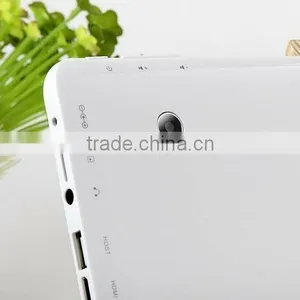
| I/P Ports | Headphone Jack*1 |
| Mini USB*1 | |
| USB 2.0*1 | |
| TF Card Slot*1 | |
| DC Jack*1 | |
| Accessories | AC Charger, English User Manual, USB Cable, OTG Cable |
Package
- BoDa 7" Dual Core Tablet PC*1
- English User's Manual*1
- OTG Cable*1
- USB Cable*1
- AC Charger*1
- Packing Bo*1
Main Picture
FAQ
- Question 1: What is a Google Android tablet?
- A: Android is an operating system for mobile phones and tablets, in much the same way that PCs run Microsoft Windows as their
- operating system. It's maintained by Google, and comes in a few different version, at the time of writing, Android 4.2 has been
- released
- Question 2: Where can I download free Apps
- A: You can get apps from the Google Play store, or from other sources, such as GetJar and 1mobile market. They can also be loaded
- onto an Android device manually via a USB cable without using a store.
- Question 3: How can I connect the internet with 3G?
- A: You can connect to the 3g services if equipped with a dongle which has a sim card slot. The sim card should be 3g enabled. Sim
- card is used in cell-phone for connection. Verizon, Sprint, etc. We can just connect 3G dongle to USB 2.0, so we need an OTG cable
- 1: Make sure your dongle works on your PC/Laptop.
- 2: You must know the manual setting of your dongle/Service provider (you can download it from net, eg: search for "Verizon APN
- settings").
- 3: Download PPP widget from google app and grant root access to it after installation.
- 4: Connect the 3G dongle to your table pc via the OTG Cable.
- 5: Click on configure and fill the details of manual setting of your dongle/Service provider.
- 6: Click connect and enjoy.
- Question 3: You said this tablet pc would support MSN, Fring, QQ, Office Suite, why aren't there on screen after the boot?
- A: This Tablet PC does support all the APPs mentioned above, but we have only installed necessary APPs for you, as every customer
- has different need on a variety of Apps and some of them are not even free, therefore users need to install on their own.
- Question 5: I don't see 8GB Nand Flash in internal storage, is there anything wrong?
- A: Partial of that 8GB Nand Flash is used for formatting and other functions, resembling to the status of a Computer's Hard Drive.
- More precisely, it is consisted of three parts, internal storage(app data&media content), NAND Flash and and hidden system space
- Question 4: Can't connect my Tablet PC via WiFi, how to sort this out
- A: If problems like "Seem out of range","Random disconnections" etc occur, the tablet gets the blame because the user already has
- their smartphone, laptop or bo connected so it must be the tablet right?
- In some ways, yes, and there are possible issues, and of course, ways to overcome them:
- 1: Whenever you try to connect WiFi for the first time, make sure there is no space in SSID, SSID is how your network named, like
- "Alland-Networking", "Jameshouse", but Android Tablets seem to have difficulty in connnecting WiFi if there is a space in Network
- name.
- 2: Intermittent Connection, this is usally caused by Router not issuing an IP address to the tablet, assign a static IP address can
- settle down the problem. Operate in such an order: Settings-WiFi-Hold the network you are to connect for a second-Modify
- network-drag the menu down to check"show advanced options"-Change IP settings from DHCP to Static, fi the tablet IP address to
- something like 192.168.0.
- 3: Security Block, this is the case when you have ecellent signals on the table pc, but your device just refuses to connect WiFi.
- The easiest method is to switch off security and add mac control to filter out outside users. Effectively, you input the tablet MAC
- address into the security setup menu on your router and this will give the tablet free access to all of the routers security features,
- however this blocks all other devices from entering the network so remember to add the MAC address of your smart phone, laptop,
- bo etc. For specific instuctions on how to do this, read routers manual or consult your ISP.
- 4: Network Congestion, the rest of your devices may work fine but the tablet keeps dropping out or shows very low signal even
- when sitting on top of the router - a favourite complaint that received from users. This contributes to too many wireless signals from
- competing networks spoiling your network signal. Android Tablets seem particularly susceptible to this. Cycling to a different channel
- frequency can help significantly and many people see their signal jump from "low" to "ecellent" just by the flick of that virtual
- switch. Cycle throuigh all 11 frequencies until you find the one that works best with your tablet.
- 5: Router Issue, try to connect WiFi in some hotspots like Starbucks and Kentucky, if it works there, then the easiest cure seems to
- to renew the router.
- Only 1 out of 50 tablets sent to our repair centre actually displayed a fault - the rest were one of the above configuration issues so
- don't GIVE UP on your tablet!
- Question 5: When should I choose to restore the factory settings, and what problems does it solve
- A: Performing a factory reset can be useful for a number of reasons and situations, particularly when your device has become too
- clogged up with apps, files and different accounts which may be compromising the performance. Please follow the outlined steps
- below:
- 1: Navigate to the settings of your tablet.
- 2: Scroll down to click on Backup&Reset section of the Settings menu.
- 3: Enter reset facotry settings.
- 4: Hit the Reset Device Button
- Question 6: How to reflash the operating system?
- A: It is necessary to reinstall your operating sysytem when you come across problems like screen lock, stuck on Android logo during
- boot, lines on screen, or other software issues that prevent the tablet from working properly, please message us for detailed
- instructions and addresses to dowload system files.

Send Inquiry to This Supplier

Business Type
Manufacturer
Year Established
2015
Factory Size
Below 1,000 square meters
Total Employees
Above 1000 People
You May Also Like
-
Original ALLDOCUBE Smile 1 T803 4G LTE Tablet 8 Inch 1280 x 800 IPS Touch Screens 3GB 32GB Wifi 4G Lte Android Tablet PcNegotiableMOQ: 1
-
BHNKT88 New Product 7 Inch Touch Screen With Dual Core Dual Sim Bluetooth GPS Built in 2G Tablet PC WIFIUS$ 52 - 58MOQ: 10 Pieces
-
Tablet 7 tv Tablets That Uses Sim Card Game Android TabletUS$ 45 - 55MOQ: 500 Pieces
-
Pad Looking For Wanted Dealers And DistributorsUS$ 0.6 - 1MOQ: 2000 Pieces
-
Intel () a New Generation BOXD34010WYK NUC Computing Platform Built-in Intel Core I3-4010 - u ProcessorUS$ 10 - 300MOQ: 1 Set
-
KX-TDA0300CN The Reception Desk Computer Terminal Application Software PC-ConsoleUS$ 80 - 1,000MOQ: 1 Piece
-
7" Android 4.2 WiFi Tablet(512MB,8GB,A23 Dual Core,Dual Camera)NegotiableMOQ: 50 Pieces
-
Android Teblet Kiosk With 80mm Thermal PrinterUS$ 900 - 2,500MOQ: 1 Piece
-
Android ZigBee Home Automation Touch ScreenUS$ 199 - 999MOQ: 1 Piece
-
App Design App Android App Application Design App Develop Application SoftwareUS$ 2,000 - 4,900MOQ: 1 Piece


