








 Contact Platform Support
 Help Center
Led Edit Software Dmx512 Led Controller SD Card

Related Products
-
 Dmx512 Led Controller SD Card,Led Pixel Controller SD CardUS$ 1 - 18.5MOQ: 1 Piece
 -
IOS and Android System Rgb Led Controller Wifi,rgb Led Controller WifiUS$ 0.9 - 31.5MOQ: 2 Pieces
-
Square Touch Interface Controller,Square Touch Dimmer,1/2/3 Channel LED Touch ControllerUS$ 1 - 9MOQ: 1 Piece
-
RGB 3 Channels RF Touchable Led ControllerUS$ 1 - 9MOQ: 1 Piece
-
DMX512 LED Controller for Digital RibbonUS$ 1 - 18.5MOQ: 1 Piece
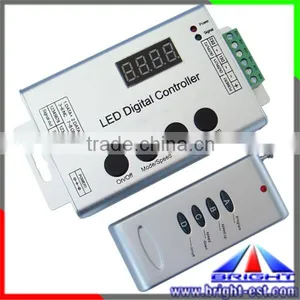
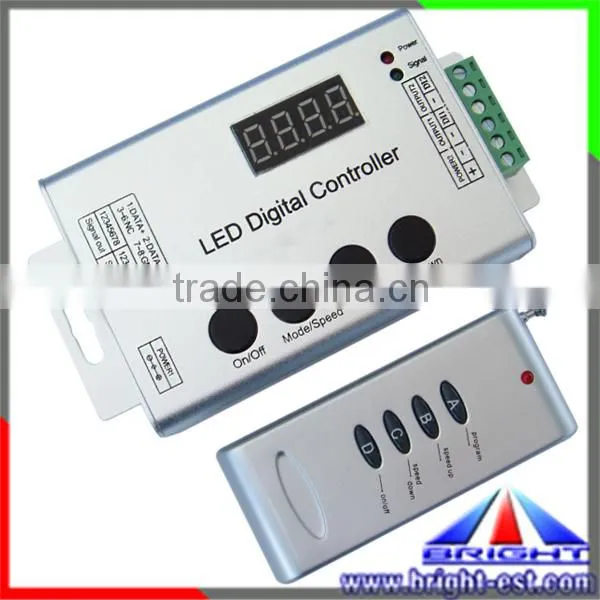
Full Color RGB WS2812B/1903/2811 LED Controller DC12V Input,LED Digital Controller with WS2812B/2812/1903 ic Inside,Digital RGB LED Strip Controller
Product Description
Wireless Symphony LED Controller is suit for 8806 output applications which drive LED directly. It is widely used in advertising, stage sets, home decorations, etc. It has many advantages such as low price, easy connection and simplicity to use. It has a memory function. Meanwhile, you could adjust brightness, static color choices and various dynamic changes in lighting effects through wireless remote control. It can also be used as a synchronous controller. That is to say you can synchronously control number of decoders and LED lights.
Technical Parameters
External Dimension
Direction of Use
- Connect the load well wire at first, following by the power wire; Please ensure short circuit can not occur between connecting wire before you turn on the power. Then set the steps as follows.
- Press the "On / off" button to take the controller off before setting the menu.
- Press the “up”, “down” button one time at the time, and LED would be bright at this moment. Then press the "Mode / Speed" button to get into the menu settings screen.
- The first setting screen is for “High-speed, low-speed settings”, and the LED would display "S-HI" or "S-LO". Then press the “up” and “down” button to select the mode. (If the IC on the light bar is high-speed mode, you should choose “S-HI”, and choose “S-HI” when low-speed.) The factory default is for the high-speed mode.
- Continue to press the "Mode / Speed" button to enter the second screen-“Control points setting”. The LED display 4-digit is for the number of control points. To plus or minus the number by pressing the “up” and “down” button (Long pressing can adjust quickly). The factory default is for 50.
- After setting well, press the "On / off" button to save and exit.
- There are 4 buttons in total on the control panel, function of each button as below:
Product Pictures
Other Controllers Pictures
1.Packaging :Neutral Package or according to customers' request
2.Delivery Time: 5-7days

Send Inquiry to This Supplier

You May Also Like
-
Dimmer SwitchUS$ 2 - 5MOQ: 20 Pieces
-
Led Light RF-MINI DimmerUS$ 2 - 2.8MOQ: 10 Pieces
-
High Quality DMX Controller 240 Disco10w Stage Lighting ControllerUS$ 63 - 100MOQ: 1 Piece
-
Dimmer ModulesNegotiableMOQ: 1
-
192Channel DMX512 LED Controller Console for Led Stage LightUS$ 10 - 30MOQ: 1 Piece
-
Electrical Switches Light DimmerNegotiableMOQ: 500 Pieces
-
Touch Screen Incandescence Lamp Micro Dimmer SwitchUS$ 30 - 50MOQ: 1 Piece
-
RF 2.4G 4 Channel LED Remote(Remote A)NegotiableMOQ: 1 Piece
-
DJ Light, DMX Console, 768 Channel DMX ControllerNegotiableMOQ: 2 Pieces
-
Wuxi Factory Workshop Lighting Retrofit Energy-saving Device Sjdz-0.38-50 Sjdz-0.38-100US$ 152.31 - 153.69MOQ: 1 Piece


