








 Contact Platform Support
 Help Center
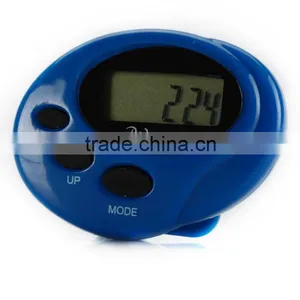
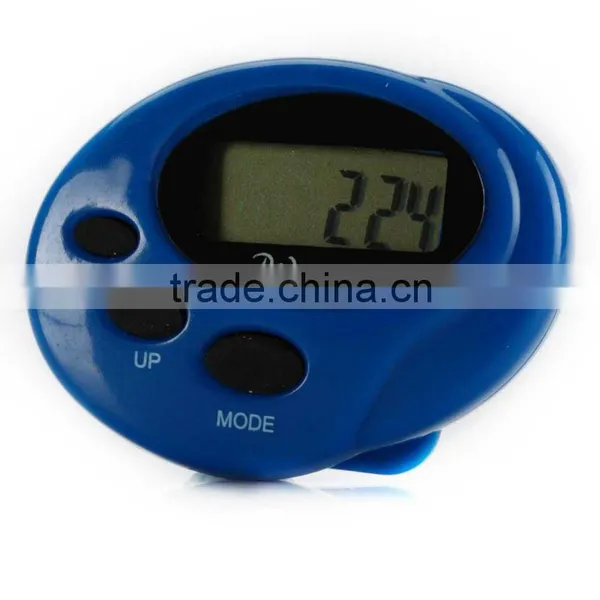
G-sensor Pedometer/LCD Display


Related Products
-
 Pedometer Radio/FM RadioUS$ 2.2 - 2.5MOQ: 200 Pieces
 -
Sportline Pedometer/FM RadioUS$ 2.2 - 2.5MOQ: 200 Pieces
-
Pedometer With Calorie/LCD DisplayUS$ 2 - 2.3MOQ: 100 Pieces
-
Step Counter Pedometer/LCD DisplayUS$ 2 - 2.3MOQ: 100 Pieces
-
Wrist Strap Pedometer/LCD DisplayUS$ 2 - 2.3MOQ: 100 Pieces
Specifications
g-sensor pedometer6digits LCD display:0 to 699999
calculate distance walked:set stride between 30-200cm
g-sensor pedometer
INTRODUCTION
Congratulations on your purchasing the easy-to use light weight digital pedometer (step counter). We hope this unit can effectively help you to track your progress and improve your stamina.
HOW TO WEAR THE PRDOMETER
Pedometer counts walking or running steps according to movement of the waist. Please attach at waist level to your belt. Slacks or training attire. Maintaining a horizontal position, attach securely [ FIG.3].
Note: Improper positioning of the pedometer may result in incorrect data collection.
NAMES AND FUNCTIONS [ FIG.1 AND 2]
A. LCD
Single line display with 5 digits
B. MODE button
Press MODE button to transfer mode and display in turn;
Time mode Step modeKm (or Mile) modeKcall ( Calorie ) mode
C. SET button
Start transfer or end adjusting
D. UP button
In time mode press UP button to select 12 hours or 24 hours system.
While adjusting holding down UP button Will give fast advance.
E. RESET button
If the pedometer has no response to any button operation please press RESET button to re-start the unit.
HOW TO USE THE PEDOMETER
1. Time mode:
Press the MODE button to enter into the time mode.
In the time mode, press SET to set the time. The hour in screen will flash, press UP button every time, the hour will add 1, hold down UP button will give fast advance; Press SET button again, the minute in the screen will flash, press UP button every time, the minute will add1, holding down UP button will give fast advance; Press SET button for the third time to confirm the time setted and return to setting mode.
In the time mode, not setting mode, pressing UP button to swap between 12/13 hour system.
2 . Stopwatch mode:
Press MODE button to enter into the stopwatch mode.
Press SET button to start/stop the stopwatch.
When the stopwatch stop, press UP button to clear the stopwatch number memory and return to 0.
3. Step mode:
Press MODE button to enter into the step mode. Hold down UP button for 2 seconds to clear the steps. Calorie, and distance number memory to 0. Other wise the pedometer will count the steps accumulatively to a maximum of 699999 steps and then return to 0.
4. Calorie mode:
Press MODE button to enter into the calorie mode.
Press UP button for 2 seconds to clear the steps, calorie, and distance and return to 0.
Press SET button to set weight, every time you press UP button, the weight number will add 1, hold down UP button will give fast advance.
Press SET button again to confirm the weight and return to the calorie mode.
Weight and distance adjustable range: metric standard (20kg-150kg, 30cm-200cm)
English standard (50Lb-300Ib, 10inch-80inch).
The calorie adjustable range: 0-6999.99 KCAL.
5. Distance mode:
Press MODE button to enter into the distance mode.
Press UP button for 2 seconds to clear the steps, calorie, and distance and return to 0.
Press UP button for 5 seconds to swap between KM/MILE.
Press SET button to set distance, every time you press UP button, the weight number will add 1, hold down UP button will give fast advance, the distance adjustable range: 0-699.999KM/MILE, Pres SET button again to confirm the distance and return to the calorie mode.
This table is for reference only (when the stride is 24 inched or 0.6m)
| Step counter range | 0 to 699999 (6digits LCD display) |
| calculate distance walked | set stride between 30-200cm |
| calculate calories burned | set body weight between 20-150 Kilograms. |
| system | metric and english system changeable |
| Color | blue,white,orange,red |
| Material | ABS |
| Certification | CE,ROHS |
| Sensor | 2D sensor |
| time function | 12/24 hour format |
| stopwatch | 59'59"99 |
NOTE:
As this unit is a precise electronic product, please use it carefully and correctly, Do not take it apart unless changing the battery ( one AG 10 button cell battery). Incorreetly taking it apart may affect the accuracy of step counting or damage this unit.

Send Inquiry to This Supplier

You May Also Like
-
Smart Bracelet Health Sleep Wireless Activity + Sleep WristbandUS$ 1 - 100MOQ: 1 Piece
-
Activity Tracker Guard Tour System With Online SoftwareUS$ 100 - 100MOQ: 1 Set
-
Stainless Steel Smart Ring With Display IP68 Waterproof Heart Rate Health Monitoring Sport Tracking Finger RingUS$ 10.2MOQ: 2000 Pieces
-
G608M - Cat.M Pets Tracker With Health (Heart Rate, Body Temp. BLE+GPS+Wifi+LBS Location)US$ 35 - 49MOQ: 1 Unit
-
2.1 Fashion Wristband Pedometer Sleep Monitor/PedometersUS$ 8 - 15MOQ: 1 Unit
-
Free Sample Pedometer Wristband Fitness TrackerUS$ 0.5 - 0.8MOQ: 2000 Pieces
-
3D Pedometer With Reader.Factory Directsupply! Hot Sales!NegotiableMOQ: 500 Pieces
-
U8 Bluetooth Smart Watch Altitude Tester Pedometer Smart Bracelet Health Care Watch for MobileUS$ 4 - 8MOQ: 50 Pieces
-
Plastic Step CounterUS$ 1 - 5MOQ: 5000 Pieces
-
Shenzhen OEM Factory Sport Fitness Tracker Custom DesignNegotiableMOQ: 1000 Pieces


