








 Contact Platform Support
 Help Center
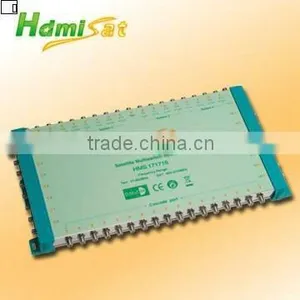
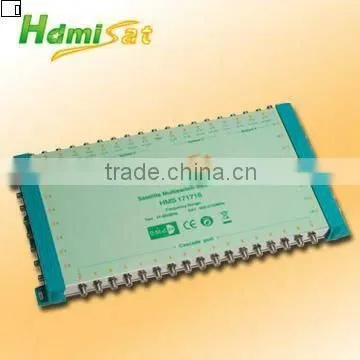
Satellite Multiswitch DiSEQc 17 in 16 Out

Related Products
-
 5 in 12 Out DiSEqC Satellite MultiswitchNegotiableMOQ: 40 Pieces
 -
DiSEqC 2.0 Satellite Multiswitch 17 inNegotiableMOQ: 50 Sets
-
9 in 8 Out DiSEqC2.0 Satellite Multiswitch HMS 98/HMS 998(Cascade)NegotiableMOQ: 50 Sets
-
DiSEqC 2.0 Satellite MultiswitchNegotiableMOQ: 40 Sets
-
Satellite Multiswitch DiSEQc 17 in 8 OutNegotiableMOQ: 50 Pieces
Specifications
1. Satellite multiswitch 17 input 16 output2. Switching Commands DiSEQc2.0
3. Low cascading loss and high isolation
Features:
1. Suitable for multi-satellite and multi-user system
2. 16 satellite inputs, 1 terrestrial input
3. 16 subscriber outputs, cascade and finite multiswitches
4. Low cascading loss and high isolation
5. Feed from Quattro-LNB or Quad-LNB thru 22 KHz generator
6. SAT IF selected by 13/18V, 22 KHz and DiSEqC2.0 commands
7. Professional design, exquisite appearance and convenient installation
Specifications:
Model |
HMS 1716 / HMS 171716(Cascade) |
|
Inputs |
SAT |
16 |
Terr |
1 |
|
Subscriber Outputs |
16 |
|
Frequency (MHz) |
SAT |
950-2150 |
Terr |
47-862 |
|
|
Trunk Loss (dB) (Cascade) |
SAT |
7 |
Terr |
5 |
|
Tap Loss (dB) |
SAT |
2dB±2 |
Terr |
7dB±1 |
|
Return Loss (dB) |
SAT |
12 |
Terr |
10 |
|
Isolation (dB) |
LNB-LNB |
35 |
Terr-SAT |
30 |
|
SAT-Terr |
35 |
|
H/V |
30 |
|
Switching Voltage |
15±1V |
|
Switching Commands |
DiSEqC 2.0 |
|
Power Supply |
DC:18V2.0A |
|
How to Install a Multi Switch
A multi-switch is used to connect multiple satellite receivers, such as those used by Dish or DirecTV, to a single dish. Multi-switches come in various types depending on your dish and the setup or configuration that is required. Selecting a multi-switch is done by determining how many receivers you want to connect to your satellite dish. Our multi-switch has a 5 to 17 input and 4 to 32 outputs.
Instructions
- 1 Purchase a multi-switch from a satellite equipment supplier, such as Solid Signal at . A link is provided in the Resources section of this article.
- 2 Select a location to mount the multi-switch. A good location includes your basement, garage or any place where the cables from your dish run into the house.
- 3 Connect the cables from the satellite dish to the inputs on the multi-switch. A typical satellite dish will have at least two coax cables to use with the multi-switch.
- 4 Connect a length of coax cable from an output on the multi-switch to a satellite receiver. Do this for each receiver that needs to be setup.
- 5 Check the picture quality for each receiver that has been connected to the multi-switch
Welcome to visit our company and factory in Zhuhai.

Send Inquiry to This Supplier
You May Also Like
-
HDMI Switch & Splitter VK2-0034NegotiableMOQ: 500 Pieces
-
Hot Sell Carbon Microphone TransmitterUS$ 0.1 - 1.1MOQ: 1000 Pieces
-
TV Plug 9.5mm PlugUS$ 0.1 - 10MOQ: 1 Piece
-
TV Boxes(GF-TB-3600)NegotiableMOQ: 1 Piece
-
HDMI Extender by Single CAT5e/6 Cable: 60m, Transimitter+ReceiverNegotiableMOQ: 1 Set
-
15.4-inch Display Portable Outdoor Party SpeakerNegotiableMOQ: 100 Cartons
-
Manufacturer Silicone Button Silicone Keyboard Wholesale Product Custom Made DesignUS$ 0.05 - 0.1MOQ: 500 Pieces
-
2013 Newest Hot Selling With RTL2832+R820T Chipset DVB-T TV TunerUS$ 6 - 9MOQ: 100 Pieces
-
Indoor tv Signal Amplifier(IA-6112S)US$ 10 - 50MOQ: 500 Pieces
-
X Square-Single Lnb,Twin Lnb and Quad LnbUS$ 1.4 - 4.5MOQ: 3000 Pieces

