








 Contact Platform Support
 Help Center
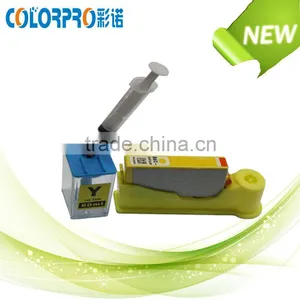
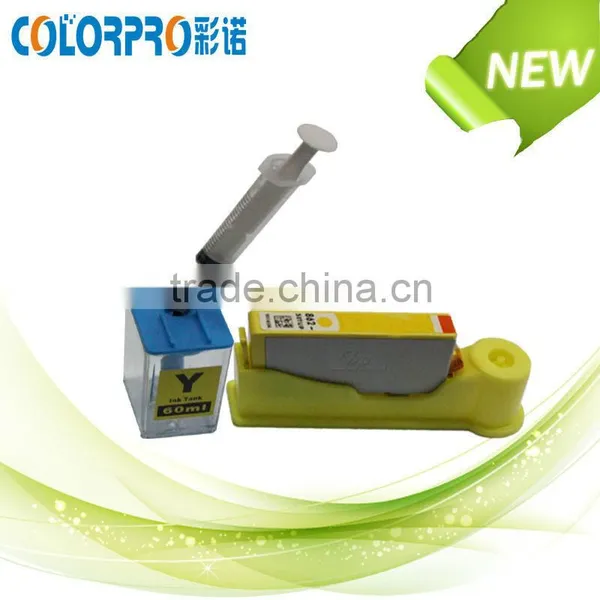
New Hot Ink Refill Tool Kit for HP 364 Emty Ink Cartridge With Ink and Syringe Quality Choice


Related Products
-
 Auto Reset Chip for Epson XP-204 XP-214 XP-401US$ 9.5 - 10.5MOQ: 5 Sets
 -
Auto Reset Chip for Epson XP-211US$ 9.5 - 10.5MOQ: 5 Sets
-
2014 New For HP Officejet PSC Photosmart Deskjet 1510 All-in-One Series PrinterUS$ 50 - 80MOQ: 1 Piece
-
2014 New Deskjet 1510 All-in-One Series Printer for HPUS$ 50 - 80MOQ: 1 Piece
-
The Newest Combo Chips for Epson Expression Ciss XP204 XP214 XP101 XP201 XP211 XP401US$ 9.6 - 10.6MOQ: 5 Sets
Specifications
1.Ink Refill tool kit for HP 364 emty ink cartridge2.Easy to refill
3.With ink and syringe
4. Factory direct sales product
Printing specifictions | |
Products name |
New hot Ink Refill tool kit for HP 364 emty ink cartridge with ink and syringe |
Colors of ink cartridge |
BK/ C/ M/ Y/PBK |
Printer compatibility |
for hp 364 564 685 178 ink cartridge |
Pacakge style |
Bulk packing,neutral white box packing,customized packing |
MOQ |
5 Sets |
Delivery time |
3-7days after payment |
Payment item |
T/T, Western Union, Paypal,L/C,MoneyGram |
Certification |
ISO9001,14001,SGS |
Feature of ink cartridge |
1. The color can perform as the original products. 2. The rest of ink rate is 0 and the usage rate is 100%. 3. Using imported ink. 4. Gorgeous color and do not fade. 5. Precise ink filling amount, ensure print pages. 6. Widely used in all kinds of printing medium. 7. Suitable for all kinds of environment 8. Professional quality assurance 9.Best selling compatible ink cartridge |
Products details and refilling steps:
1.Put the empty cartridge into the gloove of the pedestal.
2.Exact ink from the ink tank by the syringe. If there is more ink leave in the syringe after refill, you can inject them back to the ink tank.
3.Plug the syringe to the refilling nipple and fill the ink .After refilling, take away the syringe and wait for a minute and them take out the cartridge for use.
Note:Please push the syringe to the end whem you do extracting and refilling.
Solution if ink doesn't come out after refill
1.Please do the printer nozzle cleaning program for 1 or 3 times.
2.Please redo the printing after a break of 20 minutes.
When need to do the refilling and how to do the chip reset
As this product use auto reset chip, so the ink volume showed on the computer dialogue does not reflect the actual ink volume in the cartridge. Please follow up the below instruction to refill and reset the chip:
1.When need to refilling?
Although printer dialogue doesn't show ink finished, you still need to refill the cartridge immediately when you find there is white lines or missing color during printing.
2.How to reset chip?
When computer shows color missing, that means the chip needs to be reset. Please take out that color missing cartridge and install it again to the printer.
Instruction
If the ink is not easy to extract out, please use something hard to press the extracting nipple to release the minus pressure inside the ink tank.

Send Inquiry to This Supplier

You May Also Like
-
Ink CartridgeNegotiableMOQ: 2500 Pieces
-
Remanufactured Canon Ink Cartridge Pg 445 Cl 446 Pg-445 Cl-446 Pg445 Cl446 for Canon Pixma Mg5540 PrinterUS$ 10.8 - 11.20MOQ: 100 Pieces
-
IN STOCK HOT SALE DICKSON Th8p0 RECORDER Pen P246 RED AND BLUEUS$ 48 - 52MOQ: 1 Box
-
Diagraph Thermal Inkjet Ink CartridgeUS$ 42 - 45MOQ: 50 Pieces
-
Extra Black Film Plate Burning EPSON T Series Ink CartridgeUS$ 45 - 70MOQ: 1 Piece
-
Inkjet Cartridge Refilling Machine for Canon 740/741 Series Cartridge Tester Check Empties Circuit and PrintheadUS$ 400 - 500MOQ: 1 Piece
-
High Quality Refillable Ink Cartridge for Epson T5852 With Chip Made in ChinaUS$ 1 - 20MOQ: 120 Sets
-
High Quality Wenon Xp201 Ink Cartridge With Chip WholesaleUS$ 1 - 10MOQ: 100 Sets
-
Ink Cartridges Wholesale For Lexmark Ink Cartridges 10n0016 10n0026 For Color Jetprinter I3/z13/z23/z25/z33/z35/z515/z600 PrinteUS$ 1 - 6MOQ: 1 Piece
-
250ml 500ml 1000ml Bottled Dye Ink for Canon PGI-2500 for Canon MB4050/ MB5050/ MB5350US$ 1.1 - 5MOQ: 1 Liter


