








 Contact Platform Support
 Help Center
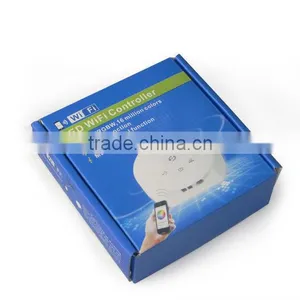
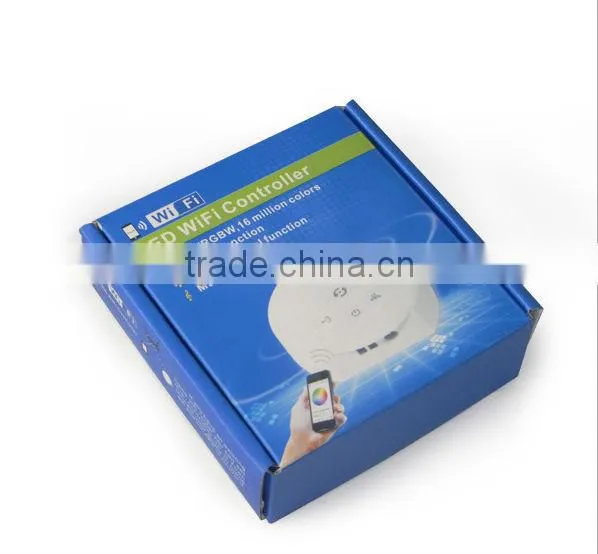
RGBW 1903 LED RGBW Controller UFO WIFI RGBW Controller 12V 24V Smart Phone Control Supported,

Related Products
-
 24V LED RGBW Controller Light 7.5w Flexible UFO WIFI RGBW Controller 12V 24V Smart Phone Control Supported,US$ 25 - 30MOQ: 1 Piece
 -
Flashing Led Light Controller Touching LED Controller for LED Lights 5V: <90W, 12V: <216W, 24V: <432WUS$ 12.5 - 13.5MOQ: 1 Set
-
T-1000S LED Controller for Pixel Lights,rgb Led Pixel Controller,led Light Chain ControlerUS$ 30 - 35MOQ: 1 Set
-
T-300K Video Display LED Controller, Online Controller, 8196 Pixels MAX,led Screen Video ControllerUS$ 190 - 195MOQ: 1 Set
-
T-8000a Video Display LED Controller, Offline Controller, 8196 Pixels MAX,led Screen Video ControllerUS$ 95 - 105MOQ: 1 Set
I. Overview
LED WiFi controller is following the traditional controller with a basic infrared, radio frequency technology, above, in response to market demand, customer needs and the birth of an integrated market, it is the latest WiFi technology controller. It makes it easier to control the LED, more humane. We can use an Android or IOS phone system control software can be installed on the remote LED, which is the voice of each customer!
Use WiFi technology allows a wider range of our control, can break free of the narrow space in the building which can be remotely controlled 30 meters outdoors, then you can remote control more than 50 meters.
II. Product Features
(A) has 16 million kinds of static color, 20 kinds of built-in dynamic mode, custom mode, music mode;
(B) having a functional group;
(C) having a timer function, timer switch, static color, dynamic mode arbitrarily set;
(D) A key WPS to configure the connection to the router;
(E) After connecting the router, WIFI network name on the phone to automatically hide, even prevent theft;
(F) memory function, power failure still maintain the original state;
(G) can directly control the phone can also be controlled through the router as a whole;
(H) support Android 2.3.3, above IOS 6.0 system models, including the market most models of mobile phones and tablets;
III. Technical parameters
3.01 hardware parameters
l Input voltage: DC12V-DC24V
l Power: DC12V: 192W; DC24V: 384W;
l control object: A total of positive constant fixture, including lights, light bar, soft light and other products;
l Output power: 4A * 4
l Connection: common anode
:( Input terminal input or DC input first choose one)
V +: positive power supply;
V-: negative one;
Output:
V +: Fixture positive;
R: then the red positive fixtures;
G: pick green cathode lamps;
B: Fixture blue cathode;
W: Fixture white cathode lamps do not take no for this end;
3.02 Software Technical Data
l Andrews Software:
l Name: Magic UFO - WiFi Controller
l Platform: Support Android 2.3 or later, the device must function with WiFi
l phone installation: Log Google Play, search for "Magic UFO - WiFi Controller", and then download and install;
l Language: Chinese / English, the software automatically recognized by the system;
l IOS Software:
l Name: Magic UFO-WiFi
l Platform: Support IOS 6.0 or later for any IOS devices;
l phone installation: landing App Store, search for "Magic UFO-WiFi", and then download and install;
l Language: Chinese / English, the software automatically recognized by the system;
IV. Android software instructions
1) Google Play Store on your phone free installation (recommended):
Into the Google play store, search for "MagicUFO-WiFi", find the "Magic UFO - WiFi Controller" can be installed;
2) two-dimensional code is installed:
Open the two-dimensional code scanning software, the mobile phone cameras in the following two-dimensional code scanning, and then download and install the software.
V. IOS software instructions
1) through the App Store store phone free installation (recommended):
Shop the App Store, search for "Magic UFO-WiFi", find the "Magic UFO-WiFi" can be installed;
2) two-dimensional code is installed:
Open the two-dimensional code scanning software, the mobile phone cameras in the following two-dimensional code scanning, and then download and install the software.
Click on the following URL to jump App Store for download:
URL: https:? ///us/app/magic-ufo-wifi/id871692815 Mt = 8
VI. Tutorial
Direct phone connection to the controller mode:
1.1 Wifi phone into setting interface, click WLAN name "LEDnet *********"; then, enter Wifi password: "88888888"
1.2 Click on app "Magic UFO" to start the software, you can scan to the device.
Operating through a router mode controller:
"How to use a key to WPS setting LED control box connected to the router?" And then click on the app "Magic UFO" to start the software, you can scan to the device.
(D) How the control box is connected to the router by way of software?
1. Set the phone's WiFi directly connected to the control box, which LEDnetxxxxx wireless connection;
2. Launch Magic UFO app, will be scanned into a control box;
3. Click on the upper left corner "Settings" button to enter the settings page;
4. Click on the list of the corresponding control box enter the setup interface;
5. In the "Network Mode" setting box below, select "Connect to the router";
6. Locate the network name of the local router, enter your password and click the router, press the "OK" button;
7. If the previous step is operating normally, App will prompt "the controller is restarting, please wait" At this point, if the control box Link () lights lit, the control box has been successfully connected to the router;
(E) Unable to control box connected to the router via WPS function?
Answer:
1. Make sure your router is equipped and open WPS function, if not open WPS function, please enter the router setup page to open the WPS function;
2. If it is determined WPS function is turned on, but still can not connect, connect the control box close to the router, the distance not more than 3 meters, and then try again after the control box and the router restarts;
"? 3. How will the control box connected to the router by way of software." 3. If you do not know how to open the WPS function of the router, or in accordance with the above method is still unable to connect to the router, please refer to the instructions in the set;

Send Inquiry to This Supplier

You May Also Like
-
Dimmer SwitchUS$ 2 - 5MOQ: 20 Pieces
-
Led Light RF-MINI DimmerUS$ 2 - 2.8MOQ: 10 Pieces
-
High Quality DMX Controller 240 Disco10w Stage Lighting ControllerUS$ 63 - 100MOQ: 1 Piece
-
Dimmer ModulesNegotiableMOQ: 1
-
192Channel DMX512 LED Controller Console for Led Stage LightUS$ 10 - 30MOQ: 1 Piece
-
Electrical Switches Light DimmerNegotiableMOQ: 500 Pieces
-
Touch Screen Incandescence Lamp Micro Dimmer SwitchUS$ 30 - 50MOQ: 1 Piece
-
RF 2.4G 4 Channel LED Remote(Remote A)NegotiableMOQ: 1 Piece
-
Wuxi Factory Workshop Lighting Retrofit Energy-saving Device Sjdz-0.38-50 Sjdz-0.38-100US$ 152.31 - 153.69MOQ: 1 Piece
-
2 X 80W LED Moving Head Beam With Double HeadNegotiableMOQ: 6 Pieces


